The Growing Necessity of Attack Surface Management
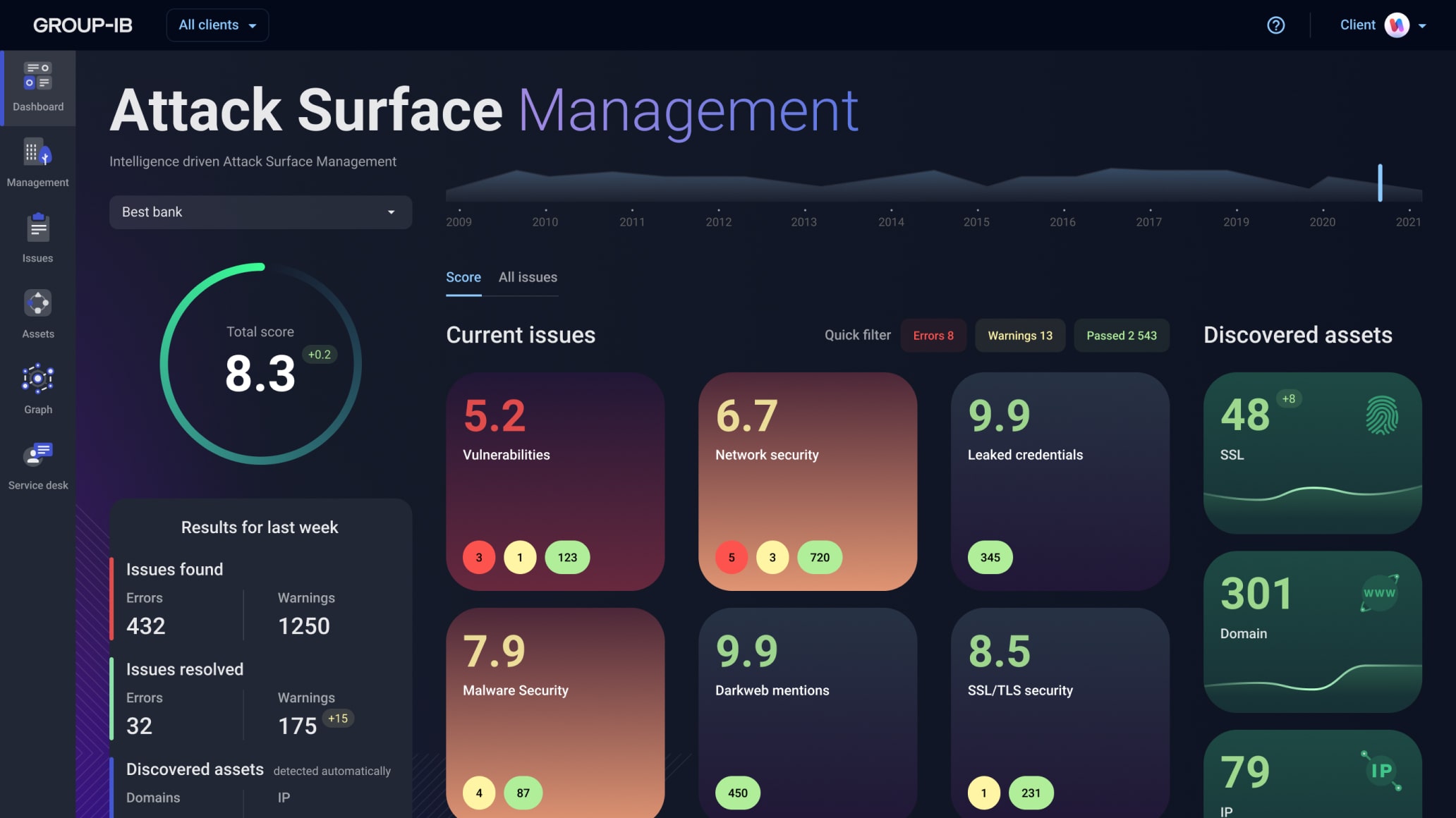
Cybersecurity gets harder as digital footprints balloon. Companies can’t dodge risk if they don’t map their attack surfaces. Attack surface management platforms aren’t just nice to have anymore—they’re survival tools. These systems dig up vulnerabilities and keep tabs on every corner of an organization’s online presence, chopping down risk by a wide margin.
Think networks, cloud servers, third-party apps, and the rogue shadow IT no one formally tracks. An attack surface covers every entry point a hacker might exploit or a breach might occur. Security teams without a solid tool? They get crushed under blind spots and stale asset records that mean bigger trouble later.
What makes these platforms tick? Several critical functions stand out:
- Detecting both known and off-the-radar assets inside and beyond the company walls.
- Monitoring for tweaks, anomalies, or threats in real time.
- Scoring risks based on potential damage severity.
- Integrating fresh threat intelligence automatically.
- Plugging straight into incident response and security information systems.
Teams sharpen focus, wasting less time chasing ghost alerts or piecing together data shards by hand. These capabilities form the backbone of effective cybersecurity. Modern platforms excel by maintaining ceaseless vigilance, cutting through the static that drags defenders down.
Hidden weaknesses can trigger costly breaches or regulatory penalties. For sprawling organizations, skipping this step is dangerous. Using data—not hunches—to steer decisions fast becomes non-negotiable.
RiskIQ Overview and Key Features
Picking the right tool means comparing unique features, pricing, and real-world usability. This review digs into pros and cons, highlighting performance in various scenarios. Companies driving going digital will gain a clearer sense of how to tailor defenses to shifting threats.
The real winners today link asset tracking tightly to incident response, policy rules, and automation. That integration’s booming in newer offerings. We keep the focus sharp here: clear pricing and concrete case studies, not fluff. For a close look on incident response platforms, see Best Incident Response Platforms With In-Depth Pricing And Feature Analysis.
- RiskIQ — Offers a 30-day free trial to evaluate the platform without upfront cost commitment
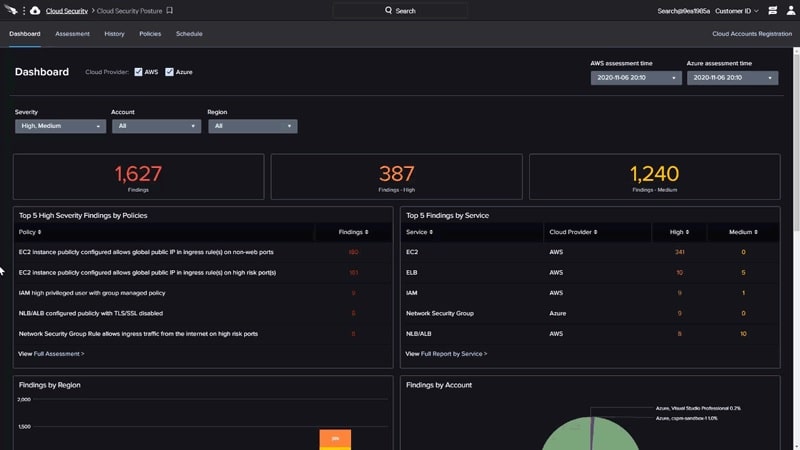
- CrowdStrike Falcon Horizon — Offers a 30-day free trial enabling hands-on evaluation before commitment
- Rapid7 InsightVM — Offers a 30-day free trial with transparent pricing at $0.011 per asset per day.
- Tenable.io — Offers a 30-day free trial to evaluate features before commitment
- Qualys VMDR — Offers a transparent pricing model at $0.011 per asset per day, enabling clear cost forecasting.
- CyCognito — Expands coverage by discovering unmanaged, unknown, and third-party assets for PTaaS integration
RiskIQ Overview and Key Features
They charge a daily rate based on the number of assets. RiskIQ’s pricing model gives enterprises a steady way to plan as their attack surface grows. That simplicity beats competitors with their tangled subscription fees. Despite performing complex tasks like continuous monitoring and intelligence gathering, the platform helps companies forecast security expenses more accurately.
CrowdStrike Falcon Horizon is RiskIQ’s main rival. RiskIQ distinguishes itself through transparent pricing and a unified platform that combines exposure analytics with real-time intelligence. CrowdStrike focuses mostly on endpoint protection and rarely publishes prices. RiskIQ bills by asset count, which makes scaling easier in large, shifting environments. Still, it doesn’t offer detailed tiers, which might annoy firms wanting to pay only for specific features. Its weaker developer workflow support could also frustrate teams looking for smooth automation and full integration.
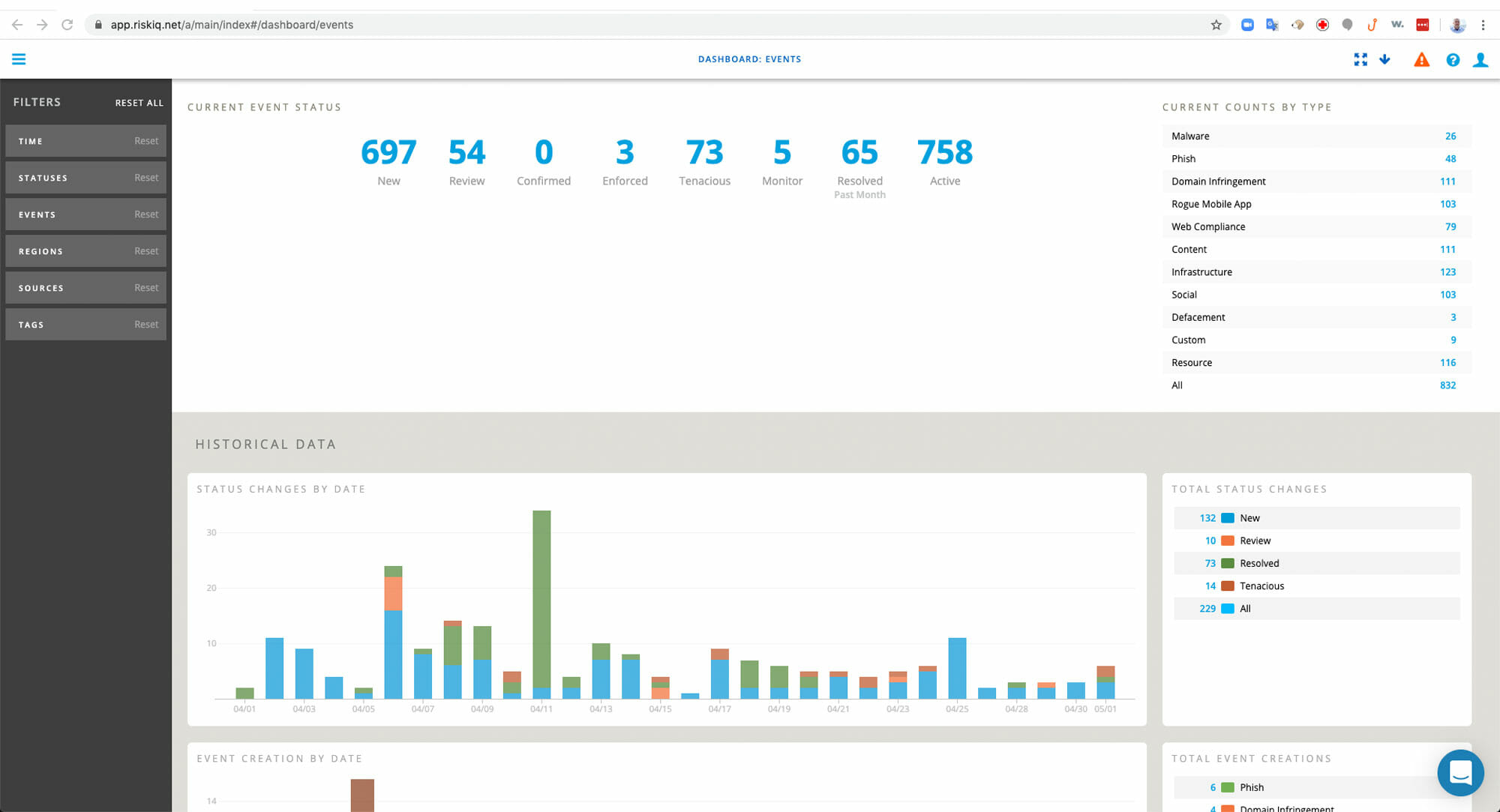
RiskIQ fits security teams focused on wide exposure insight and cost control better than those needing highly customizable options or deep DevOps tooling.
The core product is an all-in-one system combining attack surface monitoring with threat intelligence. It spots vulnerabilities across vast asset inventories. The daily asset fee is straightforward and encourages adoption—no hidden charges scare off big enterprises. But companies needing built-in remediation or tighter tool compatibility may have to patch together extra products (by and large). That can make lifecycle management a mess.
Teams get to see how the platform handles real-time exposure and delivers actionable threat insights. RiskIQ firmly claims its place as a dependable, cost-conscious choice for standard security operations—not for avant-garde DevOps environments. RiskIQ offers a 30-day trial that lowers the barrier for risk-free testing. This approach cuts alert noise and earns nods in major reports like Gartner’s. However, users who want finely tuned pricing or stronger developer tool integration might find it rigid.
CrowdStrike Falcon Horizon Capabilities
| ✓ Pros | ✗ Cons |
|---|---|
| Offers a 30-day free trial to evaluate the platform without upfront cost commitment | No detailed tier differentiation beyond advanced EASM platform mention limits pricing transparency |
| Pricing set at $0.011 per asset per day, allowing cost predictability for enterprise scale | Limited evidence of deep integration with developer workflows compared to some competing platforms |
| Combines continuous monitoring, cyber threat intelligence, and exposure analytics in one platform | No mention of included remediation automation, possibly requiring additional tools for full lifecycle |
 CrowdStrike Falcon Horizon Capabilities
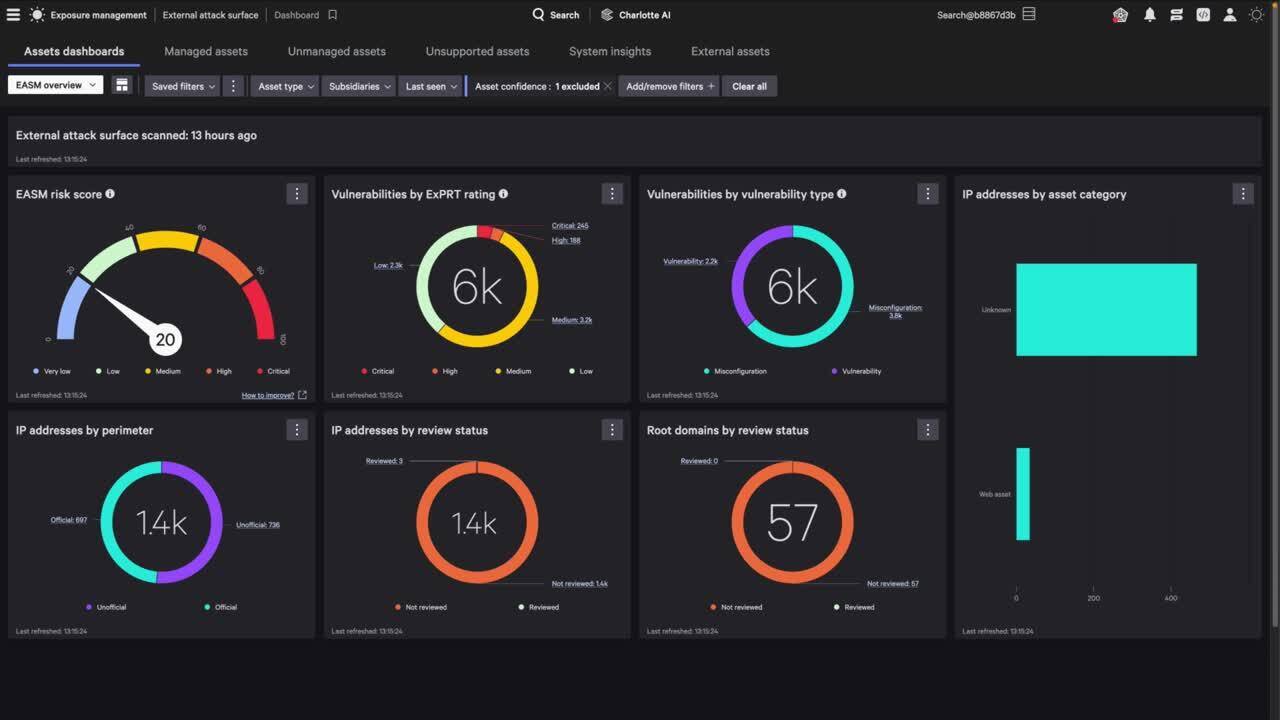
You pay more as you add assets (as a rule). This means fewer tools to juggle and a tighter defense overall. CrowdStrike Falcon Horizon’s pricing is pretty straightforward. That makes it easy to predict costs but tricky if your digital environment balloons fast. Companies with lots of assets need to keep a close eye on their counts to avoid shock bills. The platform bundles continuous monitoring, threat intelligence, and exposure analytics all in one place.
Compared to rivals like Tenable.io, Falcon Horizon’s pricing transparency stands out. Many competitors keep their fees under wraps. SentinelOne, for instance, doesn’t share clear prices upfront. Falcon Horizon skips confusing subscription tiers that blur unit costs until you’re deep into the deal. Still, if your asset list grows quickly, expect the price to climb steeply. One drawback: it lacks smooth integration with developer tools. Workflows may suffer.
A key feature of Falcon Horizon is how it merges real-time external monitoring with threat intelligence and exposure checks. Security teams get a living picture of their attack surface without juggling separate systems. There’s a 30-day free trial, giving teams a solid chance to test-drive features. But scale is where pricing really bites. If you want to grow steadily and control costs, Falcon Horizon fits well. If you can’t limit asset creep or require deep developer market hooks, it might not.
Analyst reports back this up: paying per asset keeps budgets clear but demands tight management to dodge runaway expenses. This design reflects a wider industry push to link detailed asset tracking with threat data—to slash breach response time instead of scrambling after a hit (broadly speaking). For more on cybersecurity tools and pricing, check out Best Incident Response Platforms With In-Depth Pricing And Feature Analysis.
| ✓ Pros | ✗ Cons |
|---|---|
| Offers a 30-day free trial enabling hands-on evaluation before commitment | Potential complexity in managing pricing tiers without detailed plan breakdowns beyond the base rate |
| Has transparent pricing at $0.011 per asset per day for cost predictability | Pricing model based on asset count may become costly for organizations with large asset footprints |
| Supports advanced External Attack Surface Management (EASM) capabilities for enterprises | No explicit mention of integrations with developer workflows limits reach on market compatibility |
| Combines continuous monitoring, cyber threat intelligence, and exposure analytics in one platform |
 Rapid7 InsightVM Functionalities
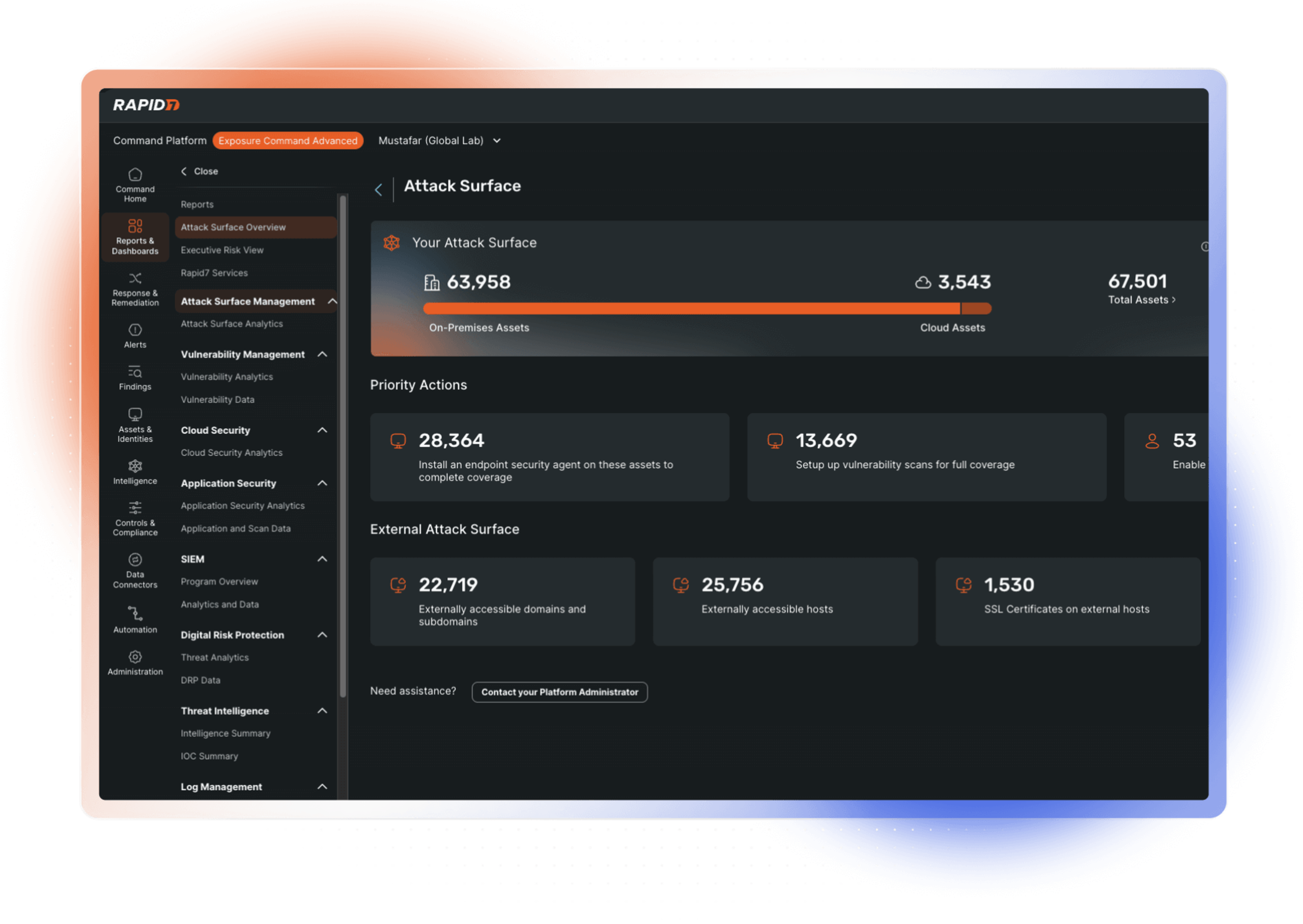
Rapid7 InsightVM charges a clear daily fee for each asset. You get a 30-day trial to test it out. Most competitors hide their prices behind complex tiers, but InsightVM stays upfront. That makes it easier for teams to plan budgets and get rolling without guesswork. Still, costs climb quickly if you track thousands of assets. There’s no option to pick a cheaper tier for smaller groups, nor can you mix-and-match pricing as you grow. For mid-to-large companies that focus on transparency and solid integration with development cycles, this pricing scheme feels logical.
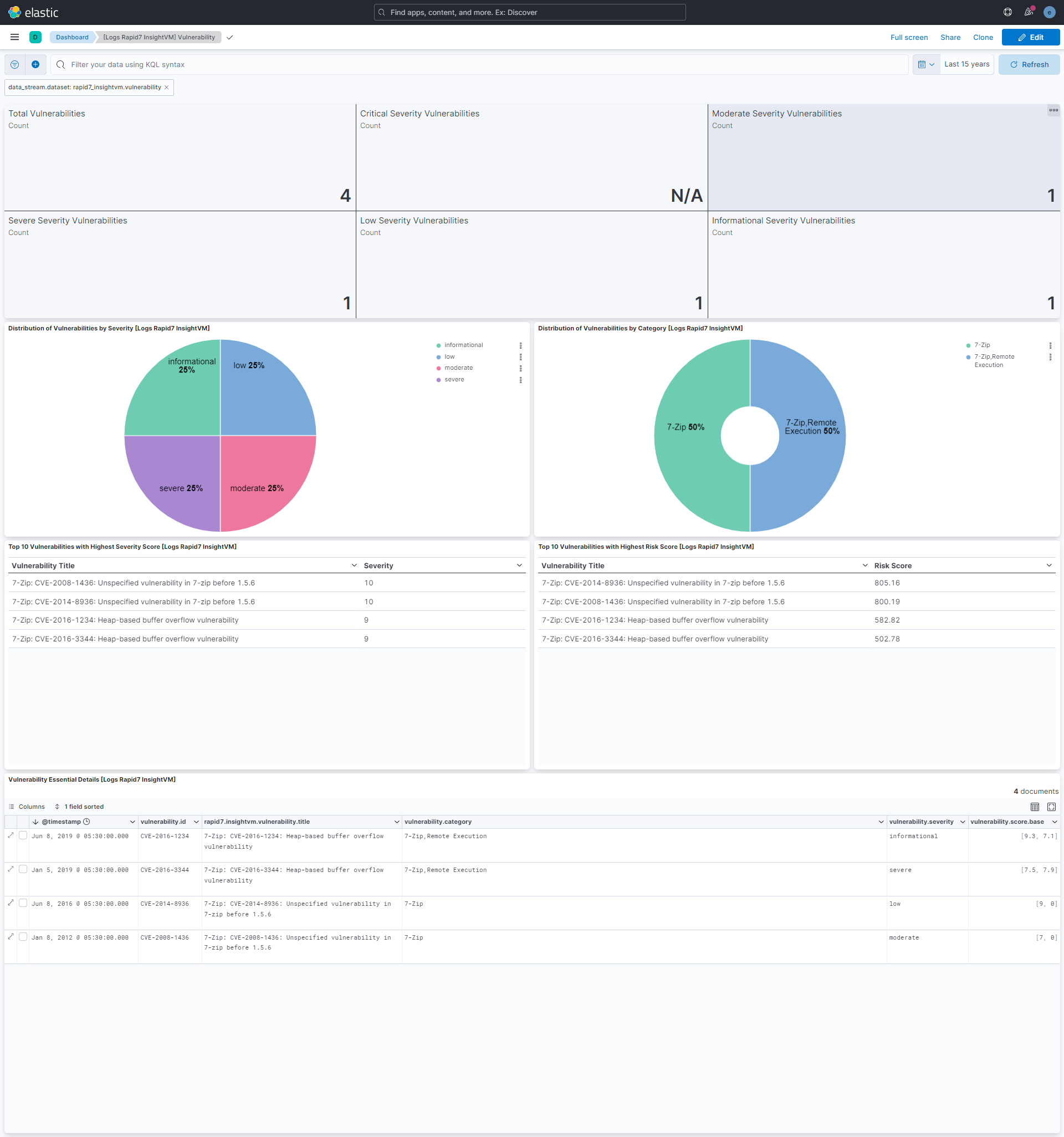
What really sets the platform apart is how it finds assets without installing an agent. This saves setup time and cuts headaches from ongoing maintenance. It also uses a risk-focused prioritization method, helping security teams zero in on the most urgent vulnerabilities instead of drowning in noisy volume. Continuous monitoring and real-time threat intelligence add fresh insight into external assets, too. On the down side, Rapid7 doesn’t clearly list multiple plan options, frustrating buyers who want finer cost control or custom environment coverage. If you run a development-heavy enterprise needing broad asset management, this fits well. Cloud-first startups or very small teams might prefer other tools.
Many vendors confuse buyers with tangled developer-tool integration fees or hidden charges. InsightVM shines when deployment speed and cost predictability top the checklist. But beware—the daily fee per asset can strain budgets for vast digital footprints. Costs escalate dramatically. Without smaller tiers or flexible plans, managing spend as asset counts balloon is tricky. This product suits organizations seeking sharp risk detection coupled with deep DevSecOps and CI/CD workflow integration. If you want smoother cloud-native harmony or a tiered pricing ladder, look closer at Tenable.io or Qualys VMDR. Altogether, InsightVM blends focused risk insight with developer-friendly features, delivering serious value for its core audience.
Rapid7 InsightVM documentation highlights the blend of threat intelligence and vulnerability management that sharpens attack surface oversight, especially in complex IT environments.
How Rapid7 InsightVM Supports Developer Workflows
In doing so, it embeds security checks throughout the software lifecycle. The tool plugs into popular developer platforms. Teams move away from scrambling to fix bugs post-release and start stopping risks early. This tightens the link between code changes and security priorities, smoothing the whole workflow.
Pricing Transparency and Trial Access
Rapid7 InsightVM charges a flat daily rate per asset. You get a 30-day trial window before any commitment (as a rule). This clear pricing contrasts sharply with competitors who obscure costs behind negotiations and complex licenses. It appeals strongly to buyers who want an immediate grasp of expenses.
Asset Discovery and Risk Prioritization
InsightVM’s agentless scans map external assets without endpoint installs. Using context-aware risk ranking informed by threat data, it highlights the vulnerabilities demanding urgent fixes. This approach outperforms blunt, volume-based scanning reports that overwhelm security teams with noise.
Limitations for Large Enterprises and Cloud-Native Users
For sprawling global infrastructures, the daily asset fees pile up fast—sometimes crossing into unmanageable territory. The product lacks explicit integrations with major cloud providers and offers no tiered pricing to ease costs. Companies heavily invested in cloud-native security or those requiring flexible spending may find InsightVM doesn’t fit their needs as well.
| ✓ Pros | ✗ Cons |
|---|---|
| Offers a 30-day free trial with transparent pricing at $0.011 per asset per day. | Pricing at $0.011 per asset per day could become expensive for large enterprise infrastructures. |
| Supports agentless discovery and context-based risk prioritization for efficient vulnerability management. | No detailed information on plan tiers beyond advanced EASM platform features limits purchase decision clarity. |
| Integrates smoothly with developer workflows to improve attack surface management efficiency. | Lacks explicitly stated multi-tier pricing options for smaller organizations or varying asset counts. |
| Combines continuous monitoring with cyber threat intelligence in the advanced EASM platform. | No mention of integration with specific cloud platforms or native cloud security capabilities. |
Tenable.io Platform Details
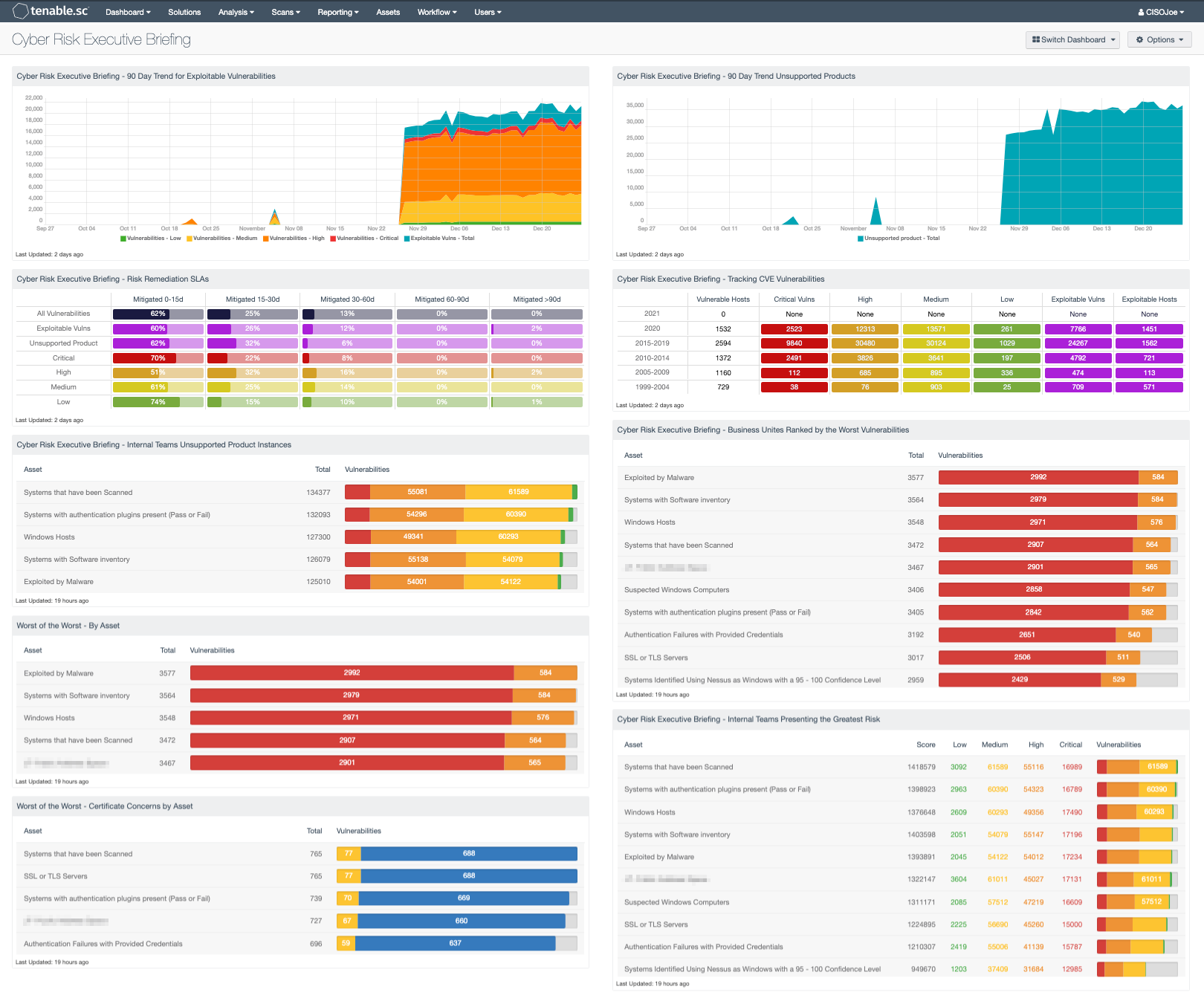
This approach simplifies budgeting for managing an external attack surface. Tenable.io charges based on your actual usage. Yet, if your asset list balloons, prices can escalate quickly. The platform combines nonstop exposure monitoring with threat intelligence. All the data gathers in one dashboard, making early vulnerability detection easier.
Tenable.io’s pricing stays clearer—though it’s not always the cheaper option, especially at scale. Qualys VMDR, on the other hand, bundles fees so that the per-asset cost isn’t transparent. Rapid7 InsightVM cloaks its pricing behind a more complex structure. Tenable.io’s upfront cost estimates give buyers a straightforward snapshot. But it struggles with agent-based discovery, leaving gaps in on-premises reach. CrowdStrike Falcon Horizon fills that niche better. So, Tenable.io suits cloud-first, mid-sized or larger firms, less so small teams or those mainly on-prem.
Its standout feature is the blend of continuous scanning alongside real-time threat intel that dynamically ranks risk. The per-asset fee model helps keep budgets predictable; yet, add a few hundred more assets, and the cost piles up. Costs rise fast. It doesn’t integrate deeply with developer workflows or track on-prem assets completely—both issues if your setup mixes cloud and in-house infrastructure. For example, hybrid networks create blind spots that Tenable.io doesn’t address fully. You should consider these limitations carefully before purchasing.
For a broader understanding of attack surface management, refer to resources from the Cybersecurity and Infrastructure Security Agency. Try the 30-day trial to evaluate fit firsthand. They offer in-depth guides and updated threat insights custom for various enterprise profiles (generally).
| ✓ Pros | ✗ Cons |
|---|---|
| Offers a 30-day free trial to evaluate features before commitment | Specific developer workflow integrations are not detailed within platform capabilities |
| Pricing is $0.011 per asset per day, enabling cost predictability | Lacks clarity on limitations or caps within the advanced EASM plan tier |
| Includes continuous monitoring as part of the advanced EASM platform | No mention of agent-based discovery, possibly limiting on-prem asset detection |
| Combines cyber threat intelligence with exposure analytics in one solution | Pricing model based on per asset per day may become costly at scale |
 Qualys VMDR Product Highlights
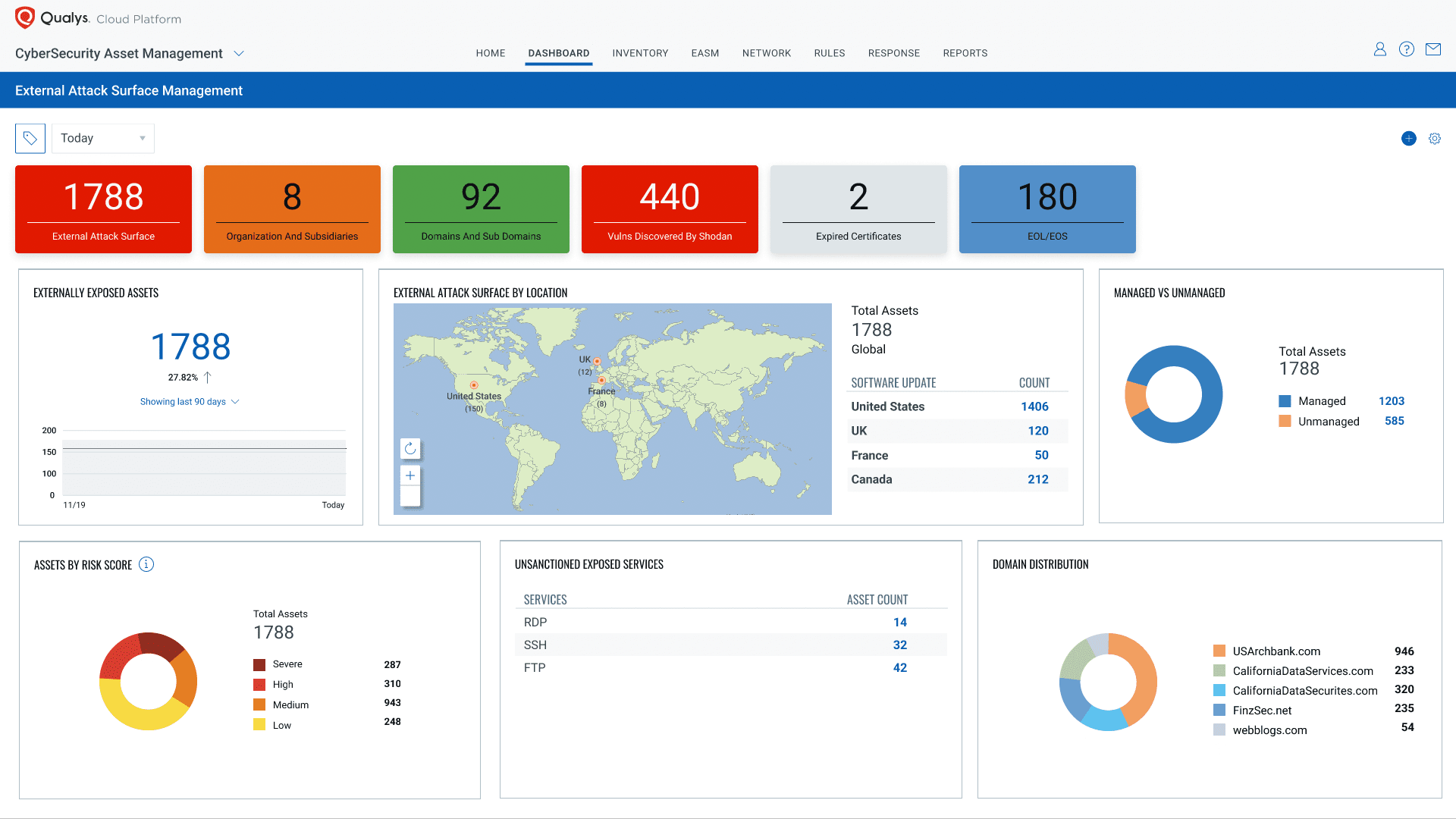
Qualys VMDR’s pricing is simple enough to help security teams plan budgets without surprises. You get a 30-day free trial to test it out before spending a dime. That’s handy for cautious businesses wary of upfront costs.
Rapid7 InsightVM doesn’t lay its pricing on the table clearly. As you add more assets, costs can jump unexpectedly. Qualys VMDR, by contrast, charges per asset—easy to track but sometimes pricier if you have a lot of devices. It’s a trade-off: you gain cost control, but the bill might climb with scale. CrowdStrike Falcon Horizon digs deep into context to rank risks, while Qualys VMDR keeps an eye on threats nonstop using outside data. It catches vulnerabilities quickly but doesn’t break down risk scores as finely. So if you want steady updates and flexible costs rather than detailed risk analysis or tight developer integration, Qualys fits better.
Mid-sized companies especially like how the costs stay predictable here. The real strength: constant asset tracking plus smart threat info spotting issues early. Still, some things are fuzzy—like whether it does agentless discovery or hooks well into developer tools. That could slow down teams pushing for fast, automated DevSecOps (generally). So while Qualys VMDR backs steady growth with outside monitoring, it might fall short for those craving real-time, deep risk data tied tightly to development flows.
Companies checking out attack surface management should think hard about per-asset pricing. If you want a closer look at tools that blend incident response with vulnerability management, jump to Best Incident Response Platforms With In-Depth Pricing And Feature Analysis. Research shows surprise charges can grow faster than new features pay off. Qualys VMDR keeps finances clear and covers key monitoring bases, but fast-growing outfits or those needing sharp risk focus might lean toward other platforms.
| ✓ Pros | ✗ Cons |
|---|---|
| Offers a transparent pricing model at $0.011 per asset per day, enabling clear cost forecasting. | Limited publicly available details about integration with developer workflows may hinder smooth adoption. |
| Includes a 30-day free trial allowing enterprises to evaluate capabilities before commitment. | Pricing pro-rata based on asset count could lead to higher costs in large-scale deployments. |
| Combination of continuous monitoring with cyber threat intelligence improves proactive risk identification. | Some competitors offer more extensive context-based risk prioritization which is less emphasized in VMDR. |
| Absence of explicit mention of agentless discovery feature limits clarity on deployment flexibility. |
 CyCognito Approach and Differentiators
CyCognito finds a wide range of external assets—some unmanaged, some from third parties. That helps blend it into penetration testing workflows. Gartner’s high rating backs up how well it works in these spots. The company scores well on work-life balance, showing care for its team. But pricing? What it charges isn’t public. And nobody knows exactly how many assets it can scan or how many users can be on at once.
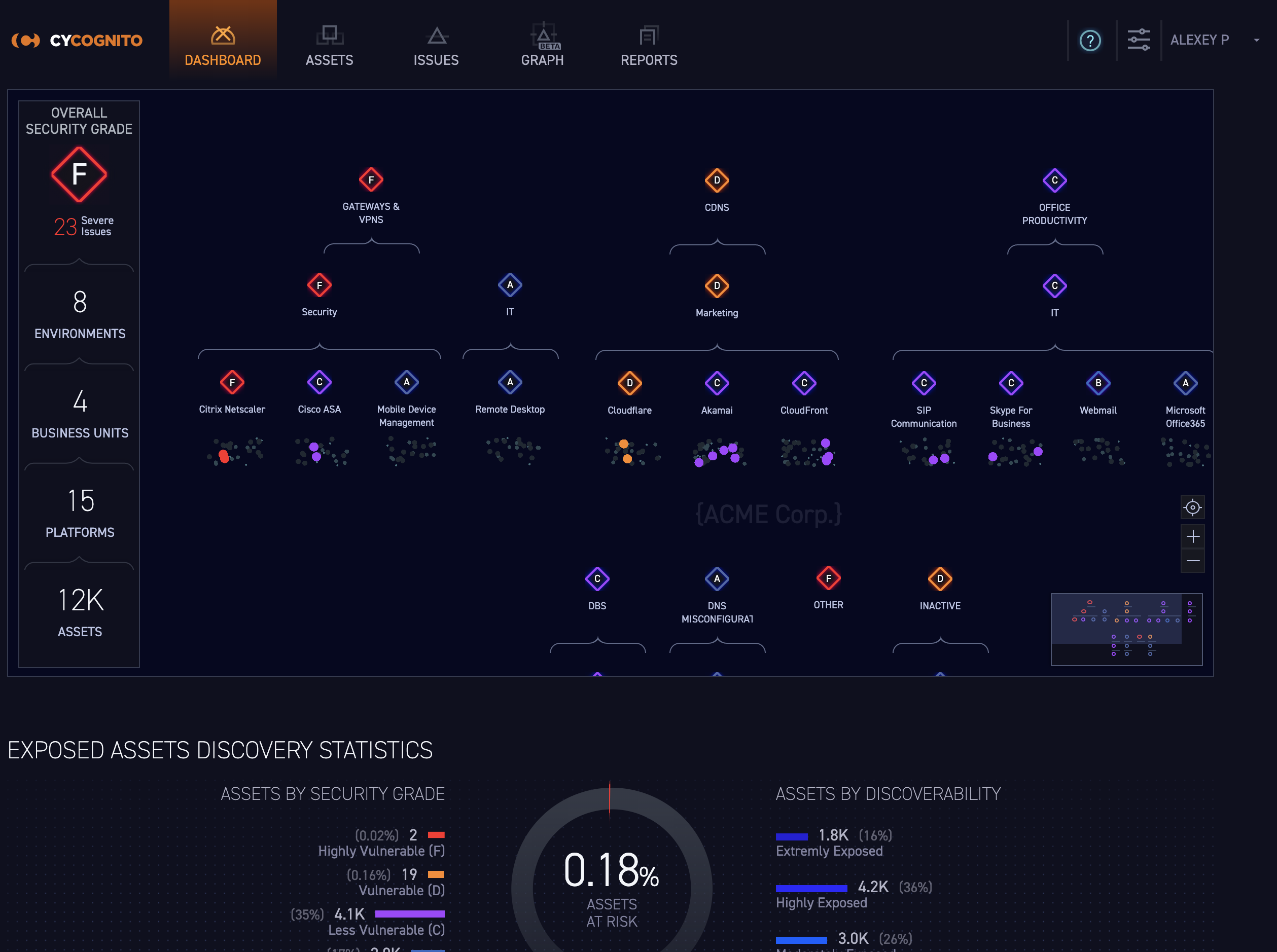
CyCognito covers more external assets — a big plus. Rapid7 InsightVM differs mainly in how it shares details on pricing and features. Yet it struggles with internal networks and cloud-specific weaknesses—areas some rivals focus on better. Its pricing depends on talking to sales instead of clear tiers online, which can trip up finances. So, CyCognito suits mid-to-large businesses that want wide external asset insight paired with pen test tools. Smaller companies or those wanting see-through pricing and cloud focus might look elsewhere.
Teams hunting risks outside their control will like that. For more on similar tools, see Best Incident Response Platforms With In-Depth Pricing And Feature Analysis. What sets CyCognito apart is its deep external asset view, something Gartner cheers. Still, the missing price tags and vague discovery limits could slow adoption—especially for groups needing straight budgets and internal cloud coverage. CyCognito is strong for outside risk checks, but being upfront about licenses and costs would sharpen its edge in future buying decisions.
| ✓ Pros | ✗ Cons |
|---|---|
| Expands coverage by discovering unmanaged, unknown, and third-party assets for PTaaS integration | No explicit mention of internal attack surface or cloud-specific management capabilities |
| Earned a 4.6 Gartner rating highlighting its effectiveness in external attack surface management | Lacks detailed user reviews highlighting feature limitations or support response times |
| Rated 4.8/5 for work-life balance by employees, indicating strong internal culture for support | Pricing details require direct inquiry, limiting upfront cost transparency for budget planning |
| No information on limits for asset discovery scope or simultaneous user licenses available publicly |
 AttackIQ Solution Breakdown
So, as your business grows, your costs rise in step. AttackIQ prices its service every day, for each asset it tracks. That setup helps large companies plan budgets when they manage tons of assets. AttackIQ’s straightforward cost-per-asset model stands out next to Palo Alto Networks Cortex Xpanse, which keeps pricing under wraps. That secrecy can trip up financial planning for buyers. Sure, Cortex Xpanse might offer more features, but AttackIQ slices through the confusion with simple, upfront numbers. Small companies hit a wall, though: fees climb daily as assets add up—even modest ones. Without pricing tiers to soften the blow, AttackIQ mostly suits firms with big infrastructure and solid security budgets. Folks who want flexible or growable payment options might feel left out.
It pairs nonstop monitoring with rich threat data feeds, leaping ahead of old-style scans that crawl and stop. AttackIQ’s platform zeroes in on one thing: sharp external attack surface management. That constant churn keeps security teams keyed into fresh threats. But it skips agent-based discovery tools that some rivals lean on to spot assets inside networks—creating blind spots for organizations wanting full reach. They offer a 30-day free trial that open ups everything, so you can take it for a spin with no upfront payment. Overall, AttackIQ fits enterprises focused on outside risks and ready to put money down. Smaller setups or teams chasing tight DevSecOps automation may find it less of a fit.
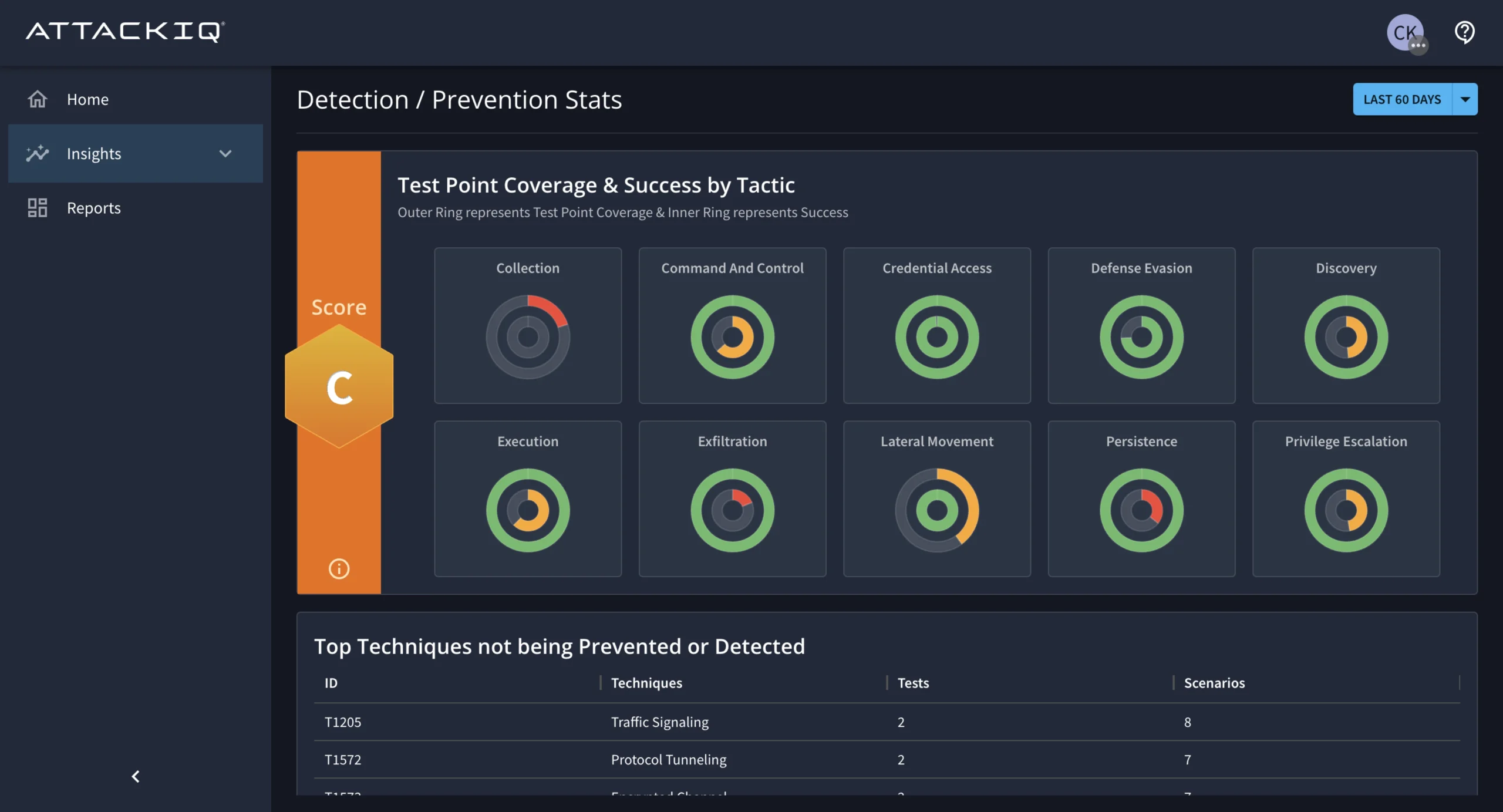
All of AttackIQ’s features run in one engine that mixes clear, growable pricing with steady watch over external threats tied to known assets. That daily asset fee clears up budgeting for sprawling digital footprints. Many cyber vendors hide their costs behind custom quotes or complicated deals. The constant monitoring flags new vulnerabilities sneaking past traditional network lines—a real win for teams guarding large digital properties. But the pay-per-asset daily fee can stress small to midsize orgs when assets stack up fast. Plus, no deep developer integrations and no agent-driven discovery keep it from hitting high marks in DevSecOps automation. Teams that need rapid, automated security workflows might find it wanting here. Still, AttackIQ shines brightest at external attack surface reach with upfront pricing—custom to enterprises craving budget clarity plus strict external defense.
That guide flags the benefit of transparent pricing linked to asset scale as a key reason organizations adopt EASM tools broadly. AttackIQ marches with this trend, putting cost details front and center in buying decisions.
But don’t overlook its limits: no agent-based asset discovery and costs that ramp up quickly if your asset count grows fast. If you want sharp external threat detection, AttackIQ stands tall with clear pricing and built-in threat intelligence—leaving murkier competitors behind. Made mostly for enterprises, it delivers steady external monitoring and growable pricing for teams ready to shoulder daily asset fees. This focus marks its niche clearly: large, funded security teams seeking budget certainty alongside constant watch over external risks.
Rapid7 InsightVM Functionalities
| ✓ Pros | ✗ Cons |
|---|---|
| Offers a 30-day free trial providing full access before committing to paid plans. | Limited evidence of integration with developer workflow tools reduces automation potential. |
| Pricing set at $0.011 per asset per day suitable for growable asset management. | No verified multi-tier plan details beyond the per asset per day pricing, limiting pricing transparency. |
| Delivers external attack surface management with transparent pricing for budget clarity. | Targeted more at enterprises, possibly less accessible for small businesses due to asset-based pricing. |
| Includes continuous monitoring and cyber threat intelligence within the advanced EASM platform. | No explicit mention of agent-based discovery, which some competitors provide for deeper insight. |
 Palo Alto Networks Cortex Xpanse Benefits
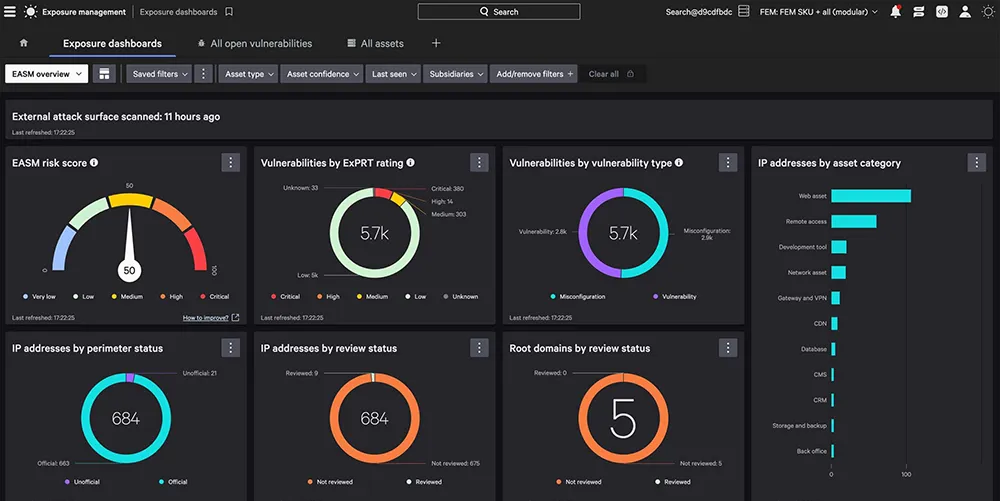
Palo Alto Networks Cortex Xpanse sets a clear pricing plan, but it could get pricey for organizations with lots of digital assets. It digs into asset discovery and nonstop threat monitoring, fitting well in development setups. That helps teams manage vulnerabilities by spotting risks and exposures more sharply. You can try it free, which lowers the initial hurdle. Still, the lack of different subscription levels might make it harder for small teams or those juggling tight budgets.
That’s useful when planning money. Unlike competitors like Rapid7 InsightVM—whose prices often hide—Cortex Xpanse lays out costs upfront (roughly). But its one-price-fits-all model might not work well if you have a huge asset base. Others offer volume discounts or tiered deals. Also, they don’t say if there’s a cap on how much you can run on the platform, leaving big users guessing. That uncertainty may scare off enterprises needing clear scalability guarantees. Broadly, Cortex Xpanse fits mid-size to large firms hunting for full external attack surface reach tied to development. Smaller outfits wanting modular pricing may find it lacking.
One big win? Cortex Xpanse cuts through noise by pairing quiet, non-intrusive discovery with risk checks grounded in context. It slips smoothly into developer workflows, speeding up responses by putting security insight right where operations happen. Price per asset might scare small squads, but it brings steady predictability when you manage thousands. Its muscle lies in constant monitoring, cyber threat intel, and exposure tracking—ideal for teams that want a proactive, flexible attack surface approach. Still, no flexible pricing tiers and missing asset limits info could ding those needing strict cost control and clear numbers at scale, revealing a tough balance between deep features and adaptable pricing.
| ✓ Pros | ✗ Cons |
|---|---|
| Offers a 30-day free trial and transparent pricing to evaluate the platform risk-free | Pricing at $0.011 per asset per day may result in high costs for organizations with extensive asset inventories |
| Includes agentless discovery and context-based risk prioritization to simplify asset management | No mention of multi-tier subscription plans or modular pricing limits flexibility for small teams |
| Integrates smoothly with developer workflows improving vulnerability management efficiency | Lacks detailed public information on platform limitations or maximum asset coverage caps |
| Provides continuous monitoring, cyber threat intelligence, and exposure analytics in advanced EASM platform | No explicit user complaints available; the absence suggests potential gaps in third-party reviews or feature disclosures |
Clarifying Common Concerns About Attack Surface Management
Understanding What Attack Surface Management Does
They search for weaknesses on your internet-facing assets and cloud environments. Attack surface management platforms never stop scanning your digital space. You get a single dashboard showing all risks, helping security teams spot trouble from unexpected changes or errors. This watchfulness blocks attackers who try to sneak in undetected. In today’s cyber world, it’s not optional.
Managing Costs and Budget Implications
Prices vary a lot by provider. Most charge based on the number of assets tracked or usage volume. Some offer plans that flex with your team, but enterprise licenses can be pricey. When planning your budget, don’t forget ongoing subscription fees, setup, and integration expenses—plus the money saved by stopping breaches early. You’re swapping a heavy initial cost for smoother, long-run security.
Integration with Existing Security Infrastructures
Most platforms connect well with your current SIEM, SOAR, or vulnerability tools. They link up using APIs or built-in bridges, feeding attack surface updates into your incident and monitoring systems. Still, smooth setup depends on your specific tech stack. Make sure your vendor supports your exact tools so you won’t get tangled in complex configurations.
Meeting Regulatory Compliance Requirements
These rules demand proof: asset inventories and risk assessments. They’re just one piece of the bigger compliance puzzle. Attack surface management shows where your external exposures are—a must for standards like PCI-DSS, HIPAA, or GDPR. Platforms generate automated reports and detailed logs, easing audit stress. But these tools alone don’t cover everything.
Ensuring Effectiveness Against Active Threats
Good platforms spot short-lived assets—such as temporary cloud servers or shadow IT projects—fast. The sharpest tools blend continuous discovery with machine learning to catch what old scans miss. They push real-time alerts and use smart risk scores to rank vulnerabilities. Still, experts need to tweak settings and filter results to reduce false alarms.
Addressing False Positives and Alert Fatigue
Too many false alerts turn into background noise. Many platforms improve accuracy by mixing threat feeds with behavior analysis. You can adjust alert thresholds and automate triage to calm the signal flood. Nailing this requires talented staff who tweak rules and understand your environment’s quirks.
Handling Diverse Asset Types and Environments
Some tools hunt only internet-facing assets. Others include cloud workloads, containers, and IoT devices. Picking a platform that fits your environment’s mix is key. The best use external sweeps, agentless grabs, and cloud APIs together to paint the full attack surface picture.
Understanding Deployment and Onboarding Complexity
Setting up means finding assets, linking cloud accounts, and tuning monitoring rules. Many SaaS platforms ease onboarding with step-by-step wizards and default settings. But sprawling enterprises often need specialists for proper setup—aligning policies and training users to open up the platform’s full power.
Assessing Vendor Support and Ongoing Maintenance
Support can range from self-help docs to assigned security advisors. Reliable vendor support, frequent updates, and fresh threat intelligence keep defense sharp. Checking the service-level agreements and the active user community helps you gauge expected uptime and trustworthiness (in plain terms).
Evaluating Transparency and Reporting Capabilities
The challenge is turning dense data into straightforward actions to boost security confidence (give or take). Strong dashboards, clear audit trails, and flexible reports make sharing results easier for teams and execs. Many platforms also offer API access so you can pull raw data for deeper dives elsewhere.
Explore Best Incident Response Platforms With In-Depth Pricing And Feature Analysis for a closer look at alerts and investigations linked to attack surface insights.
Integration topics tie into Best Cloud Cost Management Software Tested With Detailed Pricing And Features Comparison, where managing money meets security checks.
Leading security frameworks worldwide highlight ongoing scans of internet-facing assets as a key way to shrink attacker windows, detailed in this thorough NIST analysis.