Alex has spent more than ten years digging into the latest software, hardware, and tech trends. He breaks down complex stuff into clear insights and no-nonsense reviews, helping readers cut through the noise without losing the important details.
Understanding The Role And Value Of AI Coding Assistants
Artificial intelligence powers these tools to offer code suggestions based on context, simplify tedious tasks, and identify bugs instantly. Speed up building and cut down mind-numbing manual work. Picking the right top AI coding assistants can transform how developers write code, fix bugs, and try new programming tricks.
AI assistants dive into your existing codebase to offer relevant completions, snippets, and quick fixes. That means fewer syntax slip-ups and logic holes slowing you down. Instead of digging through Stack Overflow or sifting docs, you get sharp tips right inside your editor. This lifts productivity for solo coders and teams alike.
Testing different top AI coding assistants lets you measure features like how accurate their code is, how well they fit with your tools, and what they cost. Mixing and matching might mean the difference between hitting deadlines and battling avoidable bugs. Some shine with specific languages or frameworks. Others focus on security or cloud-first workflows. Since AI engines vary widely, no single tool nails everything.
Stuff like lag time, response speed, and how well suggestions fit into your setup shape daily work. With so much variety, comparing features and prices really pays off. Not every AI coding assistant offers the same value. Some charge monthly fees but back that with solid refund policies. Others run as lightweight plugins that barely eat system resources.
These tools ease drudgery, not replace the craft or smarts behind smart code design. AI coding assistants open a new chapter in software engineering—where machine brains speed up creativity without wiping out human judgment. Knowing how top AI coding assistants slot into your workflow helps you pick smarter gear.
Four perks stand out when you choose AI coding support:
Instant code generation and suggestions that slash keystrokes.
Auto bug detection before you ship.
Tight integration with popular IDEs like Visual Studio Code and JetBrains.
Access to advanced language models fine-tuned for coding.
Developers benefit from clear pricing info and unbiased benchmarks showing real-world speed and accuracy. That said, every AI assistant has trade-offs—in interface, pricing, and support. Reddit threads and community reviews often give raw takes on usability and response times.
This knowledge cuts time wasted on bad fits and boosts output quality. If you want to stay sharp, you need to know which top AI coding assistants deliver fast, reliable, and precise help for your preferred tech stack. Recent data expose real gaps in speed and cost among popular assistants—making deep comparisons a must.
Enterprise security features included to match strict data science workflow requirements.
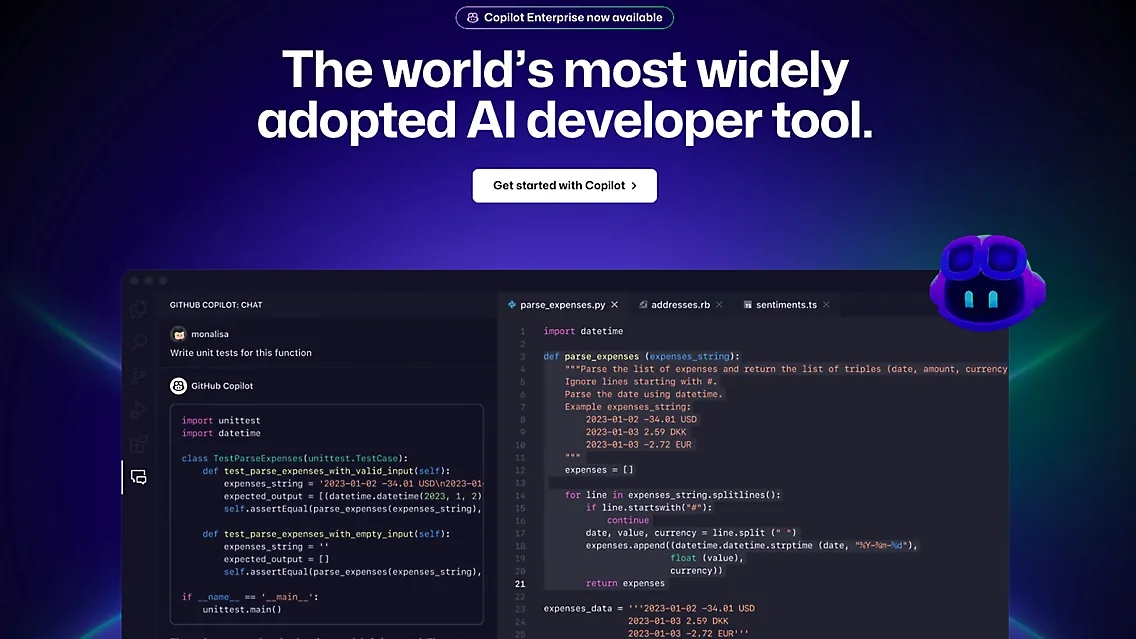
GitHub Copilot: Features, Pricing, and Developer Impact
Overall4.4/5
Value4.2/5
Ease of Use4.5/5
Support4.0/5
That’s simple and straightforward. Copilot sits firmly in notebooks—a must-have for data scientists—unlike many tools that either skip deep machine learning support or don’t sync well with cloud workflows. GitHub Copilot costs $10 a month for individual users. For businesses, there’s an enterprise plan with more security, built for professional coding teams. Compared to competitors like Tabnine, whose pricing often complicates budgeting, this straightforward fee structure offers welcome clarity.
It pulls in architectural context when writing code, a big help for people managing large projects—something general assistants like Kite or Replit Ghostwriter often miss. Though Copilot shines with notebook integration and advanced coding help, its suitability may falter if privacy or platform alignment takes precedence. But it doesn’t offer privacy-first settings or adjust workflows for specific cloud platforms. That can be a dealbreaker if your team faces strict compliance rules or needs locked-down environments. So, companies that demand heavy security or tight regulations might look elsewhere.
Enterprise security features mixed with strong notebook support carve out Copilot’s unique space. Its transparent pricing combined with a focus on productivity positions it as a reliable choice for established engineering teams focused on data science. It works well for advanced data science pipelines and detailed workflows. The $10 individual fee, backed by Microsoft, attracts experienced developers juggling multiple platforms. On the flip side, if rapid prototyping or strict privacy controls top your priorities, Copilot may feel offbeat. Other AI assistants built for niche needs might sit better with you.
To understand where Copilot fits in bigger projects and security setups, look at agile project management tools and current Zero Trust access solutions. They highlight the environment Copilot operates in—where company rules shape AI tools’ adoption. While Copilot balances cost and sharp coding help, ramping up privacy protections and crafting cloud-specific workflows could make it stronger as enterprise demands grow.
GitHub Copilot Pricing Breakdown
Plan Type
Price (USD)
Key Features
Individual
$10 per user/month
AI code suggestions, notebook integration, basic security
Enterprise
Custom pricing
Advanced security, architectural context, team management
Copilot’s pricing fits both solo coders and large teams smoothly, making budgets easier thanks to its openness—something many AI coding tools lack. This setup works for lone developers and groups needing strong security and collaboration features.
The mix of straightforward pricing and enterprise-level features puts Copilot as a solid choice for serious machine learning coders. It doesn’t offer a refund policy, but running inside Microsoft and GitHub’s market adds trust. Alternatives often zero in on narrow use cases, sometimes trading off full workflow support and clear pricing (by and large).
A Statista report shows more enterprises adopting AI coding tools, which helps explain why Copilot’s security and productivity boost appeals to data science teams (Statista on AI developer tools). Its strength in handling complex projects and fitting cloud collaboration makes it well placed—though better cloud-specific features and tighter privacy controls might broaden its appeal even more.
✓ Pros
✗ Cons
✓Enterprise security features included to match strict data science workflow requirements.
✗Lacks dedicated privacy-first coding features important in sensitive data science projects.
✓Broad adoption in data science teams thanks to notebook integration support.
✗Limited specialized workflows for regulated data science environments compared to some niche tools.
✓GitHub Copilot supports complex data science pipelines with architectural context features.
✗No specific AWS or GCP improved coding workflows for cloud platform data science.
✓Recognized for improving productivity across diverse data science and ML coding tasks.
✗May not fully support rapid prototyping needs compared to more specialized AI coding assistants.
It digs into complex, context-based tasks with finesse and guards privacy tightly. Tabnine’s security is a standout for teams stuck under tough rules. But here’s the snag: subscription plans? They’re frustratingly opaque. GitHub Copilot, by contrast, lays out pricing in plain sight. That haze around Tabnine’s costs makes budgeting a gamble for teams that demand exact numbers—especially those balancing strict security mandates with steady spending. So, Tabnine fits companies laser-focused on compliance and data safety. If you want straightforward pricing or broad IDE support, it probably won’t do.
Transparency in pricing and how many IDEs they embrace. Small teams or those wanting tool variety and clear rates might look elsewhere. What draws the line between Tabnine and GitHub Copilot? Copilot spells out tiered pricing clearly, speeding up choices and onboarding. Meanwhile, Tabnine keeps pricing tiers under wraps and supports fewer IDEs. That shrinks its appeal to teams managing complicated workflows with deep security demands. It’s aimed squarely at big enterprises with room in their budgets.
Tabnine excels at enterprise-grade security built for pros wrestling with complex workflows. That laser focus means unpredictable pricing but stronger compliance and privacy controls. It fits industries where data rules are ironclad, and secrecy isn’t optional. Yet the murky subscription info complicates tight cost planning. As a result, Tabnine occupies a niche in AI coding tools, favoring compliance-heavy cases over broad IDE support or transparent pricing. For a close look into SaaS pricing transparency custom to enterprise buyers, see Best CRM Software For Startups With Transparent Pricing And Features Comparison.
✓ Pros
✗ Cons
✓Supports enterprise security features essential for regulated and privacy-sensitive environments
✗Lacks explicit mention of integration depth with popular IDEs beyond notebook support
✓Tested effectively with architectural context in complex data science workflows
✗Absence of documented AI model training customization options for enterprise users
✓Designed to add to data science pipelines respecting strict security and privacy standards
✗No specific details on pricing tiers or subscription limits impacting user cost transparency
Kite: AI-Powered Code Completion for Python and More
Overall4.6/5
Value4.7/5
Ease of Use4.1/5
Support3.9/5
Kite’s free plan lets you make a small number of agentic requests every month and limits code completions by a fixed cap. That cap feels tight if you code often. At $10 per user each month, the basic paid plan bumps those limits a bit—enough for more consistent use. Above that, the Business, Pro+, and Enterprise tiers push the price up, charging as much as $39 per user monthly. Additional fees kick in if your line submissions exceed the included amount. Your final bill depends heavily on actual usage, which can swing unexpectedly.
Kite’s pricing looks cleaner, with a rigid free tier that nudges users toward paid plans sooner. Compare this with GitHub Copilot. Copilot, by contrast, bundles features so you lose some granular control but gain simplicity. Small teams or solo coders on shoestring budgets might hesitate at Kite’s capped free plan and escalating prices. Mid-size firms craving growable AI tools and predictable base fees could find Kite’s structure appealing. Enterprises might swallow the steep top prices since chargebacks per extra line are explicit and transparent.
Transparency is Kite’s ace. You get clear tiers, strict limits, and no-hidden-fee policies for overage. That steadies budgets and cuts nasty billing surprises. Heavy users won’t linger on the free tier, but it does keep lightweight AI code help accessible without a dime upfront. It fits teams ready to boost AI support beyond casual experiments. Solo devs or tiny squads, though, may baulk at those higher fees once scaling is needed. Kite plays best where AI coding aides grow deliberately, not just used for fun.
Kite’s performance and user reception
Kite isn’t a cloud giant, but it runs reliably, especially for Python developers. Reviews consistently praise its steady code suggestions but warn of struggles tackling complex or niche tasks. That reflects the free plan’s limits and hints real gains require a paid subscription. Kite covers main programming languages but can’t flex the same muscle as Codex or Amazon CodeWhisperer yet. Still, its upfront pricing and tidy tier design help avoid paying for unused features—a boon for budget-tight teams. For detailed insights on pricing and user feedback, see G2 Crowd reports on AI coding assistants.
✓ Pros
✗ Cons
✓Free tier includes 50 agentic requests per month suitable for light usage without a subscription
✗Free tier’s capped code completions limit extensive use without upgrading
✓Pro plan priced at $10 per user per month, providing affordable entry to paid features
✗Plans scale up to $200–$600 monthly total, which may be pricey for smaller teams
✓Pricing tiers include Business and Pro+ plans scaling beyond Pro, with Enterprise at $39 per user per month
✗Enterprise pricing starts at $39 per user per month, possibly cost-prohibitive for some organizations
✓Transformation overage charged at $0.003 per line submitted beyond the 4,000 lines included in plans
✗No indication of multi-user discounts below the $19/user/month Pro tier creates a price floor
Replit Ghostwriter: AI Assistance in Cloud-Based Development
Overall4.8/5
Value4.5/5
Ease of Use4.8/5
Support3.9/5
You get some free code completions and a limited number of agentic requests without charge in the free tier (give or take). Replit Ghostwriter’s Pro plan starts at $10 a month per user. Go over 4,000 lines of code in a month, and you pay $0.003 per extra line. This pay-as-you-go pricing is unusual—GitHub Copilot, for instance, sticks to fixed-price plans with unlimited completions. That makes Replit’s pricing clearer and more flexible for mid-sized teams wanting to pay strictly for what they use. But there’s a catch: a steep $200 monthly minimum charge. Smaller users won’t find that very appealing.
Higher tiers like Business and Pro+ cost up to $39 per user monthly. They target bigger, professional teams but might scare off individual developers or startups on tight budgets. And the murky $150 to $250 per developer monthly range blurs budgeting for small teams chasing enterprise deals (in plain terms). Overall, Ghostwriter fits groups that want growable AI help with transparent billing. Solo coders or those expecting endless free completions will probably feel boxed in.
What separates Ghostwriter is its granular overage pricing. You pay extra only when you exceed the monthly line count—no flat fees for unlimited use. That’s handy for teams growing from moderate use into heavy coding without abrupt plan changes. In contrast, GitHub Copilot packs unlimited completions into fixed plans, comfortable if you prefer predictable bills (in practice). The free tier here lets you test some features but restricts agentic requests, which limits power users without paying up. Prices range from $19 to $39 per user a month, signaling that Replit aims more at professional teams than casual coders. If you want transparent, growable AI for active development, Ghostwriter suits well. Need more control.
Ghostwriter’s strength lies in combining clear usage tracking with tiered charges that separate costs for code completions and agentic requests. Launching usage-based pricing in 2026, Replit stakes out a middle path of flexibility and discipline amid a crowded AI assistant market. At $10 for Pro, you get free completions but face a hefty monthly minimum, mostly drawing in serious teams. The $0.003 line fee sharpens billing, letting companies align costs closely with actual coding without paying for unused allotments. Yet for teams with erratic coding volumes, it can cause budgeting headaches. This pricing model fits software groups craving detailed invoices and growable AI support, but solo devs or budget-conscious users might find the minimums and limits irksome.
Replit’s documentation on AI pricing and usage offers detailed official insights into how line count impacts fees.
✓ Pros
✗ Cons
✓Free tier provides 50 agentic requests per month with capped code completions for low usage users
✗Base pricing at $200 monthly creates high entry cost compared to simpler AI coding assistants
✓Pro plan priced at $10 per user per month with free code completions on all paid tiers
✗Free tier’s capped code completions limit usage for developers needing heavy code generation
✓Business and Pro+ tiers scale pricing from $19 to $39 per user per month supporting team growth
✗Enterprise plan pricing starts at $39 per user per month, which may be expensive for smaller teams
✓Transformation overage charges $0.003 per line beyond 4,000 lines of code submitted per month
✗Lacks pricing clarity between $150 and $250 per developer per month, creating budgeting uncertainty
Codex: The AI Behind Advanced Code Generation
Overall4.9/5
Value4.7/5
Ease of Use4.7/5
Support4.5/5
Codex sticks closely to command-line tools like Gemini CLI. Some feedback leans toward Claude Code for coding help, implying Codex still needs tuning to nail precision and speed in technical jobs. It’s built for developers who live in terminal windows, not those who juggle design tasks regularly. That tight focus sets Codex apart from rivals pushing fancy visual interfaces or broad software support. But it also means teams wanting smooth handoffs between coding and design might find it lacking.
It hooks into popular IDEs and boasts a large user base (give or take). GitHub Copilot plays a different game. Codex, by contrast, aims squarely at pros comfy in command-line settings and scripting. It’s not the best fit for beginners or users who depend on graphical tools; it lacks strong endorsements that suggest it boosts learning. So, Codex shines for seasoned users needing tight CLI ties.
Yet, with only modest user backing and no standout tricks, it trails rivals that bring richer, flexible toolkits (give or take). At its core, Codex offers a stripped-down AI helper focused on the terminal, built for devs who prize fast work in CLI over a laundry list of features. Codex sits as the go-to for specialists who want deep workflow fits—not generalists. Watching how it holds and builds its audience in complex dev setups will be telling.
Codex’s Niche Integration with Developer Workflows
It can speed up tasks in ways graphical assistants rarely match. Plugging Codex into CLI utilities like Gemini CLI highlights its strength in automation and scripting for those who prefer command-line tools. But its shaky ties with popular design apps limit usefulness for teams mixing coding with UI/UX work, marking Codex as a laser-focused coding sidekick.
It stays solid but doesn’t outpace competitors such as Claude Code, which score higher on accuracy and quick responses. No fresh, independent benchmarks make it hard to judge Codex against peers. Dev teams locked into CLI paths might find Codex fits well, but those wanting AI inside IDEs or beginner-friendly tools should look around.
For devs managing complex, terminal-heavy pipelines, Codex offers a tuned-in tool that favors deep integration over broad reach (by and large). This mirrors a growing AI trend: serve specific developer niches with precision and control rather than tossing wide nets that catch everyone.
Independent AI coding assistant market analysis from Martin Erhaak, 2025 shows useful views on Codex’s place and how users respond.
✓ Pros
✗ Cons
✓Codex serves as a specialized AI assistant targeted specifically at coding tasks
✗Unclear if Codex supports integration with popular design tools such as Figma Make
✓Integrates with CLI tools like Gemini CLI, indicating flexibility for developer workflows
✗User reports prefer Claude Code over Codex for effectiveness in coding assistance
✗Limited evidence on Codex suitability for beginners despite general AI coding claims
✗No specific standout features named compared to alternatives like Cursor or Bolt
Amazon CodeWhisperer: Deep Integration with AWS Developer Tools
Overall4.4/5
Value4.6/5
Ease of Use4.4/5
Support4.2/5
Amazon CodeWhisperer offers several pricing tiers, each with its own mix of features and costs. The free plan lets you make a limited number of requests each month and includes restricted code completions. That’s fine if you’re a hobbyist or working on a small project. But once your coding ramps up, it won’t cut it. Pay $10 per user monthly, and you open up unlimited completions plus usage above the included code line limits. This makes costs easier to predict for small and mid-sized teams. Competitors often keep their pricing murky. CodeWhisperer’s clarity helps you plan budgets without guesswork. Still, solo developers who want free tools might find even $10 too steep. Big teams pay upwards of $39 per user, which can add up fast. As your group grows, so does the bill. So, CodeWhisperer mainly suits organizations that want steady, growable support with known fees—not those hunting for free or dirt-cheap options.
Billing transparency is a key selling point. Paid plans include some free completions, and you pay extra if you exceed the line count. People who hate surprise charges like this system. The free tier lets you try before you buy—a must-have for cautious small teams watching every dollar. But its limits force users with heavy workloads to upgrade sooner or later. The $10 monthly charge fits startups and growing squads needing unlimited completions—but individual coders used to zero-cost tools may balk. Enterprise pricing starts well above $39 monthly per user, signaling a premium service. That might scare off organizations on tight budgets. In the end, CodeWhisperer appeals to those who want one simple, consolidated billing model that scales without hidden fees. Other options often bury overages in fine print, frustrating users.
What really stands out is how CodeWhisperer bundles free completions in every paid tier and then billing is based on lines of code after you burn through your quota. Costs scale predictably. That helps teams keep a tight grip on spending while enjoying unlimited completions. It matches businesses juggling costs with productivity. The no-subscription free tier is a chance to test drive it safely, though it’s pretty limited. This plan suits teams whose workloads bounce around, thanks to predictable charges instead of stealth caps. But, the steep enterprise starting price might lock out huge companies or those hunting bargains, as monthly bills could easily hit a few hundred dollars or more. Overall, it’s a tool for developers who want clear pricing and growable usage, not for folks chasing free AI helpers or huge enterprise discounts.
If you want a straight-up view of tiered costs that grow with usage, CodeWhisperer’s official AWS pricing page lays it out clearly. That’s a real edge over rivals who keep their fees vague. Also, teams should check out best zero trust network access solutions backed by case studies to see secure markets where CodeWhisperer fits best.
✓ Pros
✗ Cons
✓Offers a free tier allowing 50 agentic requests per month with capped code completion for basic needs
✗Free tier limits code completion usage, possibly restricting heavy users or larger projects
✓Pro plan costs $10 per user per month, providing unlimited code completions with no subscription required for free completions
✗Pro plan pricing at $10 per month may be cost-prohibitive compared to no-cost options for solo developers
✓Code completions remain free on all paid plans regardless of tier
✗Enterprise tier pricing starts at $39 per user per month, which could be expensive for large teams
✓Transformation overage billing is $0.003 per line over the pooled 4,000 lines of code included in the Pro plan
✗Total monthly costs can range from $200 to $600 depending on subscription scale and usage
PolyCoder: Open-Source AI Code Model Overview
Overall4.3/5
Value4.7/5
Ease of Use4.9/5
Support4.6/5
It sets pricing tiers for solo developers and bigger teams. PolyCoder lets you start cheap, inviting some experimenting but putting tight limits on heavy use. The base cost stays low, but fees add up if you go over your line count. That means costs can jump a lot if you work on big projects. You get cheap at first, but the price climbs fast as you write more code.
It charges one fee—that’s easier to predict for most users. Startups wanting affordable starts with clear upgrade steps could find it a good fit. GitHub Copilot takes a very different route. But if your code load grows, Copilot might actually cost you more. PolyCoder’s strong caps make it easier for small teams to try out, but those limits push you into paying tiers sooner. Plus, the per-line overage charge isn’t common elsewhere and can cause bill surprises for heavy coders. If your company needs steady budgets, this model might feel risky.
PolyCoder balances low early costs with extra fees as you grow. Still, its strict monthly limits and line-by-line billing mean you’ll have to track your usage carefully to avoid surprise charges beyond the free layer. That setup works better for projects with clear, fixed bounds rather than ones with wild code volume swings. You should check if the $10 monthly Pro plan covers your needs without pushing you into overages. It suits users who want to scale their budget slowly instead of handling sudden jumps in demand.
✓ Pros
✗ Cons
✓Free tier supports 50 agentic requests per month with capped code completion functionality
✗Free tier limits agentic requests to 50 per month, restricting heavy usage
✓Pro tier pricing starts at $10 per user per month, providing affordable access
✗Transformation overage charges $0.003 per line of code beyond the 4,000 LOC pool
✓Enterprise plan caps at $39 per user per month with scaling options for businesses
✗Pricing tiers span $200 to $600 per month total, which may be costly for smaller teams
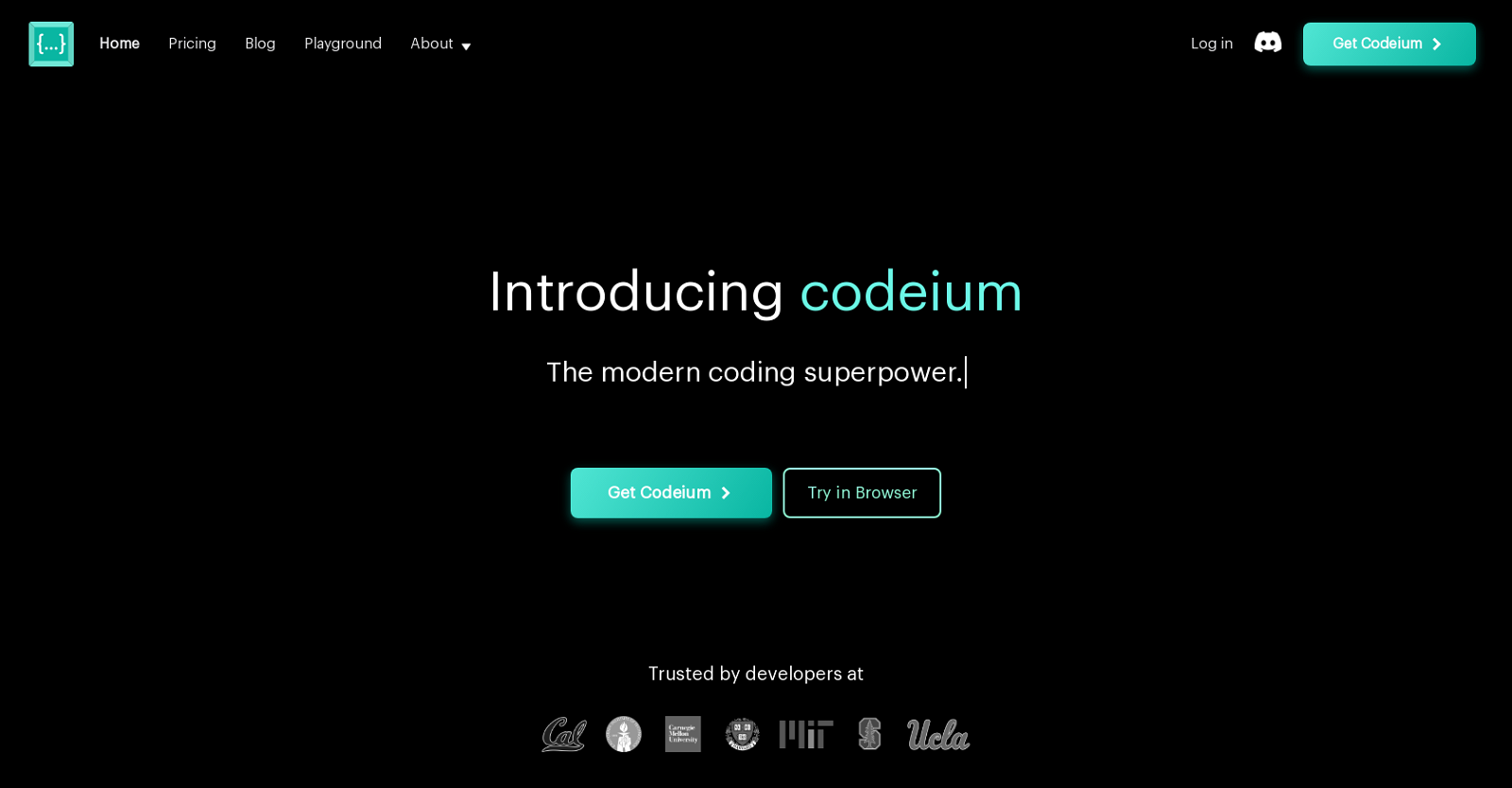
Codeium: Free AI Coding Assistant Features and Usage
Overall4.9/5
Value4.3/5
Ease of Use4.6/5
Support4.6/5
Perfect for individual developers or those just dipping toes into AI coding tools. Codeium’s free plan offers a small quota of agentic requests and code completions. You can try the tech without paying upfront. When demand rises, the entry-level paid plan takes over, charging for use beyond preset limits. It suits teams pushing bigger code transformation projects. Enterprise adds advanced features for organizations with high volumes. Pricing scales clearly based on consumption.
GitHub Copilot takes a different path: one subscription, but with murkier limits. The setup fits groups chasing budget control and clarity but can’t suit casual or infrequent users well. In contrast, Codeium slices pricing into distinct tiers, each with firm caps and overage fees. This makes managing costs more transparent. Yet, Codeium’s fees might outpace some starter options. It’s less about snagging the cheapest sticker price and more about predictable billing that grows with you. Small teams or solo coders expanding slowly could hit a prickly cost wall as usage climbs.
The explicit overage charges lay all costs bare upfront—unlike rivals who hide them. Codeium’s pricing strength: simplicity in tiers, plus a free plan to experiment at no risk. That’s a huge bonus for teams banking on tight budget discipline. Still, the model mainly targets medium and large developers. Hobbyists or startups hunting cheap, flat-rate deals may look elsewhere. Codeium shines in professional spaces where exact cost reach matters and paying for growable support isn’t an obstacle. If clear billing structures and solid tiers are your priorities, Codeium’s worth evaluating—just be ready to invest more as your usage grows.
✓ Pros
✗ Cons
✓Free tier offers 50 agentic requests and capped code completions monthly for budget-conscious users
✗Free tier caps agentic requests at 50 per month, limiting high-volume use
✓Pro plan priced at $10 per user per month provides growable tiers including Business and Enterprise
✗Pro plan requires $19 per user per month, making it costlier than entry-level options
✓Transformation overage charges $0.003 per line beyond 4,000 lines of code on Pro plan
✗Enterprise tier pricing at $39 per user per month may be expensive for small teams
✓Enterprise tier starts at $39 per user per month with added platform features
✓Paid plans range between $200 and $600 monthly, accommodating team size and usage needs
✓Free tier is technically workable for solo developers or newcomers exploring AI coding workflows
Choosing the Right AI Coding Assistant for Your Needs
GitHub Copilot shines with tight links to tools like Visual Studio Code (give or take). Every major AI coding assistant has its perks—and some drawbacks. Its pricing is clear and steady, which makes it a good choice for pros who want predictable bills and smooth workflows. The AI writes code snippets that fit your context well, but the standard fees feel steep if you only code casually.
Tabnine offers plans that range wide, including a beefy enterprise level. Yet, its pricing isn’t always upfront, so you might not know what you’ll pay until you commit to a subscription. It supports many languages and runs fast, which teams juggling different stacks will like. But without clear prices, budget-focused devs could hesitate.
Kite runs light and fast, scoring well in benchmarks and using less computer power. That’s great for folks who want speed without bloat. Still, it doesn’t offer as many features as other assistants do. Plus, independent user reviews are scarce—making it tricky to recommend with confidence for big teams.
Replit Ghostwriter and Amazon CodeWhisperer serve their home turf well, embedding inside their own platforms. Users tied to those environments find them handy. Still, these assistants miss out on working smoothly across other tools, so cross-platform use is limited. PolyCoder targets researchers and specialist coders with a focused approach, while Codeium’s free tier invites newcomers and those tight on cash to give it a spin without risk.
Here’s how they mostly break down:
Professionals wanting strong AI help with clear docs should lean toward GitHub Copilot or Tabnine, weighing cost against the speed boost.
Users needing light apps that don’t drain resources might try Kite or the free Codeium plan.
Teams locked into certain clouds benefit from Amazon CodeWhisperer or Replit Ghostwriter’s tight integrations.
Experimenters and academic coders might dig PolyCoder, though it’s a steeper climb and less fleshed out than popular tools.
Choosing a tool means sizing up your workflow, budget, and coding languages first. The AI coding world shifts fast — pricing and features change often, so keep an eye on updates to get the most value. If you want to go beyond coding aids, check out top agile project management tools to boost how your team delivers. Also, learning about transparent pricing in CRM software can help you make smarter tech buys.
That match is what really drives productivity up and keeps costs down. In the end, the right AI coding assistant fits your daily habits and growth goals—not the loudest ad.
Common Concerns About AI Coding Assistants Answered
The Basis for Cost Differences Among Leading AI Coding Assistants
Prices usually reflect how advanced the AI models are, how much support is included, and how well the tools work with other software. GitHub Copilot charges $10 per month or $100 a year for individuals. Business plans start at $19 per user each month and come with extra help and features for enterprises. Many alternatives use subscription fees, but their pricing tiers aren’t clearly explained, making it hard to judge what you get for your money. Transparency varies widely.
How Accurate Are Suggestions Delivered by These Tools
Accuracy can vary a lot. GitHub Copilot runs on OpenAI’s Codex, trained on huge public coding libraries. It’s often precise across many languages but can still spit out errors or unsafe code. In 2026 benchmark tests, it topped most rivals when completing code snippets that fit the style and context. Still, no AI assistant guarantees perfect, error-free output in every language or project you throw at it.
The Extent of Language and Framework Support
Most top assistants cover popular languages like Python, JavaScript, and Java. Support for rarer or older languages, though, goes up and down. GitHub Copilot works with dozens of languages and plugs into IDEs such as VS Code, JetBrains, and Neovim. Others, like Tabnine, cover many languages too but may miss deep, framework-specific advice, which can dull their sharpness in specialized coding environments.
The Limits of Free Versions and Trial Periods
Free plans usually cap how many completions or requests you can make to push upgrades. GitHub Copilot gives new users a 60-day free trial before charging for anything, so you can kick the tires without spending. Tabnine’s free version offers basic code suggestions but locks out advanced AI models. Knowing these boundaries helps avoid nasty surprises when your coding demands ramp up.
How Integrations Affect Workflow Efficiency
How tightly these assistants fit your setup changes everything. GitHub Copilot hooks deeply into VS Code and GitHub, offering inline suggestions, easy context switches, and annotations on pull requests. Some competitors work with other editors but often skip smooth cloud sync or team collaboration features, which hurts value on group projects or continuous integration systems.
If you want tight IDE integration, GitHub Copilot might be your best bet. Picking the right assistant means juggling cost, languages supported, accuracy, trial limits, and how the tool fits your daily workflow. Cost-focused devs could try alternatives first. Weighing all these sides leads to smarter choices for your or your team’s coding needs. For more on related topics, check guides on agile project management tools and zero trust network access solutions (as a rule).







 GitHub Copilot: Features, Pricing, and Developer Impact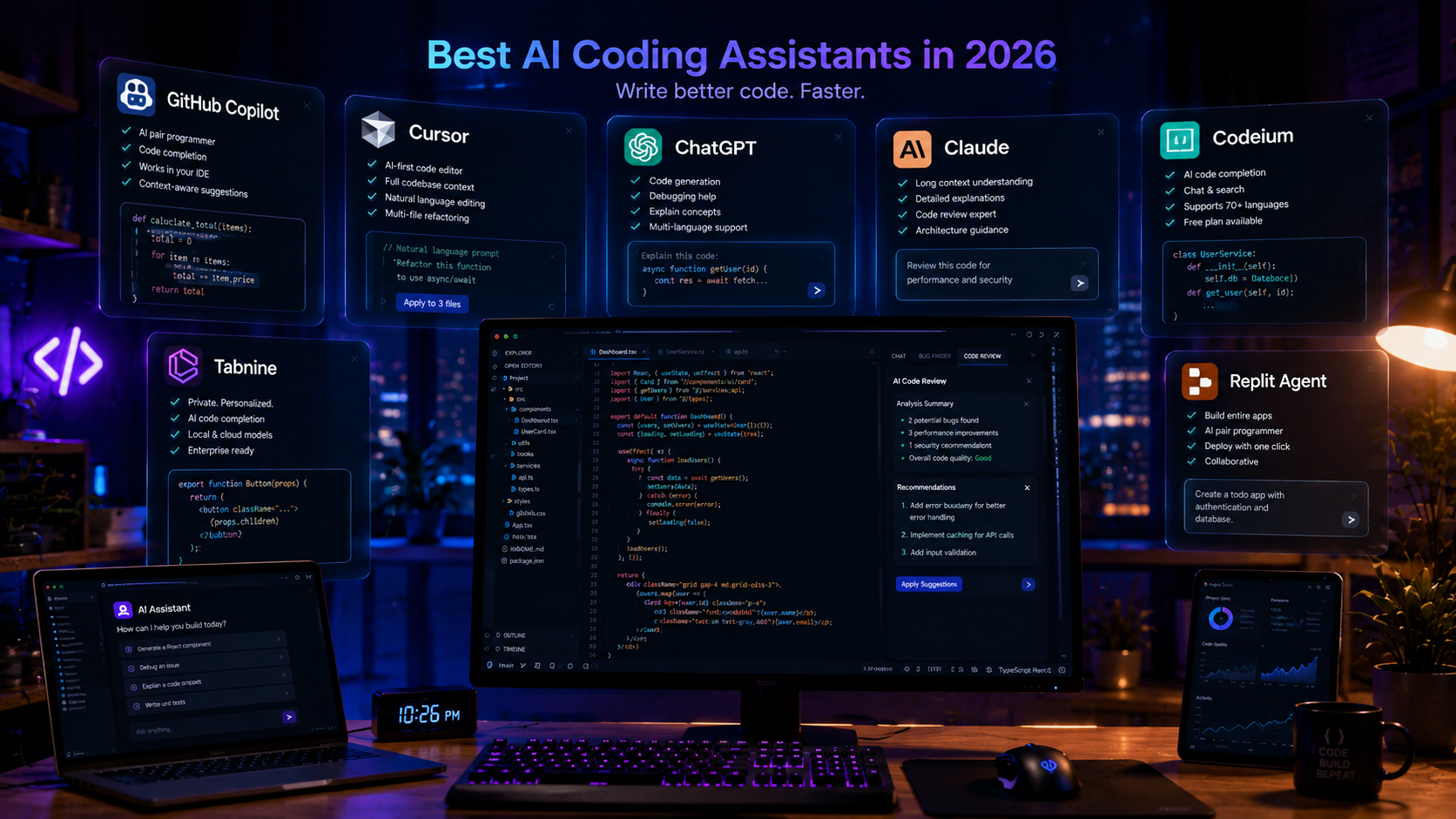


 Amazon CodeWhisperer: Deep Integration with AWS Developer Tools
 PolyCoder: Open-Source AI Code Model Overview