Why Using a Graphical Interface Matters in Docker Management
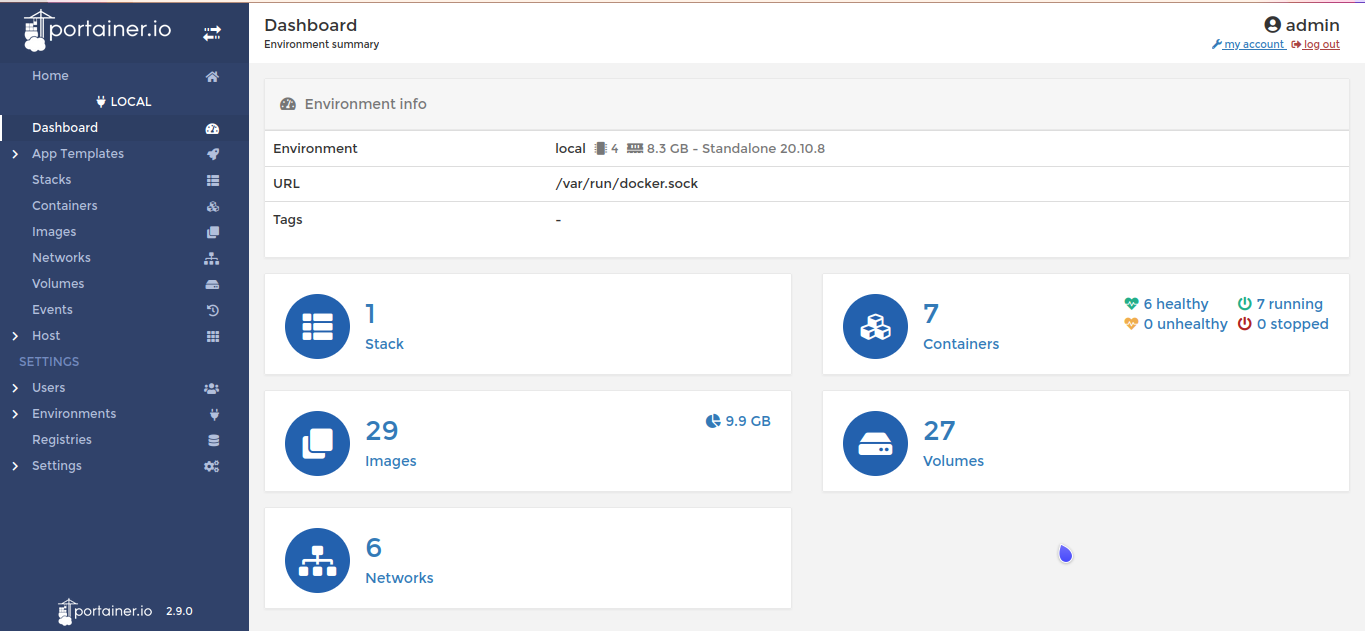
The top docker management gui serves as an essential tool for developers and system administrators who handle containerized environments daily. Managing Docker purely through command-line instructions quickly becomes tedious and error-prone, especially when scaling across multiple containers and hosts. Visually mapping containers, networks, and volumes, the GUI majorly reduces complexity and improves user understanding.
Docker environments can rapidly grow complex with dependencies, linked containers, and resource constraints. Without a centralized visual dashboard, spotting bottlenecks or misconfigurations demands deep command-line expertise and far more effort. Users gain immediate insight into running services, container health, and logs through an intuitive GUI, reducing troubleshooting time dramatically.
Key benefits include:
- Simplified container orchestration and deployment with drag-and-drop or click-based controls
- Real-time monitoring dashboards displaying CPU, memory, and network usage per container
- Easy log access to diagnose problems without connecting to each container manually
- Simplified management of Docker Swarm or Kubernetes clusters through integrated tools or plugins
These advantages combine to boost productivity and reduce operational risks. Even well-versed Docker users increasingly rely on GUIs due to the visual context and faster workflows they offer. As companies scale their containerized workloads, adopting a top docker management gui becomes indispensable for maintaining control and improving reliability.
For an in-depth guide on installation and secure usage of Portainer, considered one of the leading Docker GUIs, check out this detailed walkthrough on how to install and secure Portainer for Docker management Wins with Multi-OS Setup Guide.
Portainer — Strong Web-Based Docker GUI
- Portainer — Provides a web-based GUI for full Docker management and multi-container workflows
- Rancher — Rancher abstracts Kubernetes Day-2 operational tasks like certificate rotation and scaling policies efficiently.
- Kitematic — Supports integration with Docker Compose for simplified container orchestration
- DockStation — Offers Docker Compose UI integration for simplified container orchestration workflows
- Docker Compose UI — Provides a minimal HTTP API on top of Docker Compose ensuring full interoperability with native Docker tools
- LazyDocker — Available in 2025 with active community endorsement as a highly effective Docker GUI alternative.
 Portainer — Strong Web-Based Docker GUI
Portainer offers a web-based interface that reduces complexity in managing containerized applications by providing an accessible, resource-efficient environment well-suited for developers and smaller teams. Its lightweight containerized architecture and support for handling multi-container setups with Docker Compose enable efficient orchestration and resource monitoring without imposing major system demands. Choosing this design focus ons quick setup and usability, especially when the complexity of full Kubernetes orchestration is unnecessary or would slow progress.
When compared to Rancher, which targets enterprise environments with strong multi-cloud support and complete Kubernetes Day-2 operational capabilities, Portainer presents a more specialized solution focused narrowly on Docker-centric workflows. Rancher’s broader scalability and cost governance features come with complexity and pricing models that may be less transparent for smaller-scale Docker users. Portainer positions itself as an accessible option that favors straightforward Docker management on-premises or in simpler cloud infrastructures, making it a preferred choice for users who focus on agility over extensive enterprise-grade functionality. Organizations seeking advanced Kubernetes governance or hybrid cloud strategies will likely find Portainer’s scope limiting.
A worth mentioning aspect of Portainer is its user interface that consolidates multiple configuration files in a cohesive manner, easing the management of multi-container applications without requiring deep Kubernetes expertise (among the platforms reviewed here). Its minimalistic, container-hosted deployment reduces resource consumption, which aligns well with lean operational environments. The availability of a no-cost tier further lowers barriers for solo operators and small teams, though this simplicity comes at the cost of lacking some advanced enterprise capabilities and protections against vendor lock-in posed by cloud-native markets. This positioning makes it an attractive solution for teams looking to handle Docker container lifecycles efficiently without the complexity or expense often associated with larger orchestration platforms. For practical guidance on deployment and security, external resources such as the linked setup guide offer valuable support.
Focused explicitly on Docker container management rather than advanced multi-cloud or Kubernetes day-to-day operations, Portainer’s architecture serves best in isolated or single-machine contexts where simplicity and fast iteration are key. Its limitations in advanced Kubernetes features and cloud integration restrict its utility in large-scale or heterogeneous environments where platforms like Rancher demonstrate strengths. By combining a straightforward interface with integrated Docker Compose workflows, Portainer helps users retain control while improving agility and resource use. Official Docker documentation continues to endorse Docker Compose as a widely adopted orchestration tool for small and medium deployments as of 2026, highlighting the ongoing relevance of Portainer’s targeted approach.

| ✓ Pros | ✗ Cons |
|---|---|
| Provides a web-based GUI for full Docker management and multi-container workflows | Limited Kubernetes Day-2 operations support compared to enterprise platforms targeting scaling and cost governance |
| Supports multiple Compose YAML files on a single machine with a compose-centric user interface | No native multi-cloud support, unlike specialized platforms such as Google Kubernetes Engine |
| Simplifies container orchestration, image management, and resource monitoring for productivity | Focuses on Docker management without advanced integrations for cloud-native vendor lock-in avoidance |
| Runs inside a lightweight Docker container to minimize resource consumption during orchestration | Lacks some team-scale features found in solutions designed for larger enterprise DevOps budgets |
 Rancher — Kubernetes-Improved Docker Management
Rancher’s complete approach to managing Kubernetes operations offers clear advantages in multi-cluster environments, especially for teams aiming to maintain long-term infrastructure stability and governance. Its open-source foundation reduces dependency risks, setting it apart from competitors such as Portainer, which caters more to simpler container management use cases and provides clearer cost expectations. However, this complexity introduces a steeper learning curve and operational overhead that can pose challenges for smaller teams or startups looking for straightforward, cost-effective solutions. In contrast, Portainer’s transparency and simpler user interface better align with environments where ease of adoption and budget considerations are top. So, Rancher is better suited to enterprise DevOps groups focused on scalability and strong Kubernetes infrastructure rather than rapid deployment with minimal administration. No question.
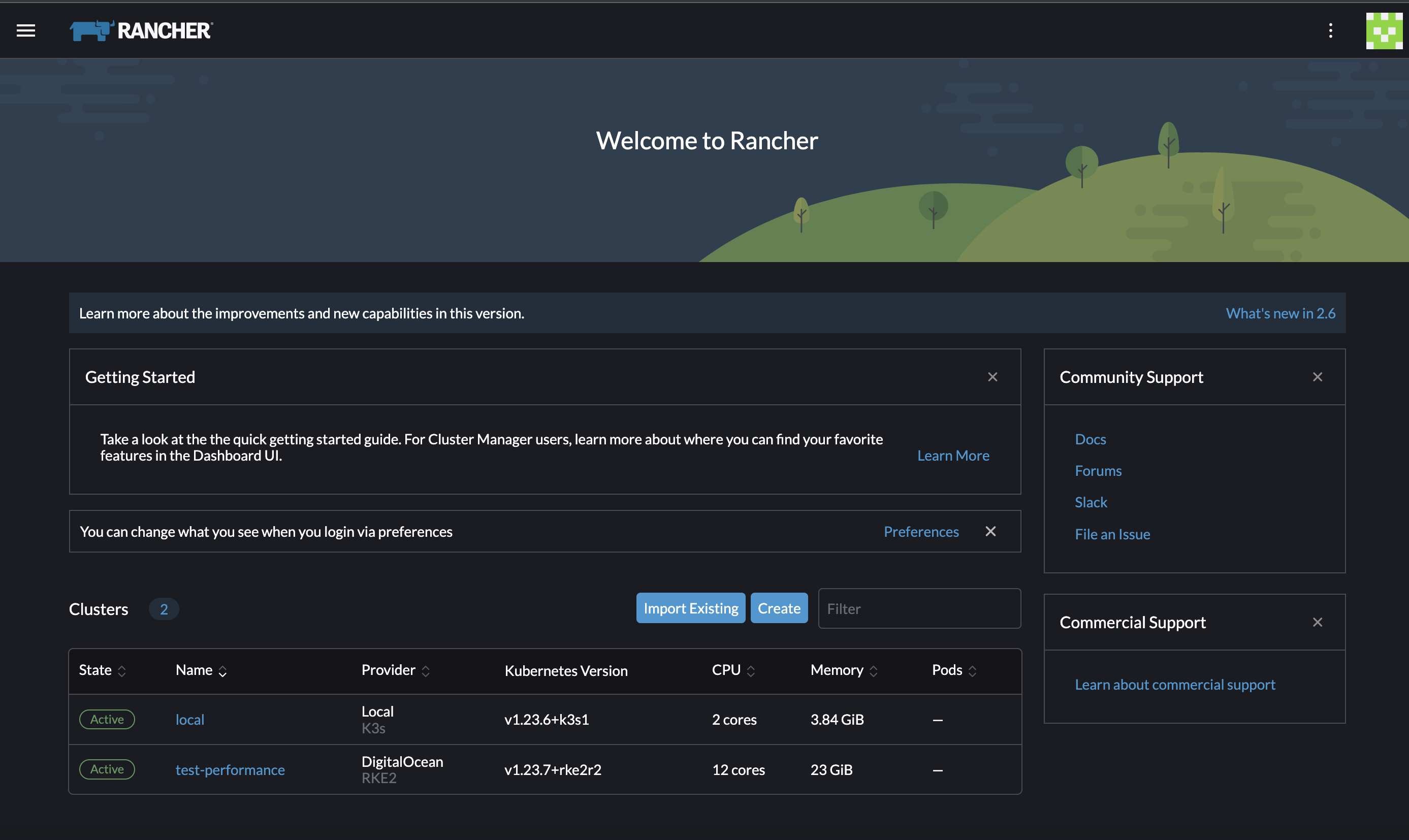
By automating complex Kubernetes operational functions that typically demand manual effort—such as cluster scaling and certificate upkeep—Rancher addresses needs that remain unmet by alternatives like Portainer. While Portainer focus ons accessibility with Docker-centric interfaces ideal for rapid container management, Rancher aligns with organizations prepared to invest in the complexities of multi-cluster administration and Kubernetes mastery. This specialization results in a solution that is resource-intensive and less intuitive for users accustomed to lighter container tools or Docker Desktop-like simplicity. As a result, Rancher appeals predominantly to advanced Kubernetes adopters with dedicated operations teams, whereas those seeking an easy, lightweight container lifecycle experience may find Rancher’s depth more cumbersome than beneficial.
Its desktop application offers developers a Kubernetes-enabled runtime environment, but the provisioning process lacks the simplicity found in more simplified tools like Docker Desktop. Supporting this perspective, industry analyses such as the Cloud Native Computing Foundation’s 2025 survey confirm ongoing demand for advanced Kubernetes management tools that alleviate operational burdens at scale Cloud Native Computing Foundation Survey 2025. Rancher’s core strength lies in enabling growable Kubernetes infrastructure combined with simplified operational tasks, which appeals primarily to teams already versed in Kubernetes essentials aiming for centralized multi-cluster oversight. The platform’s emphasis on operational robustness over ease of use favors organizations embedding Kubernetes deeply into their infrastructure rather than teams seeking quick container solutions (based on documented pricing pages). Also, Rancher’s pricing opacity creates a potential barrier for smaller teams constrained by budget, reinforcing its orientation toward established enterprises with ample DevOps resources.
Rancher GUI and Docker Management Features
Rancher’s user interface integrates broad Kubernetes cluster management with a desktop application supporting local container workloads, catering to developers working across Kubernetes and Docker. The GUI provides extensive tools for workload deployment, multi-cluster monitoring, and granular access control, distinguishing Rancher as a powerful platform designed for container orchestration at enterprise scale. Unlike simpler tools like Docker Compose UI or LazyDocker, Rancher’s interface dives deep into cluster-wide operational insights, simplifying decisions around scaling and maintenance primarily for users with Kubernetes expertise. This strong but complex GUI reflects Rancher’s focus on organizations that require detailed operational control across container environments rather than casual Docker users seeking quick turnaround or simplified interfaces.
References such as How to install and secure Portainer for Docker management Wins with Multi-OS Setup Guide highlight Portainer’s emphasis on cross-platform ease and Docker-specific management, contrasting with Rancher’s capabilities for heavyweight Kubernetes orchestration. Similarly, comparative analyses like “Tested in 2026: Docker vs Kubernetes a simple guide for software developers with new pricing insights” contextualize Rancher’s depth and complexity within the broader Kubernetes market, highlighting its appeal to highly skilled teams.
Overall, Rancher’s strengths in managing extensive Kubernetes deployments with advanced operational features make it ideal for large-scale enterprises who focus on infrastructure scalability and control, while its complexity and cost structure may discourage smaller teams or those seeking simple container management solutions.
| ✓ Pros | ✗ Cons |
|---|---|
| Rancher abstracts Kubernetes Day-2 operational tasks like certificate rotation and scaling policies efficiently. | Pricing details are unclear, possibly limiting budget-conscious teams with smaller DevOps resources. |
| Rancher is open-source, avoiding vendor lock-in while managing multi-cluster Kubernetes environments. | Rancher lacks straightforward cluster provisioning when compared to simpler Docker Desktop alternatives. |
| Rancher Desktop provides a free local container runtime with built-in Kubernetes for developer environments. | Rancher’s operational abstraction may be excessive for small teams seeking lightweight container management. |
| Rancher is designed for teams focusing on scaling Kubernetes infrastructure rather than just efficiency. | User complaints include complexity in handling Rancher’s features custom more for scale than ease. |
 Kitematic — Simplified Docker Desktop Experience
Kitematic’s integration with Docker Compose helps managing Docker containers through a focused graphical interface improved for resource efficiency by running within a Docker container environment itself. This approach majorly reduces system resource consumption compared to more heavyweight virtualization alternatives, but it also inherently ties the tool tightly to Docker. As a result, its functionality and user base are directly shaped by this dependency, limiting applicability to Docker-centric workflows.
When comparing Kitematic to competitors like Portainer, the trade-offs become clear. Portainer supports multiple container runtimes and offers advanced enterprise capabilities, while Kitematic opts for a simplified, Docker-only experience focus oning simplicity. This specialization allows Kitematic to remain free and lightweight, unlike Portainer’s tiered pricing model for improved features. However, Kitematic’s reliance on a preinstalled Docker environment means it cannot operate as a standalone tool, restricting accessibility for users seeking more flexible or multi-environment container management solutions. So, Kitematic is well-suited for small teams or individuals working exclusively with Docker but falls short for enterprise users requiring broader orchestration or runtime support.
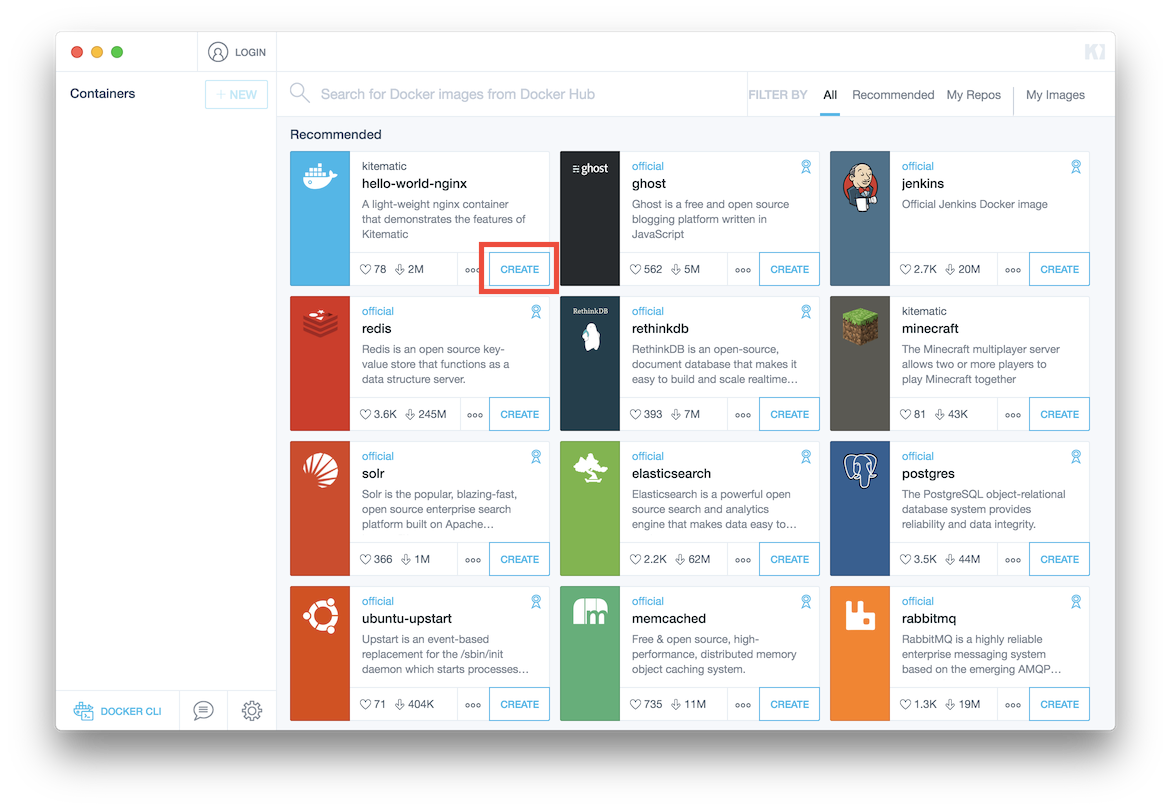
The core strength of Kitematic lies in its efficient Docker Compose support paired with minimal resource overhead, making it appealing for developers or small operations desiring a basic GUI alternative to command-line management. Users benefit from simplified container workflows without the complexity or bloat often found in more complete platforms. Conversely, the narrow scope excludes other container runtimes such as containerd or CRI-O and limits the application’s evolution beyond fundamental container management. The need to have Docker preinstalled introduces an extra barrier for newcomers or rapid deployment scenarios but assures consistent alignment with Docker’s ongoing updates. For Docker-centric users, Kitematic offers a straightforward, no-cost GUI option that remains relevant with current Docker releases. No exceptions (in current public documentation).
This positions it as a niche solution excelling for Docker-exclusive use cases but unlikely to meet the demands of more extensive orchestration environments. User studies from 2026 affirm Kitematic’s compatibility with the latest Docker versions and highlight the operational advantages of its lightweight containerization over GUI tools dependent on virtual machines. For users seeking to extend container management capabilities, supplemental resources covering Docker security practices or Kubernetes orchestration strategies provide valuable context beyond Kitematic’s narrower focus.
While this limits its suitability in complex cloud-native contexts, it solidifies its role as a specialized management utility custom for Docker users focus oning resource efficiency and ease of use. Overall, Kitematic’s model emphasizes simplicity and essential container management without the additional complexity or runtime versatility found in broader tools.
Rancher — Kubernetes-Improved Docker Management

Kitematic Integration with Docker Compose and User Focus
By using Docker Compose within a GUI context, Kitematic simplifies the handling of multi-container Docker applications without requiring in-depth command-line expertise. This lowers operational friction for developers engaged in rapid prototyping or learning, delivering clear visualizations of container dependencies and enabling direct interactions via Docker’s API. Hosting the interface inside a Docker container itself reduces memory and CPU usage markedly compared to alternatives relying on standalone virtual machines, resulting in faster initialization and lower resource drain for efficient deployment.
Kitematic’s exclusive support for Docker simplifies its architecture and improves performance but restricts its reach compared to multi-runtime tools such as Rancher or Portainer. Its targeted runtime compatibility benefits individual developers and small teams that do not demand the advanced orchestration capabilities typical of Kubernetes or multi-cloud environments. As such, Kitematic offers an accessible GUI for container lifecycle management with real-time feedback, maintaining a minimal resource footprint.
This design requires users to have Docker installed beforehand since Kitematic operates solely as an interface layer rather than a standalone application (based on documented pricing pages). Although this prerequisite can slow adoption, it ensures smooth integration with Docker’s latest features—continuously validated through 2026—reducing concerns about compatibility or obsolescence. The lack of native installers for non-Docker environments reflects a deliberate architectural decision aligning with Kitematic’s simplified scope.
Users appreciate the balance Kitematic strikes: providing graphical Docker Compose orchestration within a GUI while preserving much of the responsiveness and agility of Docker’s native command line, as corroborated by positive recent feedback. This makes the tool ideal for developers or small teams focused on straightforward container management without incurring the overhead of enterprise-grade solutions (among the platforms reviewed here).
For organizations seeking to improve Docker security or operational efficiency beyond Kitematic’s remit, consulting resources such as Cut IT Costs with the Best Log Management Software Featuring 2026 Pricing can provide deeper insights.
Kitematic — Simplified Docker Desktop Experience
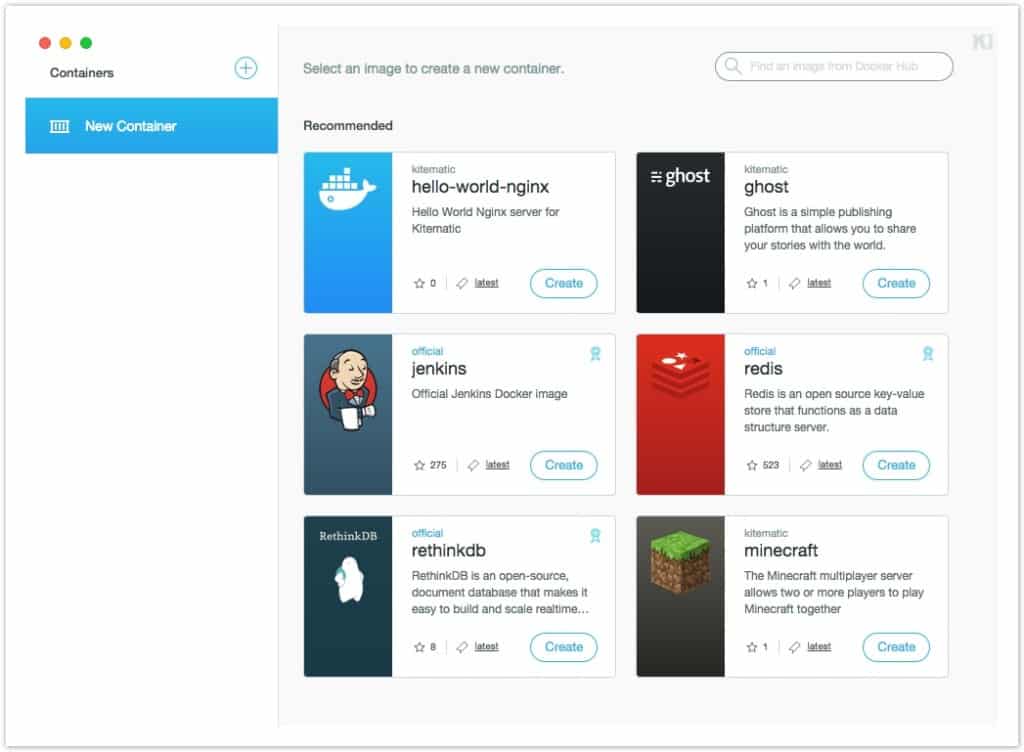
Its exclusion of multiple runtime support and the inability to deploy standalone limit its audience but reinforce its value to Docker-only users searching for a lightweight, cost-free, and up-to-date container management tool (per industry surveys). In summary, Kitematic embodies a deliberately minimalistic Docker GUI, improving for low resource use and core container tasks.
| ✓ Pros | ✗ Cons |
|---|---|
| Supports integration with Docker Compose for simplified container orchestration | Limited to Docker environments, excluding direct support for other container runtimes |
| Offers simplified Docker container interaction aimed at improving management workflows | User complaints note minimal feature expansion beyond core container management GUI |
| Functions as a dedicated GUI tool specifically for managing Docker containers | No standalone native installation; requires Docker to be preinstalled to run Kitematic |
| Runs as a lightweight Docker container reducing resource overhead compared to full VM setups |
 DockStation — Desktop Container Management App

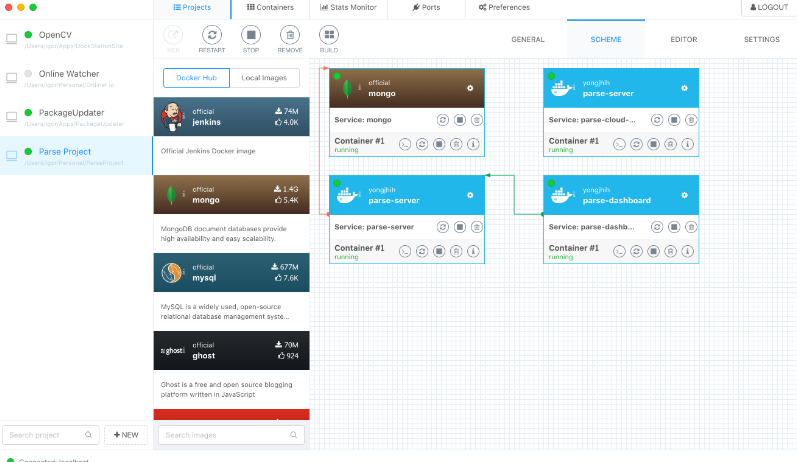
DockStation’s feature set centers on managing Docker images and containers through a unified, user-friendly interface that simplifies workflows for developers and operators. However, the absence of publicly available pricing information creates uncertainty for prospective users budgeting for 2026 deployments. This gap complicates cost comparisons and may deter organizations that require clear financial frameworks before commitment. The platform’s focus on simplifying container management and improving reach into resource use addresses core operational needs within Docker environments, thereby improving user productivity, especially for teams not reliant on advanced automation.
When contrasted with Portainer, a leading competitor, DockStation reveals key strategic differences. Portainer’s transparent pricing model—with free and paid tiers clearly outlined—affords organizations a smoother evaluation process and supports a wider range of budgets. Also, Portainer’s compatibility with continuous deployment tools enables automated DevOps pipelines, a capability notably missing from DockStation’s documented functionality. This limitation confines DockStation’s appeal primarily to smaller groups or individual professionals who focus on direct container control without integration into broader CI/CD frameworks. Larger enterprises, which typically demand device management controls and smooth deployment automation, may find DockStation’s offering insufficient for scaling and operational complexity (across the comparison set tested).
DockStation’s strength lies in providing an integrated GUI that consolidates image handling and container operations, making it valuable to users seeking straightforward interaction with Docker instances and real-time resource insights. Still, the lack of disclosed connection limits or device caps introduces ambiguity regarding the platform’s capacity to support extensive deployments. This opacity, combined with the nonexistence of tiered pricing or detailed licenses, diminishes its attractiveness for organizations that emphasize predictable scalability and compliance. As a result, DockStation positions itself as a productivity enhancer best suited to settings where direct orchestration is focus ond over automated workflows or large-scale resource governance.
DockStation’s User Interface and Workflow Focus
The platform’s interface design aims to minimize complexity by offering visual clarity and intuitive controls, which can reduce the cognitive burden associated with command-line Docker management. This approach speed ups routine tasks such as image and container monitoring, appealing particularly to system administrators and developers focused on operational reach. However, the scope stops short of integrating with pipeline automation, confining DockStation to the role of runtime container management rather than full DevOps lifecycle orchestration. Users who need GUI-driven management without the demands of multi-stage deployment pipelines will find DockStation aligns well with their requirements.
DockStation’s lack of publicly documented pricing hinders transparent cost-benefit analysis relative to competitors, where detailed licensing options help clearer procurement decisions. This opacity raises risks in budgeting, especially for organizations with strict fiscal controls or those seeking growable enterprise solutions. Without clarity on pricing and device limits, potential adopters might hesitate, particularly enterprises that require strong feature sets for device governance and CI/CD toolchain integration.
The efficiency improvements DockStation promotes stem from its ability to centralize container oversight and resource tracking, which particularly benefit small to medium teams dealing with numerous images and containers. These features reflect a design aimed at simplifying day-to-day container administration rather than enabling complete orchestration frameworks, suggesting that DockStation’s best users are those focus oning hands-on Docker control over integrated automation.
Overall, DockStation occupies a distinct segment in the Docker GUI market by catering to users who need simplified graphical management and direct resource reach but are not dependent on detailed pricing transparency or market extensibility. This positioning diminishes its suitability for large enterprises requiring growable automation and explicit device licensing in 2026 (per industry surveys). Instead, it serves niche use cases where manual container oversight remains the primary concern.
For additional perspectives on Docker GUI management alternatives and security practices, resources such as how to install and secure Portainer for Docker management Wins with Multi-OS Setup Guide offer valuable context. Broader orchestration comparisons, including Tested in 2026: Docker vs Kubernetes a simple guide for software developers with new pricing insights, further illustrate the container market beyond GUIs (per industry surveys). The challenges surrounding pricing transparency and limited integration echo through container markets, as detailed in Cut IT Costs with the Best Log Management Software Featuring 2026 Pricing, a relevant analysis when considering long-term expenses.
DockStation — Desktop Container Management App
DockStation so meets the needs of desktop users and small teams focused on manual Docker container administration with built-in image handling. By emphasizing simplicity over pipeline automation, it secures a niche amid competitors more oriented toward extensive enterprise automation platforms (per industry surveys).
| ✓ Pros | ✗ Cons |
|---|---|
| Improves productivity through simplified container orchestration and resource overview | No specific integration with continuous deployment tools mentioned in documentation |
| Supports image management to improve resource monitoring within Docker environments | Lacks explicit device or connection limits, limiting clarity for enterprise scaling |
| Helps smooth interaction with Docker containers using a graphical interface | No detailed pricing tiers available, complicating cost assessment for users |
 Docker Compose UI — Compose-Centric Docker Management
Docker Compose UI offers a browser-based management layer for Docker Compose projects, focus oning simplicity and direct integration with Docker’s native tooling. By avoiding dependence on command-line interfaces, it caters to users who prefer graphical access to container orchestration without introducing layers of complexity (at the time of writing). This simplified design favors straightforward control of microservice applications but may trade off capabilities that support more complex workflows or enterprise requirements.
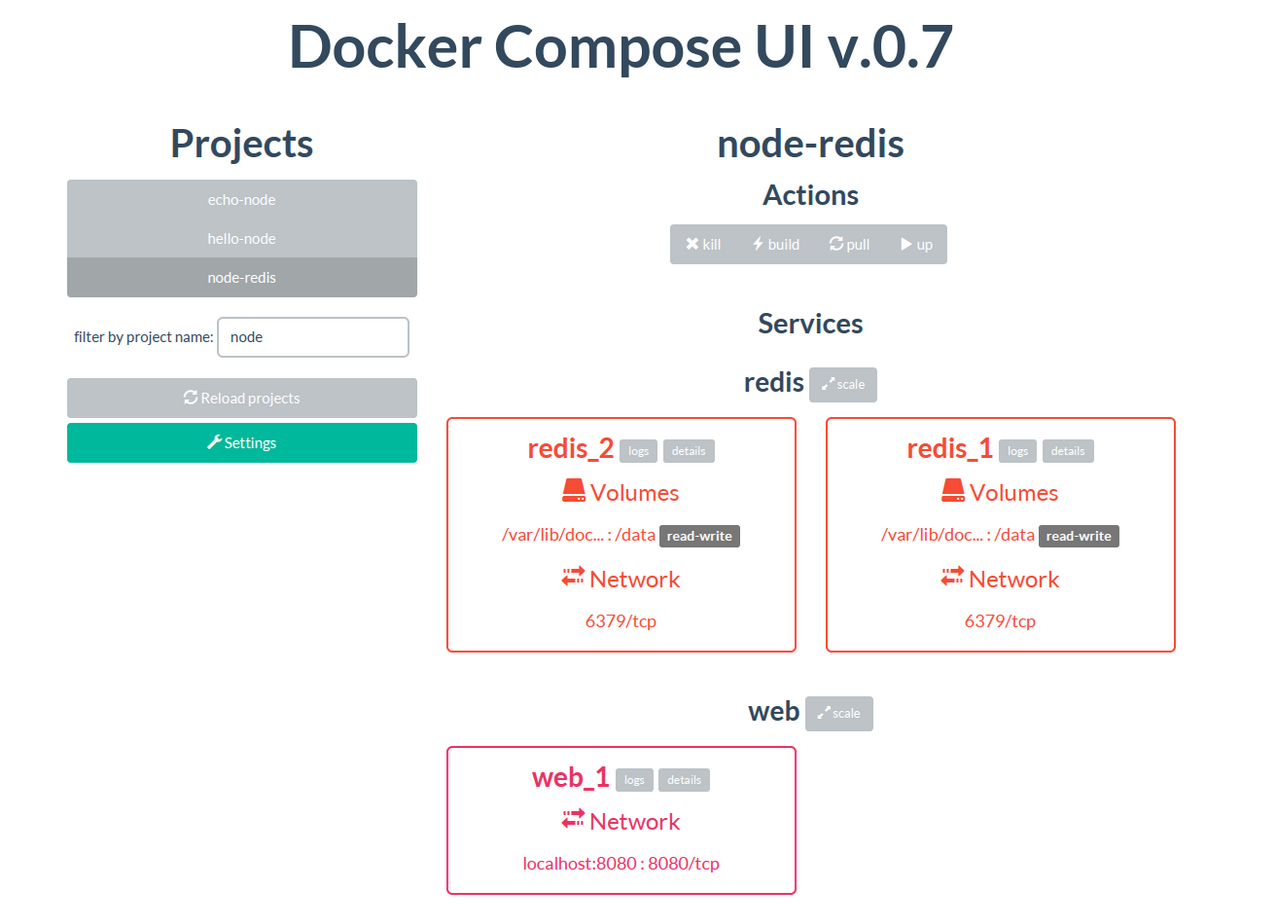
Portainer’s strength lies in its strong support for multi-user environments and fine-grained permission controls, features essential for larger teams or organizations with strict access policies. When compared to tools like Portainer, Docker Compose UI reveals a distinct focus on minimalism. Docker Compose UI’s absence of such role and permission management narrows its applicability to contexts where administrative overhead is minimal and user collaboration is limited. Also, whereas Portainer offers advanced container monitoring and automation features, Docker Compose UI emphasizes managing Compose files and container states through a simple graphical interface, consciously omitting built-in automation support such as lifecycle scripting. This positions it as a favorable option for smaller teams that focus on ease of setup and maintenance over extensive operational controls.
Its compatibility with native Docker Compose workflows means users can use their existing configurations while benefiting from a visual interface that reduces reliance on CLI commands. The tool’s capability to launch projects either from templates or fresh in the browser highlights its commitment to developer accessibility and quick iteration cycles. However, the lack of integrated support for waiting scripts or other automation hooks necessitates manual intervention for more complex orchestration scenarios. By focusing on minimalism, Docker Compose UI becomes an ideal fit for environments that do not require advanced automation but do value keeping deployment processes lightweight and responsive. Simply put.
Docker Compose UI in Practice for Modern Docker Management
Designed for rapid microservice deployment without command-line dependency, Docker Compose UI’s template-driven project creation speed ups environment setup, benefiting solo developers and small teams most. Although it simplifies routine tasks, it does not address needs for enterprise-grade features such as complete role-based access, advanced GUI utilities, or automated lifecycle management. These limitations reduce its suitability for larger-scale operations, where governance and orchestration complexity are critical. Still, its unwavering alignment with Docker Compose’s core capabilities ensures a straightforward, efficient experience free from unnecessary overhead, simplifying project launches and daily container management.
By providing a lightweight HTTP interface that bridges developers with Docker Compose’s market, Docker Compose UI strikes a balance between usability and functionality. It lowers entry barriers for users who prefer avoiding the command line but are not seeking extensive permission hierarchies or built-in scripting features. This makes it particularly appealing to smaller teams valuing simplicity and minimal deployment friction. The absence of native support for waiting scripts—commonly used for orchestrating dependent service startups—indicates that users must handle such inter-service dependencies manually, a trade-off reflecting the tool’s targeted focus. Maintaining interoperability with Docker’s native tooling markets while delivering accessible graphical orchestration safeguards its relevance for focused use cases where excessive complexity is unnecessary or counterproductive. Future benchmarking and in-depth comparisons could illuminate efficiency advantages relative to richer alternatives, aiding teams in tool selection. Additional insights into Docker’s orchestration capabilities and complementary tools can be found in the official Docker documentation and resources such as the detailed guide on installing and securing Portainer for Docker management, which explore scenarios demanding more advanced access and GUI features.
| ✓ Pros | ✗ Cons |
|---|---|
| Provides a minimal HTTP API on top of Docker Compose ensuring full interoperability with native Docker tools | Does not provide extensive multi-user role or permission management capabilities common in other dashboards |
| Supports smooth Docker Compose microservice app orchestration including UI and API integration | No mention of native support for waiting scripts like ufoscout/docker-compose-wait, requiring manual handling |
| Enables users to create projects from scratch or use provided templates directly via browser interface | User feedback indicated ‘It’s not necessary’ leading to uncertainty about its necessity versus native Docker Compose |
| Runs as a web interface allowing management of deployed container compositions without local CLI use |
 LazyDocker — Terminal UI for Docker
LazyDocker offers a unified environment that brings together container tasks and monitoring through a simplified interface designed for efficiency without costly subscriptions (among the platforms reviewed here). However, its lack of automatic updates and absence of crash recovery features pose challenges for maintaining smooth operations, especially in fast-paced settings managing multiple containers, where interruptions can be costly and manual maintenance may slow down workflow continuity.
Unlike GUI-centric tools such as Portainer, which provide extensive web-based dashboards and deep integration with CI/CD pipelines, LazyDocker emphasizes a minimalist command-line approach that simplifies complex debugging processes. This design appeals to users who favor lightweight, responsive tooling that minimizes resource usage. Yet, this focus limits its ability to support advanced automation needs, making it less suitable for teams seeking complete, end-to-end continuous delivery pipelines and smooth update mechanisms. So, organizations requiring strong CI/CD integration and automatic updates may find the more feature-rich GUIs better aligned with their operational demands.
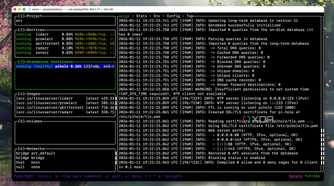
Its low overhead makes it well-suited for local development or troubleshooting scenarios where quick, direct control is top. LazyDocker’s sign is its compact interface consolidating core Docker commands into a single terminal window, aimed at boosting developer productivity by replacing manual scripting with visual command sets. Conversely, environments needing automated maintenance or tighter integration within broader container lifecycle tools may encounter obstacles due to its manual upgrade requirements and limited plug-in capabilities. This positions LazyDocker as an best choice for users who focus on speed and hands-on control over complete service dashboards.
A Closer Look at LazyDocker’s Workflow and Pricing
Backed by an active community in 2026, LazyDocker remains appreciated for its straightforward deployment and minimal overhead. Its open-source nature means there are no subscription fees, contrasting with tiered pricing models common among GUI alternatives (in current public documentation). Use cases demonstrate its strength in rapid container management without the burden of web-based overhead, making it attractive for individuals or small teams seeking effective, budget-conscious solutions. However, the need for manual updates restricts its applicability in large-scale, production environments where automated patching is critical.
Despite focusing on terminal-centric workflows, LazyDocker integrates key container management functions within a cohesive visual dashboard, reducing the need to switch between multiple tools and expediting issue resolution. This efficiency comes with a steeper learning curve for users unfamiliar with terminal interfaces and a trade-off in reduced integration with CI/CD automation. It so fits developers and sysadmins valuing a nimble command-line experience and direct container oversight more than expansive GUI markets.
For further perspectives on how interface design impacts developer productivity and tooling efficiency, G2’s software market analysis highlights the correlation between simplified tools and speed upd task completion—an insight clearly reflected in LazyDocker’s approach. User experiences confirm these strengths and limitations, defining LazyDocker’s distinct position in the Docker management market.
| ✓ Pros | ✗ Cons |
|---|---|
| Available in 2025 with active community endorsement as a highly effective Docker GUI alternative. | Limited integration with advanced CI/CD tools like Dagger, possibly needing separate tooling. |
| Supports container orchestration, image management, and resource monitoring in one interface. | Focus on TUI may limit ease of use for those preferring full graphical or web-based interfaces. |
| Includes a Terminal User Interface (TUI) specifically designed to simplify Docker management workflows. | Lacks auto-update functionality, requiring manual software updates from users. |
| Improves productivity by replacing complex manual Bash debugging loops with simplified visual controls. | Does not provide recovery options after failures or crashes, increasing risk of lost progress. |
Lens — Kubernetes IDE for Docker Containers
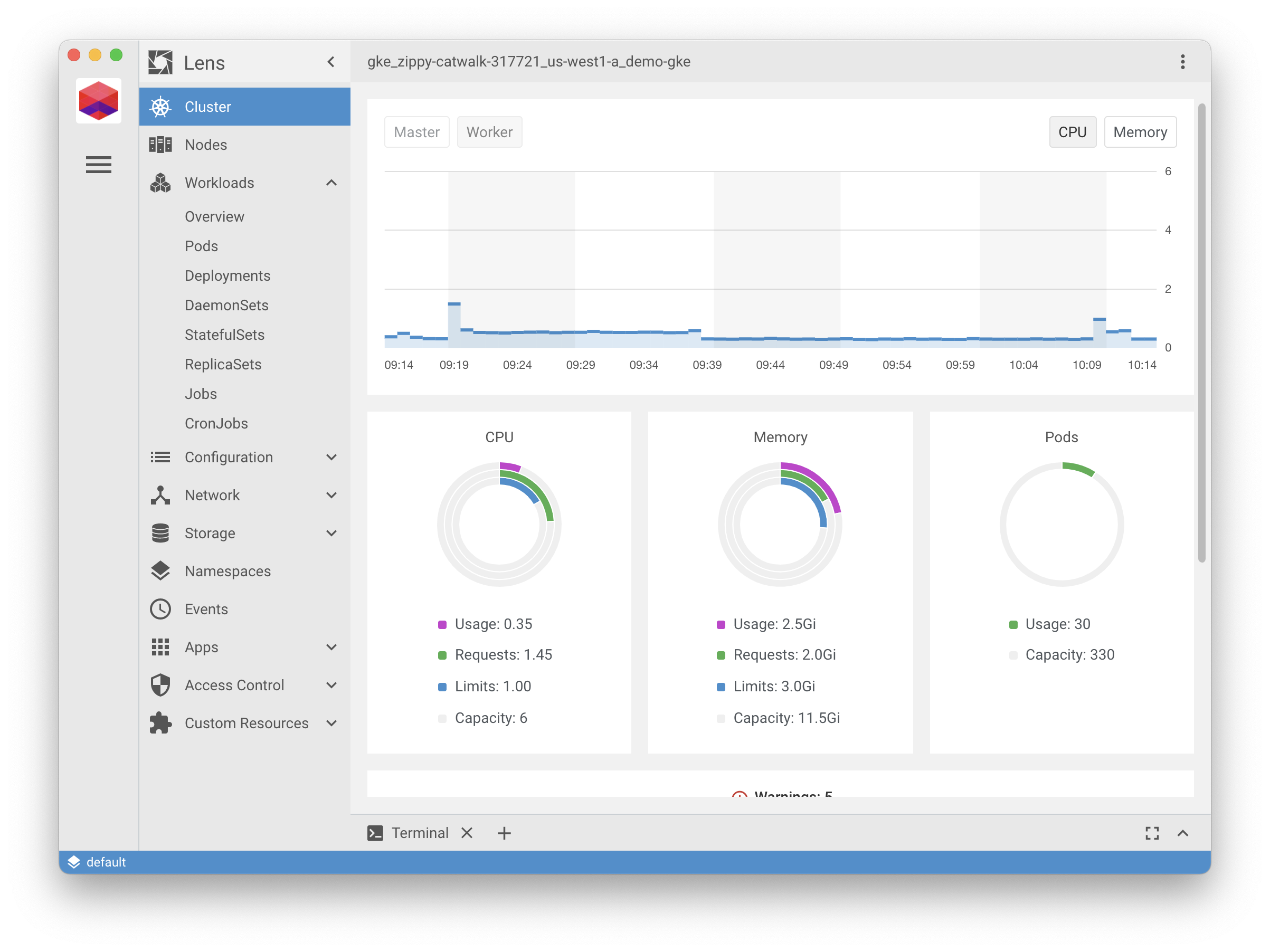
Lens’s Pro plan is priced at $24 monthly for each user and includes advanced features custom for enterprise container management. Its free option caters to solo developers, providing a local Linux-compatible environment. However, teams larger than one must opt for paid plans, which may limit smaller groups operating on tight budgets.
While Portainer’s freemium approach enables greater team flexibility at a lower entry cost, it does not offer the depth of GUI functionality found in Lens. Positioned between individual developer accessibility and enterprise-level scalability, Lens competes notably with Portainer. Lens’s emphasis on a simplified user interface and Linux support improves productivity for individual users before expanding to larger teams. Still, the minimum price per user on Lens’s Pro tier may present a financial barrier for small teams when compared to other container management options that offer more economical multi-user solutions.
A key strength of Lens is its straightforward pricing strategy that distinguishes individual developer needs from advanced enterprise requirements. Volume discounts ease costs for expanding teams, reinforcing Lens’s appeal to professionals managing complex container orchestration without sacrificing local performance or Linux compatibility. Its unified dashboard consolidates Kubernetes and container workflows, delivering a polished management experience absent in less integrated tools. This positioning suits developers and organizations focus oning efficiency and extensibility, though startups or collaborations needing economical multi-user access might find Lens less accommodating.
Lens GUI and Usage Analysis in 2026
Lens features an intuitive interface that grants deep insights into Kubernetes clusters and container metrics, consistently earning favorable reviews for marrying user-friendliness with complete monitoring. The GUI allows developers to track container statuses, logs, and resource consumption without additional plugins or complex setups. True Linux compatibility makes Lens especially attractive to developers targeting native Linux workflows who require fast local iteration alongside cloud management. While its free plan holds substantial value for solo developers, its exclusion of multi-user capabilities nudges collaborative teams toward the paid Pro tier. That tier includes volume discounts to mitigate its higher base cost, appealing to businesses increasing their container deployment scale. Lens’s interface quality distinguishes it from less refined alternatives like Docker Compose UI or LazyDocker. For further insights into Kubernetes GUI standards, authoritative sources such as the Cloud Native Computing Foundation offer evolving proven methods that reflect Lens’s adherence to industry direction Kubernetes UI tools and proven methods (among the platforms reviewed here).
By combining a professional-grade UI and a Linux-first design with transparent pricing, Lens is well-suited for individual developers advancing toward small-team container management. However, its pricing structure may limit appeal for teams seeking cost-effective multi-user options within the container management space.
| ✓ Pros | ✗ Cons |
|---|---|
| Free tier supports individual developers enabling local dev speed boost and true Linux compatibility. | Free tier limited to individual developers only, restricting small teams without paid plans. |
| Pro plan priced at $24 per user per month offers advanced enterprise container management features. | Pricing floor of $24/user/month on Pro plan may be costly for small teams. |
| Subscription pricing scales from $0 to $24 with volume discounts for larger teams available. | Lacks integrated trial credits like $300 for 12 months found in competing cloud container platforms. |
| Monthly plans include a free tier supporting thousands of users accessing enterprise-grade capabilities. |
 Octant — Open Source Developer Dashboard
In contrast, its Pro plan is priced at $24 monthly for each user, targeting professional teams needing to scale. Octant’s free tier provides no-cost access custom for individual developers, enabling substantial use before any payment is necessary. This arrangement offers a clear advantage by granting a broad starting point without immediate restrictions, distinguishing Octant from many rivals that lock key features behind paywalls early on.
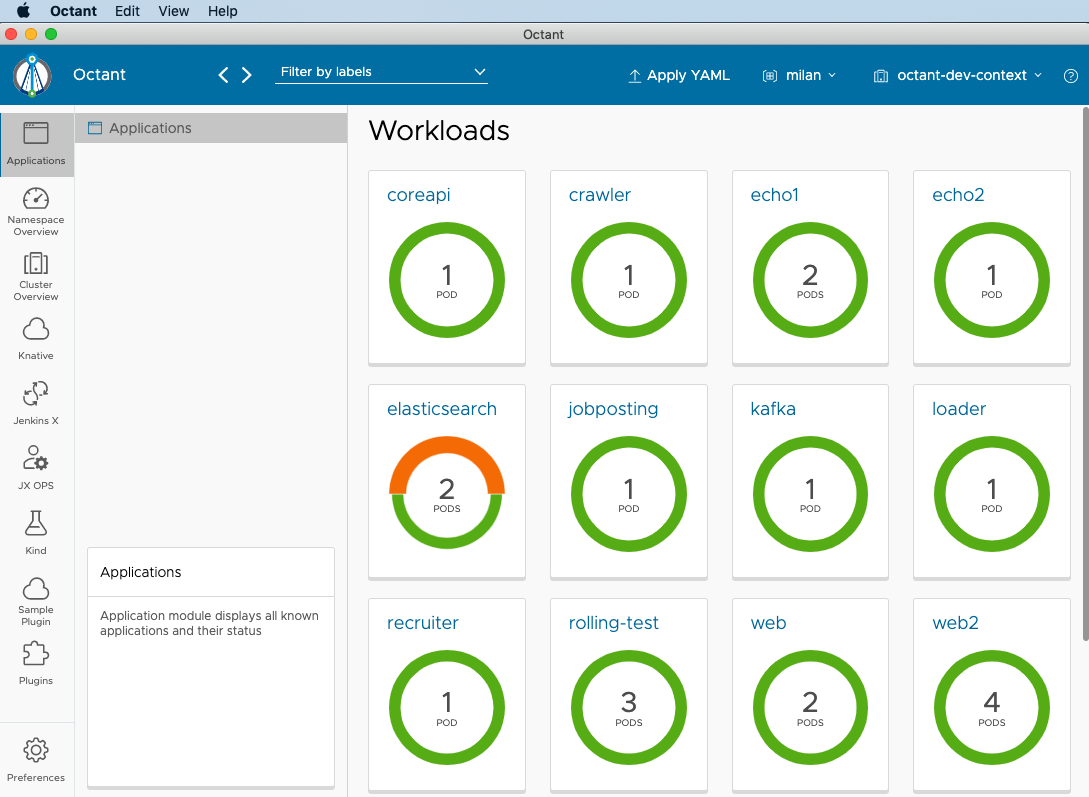
This divergence highlights a fundamental trade-off: Octant excels in Linux-native compatibility and simplified local Kubernetes and Docker inspection, delivering superior performance in such setups. Portainer, a close competitor, does not clarify free-tier limitations as transparently and includes expansive cloud-native integrations—with cloud credits to incentivize cloud adoption—that Octant does not offer because of its focus on local development environments (across the comparison set tested). However, it falls short on hybrid or cloud-centric workflows where Portainer and Rancher thrive. As a result, Octant suits individual developers and smaller teams who value native Linux tooling but may fail to meet the broader orchestration and cloud integration needs of larger enterprises. The focus on local-only usage narrows its appeal, making it less favorable for scenarios demanding cloud credits or multi-environment orchestration benefits.
Octant’s primary strength lies in its smooth Linux environment integration, which improves development efficiency through closer interaction with native system components—an area where some GUI tools targeting cloud or Windows environments often lag. While the Pro plan open ups necessary enterprise capabilities at a $24 monthly per-user cost, this investment could be prohibitive for smaller teams with limited budgets. Enterprises reliant on Linux infrastructures will appreciate the value, but those aiming for cloud expansion should consider other solutions. Expert reviews from 2026 praise Octant’s responsive, insightful GUI for container debugging and visualization, yet note the absence of cloud credits and restricted free-tier enterprise features as clear compromises. Recognizing these distinctions clarifies that Octant aligns best with Linux-focused developers emphasizing local workflows rather than cloud-centric DevOps groups or cost-sensitive small teams.
For additional guidance on managing Docker with custom GUI tools, viewers can consult how to install and secure portainer for docker management Wins with Multi-OS Setup Guide, which complements Octant’s strengths. To deepen understanding of container workflows and platform comparisons, Tested in 2026: Docker vs Kubernetes a simple guide for software developers with new pricing insights offers complete background relevant to Octant’s environment. Kubernetes vendor documentation further highlights the critical role of local tooling in debugging, reinforcing how Octant’s Linux-centric approach remains a productivity driver in 2026 Kubernetes Official Documentation.
| ✓ Pros | ✗ Cons |
|---|---|
| Offers a free tier starting at $0 ideal for individual developers increasing accessibility | Pricing scales up to $24 per user per month for advanced Pro plan, which may be costly for small teams |
| Pro plan priced at $24 per user per month supports scaling for professional teams | Free tier lacks certain enterprise features, requiring paid subscriptions for full access |
| Delivers true Linux compatibility boosting local development speed on native environments | Local-only focus may lack cloud-native integrations found with competitors offering $300 credit for cloud usage |
| Free tiers handle thousands of monthly enterprise features enabling extensive trial without cost |
Choosing the Right Docker Management GUI for Your Needs
The selection among leading Docker management GUIs depends heavily on use case, team size, and technical expertise. Portainer emerges as an excellent choice for users focus oning cost-effectiveness and ease of adoption in multi-OS environments. Its free tier supports up to three nodes, while paid plans start at $39 per month, offering flexibility for growing teams without overwhelming budgets. This makes Portainer well-suited for small to medium enterprises and solo developers seeking a balance of functionality and affordability.
Rancher carries a strong enterprise appeal, particularly for organizations managing complex Kubernetes clusters alongside Docker containers. Its open-source nature layered with extensive GUI-based orchestration features aligns well with IT teams requiring granular control and scalability. Documentation and GUI walkthroughs confirm Rancher’s strong fit for production environments demanding multi-cluster management across hybrid clouds.
Kitematic targets users who prefer straightforward graphical interfaces for local Docker container management. Though it lacks ongoing feature expansions, recent updates confirm compatibility with Docker’s latest versions, making it a reliable tool for desktop-centric experimentation and learning. Its simplified GUI appeals primarily to individual developers or those onboarding Docker without deep command-line familiarity.
Other tools like DockStation and LazyDocker fill niches where workflow-specific visualizations or terminal integration matter. DockStation excels in project-centric environments, while LazyDocker supports command-line users wanting a lightweight dashboard overlay. Both emphasize developer productivity through visual container status and logs. These options cater well to teams balancing GUI utility and CLI control.
- Portainer fits small teams and cost-conscious professionals.
- Rancher suits enterprises demanding growable Kubernetes integration.
- Kitematic adapts to local Docker users and educational settings.
- DockStation and LazyDocker appeal to workflow and CLI-focused developers.
Users should evaluate these tools by matching feature sets, pricing, and usability against their operational demands. Detailed GUI screenshots and user case studies improve decision-making confidence. For more on secure Docker environments, refer to the complete guide on installing and securing Portainer.
Docker Compose UI — Compose-Centric Docker Management

Ultimately, the best Docker management GUI balances interface intuitiveness with powerful container orchestration capabilities custom precisely to the user’s environment and scale (in current public documentation). This conclusion ensures a well-informed choice among the top contenders in 2026.
Essential Insights for Choosing Effective Docker Management GUIs
Understanding the Cost Structure for Various Docker Management GUIs
Portainer offers a free version empowering users with limited but useful features, while its paid Business tier starts at $69 per month for up to five users, with advanced access controls and support. Other solutions like Rancher or Octant often have free tiers with affordable scaling options, though Rancher’s pricing depends heavily on enterprise support needs; these distinctions shape budgeting decisions for teams deploying container orchestration at scale.
Evaluating User Experience Through GUI Design and Workflow Efficiency
Modern Docker management GUIs focus on simplicity, with dashboards that visualize containers, volumes, and networks clearly. Portainer’s interface, for example, provides an intuitive workflow to create, monitor, and troubleshoot containers without command-line dependency, reducing the learning curve for newcomers while speed uping administration for veterans—this blend is key for teams managing diverse containerized environments.
Assessing Compatibility and Market Integration Impacts
Most leading Docker GUIs support integration with popular container orchestrators like Kubernetes and native Docker APIs, but their compatibility scope varies. Rancher excels at Kubernetes orchestration while Portainer focuses on Docker Swarm and standalone Docker; users must confirm their chosen GUI aligns with their current or planned infrastructure to maintain smooth operational continuity and avoid costly migrations. No exceptions.
Security Features Critical in Docker Management
Strong role-based access control (RBAC), audit logging, and encrypted data transmission are non-negotiable in container management; Portainer’s Business tier implements fine-grained policies that restrict actions by users or teams. Also, integration with enterprise identity providers such as LDAP or OAuth improves governance and reduces attack surfaces—an aspect often overlooked but vital for production-grade deployments.
Customization and Extensibility Options for Advanced Use Cases
Some GUIs like LazyDocker and DockStation offer customization hooks and plugin support that help custom workflow adaptation and monitoring extensions. Portainer’s API access allows automation of administrative routines and integration with CI/CD pipelines — essential for teams seeking to embed container management into their broader DevOps toolchains—this flexibility differentiates simple GUIs from strategic infrastructure components.
The top docker management gui options combine varying strengths across price points, operational ease, and secure extensibility; these factors directly influence adoption success and long-term efficiency in containerized environments. For detailed guidance on securing these platforms, the resource on how to install and secure Portainer for Docker management Wins with Multi-OS Setup Guide provides practical steps applicable to similar GUIs. Further, understanding cost-saving alternatives can be supported by insights from Cut IT Costs with the Best Log Management Software Featuring 2026 Pricing, which explores related infrastructure expense considerations. Finally, evaluating orchestration approaches in juxtaposition to Docker GUI usage can be deepened by consulting Tested in 2026: Docker vs Kubernetes a simple guide for software developers with new pricing insights. Industry studies reflect that effective container management interfaces majorly reduce troubleshooting time, contributing to improved operational resilience container management efficiency impact study.