Understanding The Role Of Mobile Device Management Software In Modern Business
Picture thousands of mobile devices—smartphones, tablets, and laptops—used by employees working from coffee shops, homes, or anywhere else. Without solid tools, managing mobile devices in a company can quickly become a mess. Protecting sensitive data scattered across them all is no small task. That’s why top mobile device management (MDM) software exists—it offers one place to track, secure, and configure every device.
MDM software lets admins put rules in place that guard corporate assets, even if devices wander off the office network. It helps with remote setup, locks down security settings, and monitors usage patterns. When a phone vanishes, it can wipe the data instantly. It also forces software updates to close vulnerabilities and blocks risky apps before they install. Companies depend on these features to stop data leaks, malware infections, and compliance slip-ups. Hackers often hit mobile endpoints that are unmanaged or loosely controlled—those are low-hanging fruit.
Employees juggle a patchwork of devices running different operating systems. Trends like remote and hybrid work have shoved MDM into the spotlight. Trying to manage that mess manually? Automating device enrollment and configuration slashes IT headaches while boosting security across the sprawling device swamp.
It makes sure everyone’s gear is set up right from the start. MDM software doesn’t just protect—it powers productivity, too. Policies manage to balance control with ease, such as blocking access to sensitive apps or enforcing VPN use for security. These behind-the-scenes controls ensure companies comply with strict regulations like GDPR and HIPAA that govern data protection.
This market is huge and diverse. Picking a product to fit your organization’s size, device mix, and security needs is essential. Vendors vary in pricing, license limits, and platform compatibility—each factor affects your return on investment. Some tools toss in AI-powered analytics, user behavior tracking, or patch into bigger security frameworks—features that light up for large enterprises. Smaller businesses often prefer lean, affordable options built for their scale.
Here’s a closer look at the leading MDM software in 2026. Among these are Microsoft Intune, noted for tight integration within Microsoft’s market, and VMware Workspace ONE, preferred for deploying in hybrid cloud setups. IBM MaaS360, MobileIron, Citrix Endpoint Management, Jamf Pro, Cisco Meraki, and Sophos Mobile also get a nod, each bringing something unique to the table.
Knowing which features actually add value—security, ease of setup, licensing terms—lets you zero in. By the end, you’ll have clear, practical tips for choosing the right product for your setup and budget. With mobile endpoints multiplying every day, the right MDM software turns what could be a chaotic jumble into a controlled, compliant fleet—protecting data and keeping business humming.
Research from Gartner shows companies that fully manage their devices report fewer security breaches and lower costs. The choice isn’t just technical—it shapes your entire company’s IT security posture.
- Microsoft Intune — Included in Microsoft 365 Business Premium subscription priced around $8–10 per user/month
- VMware Workspace ONE — Offers a free tier with core MDM capabilities suitable for limited device counts.
- IBM MaaS360 — Offers AI-powered enterprise endpoint management to improve security and compliance automation
- MobileIron — Offers tunneling and enterprise integration features as key components of MobileIron UEM
- Citrix Endpoint Management — Offers a free tier with core MDM features but limited device count for initial use cases.
- Jamf Pro — Offers a free tier with core MDM features but limits device count on this plan
Microsoft Intune: Features and Licensing Details

Microsoft Intune’s main mobile device management (MDM) features come bundled in Microsoft 365 plans that usually cost $8 to $10 per user each month. So, businesses have to decide if paying more later to cover more devices makes sense. You get solid tools for managing and securing devices inside a system lots of people already use (give or take). There is a free tier, but it limits how many devices you can manage. That cap makes using it long-term tricky unless you upgrade.
Intune stands apart because it links tightly with Microsoft’s advanced security tools like Azure Active Directory and Defender. That’s a big advantage compared to others that mostly offer basic device management. For instance, Jamf Pro focuses only on Apple devices — macOS and iOS — with features built for those platforms. Intune’s price options vary: per-device fees start at about $2.75 a month, which helps when you want to grow, or you can pick bundled plans that might feel pricey for smaller teams. No universal free trial exists, and working with managed service providers adds more complexity. Smaller IT groups might get frustrated. Intune fits best with medium to large companies already running Microsoft systems and needing strong security. Small businesses face barriers from costs and device limits.
Unlike simpler MDM tools, it blocks threats natively. One big plus with Intune is how security is baked into device management itself. This helps companies meet tight compliance standards and reduce risks in regulated industries. But the free plan’s device limit often stalls early tests or pilots, forcing companies to pay earlier than with some alternatives. Businesses heavily tied to Windows and Microsoft 365 apps benefit most. On the other hand, if your fleet mostly runs non-Windows gear or is small, the costs might not add up. That pricing premium reflects deep device security linked to Microsoft’s broader setup. Still, smaller outfits should check if cheaper or more focused tools match their needs better.
Intune’s license pricing confuses many who wrestle with user-based versus device-based plans. Microsoft 365 Business Premium bundles Intune with core services like Exchange Online and Azure AD Premium for $8 to $10 per user each month, offering a unified security and management package. Meanwhile, the standalone option starts at around $2.75 per device monthly, good for teams wanting flexible device coverage without locking into a whole platform. This tiered setup lets IT balance cost and protection levels carefully. For details, Microsoft’s security documentation offers a thorough guide.
Thinking about Intune? You need to size up your company’s scale, existing Microsoft use, and security demands. It shines where tight links between device management and Microsoft’s security tools are key, especially with mixed device types. But if you’re a small team on a tight budget or limited by devices, the free tier may feel too narrow and pricing quite steep, nudging you toward more specialized or cheaper alternatives — see comparisons at best IT service management software. Using Intune means a commitment. It delivers layered security and integration that’s hard to find anywhere else.
| ✓ Pros | ✗ Cons |
|---|---|
| Included in Microsoft 365 Business Premium subscription priced around $8–10 per user/month | Free tier limits device count, which may restrict small teams or pilots |
| Core MDM features available at a free tier with limited device count | Starting price of $8–10 per user/month in Microsoft 365 Business Premium can be costly for small organizations |
| Advanced security integration extends Microsoft security capabilities to managed devices | Managing MSP relationships for deployment can require additional coordination |
| Paid plans start as low as $2.75 per device/month providing growable options | No detailed mention of a dedicated free trial period for all paid plans |
 VMware Workspace ONE: Enterprise Use Cases and Performance
VMware Workspace ONE offers a basic plan aimed at small device fleets. But as companies grow, they must pay starting around $2.75 per device each month. The exact starting price is unclear—some sources mention $4 per device instead. This fuzziness makes budgeting tricky, especially compared to rivals like Microsoft Intune, which usually package licenses simply, making costs easier to predict for small and medium businesses.
What sets Workspace ONE apart is its one-stop management for multiple platforms: Android, iOS, macOS, and Windows. Microsoft Intune’s clear tiered pricing looks more attractive to budget watchers. Users work from a single console that handles policy rules and app rollout across all these systems. This wide coverage beats tools that only cover a few platforms or lack built-in deployment features. Still, mixed messages about pricing and confusing tier levels can make long-term cost planning hard.

These companies tolerate higher per-device fees because they get better control and efficiency. Workspace ONE suits mid-to-large firms that juggle many device types and rely on smooth app delivery. Smaller outfits or those with tight budgets may stumble on the limited free tier and murky prices, pushing them to cheaper or more transparent options.
You’ll want to study your budget closely. The core draw of Workspace ONE is its broad device management packed into a growable yet somewhat shadowy price scheme starting near $2.75 per device—sometimes $4 shows up in estimates. Its strength is uniform policy enforcement and app distribution over mixed devices, making it ideal for complex, growing fleets. For lean teams hunting predictable, low-cost setups, it’s less appealing—this defines its market role in 2026.
Case Studies and Quantified Benefits
One large company cut device management time by 30% after putting all their endpoints under one umbrella. It fits where device variety and tight security intersect—a point Gartner’s 2026 unified endpoint management report stresses. Real-world deployments prove Workspace ONE can boost efficiency. Another shrank security response times by 40%, thanks to uniform policies across device types. These numbers show Workspace ONE’s edge beyond just features.
Yet, unclear pricing tiers after the first level and free plan device limits pose hurdles for tight-budget buyers or those just starting out. Such results back Workspace ONE as a solid pick for firms needing strict device control and flexible IT flows.
In today’s crowded MDM market, Workspace ONE shines with strong multi-platform handling and a flexible pricing style. This mix of advanced tools and pricing puzzles shapes VMware Workspace ONE’s distinct spot as 2026 rolls on. But the murky price details mean potential customers—especially SMBs—must crunch numbers carefully. Its value isn’t simple.
| ✓ Pros | ✗ Cons |
|---|---|
| Offers a free tier with core MDM capabilities suitable for limited device counts. | Free tier limits device count, restricting use for larger deployments without paid plans. |
| Paid plans start at $2.75 per device per month, enabling growable management. | Base paid plan pricing at $4 per device per month is higher compared to some SMB-targeted competitors. |
| Supports cross-platform device management including Android, iOS, macOS, and Windows. | Lacks explicit pricing tiers detailed beyond the $4 starting point, possibly complicating cost forecasting. |
| Includes functionality for smooth policy control and application deployment across devices. |
IBM MaaS360: AI-powered Endpoint Management

It nails threat spotting before trouble hits. IBM MaaS360 packs AI tools to boost security automation and keep big, mixed-device fleets in line. Yet, its higher price tag locks out smaller businesses, even though it can scale up without breaking a sweat.
MobileIron spreads wide, juggling lots of platforms. Jamf Pro sticks to Apple gear like glue. MaaS360 dives deep into AI-driven risk prediction. That edge lets it catch issues early but makes setting it up trickier than rivals. Its premium cost marks it as a tool for big budgets and huge device counts. Smaller outfits might lean toward MobileIron’s cheaper plans instead. So, if you want heavy-duty, proactive security on a large scale, MaaS360 fits. But complexity and price can scare off those needing simpler, more Apple- or specific-focused setups.
The platform’s AI lets you manage all kinds of devices from one place, sharpening threat responses—critical for large enterprises. Yet, it stumbles on remote control for Android devices, which aren’t MaaS360’s strong suit. If remote Android work is key, this could be a bottleneck. That leaves MaaS360 best for enterprises chasing broad, AI-powered security rather than smaller firms or Android-heavy shops. Want to see how MDM pricing stacks up for big businesses? Check out Microsoft’s detailed licensing documentation for a clear look at cost versus features across major players.
| ✓ Pros | ✗ Cons |
|---|---|
| Offers AI-powered enterprise endpoint management to improve security and compliance automation | Higher starting price tier compared to competitors limits access for small businesses |
| Supports unified management of multiple device types for smooth enterprise integration | Lacks specific cross-platform mobile device control features found in other MDM tools |
| Provides scalability options suitable for large organizations with extensive device fleets | Some users report complex setup processes when integrating AI features into existing IT infrastructure |
| Includes AI analytics tools that assist in predictive threat detection for endpoint devices | Limited support for remote field operations on Android devices compared to specialized Android MDMs |
MobileIron: Cross-platform Device Support and Security
That makes it easier to test early on, compared to the tangled tier systems you usually find in mobile device management. So, MobileIron mostly pulls in big companies ready to pour time and tech effort into setup, not smaller outfits chasing fast, simple installs. MobileIron drops initial fees and throws in a trial for basic use. It’s not clear-cut, which can muddle budgeting for some teams. The platform’s enterprise integration and network tunneling are solid — they let you shape device control exactly how you want. Yet, lots of users find the interface clunky, trickier than tools like Microsoft Intune that feel smoother to jump into (roughly).
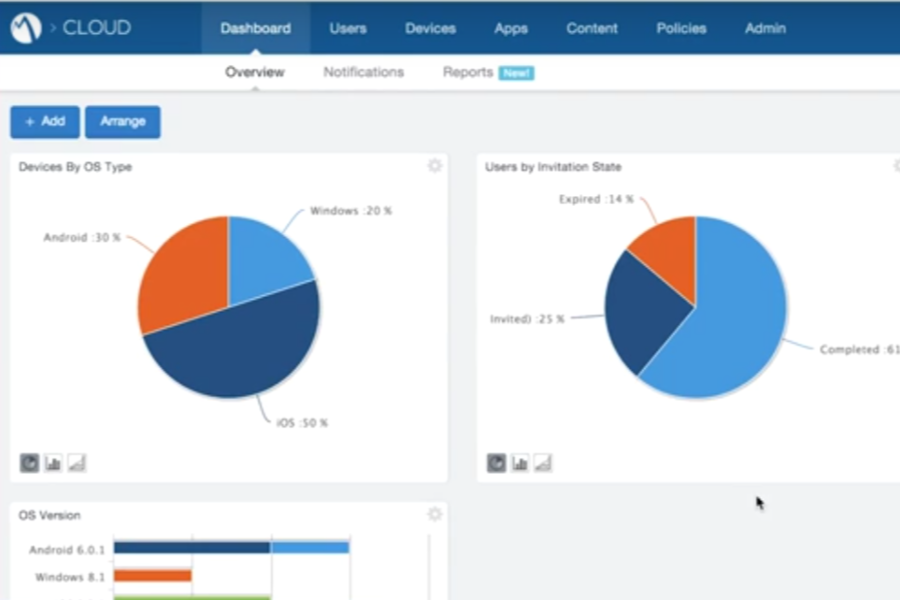
This system leans heavily on deep integration and flexible connectivity, which fits complex IT setups needing tight endpoint control. MobileIron lets you haggle prices directly, throwing flexibility into the mix but killing quick buys. The advanced features live behind a pricey add-on tier charged per user, twisting the cost picture compared to rivals with clearer, bundled pricing. If your IT squad thrives on heavy configuration, this is their playground. But anyone wanting easy onboarding might find it a slog. Also, MobileIron doesn’t keep up well with modern iOS device management or strong device monitoring for Apple gear, which hurts if your shop runs lots of Mac or iPhone hardware.
That’s perfect if you need strict control spread over a patchwork of systems. The platform shines by supporting tons of devices and operating systems, backed by tough enterprise-grade tunnels and integrations. On the flip side, the fiddly management and extra user fees put off small and mid-sized businesses who want plug-and-play ease. MobileIron aims at buyers who hunger for deep customization, though it often alienates those after straightforward, intuitive management tools. For a sharper look at pricing and features in device management, Gartner’s 2026 MDM report is a solid go-to for vendor comparisons and market trends.
| ✓ Pros | ✗ Cons |
|---|---|
| Offers tunneling and enterprise integration features as key components of MobileIron UEM | Compared to competitors, MobileIron is less user-friendly and harder to manage |
| No setup fee required with a quote-based pricing model and free trial for the basic plan | Gold MobileIron license requires an additional per-user fee to access some advanced features |
| Supports broad device and OS compatibility with extensive deployment and integration options | Device monitoring capabilities could be improved according to user feedback |
| Lacks some modern management features present in alternatives for iOS device control |
 Citrix Endpoint Management: Features and User Experience
But it limits how many devices you can connect. You can try the platform before buying, which isn’t always an option with others. Citrix Endpoint Management starts with a free plan that handles basic mobile device management. Growth stalls here. Growing companies will likely need to upgrade. Paid plans run from $2.75 to $4 per device each month. That’s a bit higher than some entry-level competitors. If you need to manage lots of devices across Android, iOS, macOS, and Windows, this might be worth the cost—provided your budget can stretch.
Instead of bundling with larger suites like Microsoft 365, it charges per device directly. Compared to competitors like Microsoft Intune, Citrix Endpoint Management takes a different path on pricing and device support. This makes pricing simpler but can get pricey as your device count grows. Beyond the starting price, you won’t find much tiered pricing info. So planning finances gets trickier. Also, the lower-tier plans don’t highlight advanced endpoint security or compliance tools. Intune, by contrast, includes those features up front with clearer policies. That makes Citrix Endpoint Management better suited for small to midsized teams who want easy cross-device control but not top-tier compliance or cost management. Big enterprises might find it lacks some needed tools.
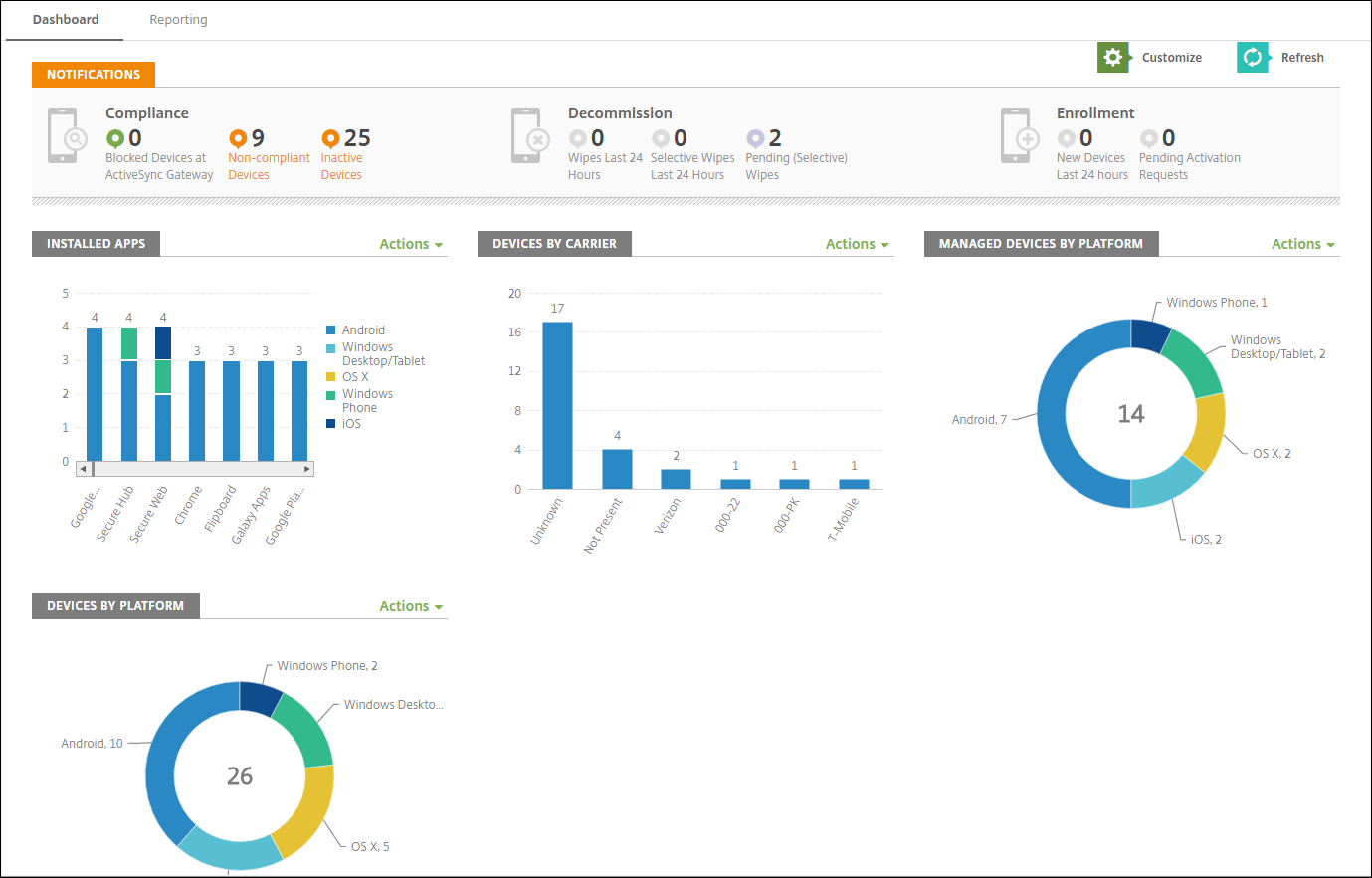
The big draw of Citrix Endpoint Management is its ability to handle many device types with pricing that balances ease of entry and room to grow. It fits groups needing to watch diverse tech setups but not dive into costly compliance or security features right away. The free level helps you test main functions but nudges you toward paid versions. For startups or tight budgets needing multi-OS management, it’s a solid starting block. Still, compared to older platforms built for strict industries or bigger firms, its pricing can feel unclear and features thinner. So it’s really best for those valuing wide device coverage and flexible upfront costs rather than heavy-duty security. Before committing, check out independent reviews and satisfaction scores. They shed light on how it stacks up. Pricing info on higher tiers can be found in sources like 5 Cost-Efficient Options For Best IT Service Management Software Value Comparison.
| ✓ Pros | ✗ Cons |
|---|---|
| Offers a free tier with core MDM features but limited device count for initial use cases. | Free tier supports only a limited number of devices, restricting use for larger deployments. |
| Paid plans start competitively at around $2.75 to $4 per device per month for improved capabilities. | Plan tiers begin at $4 per device per month, which may be higher than some entry-level MDM competitors. |
| Supports cross-platform management including Android, iOS, macOS, and Windows devices for broad device control. | Lacks explicit pricing transparency beyond base per-device rates leading to potential budget uncertainty. |
| Subscription model includes a free trial option to evaluate features before commitment. | No clear indication of advanced endpoints or compliance management features in entry-level tiers. |
 Jamf Pro: Enterprise Apple Device Management
Jamf Pro aims squarely at organizations that run mostly Apple gear. Its pricing feels steep, especially for small teams or tight budgets. The free plan is really just a teaser — it won’t hold up as your setup grows, nudging you toward paid options eventually.
Microsoft Intune offers a more mixed-device approach, while Jamf Pro sticks close to Apple only. Still, that free-tier device cap makes Jamf Pro tricky for larger or mixed-device environments looking for flexible pricing. That focus creates a smoother, tighter management experience, but it means paying more per device than some wide-ranging, entry-level tools. Intune juggles complex licensing bundles, whereas Jamf Pro keeps things simple with a straightforward subscription and a trial to test the waters.
Where Jamf Pro shines is in its deep Apple-specific controls. It justifies the price with enterprise-level tools made for Macs, iPhones, and iPads. The cost climbs with advanced features, but it stays competitive for those locked into Apple’s market. Companies with only Apple hardware get the most here, while diverse fleets might do better with cheaper, more flexible alternatives.
Pricing Tiers and Trial Availability
Paid plans start at $2.75 per device each month. Jamf Pro’s free tier limits devices—enough to get started but forcing you to upgrade soon. More feature-rich tiers begin around $4 per device. You get a trial window, which lowers the risk of commitment by showing off its Apple-specific perks. Compared to many MDM vendors tangled in bundled pricing traps, Jamf Pro’s clear model stands out for Apple-focused businesses.
Apple-Centric Enterprise Management Focus
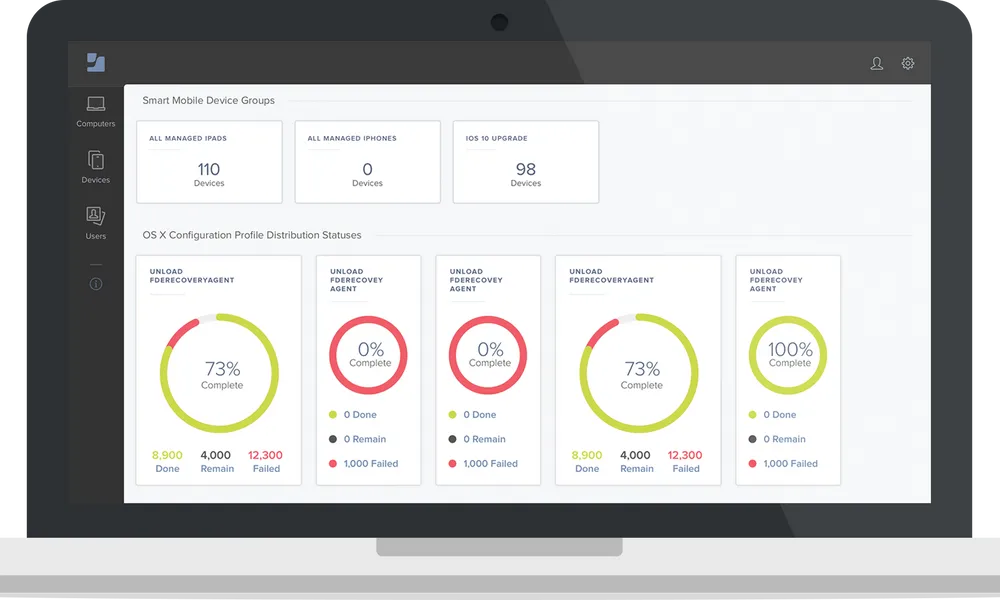
It smooths out enrollment and setup better than broad tools like Intune, trading general reach for detail. Jamf Pro zeroes in on Apple’s market, crafting policies, workflows, and security that fit macOS and iOS like a glove. IT teams running large Apple fleets find its specialized MDM controls reliable and precise.
| ✓ Pros | ✗ Cons |
|---|---|
| Offers a free tier with core MDM features but limits device count on this plan | Free tier device count limits restrict scalability for larger teams or enterprises |
| Paid plans start at $2.75 per device per month, competitive for SMB budgets | Paid plans begin at $2.75, which may be higher than some entry-level competitors |
| Provides smooth enterprise Apple device management custom for large organizations | Plan tiers start at $4 for additional features, showing a price floor beyond entry points |
| Subscription model includes a free trial before committing to paid tiers |
Cisco Meraki: Unified Endpoint Management
Cisco Meraki gives small businesses and teams with simpler device needs a clear entry point. Upfront costs start low. But if you need tons of devices covered, expect bills to climb. Fees rise per device as you scale up (in practice). This pricing setup splits affordable small-team use from the bigger price tag of enterprise-level support.
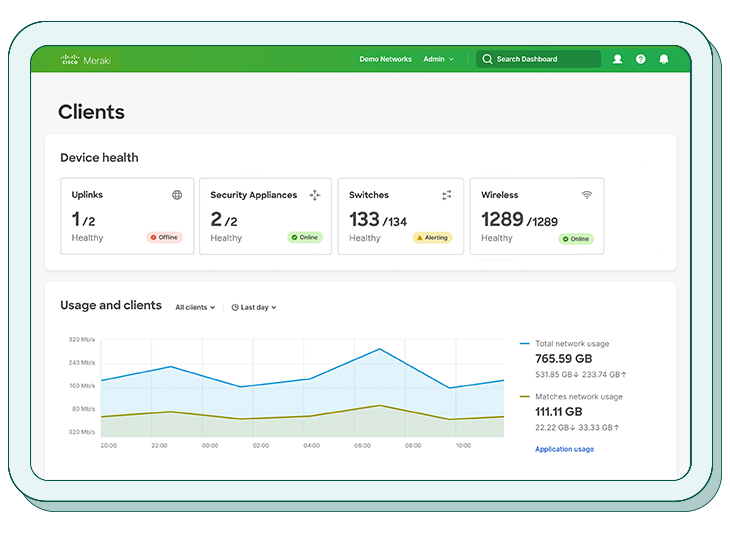
That makes managing identities and access smoother inside Microsoft-heavy workflows. A big plus for Meraki: it plugs right into Microsoft 365 Business Premium’s security tools. If your world spins around Microsoft apps, this clicks well (roughly). Other platforms like VMware Workspace ONE pack bigger toolboxes—more on compliance automation and fixing issues fast. Meraki’s leaner setup suits teams with straightforward automation needs but may leave complex policy enforcers wanting.
It offers easy setup and solid security where Microsoft is king, but doesn’t dive deep into advanced compliance tricks. For groups wanting Microsoft’s market without fuss, it’s a fit. But for folks needing heavy automation or working beyond Microsoft’s scope, other options move faster. The pricing is clear, and a free tier helps small customers start cheap (more or less). Still, big deployments will feel the expense jump. So, its sweet spot lies with SMBs and midsize companies sticking close to Microsoft rather than wide-open, complex rules.
Cisco Meraki Security and Device Management Features
Meraki’s security strength shines mainly in Microsoft setups, giving solid defense without drowning users in options. The platform nails core enterprise basics: role-based access control, automatic enrollment, and uniform policy rollout across multiple operating systems via one cloud dashboard. But this simple model limits deeper fix-it workflows compared to leaders like MobileIron or Jamf Pro, which suits heavy-compliance crowds better.
This keeps daily admin easy but might box in those needing pinpoint automation in tightly regulated industries. Its power lies in networking insights and app oversight, syncing device setups with steady security stances. So, Cisco Meraki fits firms focused on Microsoft’s security plays with medium device complexity.
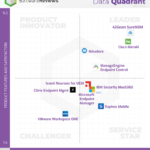
The free tier caps device numbers, offering startups and small teams a low-cost test bed. Gartner’s 2025 Magic Quadrant calls out this integration as a standout edge, cementing Cisco Meraki as a top unified endpoint management pick for SMBs and growing firms rooted in Microsoft tech. Still, as fleets grow, costs become predictable but climb steadily. Merging tightly with Microsoft 365’s security rules adds real weight here, especially for IT managing mixed or remote staff.
| ✓ Pros | ✗ Cons |
|---|---|
| Offers a free tier for core MDM with a limited device count for cost-conscious users | Free tier limits device management to a small number, requiring paid plans for scaling |
| Paid plans start as low as $2.75 to $4 per device per month, competitive for SMBs | Typical enterprise plans can reach $12 per device monthly, a high price floor |
| Includes smooth security integration extending Microsoft 365 Business Premium features | Advanced compliance remediation and automation features are fewer compared to leading MDM competitors |
 Sophos Mobile: Security and Compliance Solutions

That pulls in smaller teams wanting mobile management plus endpoint security all in one spot. Sophos Mobile costs less. VMware Workspace ONE usually wants bigger deals for the same features. Sophos Mobile covers Windows 10, macOS, and iOS devices from one console. But it leaves out some fancy automation and detailed reports other tools cram in. This tradeoff fits businesses looking for easy setup and smooth teamwork instead of tangled scripts and complex rules. It zeroes in on endpoint security, skipping identity frameworks like IBM MaaS360’s, which means firms needing tight identity access control might look elsewhere.
It has a big selling point: combining device management with special endpoint defenses—like cash mode and safe mode—that boost mobile protection without extra apps. The central control rolls out policies fast, cutting headaches for mid-sized companies. Still, the limited OS support and rougher tools beyond the main platforms can snag teams juggling different devices. Plus, missing identity-based controls might shut down cases where device rules need to sync with user IDs—a must-have in many regulated sectors now.
In short: Sophos Mobile works for teams wanting security-first MDM linked directly to endpoint shields at a fair price. Check out Sophos’s official cybersecurity documentation for details. But it won’t chase broad OS coverage or deep data smarts. Groups focused on unified endpoint risk, minus the costly automation bells and whistles, will appreciate this tool. Those needing sharp device insights, wide OS support, or full identity governance should look elsewhere. The product sits between basic device managers and the heavyweight enterprise automation platforms.
| ✓ Pros | ✗ Cons |
|---|---|
| Pricing starts at $3 per user per month, making Sophos Mobile accessible for small to mid-size businesses | Does not use an identity-driven model, relying instead on an endpoint-security-driven model which may affect integration preferences |
| Integrates natively with a next-gen endpoint security platform for unified protection across Windows 10, macOS, and iOS | Limited information on advanced automation or analytics features compared to competitors |
| Supports centralized management for easier monitoring and policy enforcement on all managed devices | User feedback is limited on management depth for certain operating systems beyond Windows 10, macOS, and iOS |
| Includes security features like cash mode and safe mode to improve mobile device protection |
Final Recommendations on Choosing Mobile Device Management Solutions
Microsoft Intune excels for companies deeply embedded in Microsoft 365. The best mobile device management software suits various business needs and scales in different directions. At $22 per user per month, Microsoft 365 Business Premium bundles device and app management under one license. This package simplifies administration but overwhelms smaller teams that lack strong IT support due to its steep feature set and complex setup process.
Although priced higher, the software improves compliance and reduces device downtime substantially, making it worthwhile for businesses managing many endpoints (by and large). VMware Workspace ONE targets large, complex organizations that want unified management of mobile and desktop devices. Smaller teams without strong IT expertise may find its expansive scope excessive.
IBM MaaS360’s edge lies in Watson AI, which detects risks earlier and speed ups compliance reporting. It slashes admin workloads, a boon for sectors under strict regulation. The pricing is reasonable, though you must decide if those AI-driven security perks justify the spend.
Jamf Pro zeroes in on Apple devices. Schools, design studios, and companies relying on Macs or iPhones get a specialized toolset here. Its Apple-only focus makes it unbeatable in that niche but useless if you need cross-platform coverage.
MobileIron emphasizes mobile-first security with straightforward deployment designed for mid-sized businesses. It fits teams seeking solid mobile management without the complexity of full endpoint solutions. Budget-minded organizations often appreciate this middle ground (in plain terms).
Citrix Endpoint Management is most effective if you already use Citrix virtual desktops or applications. It smooths mobile device control within that market but holds little value for standalone mobile management.
It suits businesses wanting a unified dashboard for networks and devices. Cisco Meraki merges cloud-managed networking with mobile device oversight. The platform is easier to use but lacks the advanced features found in Intune or Workspace ONE. Simplicity wins here.
It’s perfect for small companies wanting antivirus integrated without juggling multiple vendors. Sophos Mobile bundles endpoint security with basic device management at a lower price.
The main points:
- Choose software that fits your current tech environment to avoid integration headaches.
- Align product complexity with your IT support levels; don’t pay for unused features.
- Consider your device mix carefully—Jamf Pro for Apple-only fleets; Intune or Workspace ONE for mixed device markets.
- Watch pricing transparency—Microsoft Intune offers clear bundles, while other vendors have more complex tiers and contract terms.
- Examine case studies from similar organizations to gauge real-world ROI.
Picking the right mobile device management solution involves balancing cost, device diversity, and security demands. Always match your choice to the priorities of your organization, using the pricing and feature details outlined here as your guide. Enterprises managing a variety of device types benefit most from Microsoft Intune or VMware Workspace ONE. Smaller operations typically lean toward Sophos Mobile or MobileIron. For those heavily invested in Apple gear, Jamf Pro remains the uncontested leader.
Common Questions About Mobile Device Management Software
Understanding Mobile Device Management Software and Its Role
Clarifying License Types and Pricing Models
Identifying Compatibility Across Operating Systems
Evaluating Security Features and Compliance
Managing Application Deployment and Updates
Addressing Device Enrollment and Onboarding Processes
Explaining Integration with Endpoint Security Tools
Adapting to BYOD and Remote Work Policies
Addressing Common Deployment Challenges
Ensuring Ongoing Support and Software Updates
Picking the right mobile device management software matters. Backed by industry leaders like Gartner’s Magic Quadrant for unified endpoint management, it bolsters security and smooths operations no matter your company’s size or field. For more on licensing and feature comparisons in enterprise IT tools, visit Why Top Enterprise Resource Planning Software Pricing Tables Are Overlooked By Most.