What Drives Demand for Effective Digital Identity Control
Cyberattacks strike hardest when credentials are stolen or weak. Organizations rush to lock down digital identities and control access points. Choosing the right identity and access management (IAM) software cuts these risks dramatically. It decides who gets in, when, and how inside networks. Think of IAM as a doorman, stopping unauthorized visitors and data breaches cold. Yet it keeps things moving smoothly for staff, partners, and customers—without causing log-in headaches (at least usually).
IAM software pulls together user authentication, authorization, and policy enforcement all in one bucket. Basic features include single sign-on, multifactor authentication, and tracking user credential lifecycles. But modern tools go much further. Integration extends across cloud services, mobile gadgets, and even involves AI algorithms that identify suspicious logins or risky activities. Lock sensitive resources tight, pass compliance checks, and keep work flowing.
Core capabilities often come bundled by vendors alongside premium add-ons such as privileged access controls and advanced analytics. By 2026, IAM products vary widely—not just in features but pricing and licensing too. Buyers range from small businesses running simple ID checks to massive enterprises handling millions of users across tangled workflows. A single misconfigured setting can spill data and cost millions. Yet a well-tuned deployment can speed operations and slash overhead.
This list rounds up top IAM vendors balancing security, scale, and pricing clarity. Pricing details include various tiers and licensing options, while key offerings cover adaptive authentication, API security, and user provisioning. Vendor strengths and weaknesses come from verified 2026 data plus real-world cases under heavy user loads.
- Centralize access control to shrink attack surfaces and meet compliance rules.
- Smooth login flows and automate workflows to boost user experience.
- Scale from startup to global giant with flexible licensing plans.
- Detect and fight identity threats using risk-based authentication.
- Operate across cloud, on-prem directories, and SaaS environments.
Picking the wrong IAM leaves gaps in security and wastes money. This guide aims to give IT leaders and security teams straightforward, useful insights—no marketing fluff. The right system defends data, meets laws, and bolsters your company’s resilience.
Okta Identity and Access Management Features and Pricing
For a fresh take on boosting enterprise security, see our review of Enterprise Data Security Posture Management DSPM Software Pricing Matrix. It pairs well with identity tools by focusing on data governance and risk checks. Armed with both, companies can face 2026’s complex threats with trusted identity shields guarding their most critical assets.
Knowing each product’s pricing and contract terms is key. Great features don’t matter if costs balloon or contracts trap you. Next up: a dive into pricing models and feature comparisons across eight top IAM vendors, backed by real 2026 market intel. Your clear route to smarter buying.
- Okta — Offers a free tier allowing users to start building with Okta Integrator at no cost
- Ping Identity
- Microsoft Azure Active Directory — Azure Active Directory Premium P1 balances core identity management with advanced security features.
- IBM Security Verify — Starter Suite pricing begins at $6 per user/month with free tier available for basic IAM functions
- SailPoint IdentityIQ
- CyberArk — Starter Suite pricing begins at $6 per user/month, offering entry-level access management capabilities
| Product | Our Rating | Best For | ||
|---|---|---|---|---|
 |
1Okta |
4.5/5
|
Entry-level IAM buyers | Read More |
 |
2Ping Identity |
4.8/5
|
Enterprise IAM | Read More |
 |
3Microsoft Azure Active Directory |
4.4/5
|
Microsoft market users | Read More |
 |
4IBM Security Verify |
4.4/5
|
Enterprise identity control | Read More |
 |
5SailPoint IdentityIQ |
4.6/5
|
Enterprise IAM | Read More |
 |
6CyberArk |
4.8/5
|
Enterprise identity security | Read More |
 |
7OneLogin |
4.8/5
|
Enterprise identity management | Read More |
 |
8ForgeRock |
4.1/5
|
Starter Suite begins at $6 | Read More |
Okta Identity and Access Management Features and Pricing
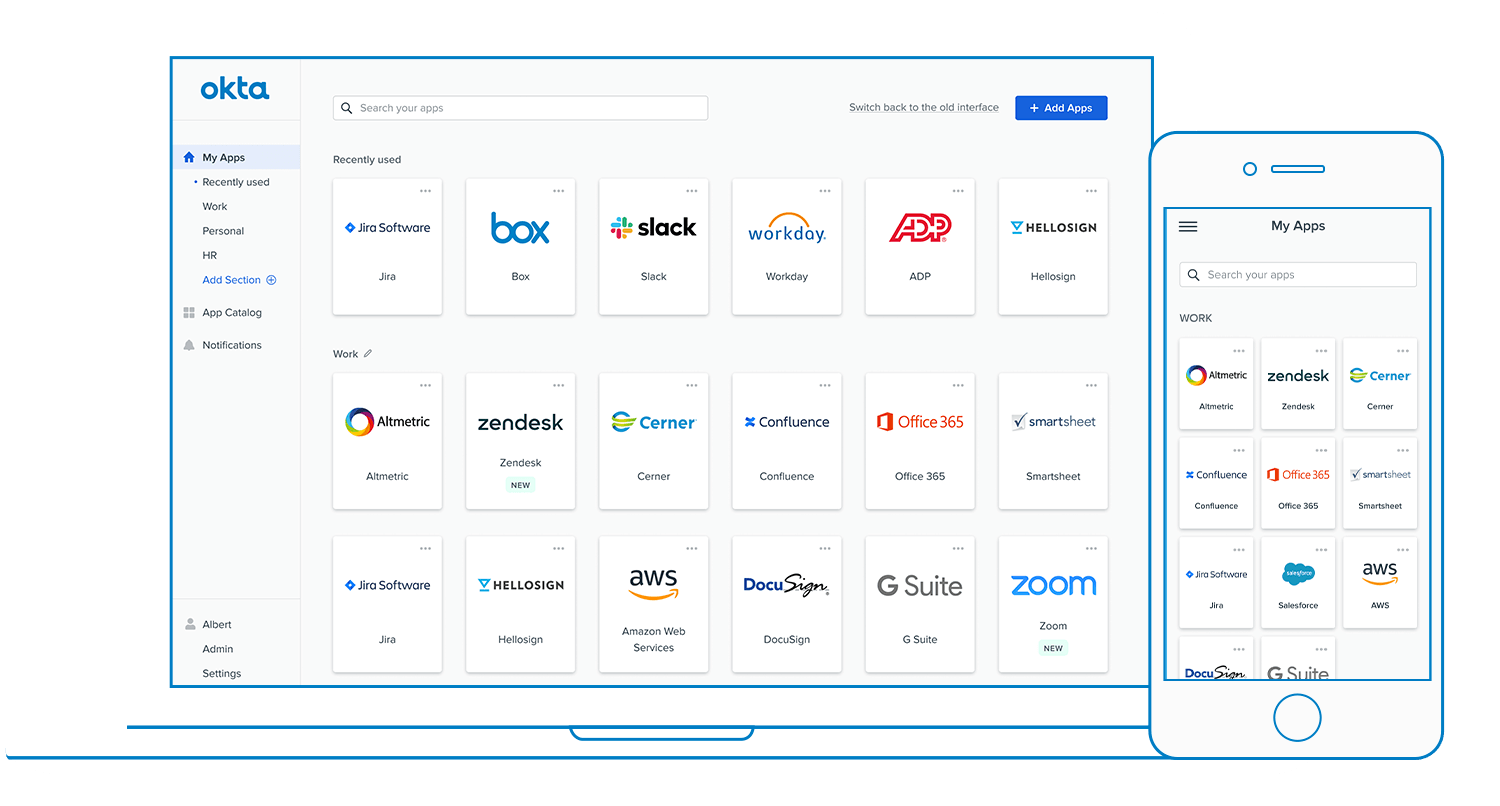
Okta offers a free plan letting companies start identity management with Microsoft Azure without paying upfront. That cuts the hurdle to bring identity steps under one roof. It’s risk-free. Full control over access isn’t free; the starting cost is $6 per user each month. So, you trade cheap entry for fuller features.
You often have to haggle. Okta’s model is clearer, split into tiers that help you plan budgets as you grow. The Essentials Suite costs $17 per user monthly and adds stronger security controls. Small teams may find that too pricey. They might opt for cheaper tools, even if those tools connect less smoothly. This makes Okta a better fit for bigger players who want steady, growable access setups instead of tiny teams chasing the cheapest option (more or less).
Okta’s playbook mixes a free starting package that hooks into Microsoft Azure with pay plans unlocking more advanced tools. For deeper dives on enterprise security, Gartner’s IAM research has details. It mainly aims at midsize and large companies, especially those using Microsoft heavily. The clear pricing helps IT folks forecast costs—unlike rivals who hide price points. But free plan users don’t get guaranteed quick support, so if you can’t wait, you’ll have to pay. Focus oning consistency and scalability over flexibility for small groups, Okta targets the enterprise identity market specifically.
| ✓ Pros | ✗ Cons |
|---|---|
| Offers a free tier allowing users to start building with Okta Integrator at no cost | Free tier lacks advanced features included in Essentials Suite, limiting scalability for larger organizations |
| Starter Suite pricing begins at $6 per user per month for basic identity management needs | Starter Suite at $6 per user/month may be cost-prohibitive for very small teams |
| Essentials Suite is available starting at $17 per user per month for more advanced features | No detailed information on customer support response times for free-tier users |
| Provides integration capabilities with Microsoft Azure in its free tier for enterprise users |
Ping Identity Solutions Overview and Licensing Models
You have to ask them for a custom quote. Ping targets buyers who want personal contract talks and volume discounts. Ping Identity doesn’t show pricing tiers publicly. It lists prices clearly, starting at $2 per user each month. This hidden pricing can slow down budget talks for organizations needing quick answers. Still, Ping Identity offers flexible licenses. They can handle a few thousand to millions of authentications weekly. Providers often tweak these to fit complex enterprise networks. Okta lays out its costs upfront, making comparisons easy.
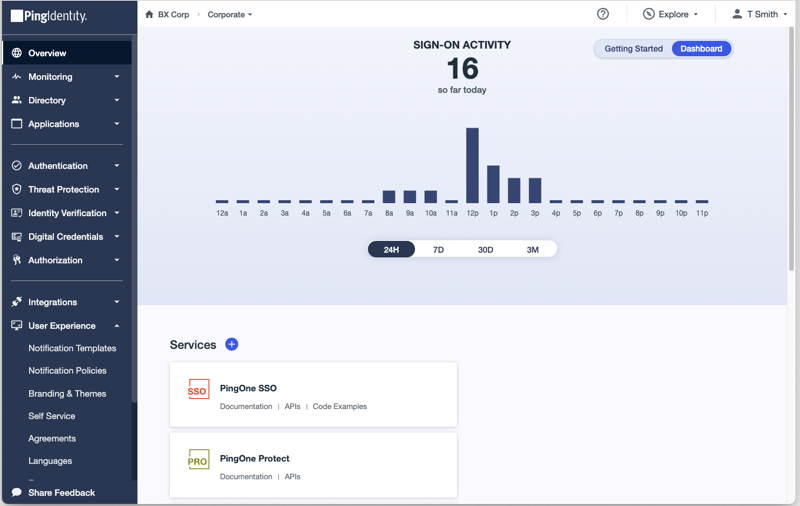
Ping Identity sets itself apart from Okta in licensing and price secrecy. Okta suits businesses needing clear price points and simple budgets. Ping goes for complex, negotiated contracts with heavy custom options and discounts for big volume. It’s a fit for Fortune 500 companies with tightly integrated, growable federated identity setups. But this approach doesn’t work well for startups or mid-sized clients who want clear pricing fast. Okta’s tiered pricing gives instant cost clarity, missing in Ping’s model. Smaller IT teams find Ping harder to access, while big deployments get the flexibility they want.
Ping’s big strength lies in customizable licenses for different authentication needs and hybrid IT setups. Enterprises can tailor integrations closely with legacy systems and clouds. But with no clear price tiers, purchase approvals take longer as finance reviews custom bids. This model suits experienced IT departments juggling large identity systems but pushes away smaller groups chasing plug-and-play simplicity. Some pre-built integrations help in mixed environments but need skilled hands to improve. Ping works best for complex enterprises managing multi-cloud identity under negotiated contracts. Small businesses struggle. Smaller businesses struggle with the pricing fog and onboarding load. Checking out identity and access management often ties into bigger security moves detailed in Enterprise Data Security Posture Management Dspm Software Pricing Matrix Wins For Security Teams. For solid tech views on identity’s future, Gartner points to rising challenges with hybrid clouds in Gartner Identity and Access Management Research.
 Microsoft Azure Active Directory Capabilities and Use Cases

Microsoft Azure Active Directory’s Premium P1 tier targets organizations wanting basic identity controls plus stronger security all under one roof. The Basic license kicks off at five users and suits small teams on annual plans. But as groups grow, they usually must upgrade to keep watch on who can access what. Its native link to Microsoft 365 stands out for companies using that platform heavily—something competitors don’t quite match as smoothly.
Compared to Okta, Azure AD leans on its tight Microsoft 365 hookup and sets top security features behind pricier tiers. This setup fits businesses locked into Microsoft tech needing flexible, growth-ready security but may trip up smaller outfits watching budget and ease. Okta gives more room to play with third-party apps and identity rules. Still, it can’t beat Azure AD’s built-in feel for Microsoft tools, vital for firms tied to that world. But those best conditional access perks only show up in Premium P2, hiking prices for security-hungry customers. Those monthly per-user fees balloon quickly in large setups. It tangles up once you dive deep, which might scare off folks wanting it simple.
The Premium P1 license offers solid basic controls with some extra security, great for those wanting more than just login protection without shelling out for Premium P2’s steep bill. Azure AD’s main strength lies in how closely it hooks into Microsoft 365, merging identity and security inside your core apps (in most cases). Still, if an org demands top-tier risk checks and adaptive access rules, moving up to P2 means a big price jump. That suits mid-size or large companies, not smaller ones strained for cash or features. Also, as you climb tiers, the user interface grows more tangled, hinting that Azure AD favors people skilled at managing layered identity controls inside Microsoft’s market.
Security and Integration Highlights of Microsoft Azure Active Directory
Basic is easy to get started with but skips key safeguards needed for strict compliance. The Premium P2 tier throws in automated risk spotting and fixes using Azure AD Identity Protection, stepping beyond what Basic covers. Integration means built-in single sign-on, conditional access, and syncing with on-premises Active Directory—crafting a detailed identity and access control system tuned for Microsoft environments.
The growing feature list also means a trickier interface, demanding more tech know-how to use well. Monthly per-user fees make scaling flexible but get costly fast as user numbers rise—a common complaint from admins running large networks. So, Azure AD suits teams wanting deep Microsoft connections and layered defenses, ready to spend more and handle a steeper learning curve for extra muscle (in most cases).
Risk-based conditional access levels up security but adds premium costs that some groups can’t swallow. Ultimately, Azure AD fits companies tied to Microsoft needing stretchy, secure identity solutions, while smaller or budget-tight businesses might stumble over its tiered price tags. In Microsoft-heavy workplaces, Azure AD shines by blending smoothly with productivity apps. Those per-user charges force large firms to watch identity and access spending closely.
For more on related data security tools, check out the Enterprise Data Security Posture Management Dspm Software Pricing Matrix Wins For Security Teams, a close look handy for security pros. Real-world cases show Azure AD weaving identity control tightly with productivity tools—a strong choice for Microsoft-centered firms but a cost and complexity hurdle for others.
To grasp Azure AD’s identity protection and tier limits fully, Microsoft’s official docs remain the must-read source, vital for groups sizing up risk-based conditional access and compliance needs: Microsoft Azure AD documentation on Identity Protection.
Ping Identity Solutions Overview and Licensing Models

| ✓ Pros | ✗ Cons |
|---|---|
| Azure Active Directory Premium P1 balances core identity management with advanced security features. | Premium P2 plan required for advanced features like risk-based conditional access, raising cost floors. |
| Premium P2 tier offers exclusive identity protection with Azure AD Identity Protection functionality. | Limited free-tier capabilities force smaller organizations to upgrade for essential security features. |
| Basic license sold in 1-year subscriptions starting at 5 users, offering growable entry-level access control. | Subscription licenses billed monthly per user, which can inflate costs for large-scale deployments. |
| Integrates natively with Microsoft 365, benefiting businesses relying heavily on Microsoft markets. | Some users complain that UI complexity increases with rising feature counts in Premium tiers. |
 IBM Security Verify: Features and Industry Applications

It offers a free tier, but that option feels more like a sample than a fully loaded IAM solution for large enterprises. Smaller teams, however, may find the pricing doesn’t match their actual needs, leading to wasted budget. IBM Security Verify starts with basic features. Move up to the Essentials Suite and you open up important advanced tools—though the price rises sharply. Designed for big organizations juggling complicated IAM demands, the platform handles anywhere from 10,000 up to 10 million users.
IBM’s pricing creates a clear split between what’s available and what it costs. Okta, by contrast, tends to include more in their base packages. This division often puts smaller businesses in a tough spot. Beyond cost, IBM’s integrations feel focused—mostly revolving around Microsoft Azure. If a company wants to hook into a wide range of other tools, IBM’s narrow path might cause headaches. The result: Security Verify suits enterprises ready to spend on premium tiers. Its real strength lies in tight security controls within an Azure-heavy setup. Firms looking for more flexible or affordable IAM will want to consider other options.
Beginners get a modest start, but advanced users must pay more. For identities governed at large scale inside Azure-tied systems, IBM Security Verify becomes a fierce contender. IBM Security Verify makes a point of separating features and prices. This model fits companies with strict security and compliance rules, especially those working deep in Azure environments. The downside? If you want broad cloud vendor neutrality or a lower initial outlay, the rigid tiering can feel limiting. On the flip side, organizations managing heavy user loads and tricky access policies benefit from Security Verify’s focused approach to security. It’s less diluted than many generic IAM platforms.
For deeper reads on IAM rollout and enterprise data defense, check out Enterprise Data Security Posture Management Dspm Software Pricing Matrix Wins For Security Teams. Also, explore cost-saving through broader solutions in Cut IT Costs with the Best Log Management Software Featuring 2026 Pricing.
| ✓ Pros | ✗ Cons |
|---|---|
| Starter Suite pricing begins at $6 per user/month with free tier available for basic IAM functions | Free tier provides limited core features, requiring upgrade to paid plans for essential enterprise capabilities |
| Essentials Suite starts at $17 per user/month providing advanced identity and access management features | Basic plan floors at $6 per user/month, which may be restrictive for small organizations |
| Supports scaling from 10,000 to 10 million users, accommodating large enterprises | Lacks clearly documented integration options outside of Azure enterprise environment |
| Some advanced features only accessible in Essentials Suite at $17 per user/month, limiting feature access on Starter plan |
 SailPoint IdentityIQ Enterprise Integration and Pricing

SailPoint IdentityIQ excels at identity governance. Mid-sized businesses might find its pricing and features frustratingly hidden behind a thick veil. Still under wraps for 2026. Okta puts its tiers and integration limits front and center. Buyers watching budgets nod at Okta’s upfront clarity. SailPoint aims at big firms that want detailed, customized governance. It fits large companies managing complex identity lifecycles.
SailPoint IdentityIQ focuses on lifecycle controls, automated compliance, and governance reports. This product isn’t about broad access management. Microsoft Azure AD handles some of this, but only partially. Without clear pricing and feature lists, cost-to-function decisions become tricky. Their clients often face heavy regulations where governance drives budgets. If you need simple, upfront licensing and ready-made access tools, SailPoint might feel vague or incomplete.
Forget standard pricing brochures—they don’t exist here. Compliance-focused organizations are the ideal match. Its strength lies in finely detailed lifecycle and compliance oversight. Instead, pricing is a custom negotiation, typical for large enterprises rather than off-the-shelf setups. This appeals to companies demanding strict governance, risk management, and audit control tied to identity. Smaller outfits, or those tight on spending, might hesitate. Estimating total costs can be tough. Still, SailPoint IdentityIQ proves its ground on governance depth.
Want a deeper look at identity governance trends? Gartner’s research breaks down the tough mix of cost versus compliance rigor every organization balances Gartner Identity Governance Insights. SailPoint fits this picture—powerful governance, cloudy pricing. While the market pushes for pricing clarity, SailPoint targets companies that trade buying simplicity for advanced governance.
It adds perspective on how security orchestration intersects with identity governance, spotlighting where SailPoint IdentityIQ sits amid growing compliance pressures. Here’s something else worth reading: Enterprise Data Security Posture Management Dspm Software Pricing Matrix Wins For Security Teams.
Microsoft Azure Active Directory Capabilities and Use Cases
Cons
- Lack of concrete evidence to confirm SailPoint IdentityIQ capabilities or limitations
- Insufficient data prevents formation of pros or cons for SailPoint IdentityIQ
- No specific features, pricing, or user feedback about SailPoint IdentityIQ available in these inputs
- Cannot identify unique benefits or drawbacks based on provided raw signals
 CyberArk Privileged Access Management and Security Features
It covers basic access management—the kind small teams or pilot projects need. CyberArk’s cheapest plan costs $6 per user each month. Then there’s the next level, at $17 a month per user. That one packs stronger identity and access tools, built for groups dealing with tougher rules or busy operations (more or less). Unlike some competitors, CyberArk lays out clear price jumps from simple to advanced. Plus, it scales big—handling from 10,000 up to 10 million users easily. That makes it solid for huge companies juggling massive user bases.
It’s tight. Many groups burn through it fast, ending up upgrading sooner than with rivals offering roomier free plans. CyberArk mostly fits enterprises aiming to grow, needing flexible, growable control. Small squads might choke on the price hike and the tangled plan choices.
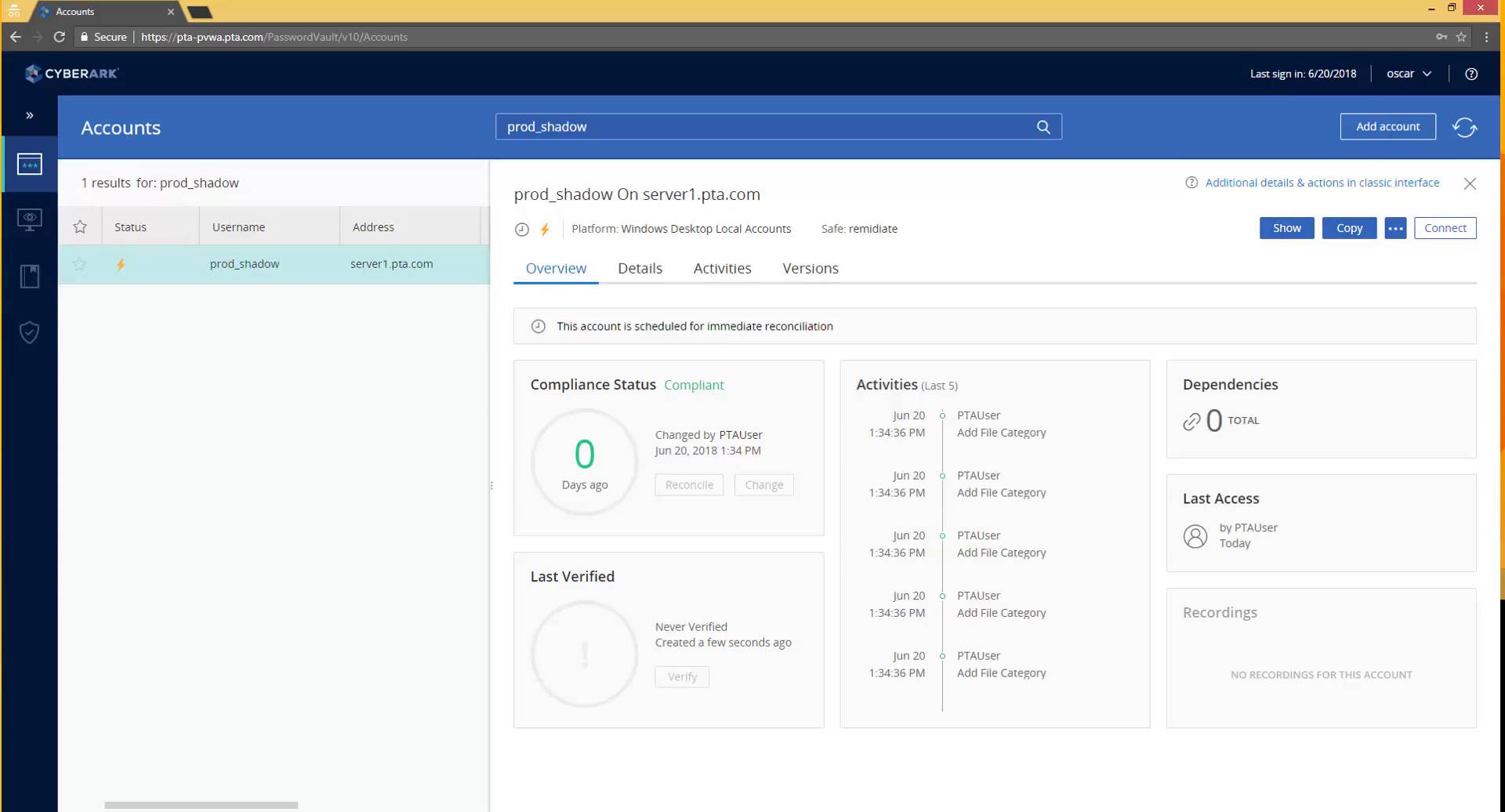
CyberArk stands out handling complex identity puzzles without breaking a sweat. Yet, that complexity means mature IAM programs can tailor growth just right. It’s mainly for big firms wanting laser-focused security. Starter’s cheap, but Essentials nearly triples that cost. That gap scares off small or budget-conscious teams, despite its richer features. So, yes, the platform packs power—but you pay a premium, limiting smaller outfits. Stacked plans and add-ons bend pricing into a thicket. Buying and budgeting turn knotty.
Handling from thousands up to millions of users proves CyberArk’s enterprise lean. Its tiers split basic identity from high-level governance tight and clear. This upgrades path stays cleaner than many rivals with fuzzy pricing. The free plan is more a test run, with simple identity tools but missing compliance firepower. That pushes users to pay fast. This pricing fits companies gearing for growth and tight access control. But it means careful cost checks—startups or lean budgets may cry out for simpler, all-in-one deals. CyberArk treads a narrow edge—scaling wide and digging deep into features—while expecting buyers to take on big costs and admin weight for enterprise-level security.
CyberArk’s Integration and Feature Market
CyberArk zeros in on privileged access management and identity governance hookups. That focus counts for enterprises locking down sensitive environments. It tackles privileged credential risks—an area many IAM tools just skim (in practice). Independent reviews, like SentinelOne’s, boost CyberArk’s rep as a top pick for outfits chasing NIST or ISO standards. This sharp focus bumps prices above plain IAM suites but rewards with strict control over critical credential risks—a huge liability for complex companies. CyberArk’s deep identity controls and workflows push secure scaling forward, even if the bills climb.
SentinelOne’s IAM solution review spots CyberArk’s edge in privileged access management. That outside nod builds buyer trust amid heavy compliance needs and security roadblocks, powering CyberArk’s pull where defense at the highest level isn’t optional.
It offers broad control and scale you rarely see at this cost tier. All told, CyberArk’s pricing and features point straight at big organizations wrestling tangled identity security. But its price and complexity can shut out smaller teams wanting all features upfront, no endless add-ons. CyberArk’s play is clear: it bets on customers who demand ironclad privilege control and vast user capacity, putting security and scaling well ahead of bargain prices or easy bundles.
| ✓ Pros | ✗ Cons |
|---|---|
| Starter Suite pricing begins at $6 per user/month, offering entry-level access management capabilities | Free tier does not include all features, requiring paid plans for essential access capabilities |
| Essentials Suite begins at $17 per user/month for more advanced identity and access features | Higher-tier Essentials Suite costs $17 per user/month, which may be costly for small teams |
| Free tier available supports simple setup and basic identity management functionality | User complaints mention free tier has limited features and lower functionality compared to paid plans |
| Supports scaling from 10,000 up to 10 million users, suitable for very large organizations | Some users find pricing complexity due to multiple plan tiers and add-on integrations |
OneLogin User Access Management and Pricing Plans
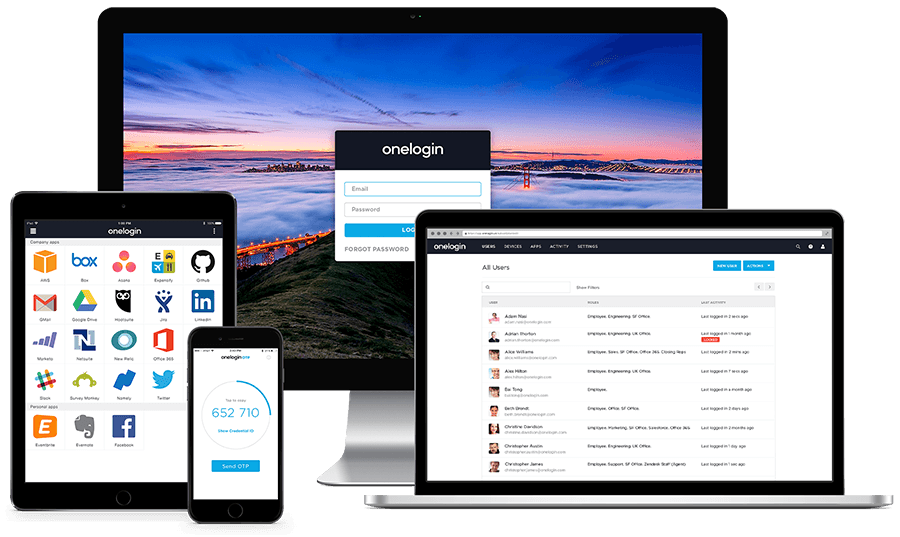
OneLogin starts at $3 per user each month. Prices climb in tiers, aimed at mid-size and large companies needing secure identity management and single sign-on. This $3 price sets OneLogin apart from Okta, which starts higher but packs in more enterprise-ready features. Okta lists tiered prices clearly online, so costs are easier to figure out. OneLogin’s pricing, by contrast, stays vague. Licensing seat details are scarce, making side-by-side cost comparisons tough. That frustration might turn off buyers wanting a clean, upfront budget. Negotiation is possible. But if you want a deal custom and maybe negotiable, OneLogin plays looser.
It offers multi-factor authentication (MFA), adaptive authentication, and a cloud-hosted directory. The product focuses on basic identity and access management (broadly speaking). What stands out is OneLogin’s app integration — thousands of pre-built connectors tie into common enterprise software. This fits mid-market firms aiming to secure user access without wrestling with on-prem servers or complex setups. Still, for workflow automation or deep governance baked in, OneLogin might fall short. Bigger platforms like Microsoft Azure Active Directory pack heavier customization and stricter policy control. OneLogin suits those wanting secure, growable sign-in without diving into identity-policy layers.
That $3 monthly fee keeps pricing clear and stable, even as user counts change. It’s a bold cut compared to many competitors and lowers barriers sharply. Core IAM features like SSO and a universal directory come out of the box. Yet, the lack of clear public license details or automation specs may spook IT teams who demand full transparency. OneLogin fits firms balancing solid security with cost, without pushing heavy compliance or deep user lifecycle management. The focus remains on strong access control via cloud-native tech. For a broader look at enterprise security budgets and strategies aligned with OneLogin’s style, see enterprise data security posture management strategies.
- No specific OneLogin integration or automation features mentioned to compare
- Absence of documented cons such as device caps or plan restrictions in the input
- No specific OneLogin features, pricing, or limitations are detailed in the provided evidence
- Lack of quantifiable user ratings or subscriber counts limits assessment accuracy
 ForgeRock Identity Platform Features and Market Position
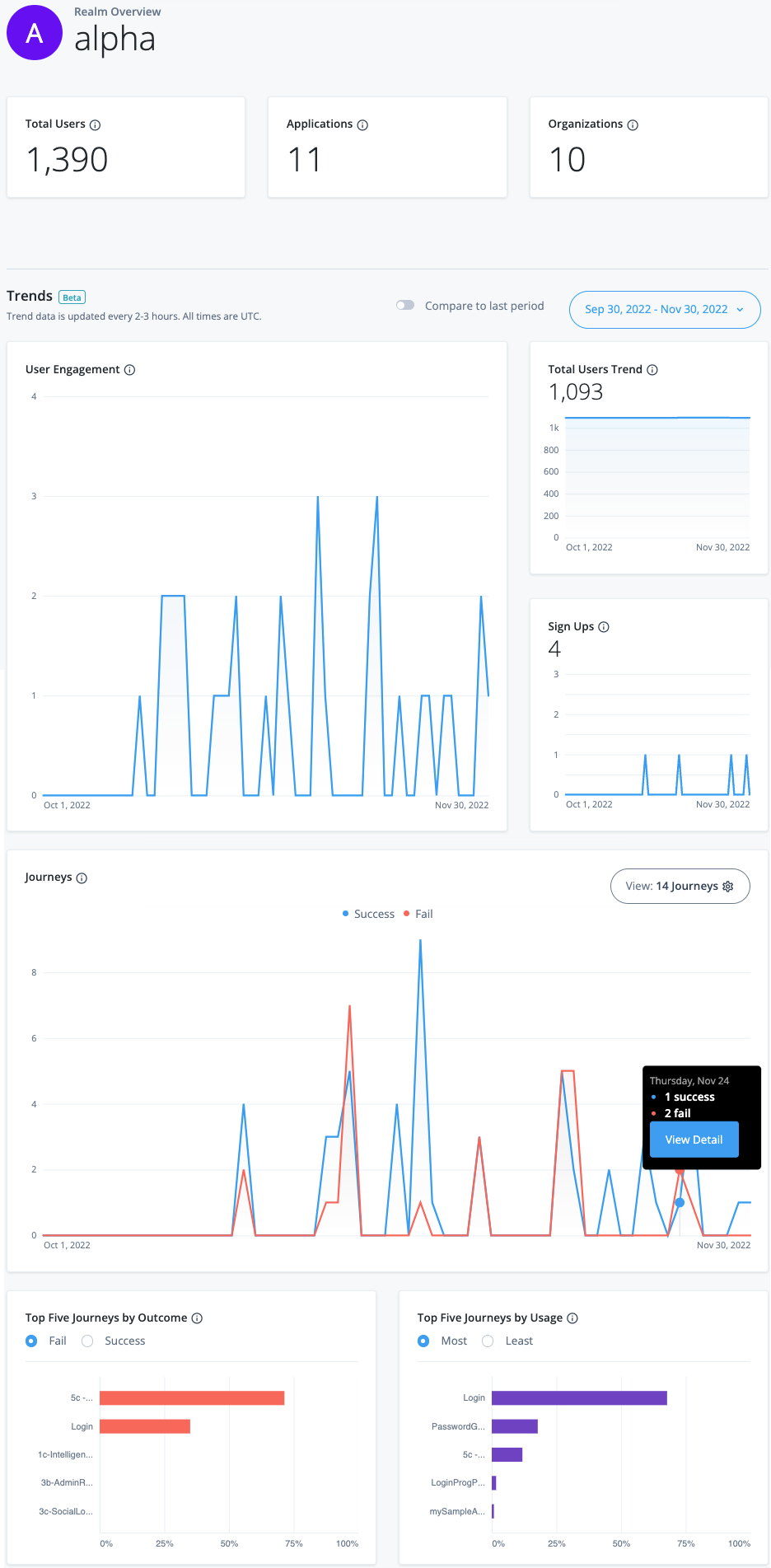
ForgeRock starts at a price that feels fair. It’s a classic push and pull between what you pay and what you get. That draws in companies expecting their user counts to soar. It can handle anything from tens of thousands up to millions of users. That’s solid ground for businesses aiming to explode in size. But unlocking the fancier features can send the bill sky-high. Smaller outfits with tight budgets might hit a wall fast.
ForgeRock lets you jump in without a big upfront fee, which eases the first step. Okta and others price their services differently. That’s a boon for teams hesitant about sinking money early but wanting room to grow later. Still, if you need the full, advanced toolkit from day one, the price tag could be tough to swallow. Setup seems simple enough. However, there’s a foggy patch around how well it plugs into complex IT setups, which might scare off companies with custom or tricky systems.
Budget-friendly beginnings combined with muscle for massive scaling. Very small or tech-curious groups might want to shop around before committing. That makes it a good match for firms wanting growth without breaking the bank at the start. But if you’re a smaller player craving heavy-duty features early, prepare to pay up. It can handle big digital ID loads, no question. Yet the unclear integration roadmap might send complex environments back to the drawing board. Cost-conscious businesses chasing growable identity tech will find it attractive.
ForgeRock’s Pricing and Enterprise Appeal
There’s a wallet-friendly entry point and a premium layer packed with extras for the big spenders (generally). Its wide user band shows it’s built for firms shooting for a massive user base, unlike rivals that clamp down or complicate fees as you grow. ForgeRock lays out a tiered pricing plan aiming to suit many companies. You can start risk-free with no cost upfront. That’s uncommon in this space.
But small businesses with simpler needs could flinch at the leap to expensive tiers. But tight-budget teams chasing heavy personalization must tread carefully. That benefits companies expecting steady user growth. The murkiness about integration complexity hints at bumps for firms needing deep, custom setups. Those growing predictably, without wild IT twists, will likely dig ForgeRock’s clear scaling and pricing.
For a broader take on where IAM pricing trends head, check the Gartner report, Identity and Access Management Market Guide 2026. It digs into how vendors juggle cost, function, and scale in today’s crowded marketplace. This shines a light on ForgeRock’s spot in the bigger picture—and the hurdles IAM providers face.
| ✓ Pros | ✗ Cons |
|---|---|
| Starter Suite begins at $6 per user/month, offering a low entry price for identity and access management | Most advanced feature tiers start at $17 per user/month, which may be expensive for small enterprises |
| Essentials Suite available starting at $17 per user/month with advanced feature tiers | Setup simplicity is noted but lacks details on integration depth, possibly limiting complex deployments |
| Includes a free tier to help enterprises start building without immediate costs or commitments | |
| Supports growable user management from 10,000 to 10 million users, accommodating large enterprises |
Key Factors to Consider When Choosing Identity and Access Management Software
Picking an IAM solution means facing a tangle of options (as a rule). Your best pick depends on how big your team is, how tangled your user base gets, and what kind of security you need. Okta stands out with loads of integrations and flexible workflows. Plans kick off at $2 per user each month for basic access control. Ping Identity zeroes in on tough enterprise authentication and sells modular licenses—perfect for complex setups that need to scale fast. Microsoft Azure Active Directory hooks deep into Microsoft tools. If you already run Azure services, it fits nicely, with premium plans starting at $6 per user monthly.
IBM Security Verify blends AI risk checks with identity governance. ForgeRock handles millions of users and runs smoothly across hybrid clouds without much fuss. This is for teams wanting to lock access based on real-time chance of risk. SailPoint IdentityIQ targets big firms needing strict compliance and detailed entitlement management. CyberArk focuses on privileged access—a narrow but key niche for firms handling sensitive infrastructure. OneLogin offers slick single sign-on at a sharp price, grabbing the interest of mid-sized companies.
How to Match IAM Software to Organizational Needs
The choice boils down to your use cases and IT setup. First, decide if you want mostly cloud-based authentication, classic directory services, or deep governance features. Prices jump around—Okta’s simple per-user plan suits fixed budgets, but Ping Identity’s modular licensing might save cash for teams divided into many groups. Also, consider how well each tool plays with others: Microsoft Azure AD’s edge is how tightly it connects with Office 365 and Azure. If Microsoft is your backbone, that’s a big bonus.
IBM Security Verify’s risk scoring lets your security squad act before problems arise. CyberArk leads when you must guard privileged credentials—critical if you run sensitive operational tech. In heavily regulated industries, SailPoint’s governance framework delivers ironclad control over access reviews and audits.
Final Thoughts on Deployment and Support
Support, user communities, and clear docs weigh heavily. If smooth migration is key, check each vendor’s onboarding tools and automated policy import features. Features alone don’t cut it. Okta’s massive user base brings tons of resources and integrations. Ping Identity and ForgeRock offer hands-on help for complex, large deployments. Microsoft keeps sharpening Azure AD with a cloud-first drive, boosting identity protections constantly.
- For speedy cloud setup and wide SaaS links, Okta is tough to top.
- Handling legacy systems needing flexible authentication?
- Microsoft-based companies find Azure AD unmatched in fit and value.
- Tight compliance and sturdy governance?
- CyberArk fills specialized gaps around privileged access bigger suites miss.
- IBM Security Verify fits spots needing AI-driven security insights.
- Mid-sized outfits might prefer OneLogin’s clear pricing and friendly UX.
- Organizations with millions of users should look at ForgeRock’s scaling and deployment.
Finding the right IAM in 2026 means balancing cost, coverage, and complexity while eyeing growth and risk. The market demands focus on integrations, security depth, and vendor plans—keys to strong identity defenses when your users are your front line. For more on enterprise security, visit Enterprise Data Security Posture Management and see how IAM fits into bigger security strategies.
Clarifying Common Concerns About Identity and Access Management Software
Understanding the Most Affordable Subscription Option
Okta’s basic plan starts at $2 per user each month. It’s meant for small teams who need just the essentials. But prices climb up to $15 per user monthly for bigger packages, adding more features and better support. Costs rise quickly. As teams grow past a few dozen users, costs can balloon fast. Most competitors price in the same range but mix what you get in different ways.
Clarifying Refund Policies and Trial Periods
Okta has a 30-day money-back guarantee. You can set up and test their system without risk before paying fully. That’s unusual in this field. Most rivals offer refunds too, but their windows range from 30 to 90 days, depending on the license deal. This refund period matters a lot if you want to avoid losing cash on a bulky, upfront contract.
Knowing the Core Functionalities That Set Each Apart
Okta packages adaptive multi-factor authentication, lifecycle management, single sign-on, and full API access all together. It fits big enterprise needs well. By contrast, many alternatives offer only one or two core functions, like simple SSO or basic directory services. This often means juggling several tools, which ramps up cost and setup headaches.
Highlighting Real-World Enterprise Deployments
Major companies around the world run millions of identities on Okta’s platform, bridging both cloud and on-prem systems. That experience proves its scale and uptime. Other vendors usually serve narrower markets or smaller clients, with fewer built-in integrations and less proven reliability over time.
Advising on Feature Updates and Vendor Support
Okta pushes quarterly updates covering security patches and new features. They back this with 24/7 technical support for serious issues. Some competitors update less often or lock critical support behind premium tiers, which can leave you exposed if problems hit after hours.
These points show the real trade-offs when picking identity and access management software. Your choice hinges on clear pricing, refund policies, key features, proven deployments, and how vendors support ongoing security. This helps avoid surprise costs or security gaps while matching your team’s growth. For a wider look at cutting IT expenses, check out Cut IT Costs with the Best Log Management Software Featuring 2026 Pricing. Trusted sources like Gartner note that transparency in cost and capabilities strongly links to vendor satisfaction and lasting value Gartner’s IAM Market Guide.