Understanding Predictive Analytics Software and Its Business Impact
Every day, companies drown in data—streams and piles of raw numbers. Much of it simply sits, waiting for a purpose. The right predictive analytics software flips that. These tools read past numbers and try to guess what’s next. Businesses use that insight to save money, find their best customers, and spot troubles early.
Predictive analytics relies on machine learning and statistics. These methods sift through huge data sets, uncovering patterns you might never see. Unlike simple reports that show what’s already happened, this software aims to forecast the future. In industries such as finance and healthcare, decision-makers gain an advantage by transforming disorganized data into clear, practical tips.
The software powers forecasts for sales, detects fraud, and helps keep customers loyal. It drives risk management and refines marketing enough to measure exact revenue returns (for the most part). Accurate predictions come fast—and sometimes save millions or overhaul entire industries.
You’ll find big names like IBM SPSS, SAS Advanced Analytics, RapidMiner, Tableau, and Microsoft Azure Machine Learning. This article breaks down the top predictive analytics software in 2026. There’s a clear side-by-side of pricing and features to help weigh cost against value. Real case studies from 2024 and 2025 show these platforms deliver solid returns across industries.
We’ll dive into critical software traits—data integration, learning models, how well platforms scale, user-friendliness, and security compliance. Pricing runs from starter plans made for startups to heavy-hitter enterprise options built for massive data loads. Knowing these details steers you toward the right tool, not an overpriced all-in-one mess.
- What predictive analytics software does and why it matters now
- Profiles of market leaders and new players
- Detailed feature and pricing tables for clearer decisions
- Real customer examples proving measurable impacts
- Tips on implementing and scaling predictive analytics effectively
Leading tools deliver insights that look ahead and drive real business results. Today’s data crunching demands more than dashboards or simple reports. This guide provides a clear pathway to selecting software that aligns with your industry, data scale, and level of analytics expertise. We slice through marketing spin with facts, transparent pricing, and honest comparisons.
For a broader view on cloud pricing, see Best Cloud Cost Management Software Tested With Detailed Pricing And Features Comparison. It’s a solid resource to understand costs alongside software features—a vital part of any predictive analytics plan.
Spotting market shifts, customer moves, and supply chain glitches sets top platforms apart (for the most part). Coming up, the focus stays razor-sharp on software that predicts instead of just counting. That kind of analytical muscle cuts guesswork, sharpens strategies, and fine-tunes execution for companies racing to stay ahead in a volatile world.
- IBM SPSS — Pricing starts at $499 per user per month, offering options including a free tier with 10 GB storage and 1 TB queries monthly
- SAS Advanced Analytics — Offers a free tier with 10 GB storage and 1 TB queries per month included without charge.
- RapidMiner — Pricing starts from $499 per user, per month with generous free trials available upon inquiry.
- Tableau — Free tier includes 10 GB storage and 1 TB queries per month, supporting substantial initial data use
- Alteryx — Alteryx offers a free tier with 10 GB storage and 1 TB queries per month at no cost
- Microsoft Azure Machine Learning — Free tier offers 10 GB storage and 1 TB monthly queries for initial testing and development.
| Product | Our Rating | Best For | ||
|---|---|---|---|---|
 |
1IBM SPSS |
4.8/5
|
Enterprise analytics teams | Read More |
 |
2SAS Advanced Analytics |
4.6/5
|
Enterprise predictive modeling | Read More |
 |
3RapidMiner |
4.7/5
|
Explainable AI designers | Read More |
 |
4Tableau |
4.3/5
|
Free tier includes 10 GB | Read More |
 |
5Alteryx |
4.5/5
|
Alteryx offers a free tier | Read More |
 |
6Microsoft Azure Machine Learning |
4.5/5
|
Enterprise plan available with custom | Read More |
 |
7Google Cloud AI Platform |
4.9/5
|
Vertex AI integration allows access | Read More |
 |
8H2O.ai |
4.2/5
|
Enterprise predictive analytics | Read More |
 IBM SPSS: Industry-Leading Predictive Analytics Capabilities
IBM SPSS comes with a steep price tag. It targets firms that value strong, growable analytics over saving money. Its entry-level costs tower over many newer competitors. The small free tier exists mostly as a trial—it can’t handle large datasets. Small teams on tight budgets might find this prohibitive. Other providers often offer cheaper, simpler plans. IBM SPSS aims squarely at established enterprises, not startups or casual users.
What sets IBM SPSS apart is how it tailors solutions to each client. Unlike rivals with set packages, salespeople work to fit pricing and features to a company’s unique needs. You can customize the platform to your exact workflows. Plus, it hooks into Vertex AI—bringing in AI tools far beyond ordinary SQL models. Large corporations with complex data science find this attractive. But these perks come with complexity and bigger upfront fees. Smaller outfits may be put off by the learning curve and commitment involved. So, IBM SPSS trades straightforwardness for depth and flexibility.
At its core, IBM SPSS offers a powerful, customizable analytics system backed by hands-on sales support. Its starting price reflects a dedication to high capacity and performance aimed at demanding users. The free tier barely scratches the surface; professional work pushes buyers to pricier plans. Top-level tiers climb steeply, signaling a focus on hefty deployments, not mass-market use. For organizations managing large analytic workloads, complex integrations, and ambitious AI initiatives, this tool represents a premium, dependable option. Still, its layered pricing and heavy sales involvement can slow buying and may not suit those watching costs or wanting simplicity. Competing platforms often provide clearer, easier entry points.
It’s best for enterprises balancing cost against specialized power (give or take). The Gartner Market Guide points out that IBM SPSS’s pricing deserves close scrutiny, given the advanced features on offer. Enterprise software research flags problems with hidden fees and tiered options. IBM SPSS’s sales-driven customization can both help and hinder here. All told, it stands as a top-tier product designed for serious analytical work, not broad beginner use.

| ✓ Pros | ✗ Cons |
|---|---|
| Pricing starts at $499 per user per month, offering options including a free tier with 10 GB storage and 1 TB queries monthly | Base pricing of $499 per user per month is relatively high compared to newer offerings charging $50 to $200 monthly |
| Enterprise plan customization available through sales team to tailor IBM SPSS to specific organizational needs | Essential plan starts at $1250 per month, which may be cost-prohibitive for smaller teams or startups |
| Vertex AI integration enables access to advanced models when SQL model capabilities reach their limits | Free tier is limited to 10 GB storage and 1 TB queries per month, constraining large-scale data operations |
| Complex pricing structure with multiple plan tiers and enterprise custom options may require direct sales consultation |
SAS Advanced Analytics: Powerful Statistical Tools for Predictive Insights
SAS Advanced Analytics starts small. Not casual users or tighter-wallet teams. You get a modest trial. Just enough hours and resources to poke around before the real charges begin. Watch out—prices jump fast after that. They lie well above many rivals who aim for smaller budgets. It’s clear who they want: big companies needing powerful analytics with enterprise-grade scale and flexibility.

That opens doors to machine learning way beyond old-school SQL tricks. The platform hooks into Vertex AI. Your projects can go places standard methods can’t reach. IBM SPSS often keeps pricing vague and lacks AI integration, but SAS spells out tiered subscriptions and throws in generous trial times to ease buyer worry. Still, the hefty starting fees and costly essential plans target larger outfits with deep pockets. The free tier? It’s crippled by tight resource caps that stifle startups or small teams wanting to crunch heavy data.
Data pros who crave serious customization like this mix. SAS blends familiar SQL queries with next-gen AI tools. The high entry fee shows it’s meant for enterprise-level ambition—and all the value packed inside its complex engine. Free trials cut risk but usage limits can throttle big-dataset experiments. Plus, there’s no full automation baked in—no AutoML to smooth out workflows. SAS doesn’t drop ready-made AI pipelines on your lap. It fits teams ready to dig deep, craving AI precision over simple, sweeping automation.
It looks sharp for companies juggling multi-cloud setups and messy data flows. Vertex AI’s integration plants SAS firmly in the cloud and data science world. The premium price tags hint at thick returns in finance, healthcare, or manufacturing—fields where model accuracy earns real cash. Buyers must weigh clearer pricing and better AI models against the tight free limits and missing automation bells. While it can’t outdo rivals on free usage or cheap trial tricks, SAS delivers advanced model finesse with no billing surprises—giving confidence despite a steep sticker. If you want a specialized, partly AI-driven platform that bends toward customization, this could be your gear.
For more on how clear pricing builds buyer trust and ROI in enterprise analytics, Gartner spells it out well Gartner Pricing Transparency in Predictive Analytics.
SAS Advanced Analytics’ AI Integration and Pricing Structure
The base subscription kicks off at $499 per user each month, with options to scale beyond. Mixing plain SQL querying with Vertex AI’s machine learning power, SAS Advanced Analytics creates a hybrid platform for users who need flexible, complex models that basic tools can’t deliver. That’s worlds away from competitors who keep costs murky or slash trial times.
The free tier’s tight limits and missing automated modeling tools reveal it leans heavily on the analyst’s skill, not on go-button AI pipelines. Its strength lies in fusing classic analytics and latest AI all under one clear subscription banner, made for veteran analytical teams ready to pay for premium AI boosts. Teams wanting quick setups and less expert effort will hit walls here.
Vertex AI’s precise modeling suits sectors wrestling with tough data puzzles, carving a niche in heavy-duty data science where transparency and depth beat budget or simplicity. That steep price tag highlights a focus on integration and flexibility over low cost or easy setup.
Who Benefits Most from SAS Advanced Analytics
Big corporations with deep pockets and tangled analytics come out ahead here. The lack of clear automation also pushes away those after quick, plug-and-play AI. The AI boost plus SQL querying fits teams building custom, sturdy predictive models. Smaller or mid-level firms facing tight budgets or smaller datasets will hesitate at steep costs and tough resource caps.
Clear pricing in trial and tiers appeals to those who want no surprises, but those chasing broad automation or lightweight tools should look elsewhere (give or take). SAS Advanced Analytics matches enterprise data science crews handling complex projects needing both flexible querying and advanced AI features.
That means swallowing a heavy price and minimal off-the-shelf automation in exchange for top-level analytic insight and detailed models at a known cost—a trade-off some enterprises welcome while others find tight. This sets SAS Advanced Analytics as a premium pick chasing depth and AI advance—not a one-size-fits-all.
| ✓ Pros | ✗ Cons |
|---|---|
| Offers a free tier with 10 GB storage and 1 TB queries per month included without charge. | Base pricing is $499 per user, possibly expensive for smaller teams or projects. |
| Vertex AI integration allows access to advanced models when SQL models reach their limits. | Essential plan pricing begins at $1,250 per month, which may be cost-prohibitive for midsize businesses. |
| Subscription pricing starts at $499 per user per month with generous free trials available. | Free tier restricted to 10 GB storage and 1 TB queries monthly, limiting use for data-heavy analytics. |
| Enterprise plan available with custom pricing catering to large-scale advanced analytics needs. | No detailed information on in-product AutoML features, indicating possible capability gaps in automation. |
 RapidMiner: Accessible No-Code Predictive Analytics Platform
RapidMiner charges $499 per user each month. Those groups often lean on cheaper or open-source options instead. That rate signals a product built mainly for companies with deep data needs and cash ready to spend. The pricing is upfront, no hidden fees or secret deals. That makes buying simpler to grasp. Still, the steep price blocks many smaller outfits or budget-tight teams.
It slices through complex datasets fast, which matters when projects demand speed and reliability. The platform tackles tough data transformations and hooks up quickly to databases. But it stumbles with advanced automation—things like natural language processing and workflow automations feel limited. Competitors often pack broader, more flexible toolboxes. Its narrow machine learning algorithm set also cramps users who want to tinker with unusual models. The problem grows with scant documentation and a tiny NLP community, slowing learning and innovation.
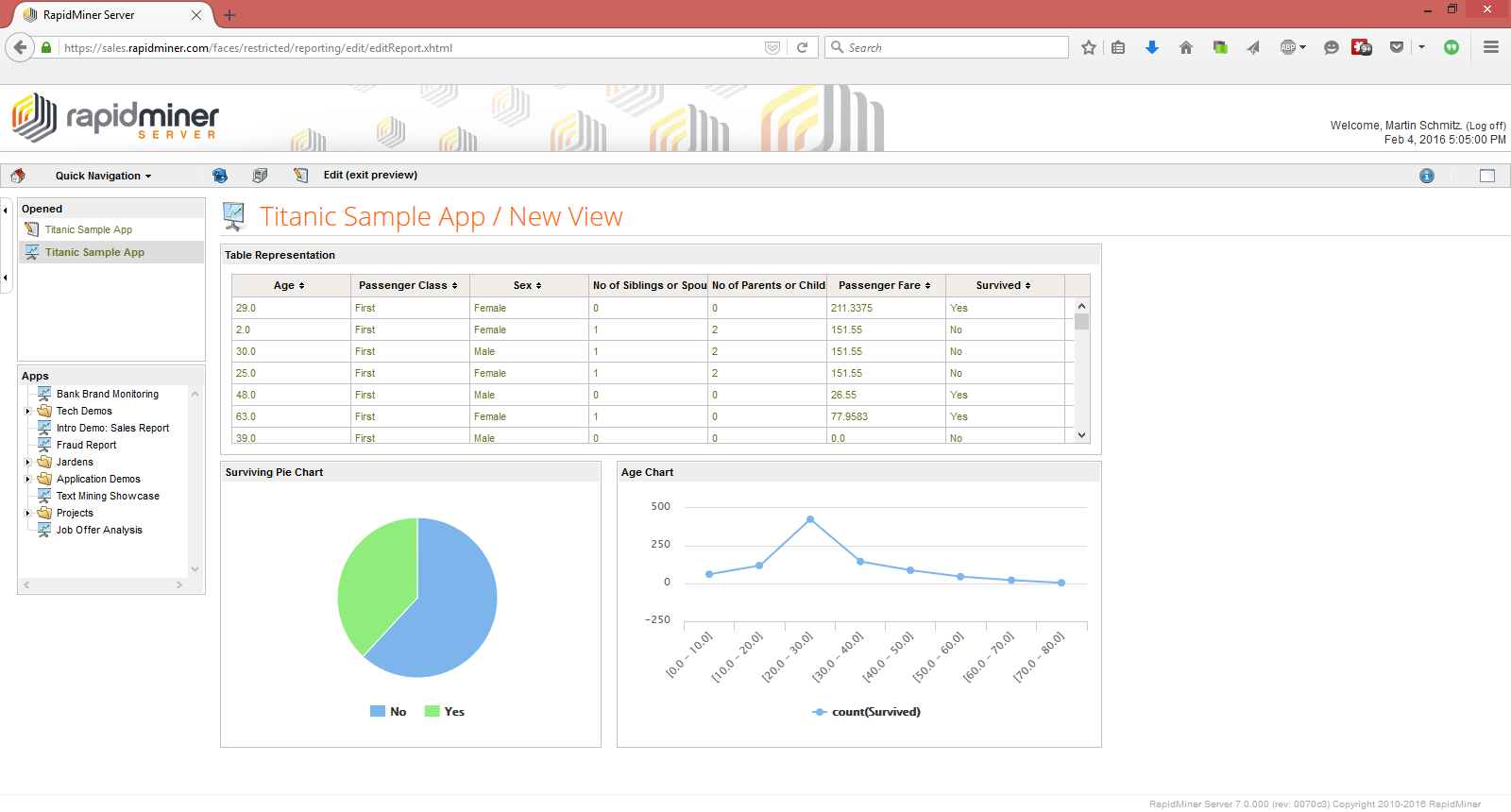
Usually, medium to large firms with set analytics budgets fit best. They often choose tools with more algorithms and richer NLP features. RapidMiner shines where clear AI explanations and quick data crunching come first. They get straightforward pricing and solid data tools, making their analytics spend pay off clearly. On the flip side, smaller firms or those chasing broad NLP and automation may find RapidMiner too pricey and too narrow.
A tight focus on explainability and database speed. Its edge? That draws sectors where transparency and pace dominate. The cost and capabilities suit mature data science teams who prize dependable infrastructure and precise predictions over sprawling automation options. It’s a fit for outfits with steady budgets and strict rules for model clarity and data flow—not for those seeking flexible AI experiments or automation freedom.
Exploring predictive analytics trends at Gartner highlights a rising emphasis on explainable AI and fast data crunching, exactly where RapidMiner aims. For advice on balancing upfront tech costs against long-term benefits, see Best Cloud Cost Management Software Tested With Detailed Pricing And Features Comparison.
| ✓ Pros | ✗ Cons |
|---|---|
| Pricing starts from $499 per user, per month with generous free trials available upon inquiry. | High pricing at $499 per user, per month restricts accessibility in price-sensitive regions like Latin America. |
| RapidMiner Studio supports complex transformations like date calculations and database joins efficiently. | Certain NLP and workflow automation features found in competitors are absent, reducing versatility in human experience automation. |
| RapidMiner reads diverse databases very quickly, improving data ingestion speeds for projects. | Users report limited machine learning algorithms compared to competitors, affecting advanced modeling options. |
| Formerly known as RapidMiner Studio, Altair AI Studio supports designing highly explainable AI models. | Documentation and community resources for Natural Language Processing (NLP) use cases are sparse or lacking. |
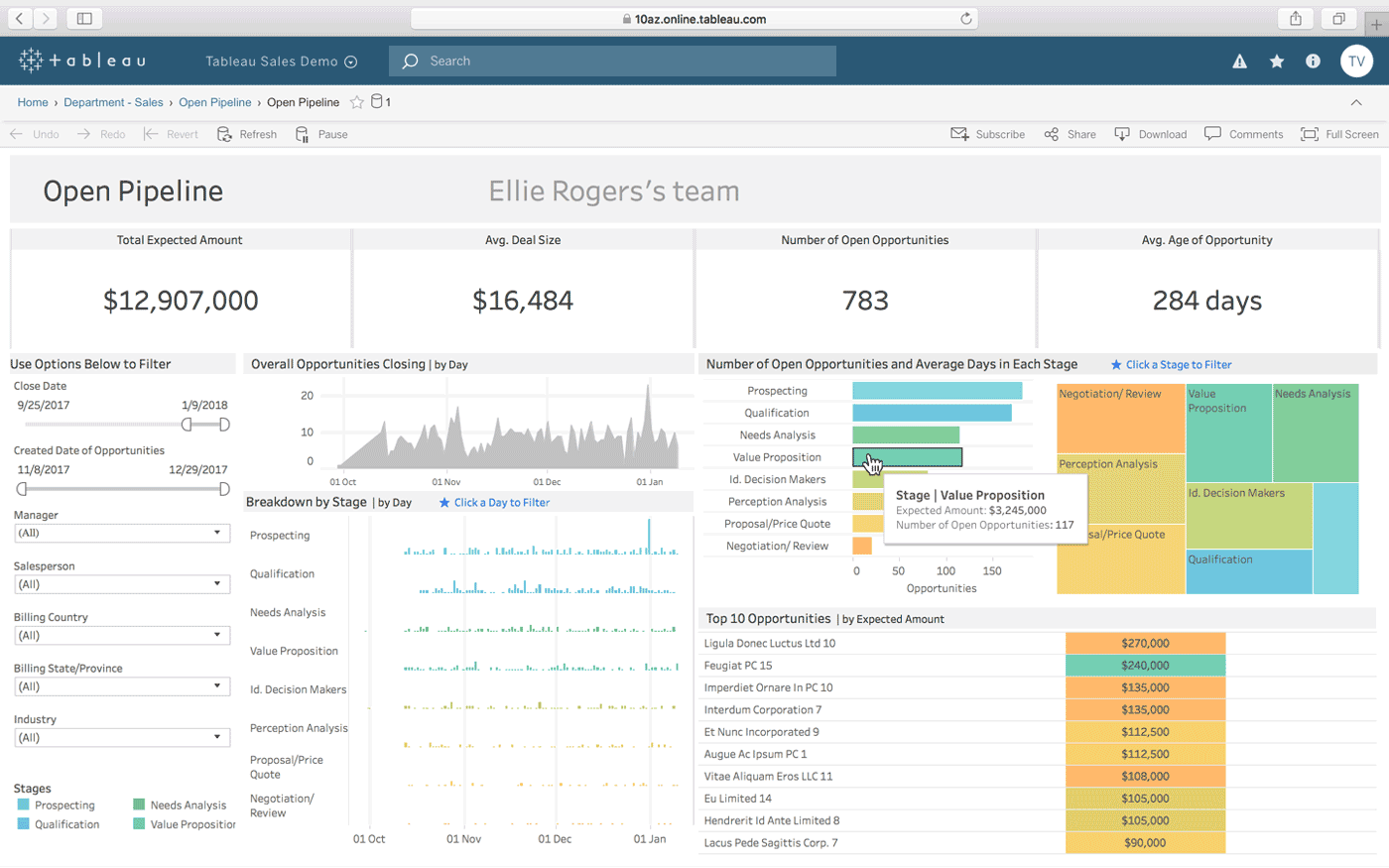
Tableau: Visual Analytics for Predictive Decision-Making
But once you hit that cap, you face a sharp jump. Tableau’s free plan gives you a solid starting point: a good chunk of data storage and query capacity to dig into your data without paying right away. Every user after that costs a steep monthly fee. This pricing clearly favors customers ready to spend big for advanced tools—like improved predictive features unlocked through AI that go well beyond the built-in SQL modeling.
SAS Advanced Analytics is different. It leans toward more flexible pricing for mid-market players. Tableau, by contrast, pushes its Essential package with a hefty monthly charge upfront. That can scare off smaller squads with tight budgets. Tableau’s pricing signals its focus: enterprise clients who want custom plans and deep AI-driven analytics. These perks give it an edge for complicated work but also block out teams hunting for cheaper, ready-to-go solutions.
What makes Tableau stand out is how it blends interactive visuals with powerful AI-driven predictive analytics. The platform’s flexibility and AI extras win points with specialists, yet they narrow its appeal when simpler, budget-friendly tools might do just fine. Users can go past normal modeling limits without leaving the familiar interface. This combo speaks strongly to large data science teams needing growable, custom platforms. But the free tier’s tight limits plus the high minimum spend keep startups and mid-sized firms at arm’s length.
| ✓ Pros | ✗ Cons |
|---|---|
| Free tier includes 10 GB storage and 1 TB queries per month, supporting substantial initial data use | Pricing floor is high at $499 per user per month, limiting accessibility for small teams |
| Vertex AI integration allows access to advanced models when SQL models reach their limits | Essential plan begins at $1250 per month, which may be cost-prohibitive for mid-sized businesses |
| Pricing starts at $499 per user per month with generous free trials for evaluation | Advanced predictive features require integration like Vertex AI, adding complexity to setup |
| Enterprise plan offers customizable options custom to large organizations | Free tier limits to 10 GB storage may constrain larger data projects before upgrade necessity |
 Alteryx: End-To-End Data Science and Analytics Automation
Alteryx offers a starter tier aimed at handling moderate query loads and small data volumes, enough for early tests or light projects. Subscription costs kick off at a point aimed squarely at pros, signaling a bet on bigger-scale needs and wide-ranging features. Small teams or new ventures might find those fees steep. But the pricing matches organizations chasing full-scale, enterprise-level analytics muscle.
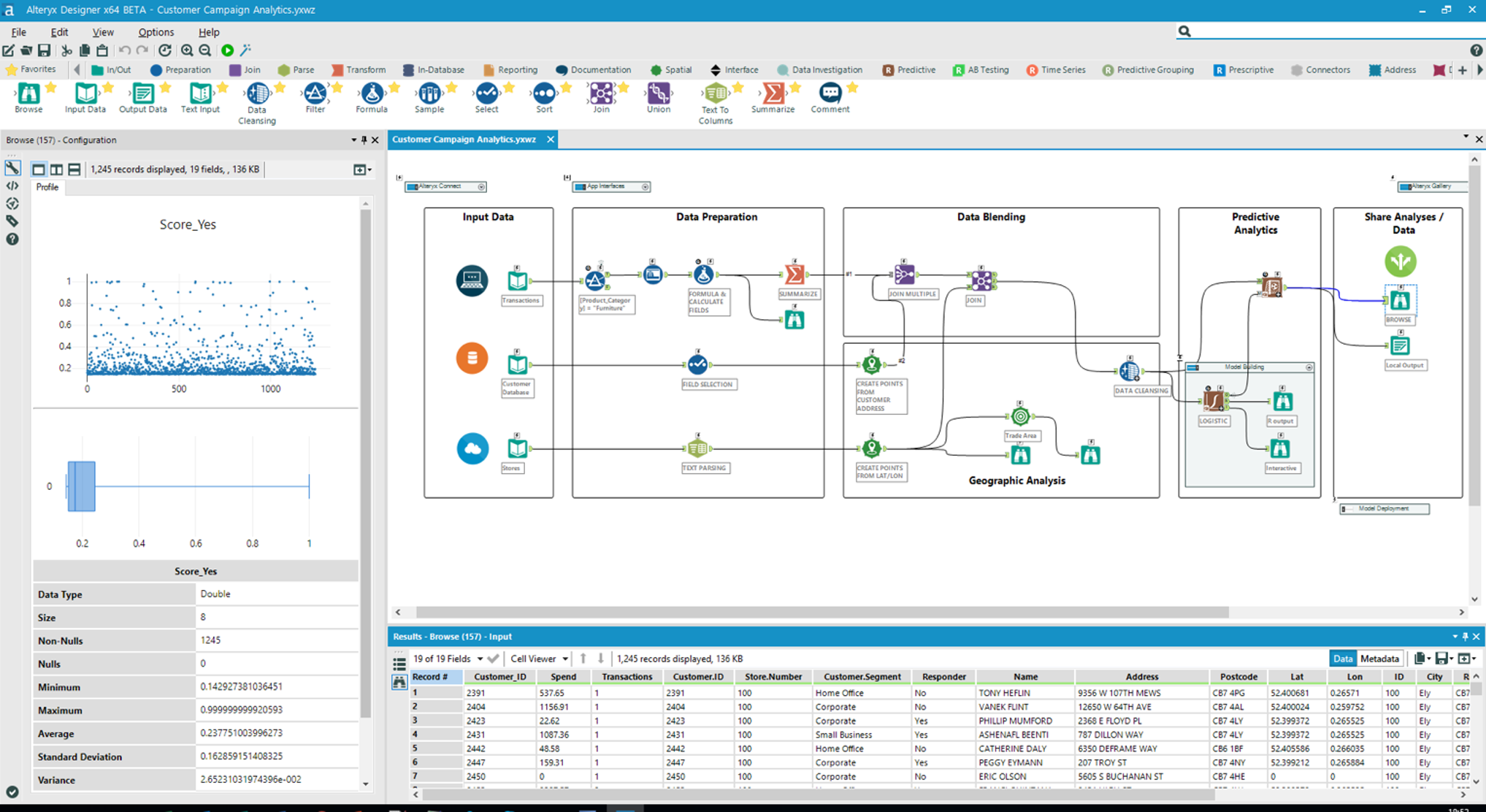
The free plan’s tiny storage quickly forces heavy users upward to pricier levels, including a so-called essential tier with a premium price. This mix suits flush teams needing deep workflows and flexible data control rather than lean budgets and simple projects. Look at IBM SPSS and you see how Alteryx sets itself apart: clearer price tags and richer integration options. Core predictive tools lean on SQL, but link in AI services, and complexity—and bills—climb fast.
One standout: Alteryx hooks tightly to Vertex AI, blending classic SQL analytics with more advanced machine learning (give or take). This setup fits well for mid-to-large outfits banking on AI-driven choices, while squeezing smaller players with tight funds. That lets companies move past old-school stats without juggling disconnected tools. The upfront price is high. Yet, trials exist, plus a small free plan that lets users poke around before buying in. Still, that free storage is slim, clearly nudging heavy users toward costly plans. AI integration is key.
Enterprise Use Cases and ROI with Alteryx
Alteryx shines where SQL hits limits—supporting advanced analytics pumped up by AI. Pricing mostly makes sense for customers eyeing long-term returns from strong, growable analytics, putting Alteryx in the spotlight for enterprises chasing sharp data edges (give or take). Think supply chains running leaner, finance teams modeling risk better, or marketing targeting right down to the individual. The public lacks many deep-dive case studies, but finance and retail successes document gains in automation and precision.
For more takes on how predictive analytics tools perform in business, see iTransition’s predictive analytics tool reviews. They point out the rare nature of in-depth case studies and stress that smooth integration plus clear pricing weigh heavily in choosing a platform.
| ✓ Pros | ✗ Cons |
|---|---|
| Alteryx offers a free tier with 10 GB storage and 1 TB queries per month at no cost | Base pricing of $499 per user per month can be prohibitively expensive for smaller teams |
| Vertex AI integration provides access to advanced models when SQL models reach their limits | Essential plan starts at $1250 per month, indicating high entry cost for full-featured access |
| Subscription pricing starts at $499 per user per month, including generous free trials | Free tier restricts storage to 10 GB, which may be insufficient for larger datasets |
| Advanced AI features beyond SQL models may require additional Vertex AI integration, possibly increasing costs |
 Microsoft Azure Machine Learning: Growable Cloud AI Platform
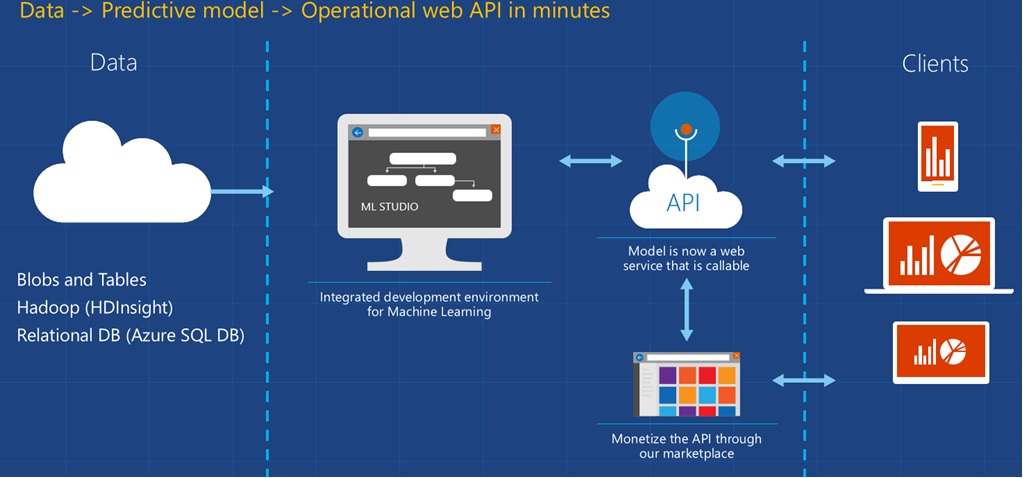
It’s mostly for trial runs or initial tests. Microsoft Azure Machine Learning offers a free tier with limits on storage and query volume. But subscriptions start at a price that erects a clear money barrier. Small teams or tight budgets can get shut out fast. There’s also a customizable enterprise plan for big or specialized setups that need room to grow. When you hit SQL model limits, hooking up with Vertex AI open ups stronger modeling options—good for heavier workloads but a sign that features come in layers.
Google Cloud AI Platform wins on pricing flexibility. The price and hassle often don’t fit. Microsoft’s model demands a firm minimum spend right out of the gate. Google serves up more cost choices and what feels like clearer pricing. Microsoft’s free tier caps storage low, and the Essential plan’s hefty fee narrows its appeal. Plus, you have to talk to sales to figure out plans, which can scare off smaller or mid-size outfits. So, Microsoft Azure Machine Learning mostly attracts big companies with serious AI setups, where the integration and tweaks make sense.
One standout with Microsoft Azure Machine Learning: it’s built for enterprise-level deployments. The pricing tiers link tightly to unlocking extra features through Vertex AI once you pass certain SQL model limits. The free tier lets you experiment, yes, but its data limits box you in fast. Starting fees and that pricey Essential plan clearly target firms ready to invest in Microsoft cloud and customization. This focus shrinks its market, squeezing out small businesses or those wanting easy, scale-up pricing. Despite its muscle, the cost and complexity block many budget-tight users.
Pricing tiers and free trials
Still, the small size of the free tier often pushes folks to pay sooner than they’d want. Microsoft Azure Machine Learning’s free trials give users a real chance to check things out before paying up. Enterprise plans flex, but you’ll have to deal with sales reps—adding a hurdle for smaller groups wanting simple buys. This setup contrasts with other AI cloud options that lean on clearer, usage-based billing.
Startups and small teams? This service fits best with those deep in Microsoft’s cloud and running advanced machine learning flows that lean on Vertex AI beyond SQL limits. The fixed prices and plan rules can feel like a wall. But at least the free trial helps explore whether the cost is worth it.
For more on cloud cost control and software pricing tied to Microsoft Azure Machine Learning’s tiered system, check Best Cloud Cost Management Software Tested With Detailed Pricing And Features Comparison.
Microsoft Azure Machine Learning’s enterprise tilt gets a nod from Gartner’s review of predictive analytics software pricing, pointing out both strength and issues with murky pricing.
| ✓ Pros | ✗ Cons |
|---|---|
| Free tier offers 10 GB storage and 1 TB monthly queries for initial testing and development. | Pricing starts at $499 per user per month, which may be cost-prohibitive for small teams. |
| Enterprise plan available with custom pricing suitable for large-scale or specialized deployments. | Essential plan begins at $1250 per month, adding a high-cost tier for expanded needs. |
| Access to advanced models via Vertex AI integration when SQL model limits are reached. | User complaints report limited plan combinations requiring direct sales team involvement. |
| Generous free trials available before committing to the $499 user-per-month subscription price. | Free tier storage capped at 10 GB, possibly restrictive for larger datasets. |
 Google Cloud AI Platform: Advanced Cloud-Based Predictive Modeling
You get 10 GB storage and 1 TB of queries free at first, enough for a trial run. Google Cloud AI Platform’s entry-level pricing and free tier lean toward users ready to spend on enterprise-grade AI, not those just testing the waters cheaply. But as data piles up, going past those limits means paying more—often too steep for small teams. Connecting with Vertex AI pushes the platform far beyond simple SQL model caps. It suits groups wanting serious AI power and able to cover the price. Mid-sized firms face a jump to the essential plan at $1250 monthly, a tough pill that signals this tool targets big companies or research labs with hefty budgets and complex AI demands.
Others offer more flexible prices that startups and smaller players find easier on the wallet. Compared to Microsoft Azure Machine Learning or H2O.ai, Google Cloud AI Platform clearly tilts toward bigger teams with heavy-duty needs. So, while its free tier lets you poke around, the low caps quickly push you toward paid plans (in practice). The close tie with Vertex AI brings a strong edge for enterprises building growable AI pipelines, but it also locks out lighter-budget teams who can’t stretch that far.
Users jump from SQL insights straight to full model deployment without switching systems — gold for companies chasing steady, maintainable AI pipelines (in most cases). The real muscle appears in how smoothly Google Cloud AI Platform works with Vertex AI. You start at $499 per month, and with tight free limits, it’s obvious this is meant for advanced enterprise users, not the budget-conscious smaller crews. Some might balk at the cost, but heavier workloads get efficiency and scale that smaller setups can’t match.
Vertex AI Integration Improves Google Cloud AI Platform Capabilities
Google Cloud AI Platform plugs into Vertex AI, letting users go beyond basic data crunching to access custom and advanced pre-trained models built for tough prediction tasks. This breaks open possibilities where plain SQL models just won’t cut it. The free tier lets you test-drive with small data, but real power kicks in once you hit paid levels starting at $499 monthly per user, signaling a play for users ready to ramp up AI at scale.
For teams deep in Google Cloud’s world, this makes for a smooth, uninterrupted path from prepping data to putting models into action. The cuts in engineering grunt work pay off here, though entry costs put Google Cloud AI Platform above rivals like RapidMiner or SAS Advanced Analytics on price. So, it’s a smart pick for cash-rich enterprises chasing unified, growable AI setup, not budget shoppers hunting for cheap startup tools.
Price and resources show a clear aim at larger teams and tougher workloads. The tight link to Vertex AI and use of Google Cloud’s backbone delivers a full-stack AI package that grows with the business. This focus makes Google Cloud AI Platform a go-to for firms chasing cloud-native AI scaling over modest-cost entry.
You’ll find more tech details in Google’s official machine learning with Vertex AI documentation.
Pricing and Trial Options for Google Cloud AI Platform
Google Cloud AI Platform offers a free trial so you can poke around before spending. The small free tier is handy for early tries but won’t handle large data, nudging users to switch to paid plans faster. The starting price is $499 per user each month. That price tag puts the spotlight on bigger outfits. The essential plan hits $1250 per month, driving that point home.
This pricing fits companies needing heavy AI tools over the long haul. Those who can’t absorb these fees have cheaper alternatives, though often without the deep Vertex AI integration and smooth scaling you get here. Google spells out pricing and trial terms clearly, standing out in a cloud market full of murky subscriptions.
For tips on managing cloud AI bills, check out Best Cloud Cost Management Software Tested With Detailed Pricing And Features Comparison.
Google Cloud AI Platform in Practice
This platform mainly suits big companies and research teams that need strong data processing and AI model scaling. The tight free tier and clear $499 per user monthly price set firm boundaries. Smaller groups or casual users wanting bigger storage without paying upfront will likely look elsewhere. But the way it combines with Vertex AI adds real value, easing the full trip from collecting data to launching models inside Google Cloud.
$1250 is steep. The $1250 essential plan might be out of reach for many mid-sized players, but those who can afford it get a solid, unified AI system built for complex analysis and ongoing model tweaks. Many users come back to Google’s platform because it’s reliable and well-integrated. The mix of deep features and clear pricing supports long-term AI investment tied to growth.
For more on using enterprise AI and managing cloud costs, plenty of guides help companies get the most from platforms like Google Cloud AI Platform to stay competitive and efficient.

| ✓ Pros | ✗ Cons |
|---|---|
| Free tier includes 10 GB storage and 1 TB queries per month, enabling initial experimentation at no cost. | Base pricing of $499 per user per month can be cost-prohibitive for smaller teams or startups. |
| Vertex AI integration allows access to advanced models when SQL models reach their limitations. | Essential plan costs start at $1250 per month, which limits affordability for mid-sized businesses. |
| Pricing starts at $499 per user monthly with generous free trials, providing entry options for large teams. | Limited free tier storage at 10 GB can restrict handling larger datasets without upgrading plans. |
 H2O.ai: Open-Source AI for Automated Machine Learning
The jump to paid plans, however, is steep: $499 per user each month. H2O.ai’s free tier gives you modest storage and query limits—just enough to get started. That positions H2O.ai near the market’s upper end. Many competitors offer middle-ground subscriptions that don’t demand such a big leap in cost. Also, you must talk to a sales rep for custom enterprise pricing, which often drags out the buying process. Mainly large companies with big budgets. Smaller teams often feel boxed in by tight free limits and expensive paid plans when they try to scale.
You can stretch simple SQL models into complex predictive analytics by linking with Google Cloud. What really sets H2O.ai apart is how tightly it integrates advanced AI tools. This kind of flexibility suits growing data science teams well. But that power costs a premium—enough to scare off those who want straightforward, budget-friendly options. The free tier allows a decent number of queries, though storage is limited. That bottleneck can stall early testing, especially when handling larger datasets. Users must consider whether the value of high-end analytics outweighs both the price and the practical limits on growth. H2O.ai clearly targets businesses prepared to handle a sales-driven process and invest heavily in AI-powered insights, rather than those seeking quick, cheap setups.
This smooth progression offers real value to businesses planning gradual analytics growth. H2O.ai excels by letting you shift from basic SQL modeling to advanced AI predictions without jumping between platforms. Still, the high cost matches the level of technical support and scaling capabilities it provides—something smaller companies might find prohibitively expensive. While the free tier’s query quota is generous, the strict storage cap usually forces users to upgrade sooner than with competitors, who often allow longer or cheaper trials. Firms eyeing H2O.ai also need to budget for extra tools to manage cloud analytics expenses. Overall, H2O.ai fits best with enterprises chasing advanced AI features and willing to spend big to boost predictive workloads.
| ✓ Pros | ✗ Cons |
|---|---|
| Free tier includes 10 GB storage and 1 TB monthly queries, enabling initial exploration without cost | Base subscription pricing at $499 per user per month may be cost-prohibitive for smaller teams |
| Vertex AI integration allows access to advanced models when SQL models hit their limits | Free tier storage is limited to 10 GB which might be insufficient for high-volume data projects |
| Pricing starts at $499 per user per month with flexible combinations available from the sales team | No explicit mention of lower-cost plans between free and Essential tiers limits mid-market affordability |
| Custom enterprise plans require sales consultation, possibly delaying straightforward pricing clarity |
Detailed Feature Comparison of Leading Predictive Analytics Software
It shows pricing, main features, supported platforms, typical use cases, and user ratings. Below is a table that lists key details of top predictive analytics software. This info might help you find the best fit for your organization.
| Software | Pricing (2026) | Key Features | Platform Compatibility | Best Use Cases | User Ratings (out of 5) |
|---|---|---|---|---|---|
| IBM SPSS | From $99/user/month (base subscription) | Advanced statistical modeling, automated model building | Windows, Linux, cloud | Academic research, healthcare | 4.2 |
| SAS Advanced Analytics | Custom pricing, enterprise-level focus | Data mining, machine learning integration, real-time analytics | Cloud, Windows, Linux | Large enterprises, finance | 4.3 |
| RapidMiner | Free tier available; $250+/month for Pro | Drag-and-drop workflow, text analytics, AI model deployment | Windows, Mac, Linux, cloud | Mid-sized businesses, marketing | 4.1 |
| Tableau | Starts at $70/user/month | Data visualization, simple predictive tools, dashboard sharing | Windows, cloud | Business intelligence, sales | 4.0 |
| Alteryx | Pricing begins around $5195/year/user | Data prep, blending, predictive modeling, geo-analytics | Windows, cloud | Data analysts, customer insights | 4.1 |
| Microsoft Azure ML | Pay-as-you-go; approx. | Automated ML, model interpretability, integration with Azure | Cloud (Azure platform only) | Cloud-native apps, IoT analytics | 4.2 |
| Google Cloud AI Platform | Usage-based pricing, varies by model type | Neural networks, AutoML, custom model building | Cloud (Google Cloud Platform) | Deep learning, image/text analysis | 4.3 |
| H2O.ai | Free tier, $499/user/month enterprise | Open-source AI, AutoML, explainable AI | Windows, Linux, cloud | Data science teams, AI research | 4.0 |
It fits universities and health sectors that lean heavily on detailed statistics. IBM SPSS kicks off with one of the cheapest starting prices. On the other end, SAS Advanced Analytics sets a custom price aimed squarely at big businesses needing real-time data mining and analytics.
It’s popular among mid-sized marketing teams that want drag-and-drop ease. RapidMiner splits its options between a free version and paid plans. Tableau, mostly famous for visuals, packs in simple predictive tools to support sales and business intelligence tasks. Meanwhile, Alteryx requires a larger budget but adds geo-analytics alongside forecasting features—something few others offer.
Then there are cloud-first platforms: Microsoft Azure ML and Google Cloud AI Platform. They focus hard on scaling and work tightly with their own cloud setups. Costs can jump depending on usage.
Teams building Internet of Things devices or deep neural nets often pick these.
User ratings sit between 4.0 and 4.3, reflecting varying strengths and target audiences. H2O.ai pushes a high enterprise fee, yet it backs that up with open-source AI, AutoML, and models that explain themselves — features prized by serious data scientists.
Key Differentiators in the Feature Sets
- IBM SPSS mixes automated model building with solid traditional stats, balancing ease and power.
- SAS Advanced Analytics moves rapidly, processing high-speed data for areas like fraud detection and trading.
- RapidMiner’s visual workflows reduce coding yet handle a wide range of machine learning algorithms.
- Tableau’s clean interface lets teams turn data into dashboards quickly.
- Alteryx pairs predictive analytics with spatial data tools—a rare combination.
- Microsoft Azure ML and Google Cloud AI Platform excel at cloud integration, essential for cloud-first companies.
- H2O.ai’s open-source foundation fuels flexibility and latest AutoML tech for complex challenges.
Choosing between these depends on your platform, budget, and how heavy your workload will be.
For an independent view with benchmarks, check the latest Gartner reports. Price often matches the depth of features, explaining why some companies prefer one tool over another. They dig into adoption rates and scaling in real-world use, giving you a sharper picture for 2026 and beyond.
For more on pricing and feature details, explore thorough reviews of cloud management and ERP software at Best Cloud Cost Management Software Tested With Detailed Pricing And Features Comparison and Why Top Enterprise Resource Planning Software Pricing Tables Are Overlooked By Most. These close looks reveal the financial maze of software buying, a must-know before putting money into analytics tools.
Common Considerations When Using Predictive Analytics Software
Choosing the Right Software by Business Needs
Picking software starts with what you actually need. Think about your industry, the amount of data you’ll handle, and how complex your models must be. Also, check if the tool plugs into your current systems. Otherwise, you might pay for stuff you’ll never touch or hit walls when trying to grow.
Major Cost Factors Influencing Pricing
Price usually comes down to how many users you have, the size of your data, and which features you want. IBM SPSS, for instance, charges via monthly subscriptions that range from basic plans to top-tier enterprise versions. Add-ons like advanced analytics modules or premium support can push costs higher. So, add it all up before you buy.
Technical Expertise Required for Deployment
Most platforms expect at least some data science know-how. RapidMiner eases in with drag-and-drop tools; SAS Advanced Analytics demands comfort with statistical programming languages. How skilled your team is changes how fast you can get running.
Security and Compliance Measures
Data locked down tight is non-negotiable. Leading vendors use encryption, role-based controls, and meet rules like GDPR and HIPAA. Your enterprise should dig deep on each provider’s security before signing up.
Handling Integration Challenges
Connecting your new software to existing systems can be a headache, especially if your IT environment is a patchwork. Some apps come with built-in connectors for popular databases, clouds, or BI tools. Still, expect some heavy lifting to make everything flow smoothly.
Training and Support Services Importance
Good training and quick help speed up how fast users get comfortable. IBM SPSS bundles online tutorials and consulting gigs. Having a vendor ready to jump in cuts down risk when updates or bugs crop up.
Scalability and Performance Expectations
Your data isn’t going to stop growing. Platforms like Microsoft Azure Machine Learning or Google Cloud AI Platform scale smoothly in the cloud and push models out in real time. On-premises solutions might choke under heavy loads.
Evaluating ROI and Business Impact
Features and price matter, but what really counts is the return you get. Finance and healthcare case studies show better forecasting turned into big cost savings and revenue wins. Real-world benefits make the analytics spend easier to justify.
User Interface and Experience Variations
User-friendliness swings wide. Some tools dive deep technically; others flash slick dashboards for non-experts. Alteryx and Tableau lean hard into visual analytics, helping teams tell stories with data.
Frequency of Updates and Innovation Pace
Keeping models sharp means constant updates and new features. Vendors focused on AI regularly roll out improvements that support fresh algorithms and data types, which shapes long-term value.
Making Use of Trial Versions and Demos
Many platforms let you poke around for free with trial or demo accounts. Hands-on time reveals if the software fits your flow or hides nasty surprises, helping you avoid buyer’s remorse.
Addressing Deployment Timeframes
How fast you launch depends on complexity and prep. Small projects might race out within weeks. Big enterprise installs can drag into months, needing careful coordination.
Vendor Reputation and Community Support
Who makes the software matters. IBM and SAS have solid reputations and active communities full of tips and tricks. That kind of support makes all the difference during rough patches.
Ensuring Data Quality for Effective Models
Good predictions only come from good data. That means cleaning, reworking features, and validating inputs so the software doesn’t spit out junk results.
Anticipating Future Analytics Needs
Pick tools that can flex as your needs change—like handling unstructured data or deploying models through APIs. It saves headaches and costs down the line.
Working with Cloud or On-Premises Options
Cloud or local installs? Cloud gives you elastic resources and faster set-up. On-premises means tighter control and might be required by law in some fields.
Using Third-Party Integrations for Extended Functionality
Top software often supports plug-ins or APIs—think natural language processing or geospatial analysis. This lets you tailor the tool closely to your unique business challenges.
For more on managing analytics spending, see Best Cloud Cost Management Software Tested With Detailed Pricing And Features Comparison. If you want to dig into how CRM workflows tie into analytics, Best CRM Software For Startups With Transparent Pricing And Features Comparison breaks it down. Vendor docs and Gartner reports remain the gold standard for confirming feature sets and market standing, helping you make decisions based on independent insight.