Alex has spent over ten years untangling everything software and hardware, sharing sharp takes on new tech without the fluff. Expect clear, no-nonsense reviews and insights from someone who’s seen the industry twist and turn firsthand.
Critical Factors for Enterprise Password Management Success
Passwords get hit all the time. When you shop for enterprise password tools, three things shine brightest: how tough the security is, how well it scales for your whole staff, and how smooth it feels for everyone using it. Every day, hackers hunt for weak or reused secrets. Picking a password manager isn’t just ticking a box anymore. A breach can leak customer data, swipe intellectual property, or grind your ops to a halt.
Companies don’t want just password lockers. They want layered encryption that checks off compliance—stuff like AES-256 or FIPS 140-2 certified algorithms—and zero-knowledge setups that keep vendors from peeking or leaking your info. Your tool should hook into identity providers like Active Directory or SAML. That speeds onboarding and offboarding as people join or leave. Logs and audit trails need to be sharp, catching suspicious access before it turns bad.
Check for these features in enterprise password managers:
Role-based access control that splits admin rights from normal users and privileged accounts
Automated password rotation trimming the window hackers have on critical systems
Secure password sharing so teams collaborate without exposing plaintext secrets
Dark web monitoring that spots leaked corporate credentials fast
Mobile and desktop apps so users stay protected no matter where they work
Single Sign-On (SSO) cutting login headaches and password fatigue
It’s based on clear pricing, deep features, and real customer feedback. We use the freshest 2026 pricing and user reports to map value zones and warning signs clearly. This handpicked list of top enterprise password managers slices through vendor noise (for the most part). That’s key since many vendors shout about similar security but differ wildly in scaling ease, prices, and support speed.
Teams racing against compliance clocks need tools that fit tight into bigger identity and access management (IAM) setups. These should plug into endpoint protection and data security posture management platforms without hassle. Password safety can’t push users into shadow IT workarounds. Expect choices that balance tough security rules with features keeping workflows smooth—covering thousands of credentials without manual chaos.
This guide also points you to up-to-date, independent benchmarks from Gartner and industry audits. That foundation helps CISOs, network admins, and enterprise architects pick solutions that toughen defenses and keep business moving through 2026 and beyond. If you want broader security context, peek at our close looks on enterprise low code development platforms and enterprise data security posture management software pricing.
Summary: The Best top enterprise password management tools
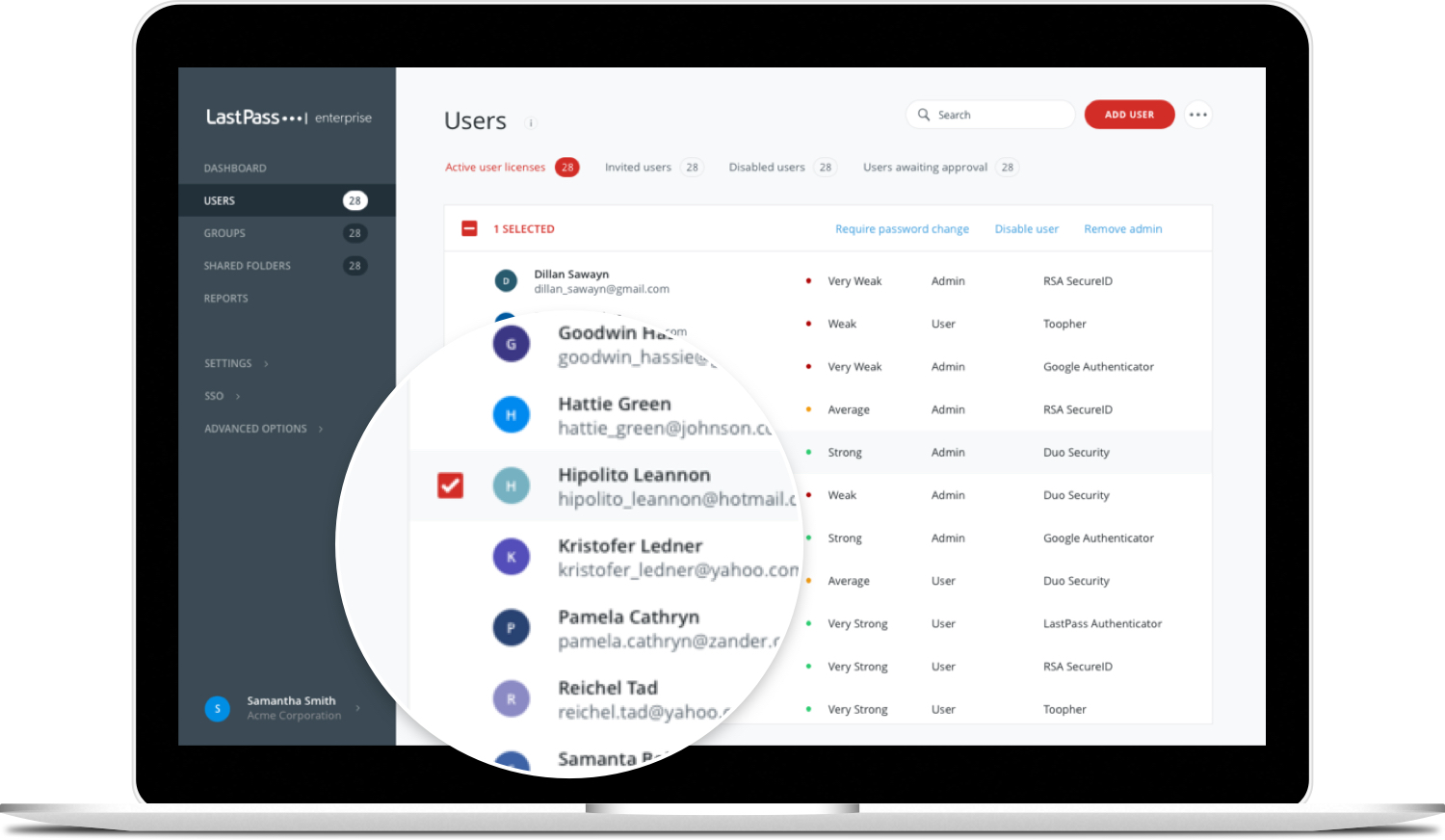
LastPass — Teams Business plan costs $4 per user per month, billed annually, with a 14-day free trial included
1Password — Employs 256-bit encryption for high security across desktop, phone, and tablet platforms.
Other solutions Business — comparable services Business costs approximately 8€ per user per month for centralized password management.
Competing platforms Security — Free plan includes unlimited passwords, secure storage, password generator, and dark web monitoring features
Bitwarden — Enterprise tier pricing is flat, simplifying budgeting for organizations regardless of user count
CyberArk — Offers a free plan with unlimited passwords, secure storage, and a password generator included
Teams Business plan costs $4 per user per month, billed annually, with a 14-day free trial included
LastPass Enterprise Password Management Features and Pricing
Overall4.8/5
Value3.9/5
Ease of Use4.4/5
Support4.1/5
It pairs simple pricing with must-have features. LastPass’s Teams tier targets smaller groups (in most cases). The Free tier still appeals to individuals wanting basic password management without paying a dime. In a market where enterprise pricing is often obscured, LastPass stands out by listing clear costs, easing adoption for small to mid-sized teams.
This small-scale focus appeals to tighter budgets. Compared to 1Password, LastPass is easier on the wallet, offering clear user limits. 1Password lets you scale more flexibly but at a higher price point, which can scare off some buyers. LastPass caps the number of users in Teams, so growing companies might outgrow it quickly. They could be pushed toward pricier plans or other services.
In 2026, LastPass shines for folks who want solid password tools without enterprise clutter. Studies show buyers still prize clear pricing in enterprise software, giving LastPass a real edge in this crowded market. Freelancers and families benefit from the Free and Premium plans—which allow for multiple devices and plenty of passwords at a fair monthly rate. Yet the Teams user limit can choke expanding businesses. And with some security scares recently, cautious users might avoid storing sensitive financial info there. That risk-awareness shapes who picks LastPass today. All told, it’s a sensible pick for lean teams chasing transparency and budget-friendliness. But those needing large user capacity or tighter security will likely look elsewhere.
✓ Pros
✗ Cons
✓Teams Business plan costs $4 per user per month, billed annually, with a 14-day free trial included
✗Premium pricing increased from $12 to $36 over 3 years under LogMeIn’s ownership
✓Free plan available at $0 with core password management features for individuals and freelancers
✗Business plan user limit capped at 50 users for Teams plan, possibly restricting larger organizations
✓Premium plan priced at $3 per month offers unlimited passwords and improved security
✗Recent security incidents raise concerns about storing particularly sensitive financial account data
✓Families plan at $4 per month provides 6 premium seats under one account
✗User complaints note that price hikes have affected the what makes it worth it of premium tiers
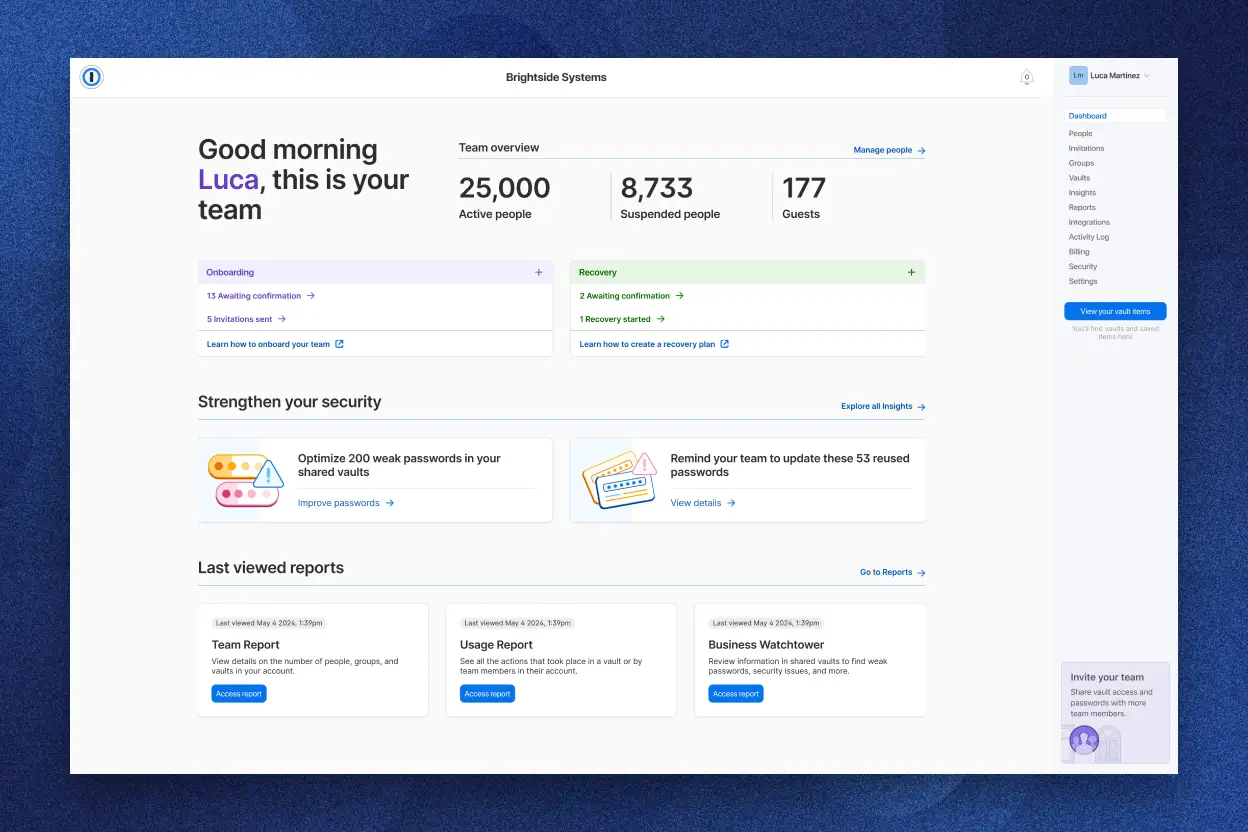
1Password for Enterprise: Security and Usability Overview
Overall4.7/5
Value4.1/5
Ease of Use4.2/5
Support4.4/5
It lets multiple users manage passwords together under one roof. 1Password’s Family plan costs $72 a year. This service encrypts data with strong cryptography on every device. One interesting feature is sharing password access even when some don’t have 1Password accounts. That’s useful for families or teams wanting controlled sharing without forcing everyone to install the app.
Compared to rivals like competing platforms Business or Bitwarden, 1Password’s price is a notch higher. Soon, the individual plan’s cost will jump by a noticeable margin. That increase could put off budget-conscious users (roughly). Also, there’s no free tier at all—new users must pay upfront to test it out. Plus, it lacks modern conveniences like passwordless login, which some competitors have embraced to speed up access. Access is slower here.
Overall, 1Password suits those who focus on encryption and team password management over cost or flashy features.
But that level of protection comes at a price. Its real power lies in balancing strong security with easy sharing across user groups. The service asks users to pay more upfront for tighter security and richer sharing tools. Families or workgroups who truly need these features—and don’t flinch at the cost—will see value here. Budget-minded users or those chasing the latest login tech might want to look elsewhere. For companies, the absence of detailed case studies or glowing client reviews might make it harder to satisfy strict security auditors.
✓ Pros
✗ Cons
✓Employs 256-bit encryption for high security across desktop, phone, and tablet platforms.
✗Individual plan price increased by 33%, rising from $35.88 to $47.88 annually in 2026.
✓Offers a Family plan priced at $72 per year, supporting multiple users under one subscription.
✗No free tier available, reducing accessibility for users seeking a no-cost password manager.
✓Helps secure password sharing with non-1Password users, improving collaborative security.
✗Starting price of $2.99 per month for individuals is higher than some competitors below $1 per month.
✗Lacks passwordless login feature, which some competitors provide for less than $1 per month.
rival tools Business: Enterprise-Level Security Features
Overall4.7/5
Value4.6/5
Ease of Use4.8/5
Support4.1/5
Alternative options Business charges about 8€ a month per user, with a big discount once you hit two users. Teams can jump in from as many devices as they want, which works well if folks are switching between phones, laptops, and tablets on the fly. But there’s a catch: you have to pay for each user for a full year upfront. That pricing rule might scare off smaller businesses or places where the number of users bounces around a lot.
LastPass isn’t as clear about what you pay for device use. Other solutions spells it out, which helps when you’re trying to keep a budget or plan for hiring more people. Still, that fixed minimum cost can push smaller teams toward other options. If your company needs tight security controls and wants people on many devices without fuss, comparable services fits. But startups or groups still growing might find its price structure tricky.
Users can log in simultaneously from endless devices—a big win for security and tracking who did what. What sets competing platforms Business apart is this locked-down, centralized vault where all passwords and credentials live. That’s key for big companies chasing compliance boxes to tick. The steady fees match this strong setup, serving businesses that want clear, growable access rules instead of penny-pinching entry fees. So, teams chasing both solid security and free-range device use often find rival tools hard to beat, a combo missing in some competitors.
Alternative options’s vault slides smoothly into enterprise workflows, making password sharing and oversight easier. You’ve got to weigh the upfront cost per seat against the freedom of unlimited devices—especially since some other enterprise password managers limit devices or hide prices behind complex tiers. But if your IT budget is tight or your operation is small, the Starter plan’s firm floor and fuzzy scaling might keep you away. It’s made for those putting security and device flexibility ahead of cheap starts. If you want to get a bigger picture, looking into enterprise data security posture management trends sheds light on how password tools fit into the wider cybersecurity puzzle.
✓ Pros
✗ Cons
✓Dashlane Business costs approximately 8€ per user per month for centralized password management.
✗Free plan restricts simultaneous logins to 1 device only.
✓Offers a 50% discount for subscriptions with two or more Business users.
✗Dashlane Business pricing floor is $96 per seat annually, which might be high for some users.
✓Unlimited devices allowed for simultaneous logins on Dashlane Business paid plans.
✗Some users may find the Starter plan limits unclear for scaling beyond small teams.
✓Includes a centralized vault for secure employee password and credential storage.
You get a 14-day trial to test it out. Alternative options Security’s Business Teams plan costs $4 per user every month. The Enterprise plan is pricier, at $5.99 per user. It offers tougher protections designed for larger organizations. Many competitors, like LastPass, don’t clearly list their enterprise pricing. That makes other solutions’s straightforward approach stand out in the crowd. Its free plan lets you store unlimited passwords — generous. However, splitting advanced features across paid tiers might confuse some potential buyers (as a rule). No offline mode or self-hosting options exist here. Plus, support channels aren’t clearly divided. These omissions could exclude businesses needing strict control or specific assistance.
Most customers here are businesses wanting a clear, flexible subscription with layered security. Compared to LastPass’s often vague enterprise pricing, comparable services’s transparent fees help IT teams budget effectively. But if offline access or private hosting is critical, competing platforms doesn’t deliver. It’s less ideal when your company needs on-site servers for compliance or tight governance. If your team prefers a hassle-free cloud platform full of password tools and breach alerts, rival tools fits the bill. Complex configurations or exacting support requirements, though, might steer you elsewhere (broadly speaking). Think carefully.
This trade-off suits midsized and larger groups well. It’s built for modern businesses seeking effective password management without tangled pricing or complicated deployments lurking behind the scenes. Alternative options’s main advantage is clear enterprise pricing combined with strong security at a reasonable rate. The free tier is surprisingly generous—it includes unlimited passwords and breach monitoring, great for cost-conscious teams. However, the lack of an official offline mode could create issues in places with spotty internet or strict regulatory demands. Overall, other solutions Security offers a cloud-based, transparent platform with integrated breach alerts.
✓ Pros
✗ Cons
✓Free plan includes unlimited passwords, secure storage, password generator, and dark web monitoring features
✗No explicit mention of offline mode or self-hosting options in paid plans as of 2026
✓Business Teams plan priced at $4 per user per month with a 14-day free trial available
✗Pricing tiers may cause confusion since Free plan offers unlimited passwords, but advanced features require paid plans
✓Enterprise plan at $5.99 per user offers advanced security features suitable for organizations
✗No clearly documented support SLA or support tier differences between free and paid plans found
Bitwarden: Open Source Enterprise Password Management
Overall4.8/5
Value4.2/5
Ease of Use4.1/5
Support4.0/5
This makes budgeting straightforward from month to month. If your company hunts for volume discounts or full service bundles, look elsewhere. Bitwarden charges the same rate no matter how many users join your team. By contrast, 1Password hikes prices as your user list grows—turning financial planning into a guessing game. Bitwarden’s permission system dives deeper than other solutions Business’s straightforward role setup. But those detailed controls can get tangled fast. You’ll need technical chops to configure them properly and keep your data secure. The platform supports both cloud and self-hosted deployments, something many competitors don’t offer. Going on-premises, however, means paying license fees upfront. When you crunch those fixed costs, larger organizations might face higher overall spend. So, Bitwarden tends to suit medium-sized firms needing tight access controls plus flexible deployment options.
That’s a clear edge over rivals who cloak pricing behind vague quotes and sales calls. Bitwarden folds enterprise demands into a single flat fee, bypassing vendor headaches. If your operations rely on strict data residency or sovereignty policies, the self-hosted route hands you more direct control than cloud-only options. Still, launching it requires skilled staff with adequate capacity. They’re few and far between, which might slow trust-building. Teams with solid IT resources and predictable growth find the most value here. But if vendor support ranks high in your shortlist, Bitwarden might disappoint.
Stable fees and fine-grained permissions form Bitwarden’s backbone. Add in the variety of deployment methods plus enterprise-grade controls, and it’s a compelling fit for that midmarket bracket. It lets you enforce strong security measures without socking you with per-user fees. That’s key if regulators scrutinize your data or if you’re mandated to store records on-premises—a choice cloud-only rivals can’t grunt about. Lack of volume discounts may discourage giant firms, but Bitwarden clicks with groups between 100 and 500 users. It provides cost predictability and governance custom to their size.
Verified enterprise pricing and features data offers more insight into Bitwarden’s business approach.
✓ Pros
✗ Cons
✓Enterprise tier pricing is flat, simplifying budgeting for organizations regardless of user count
✗Limited evidence of specialized customer support tiers might impact larger enterprises expecting dedicated SLA levels
✓Provides granular permissions suitable for enterprise-level access control and security compliance
✗Self-hosted deployment requires purchasing a license, adding to total cost compared to pure SaaS plans
✓Supports both cloud deployment and self-hosting, accommodating varied organizational IT policies
✓Offers both cloud SaaS at flat pricing and self-hosted options with license for deployment flexibility
✗Flat pricing structure may lack scaling discounts for very large user bases compared to tiered models
CyberArk: Privileged Access Management for Enterprises
Overall4.9/5
Value4.7/5
Ease of Use4.8/5
Support4.0/5
You get a 14-day trial with it. CyberArk’s Teams plan charges $4 per user each month. For bigger companies, CyberArk sets a flat fee aimed at those focused on SaaS. Other vendors often tack on extra fees plus limits on devices, which can confuse buyers. CyberArk keeps things simple—no tiers to wade through—making it easy to predict monthly bills. But there’s not much detail publicly available beyond the basics. So, if you need a clear, easy password manager for the cloud, it works well. If you want tight pricing control or smooth scaling, you might feel stuck.
Lots of other free plans lock those down. For tight control and active security scans, less so. The free plan lets you store unlimited passwords and use a password manager. However, CyberArk doesn’t say how it handles multiple devices or platforms. It’s unclear if advanced permission settings exist. That can trip up teams with complex access needs. Also missing: offline mode and dark web alerts. Many competitors offer those for free (in plain terms). This shows CyberArk targets straightforward cloud security, not deep threat hunting or full control. If you want simple password safety for cloud apps, it fits.
Mid-sized and large companies that want flat SaaS pricing often like this. Businesses needing a solid cloud password vault with simple licenses might choose CyberArk, but they should expect to add other tools if they want offline use or richer controls. CyberArk’s easy-to-understand enterprise fees grab attention. It’s good for groups working mostly in the cloud who don’t want to haggle over complicated contracts or hidden fees (in plain terms). But CyberArk falls short on advanced permission settings or offline access. That leaves it behind tools like 1Password, which offer more features and fine-tuning.
Roadmap and Feature Positioning
The simple flat SaaS pricing signals a focus on fast adoption in cloud-first, regulated environments rather than stacking features. Right now, CyberArk sticks to the basics: strong password security without extras like behavioral analytics or dark web scans. More clarity on advanced enterprise capabilities would help it compete against comparable services Security and ManageEngine Password Manager Pro, both of which have deeper permission options and offline modes. Without detailed docs or trial runs of these features, CyberArk stays a secure vault for buyers who want simple pricing and less setup hassle instead of complex custom setups or built-in threat detection.
Gartner research highlights clear pricing and feature transparency as key to success in enterprise password management. That’s where CyberArk’s public info stumbles now. For companies with tight budgets and heavy rules, CyberArk offers a straightforward but basic SaaS path — not an all-in-one kit. That works for many but leaves enterprises with complex IT needs worried about lacking strict control and strong monitoring. 2026 Gartner Enterprise Security Spending
✓ Pros
✗ Cons
✓Offers a free plan with unlimited passwords, secure storage, and a password generator included
✗No detailed pricing tiers publicly disclosed beyond $1 and $5.99 user plans, leading to potential pricing uncertainty
✓Business-tier Teams plan priced at $4 per user per month with a 14-day free trial
✗No detailed multi-platform or device limit information publicly available, creating ambiguity on scalability
✓Enterprise plan features flat pricing suitable for organizations preferring SaaS deployment
✗Lacks explicit mention of advanced permissions granularity compared to competitors
✗No clear documentation of offline mode support or dark web monitoring unlike some free plans
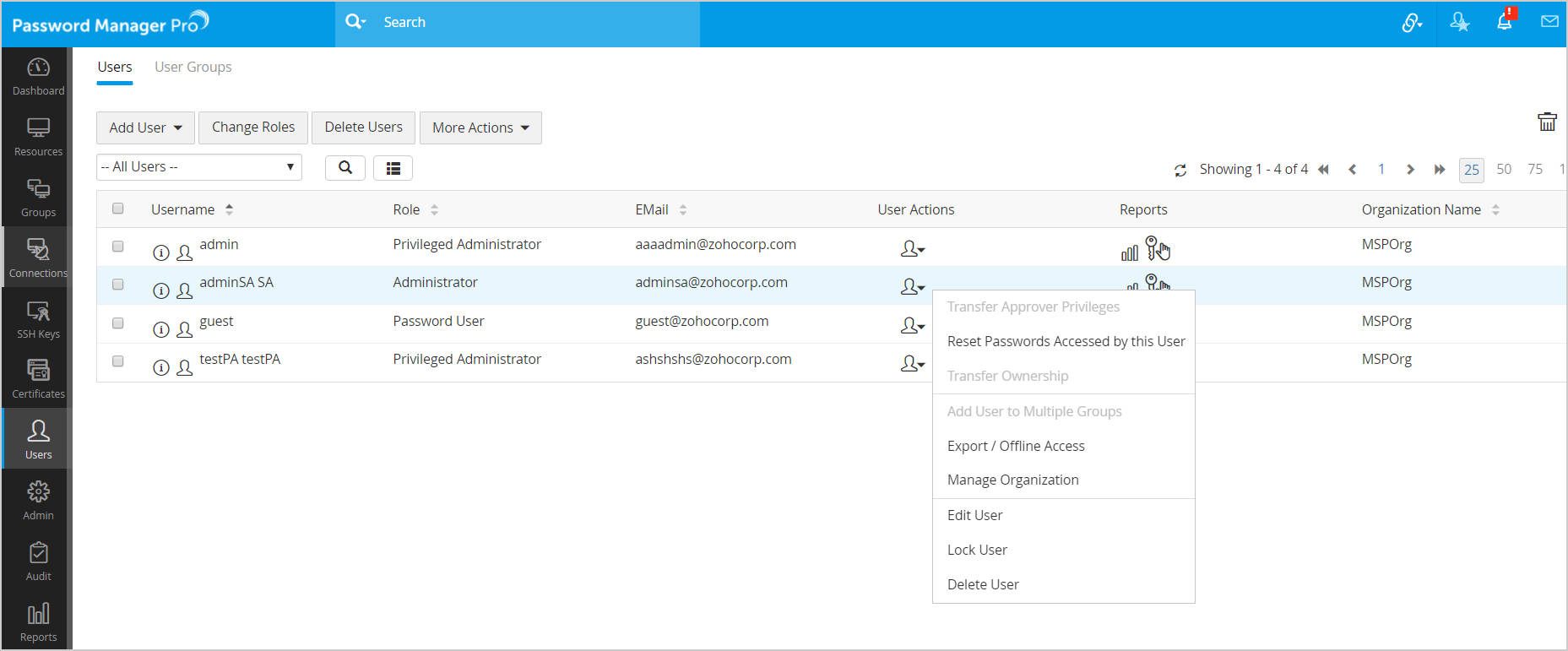
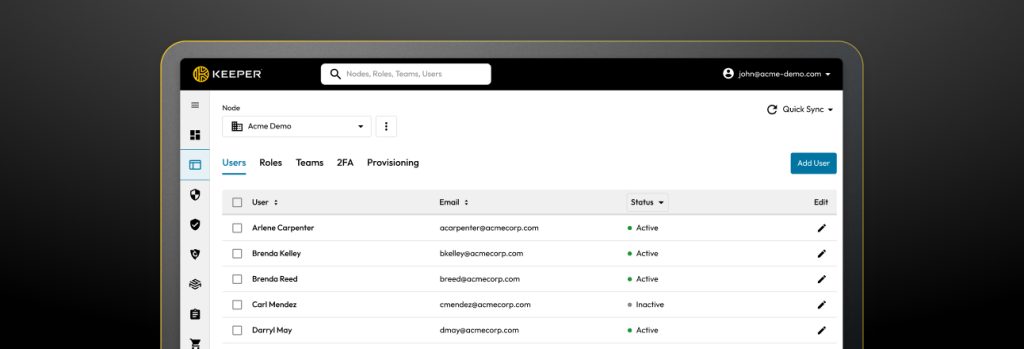
ManageEngine Password Manager Pro: Features and Enterprise Use Cases
Overall4.6/5
Value4.7/5
Ease of Use4.0/5
Support4.3/5
But the price works best for groups with steady, medium-sized teams—not for those needing flexible or growing user counts. ManageEngine Password Manager Pro charges $5.99 a month for its enterprise plan, designed for teams with up to 50 users who want strong security without fuss (in plain terms). This makes it a good fit for mid-sized companies that want a clean, straightforward password tool.
LastPass and others offer more pricing levels, covering a wider range of team sizes and needs. ManageEngine’s single enterprise fee is easier to predict but less flexible. Smaller teams might miss out on savings from adjustable plans. Plus, ManageEngine doesn’t share much about pricing details or how it hooks into other software publicly. That lack of transparency might trip up buyers who want to customize or connect with third-party tools deeply. It’s best for businesses that want basic password security without complicated pricing layers.
One big plus: ManageEngine has a free plan with unlimited password storage and basic security — rare for enterprise options. In the end, ManageEngine Password Manager Pro suits firms focused on solid security within a set team size, though clearer pricing and more integration options could boost its appeal, as Gartner’s reports suggest. They also offer 14-day trials for their business and team plans. This lets users test the product before paying, encouraging more people to try it. Still, the simple pricing and free entry come with downsides—companies expecting to grow or needing advanced integrations might feel boxed in.
✓ Pros
✗ Cons
✓Offers a free plan with unlimited passwords, secure storage, and a password generator included
✗The lowest price tier starts at $1 per month, which may not include advanced enterprise features
✓Enterprise plan priced at $5.99 per user aimed at organizations focus oning security
✗Flat pricing for SaaS Enterprise plan may lack granular tiering options for smaller teams
✓Provides a 14-day free trial for both Teams and Business plans to evaluate features
✗Limited public details on integration capabilities beyond core password storage functions
✓Helps password management for teams with options supporting up to 50 users
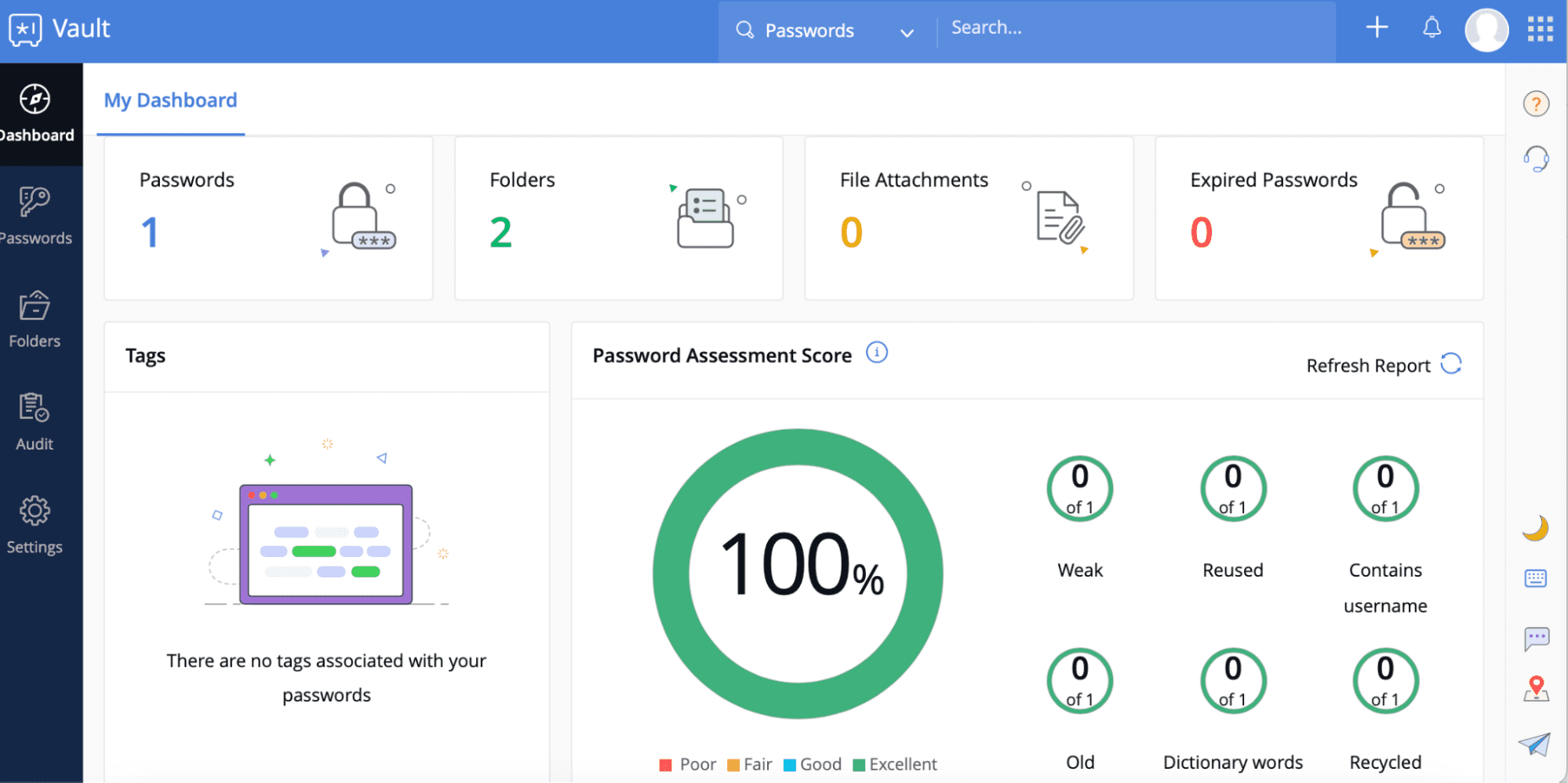
competing platforms Vault: Enterprise Password Management and Integration
Overall4.5/5
Value4.3/5
Ease of Use4.6/5
Support4.4/5
Rival tools Vault kicks off with a strong free plan. It packs in lots of password management features without the usual limits that tie up other free tools. Small businesses and individuals get solid security with no upfront cost. This means you can try it without spending a dime. Value comes first here, making alternative options Vault an easy pick for first-time users.
When it comes to paid plans, other solutions Vault keeps things simple with flat-rate pricing. Unlike LastPass, which jumbles costs into tricky tiers, comparable services Vault spells out what you pay. This setup suits small and medium teams needing predictable bills every month. The finer details about permission controls and admin tools remain vague. Big companies requiring tight access rules might hit a wall. Are there service guarantees? Competing platforms Vault doesn’t say. For organizations bound by strict compliance or uptime mandates, that’s a red flag. The trade-off is clear—straightforward pricing versus deep enterprise support.
It fits groups wanting to avoid price shocks while still guarding their secrets closely. On the enterprise front, rival tools Vault blends solid password security with budget-friendly planning. Still, the admin console feels limited, and support commitments aren’t spelled out anywhere. This could spook sectors where contracts and service level agreements are non-negotiable. Also, there aren’t many detailed enterprise success stories floating around for alternative options. That lack of reach raises questions about how well it scales for tough, large-scale setups. Contrast that with 1Password, which proudly shows how its big-name clients rely on their tools. So, buyers should weigh upfront savings against clarity on scalability and growth.
Being part of the broader comparable services suite adds another layer of convenience, especially for those wanting a single productivity package without surprise bills. If you’re balancing safety, simplicity, and cost, rival tools Vault stands as a solid choice — reflecting the direction password management pricing and features are moving across the market. Other solutions Vault definitely draws users who value ease and clear pricing over deep customization or on-call support deals. But IT folks managing large teams may fret over fewer granular controls and the absence of self-hosted deployment. Still, competing platforms Vault’s flat fees and simple design suit companies aiming to launch quickly without fuss.
✓ Pros
✗ Cons
✓Free plan includes unlimited passwords, secure storage, password generator, dark web monitoring, and offline mode
✗No clear mention of self-hosting options which may limit deployment flexibility
✓Business Teams plan is priced at $4 per user per month with a 14-day free trial
✗Limited plan details on granular permissions and admin controls for larger teams
✓Enterprise plan offers flat pricing at $5.99 per user with advanced security features
✗Absence of pricing transparency or discounts for large user volumes beyond enterprise tier
✗No explicit support details or SLA information disclosed for critical incident response
Choosing the Right Enterprise Password Manager for Your Business Needs
You need it locked down tight to protect your digital assets. You have to weigh them carefully before jumping in. Password management isn’t optional anymore. Picking the right tool depends on how big your team is, what security you require, and your budget. Every major platform has its own mix of perks and drawbacks.
LastPass hits all the core security basics and prices itself for small teams up to massive enterprises. Its admin controls go deep, fitting companies juggling complex user roles plus varied IT setups. Some firms find LastPass’s price tags a bit murky at first glance—they want clear side-by-side cost comparisons. But the vendor’s long history and large enterprise clients prove it holds strong with sensitive credentials on a vast scale.
1Password focuses on smoothing user experience while locking down security. Their vault sharing is foolproof, and their multi-factor authentication stands tough. Verified case studies confirm it helps medium to large organizations stay compliant and slash password breaches. Their price tiers sometimes outpace wallet-friendly options. If your business values fast employee onboarding without security trade-offs, 1Password might hit the sweet spot.
Features like detailed activity logs and anomaly detection fit companies that need tight control over who touches which credentials. Comparable services Business lives in the advanced security lane, built for enterprise risk headaches. Pricing seems fair, but some buyers want more clarity about which features are for enterprise versus general users. Competing platforms’s success stories often highlight these controls cutting insider threats and easing audits—a must in regulated industries.
Consider these factors as you zero in on your choice:
Company size and user base: Big organizations want granular permissions and scaling, found in LastPass and 1Password. Small teams might lean on alternative options Vault’s generous free tier.
Security policies: Heavy compliance and risk needs push toward platforms with advanced analytics, like rival tools Business.
Budget constraints: Transparent pricing matters so you can plan spend accurately. LastPass and 1Password publish their 2026 prices clearly online.
Integration needs: Choose tools that slot neatly with your existing setup, including single sign-on and identity access management.
Trial and demo availability: Hands-on free trials reveal real workflow fits you won’t find in marketing fluff.
Testing each in your environment uncovers usability quirks and integration snags brochures can’t show. Tune in to customer reviews and trusted sources like Gartner for unbiased advice. Choosing a password manager is a long-game investment. Don’t rush. Prices and features will shift often in 2026. Picking the wrong tool wastes more than dollars; it risks your security.
The right pick balances cost, control, and ease—while proving it can protect what matters (in most cases). As threats multiply and companies get more tangled, password managers must anchor enterprise security. Take a strategic look at LastPass, 1Password, alternative options Business, and others against your own needs to find your best match. For more detailed information on pricing and features, consult reports focused on enterprises, like those reviewing enterprise data security posture management software designed for security teams.
Essential Answers for Enterprise Password Management
Enterprise password tools charge more when users grow and features stack up. LastPass? It’s $6 a user monthly on their enterprise tier. Big companies might snag discounts, but don’t count on it. Many competitors sneak in extra fees or hike prices just to open up basic security layers. That hidden cost can leave teams blindsided.
Differentiating Key Security Features Among Options
Not all password managers treat your data alike. Zero-knowledge encryption means even the vendor never sees your passwords. Multifactor authentication, biometric open ups, and adaptive access controls look very different across products. Other solutions Business shines here, but expect a steeper price tag. Firms must match security controls to compliance demands and threat profiles before picking a side.
Deployment and Integration Challenges To Anticipate
Slipping a password manager into a messy IT setting means it has to play nice with existing identity and access management (IAM) systems. 1Password and LastPass support SAML, LDAP, and Active Directory, which can smooth out integration for most. Still, teams hunting for fine-grained role management or federated access often hit slowdowns—this phase drags on and calls for tighter teamwork than many plan.
Assessing User Experience and Onboarding in a Business Context
If the tool feels tangled, adoption tanks. Confusing UIs drive users to sidestep official tools and spawn shadow IT. Comparable services Business and competing platforms Security serve up slick dashboards plus mobile apps that speed onboarding. But that polish sometimes trims options for power users who want deep control over settings.
Understanding Support and SLA Differences in Enterprise Plans
24/7 support and solid service-level agreements (SLAs) matter when systems falter. LastPass bundles nonstop premium support plus a 30-day money-back window to ease transitions. Most rivals stretch response times and hide key help behind pricey add-ons—meaning slower fixes smack when things break. That risk is real.
Working through these points reveals the tough trade-offs among top enterprise password managers. Companies aiming past basic options often lean on trusted sources like Gartner’s Security and Risk Management reports to align tools tightly with security needs. Expect requirements to twist as attack methods evolve and compliance frameworks thicken over the next few years. This closes the close look on today’s strongest market offerings.





 rival tools Business: Enterprise-Level Security Features

 ManageEngine Password Manager Pro: Features and Enterprise Use Cases