The Role of Interactive Security Testing in Software Development
Hidden flaws in application code let attackers break into systems (as a rule). Software bugs have caused a noticeable rise in breaches and stolen data recently. Sometimes, they shut down key infrastructure or grab sensitive information. Using the right interactive application security testing tools catches these issues early. Without them, problems slip into production, unnoticed. Relying just on manual code reviews or static scans misses many risks. Developers often have to guess where the real trouble lies.
Unlike traditional methods, IAST tools watch apps as they perform real tests or handle user input. Interactive Application Security Testing (IAST) fills this hole by combining live testing with scanning while the app runs. This reveals weaknesses only in the parts of code actually used right then. Immediate feedback points developers to exact flaws and speeds up fixes. IAST fits smoothly into existing development workflows and test suites. That’s key for catching defects early—the “shift-left” approach in DevOps.
This article looks at the leading interactive application security testing tools available in 2026. Its goal is to guide security teams, developers, and IT leaders toward selections that align with their technical environments, budgets, and security priorities. Vendors differ widely in pricing, how deep their coverage goes, CI/CD integration, and how clear their reports are. Choosing the wrong product can stall security or waste hours chasing false alarms.
Here’s what these tools handle:
- Hunting bugs that only appear when the app runs and interacts with users—issues other scanners often miss.
- Reducing noisy alerts with clear vulnerability details plus automated risk scoring.
- Supporting continuous testing without slowing down builds or needing complex setup.
- Offering proof of compliance with standards like PCI DSS, HIPAA, or GDPR by logging tests and fixes.
- Helping developers and security staff collaborate through easy dashboards and actionable reports.
Tools must do more than static scans or endpoint checks. IAST adds a critical layer, revealing runtime problems like injection flaws, broken deserialization, and shattered authentication under real world conditions. With DevSecOps and pressure to release faster and safer, interactive security testing tools grow indispensable for tough software defenses.
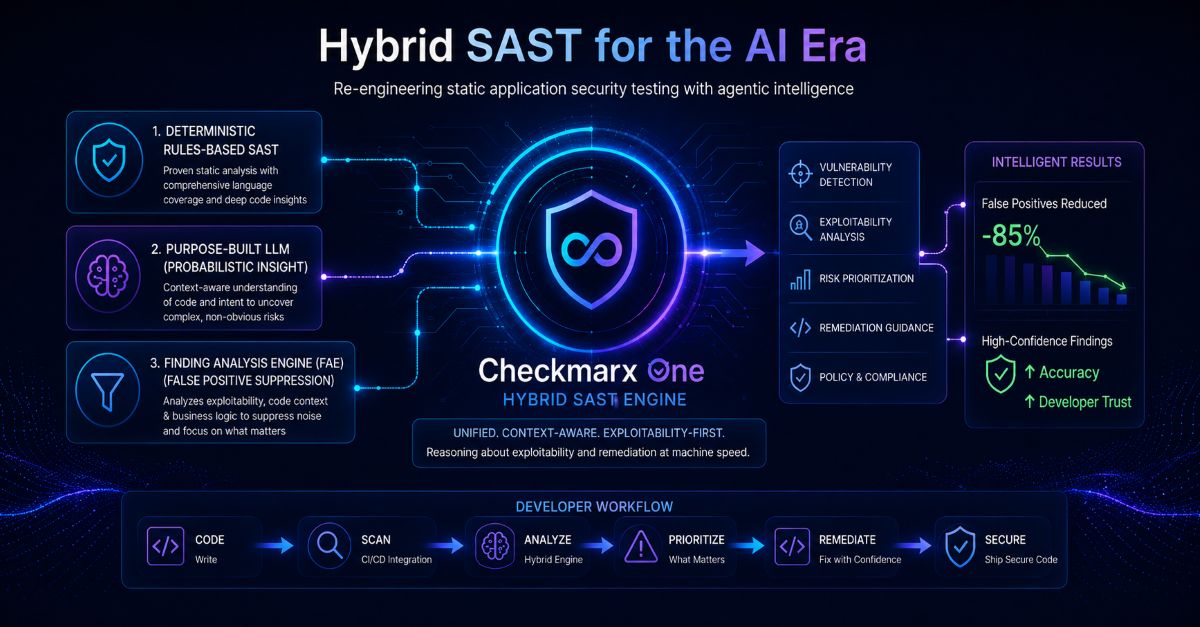
Checkmarx Interactive Application Security Testing Features and Benefits
This review covers products like Checkmarx, Veracode, Micro Focus Fortify, IBM AppScan, Synopsys Seeker, Contrast Security, HCL AppScan, and Cenzic. Included are detailed pricing breakdowns and case studies—details often missing from other reviews—that offer solid ground for buying decisions. Each one is rated by features, real user feedback, pricing transparency, and integration support. The goal is to give readers a sharp view of which top IAST tools in 2026 truly cut risk and smooth out security workflows.
See our Best Static Application Security Testing Tools guide. Using both approaches together uncovers and fixes vulnerabilities from multiple angles, boosting app protection.
- Checkmarx — Offers a free tier with unlimited time and user count for application security testing.
- Veracode — Offers a free tier with unlimited time and unlimited user count for early adopters.
- Micro Focus Fortify — Free tier allows unlimited time and user count without charges, supporting long-term use.
- IBM AppScan — Free tier available with unlimited time and user counts for initial usage flexibility
- Synopsys Seeker — Offers a free tier with unlimited time and user count accessible to all developers.
- Contrast Security — Supports interactive application security testing (IAST) for real-time attack detection.
| Product | Our Rating | Best For | ||
|---|---|---|---|---|
 |
1Checkmarx |
4.3/5
|
Developer-focused plans | Read More |
 |
2Veracode |
4.6/5
|
Developer teams | Read More |
 |
3Micro Focus Fortify |
4.9/5
|
Per-developer pricing | Read More |
 |
4IBM AppScan |
4.7/5
|
Developer-focused security | Read More |
 |
5Synopsys Seeker |
4.2/5
|
Offers a free tier with | Read More |
 |
6Contrast Security |
4.6/5
|
Real-time appsec testing | Read More |
|
7HCL AppScan |
4.4/5
|
Free tier offers unlimited time | Read More |
 |
8Cenzic |
4.6/5
|
Paid plans start at $25 | Read More |
Checkmarx Interactive Application Security Testing Features and Benefits
Checkmarx’s free plan is unusual. Still, if you want pay-as-you-grow or add features piecemeal, their free-versus-paid split feels rigid. Users get access over time, without limits. Most enterprise app security tools lock you in or cap usage quickly. That openness means whole teams can jump in without paying upfront. It’s a big deal for companies aiming to bake security into development right away (generally). Costs kick in once you hit the paid plans—$25 per developer each month. Smaller groups or startups with tight budgets might find that steep. By contrast, Veracode keeps pricing under wraps and buries key features behind pricey tiers. Checkmarx’s transparent pricing helps larger teams plan spending and scale defenses with less guesswork.
The platform covers lots of ground: static testing, active and interactive scans, composition analysis, secret scanning. Smaller outfits wanting customizable pricing or fine control over their features may find the two-tier model too blunt. Having all these tools in one place lets security pros track risk across the software lifecycle. Interactive testing runs live without breaking builds, perfect for fast-moving DevOps pipelines. Though it lacks multiple paid tiers to customize features, the integrated toolset simplifies vendor management, a benefit especially for large enterprises.
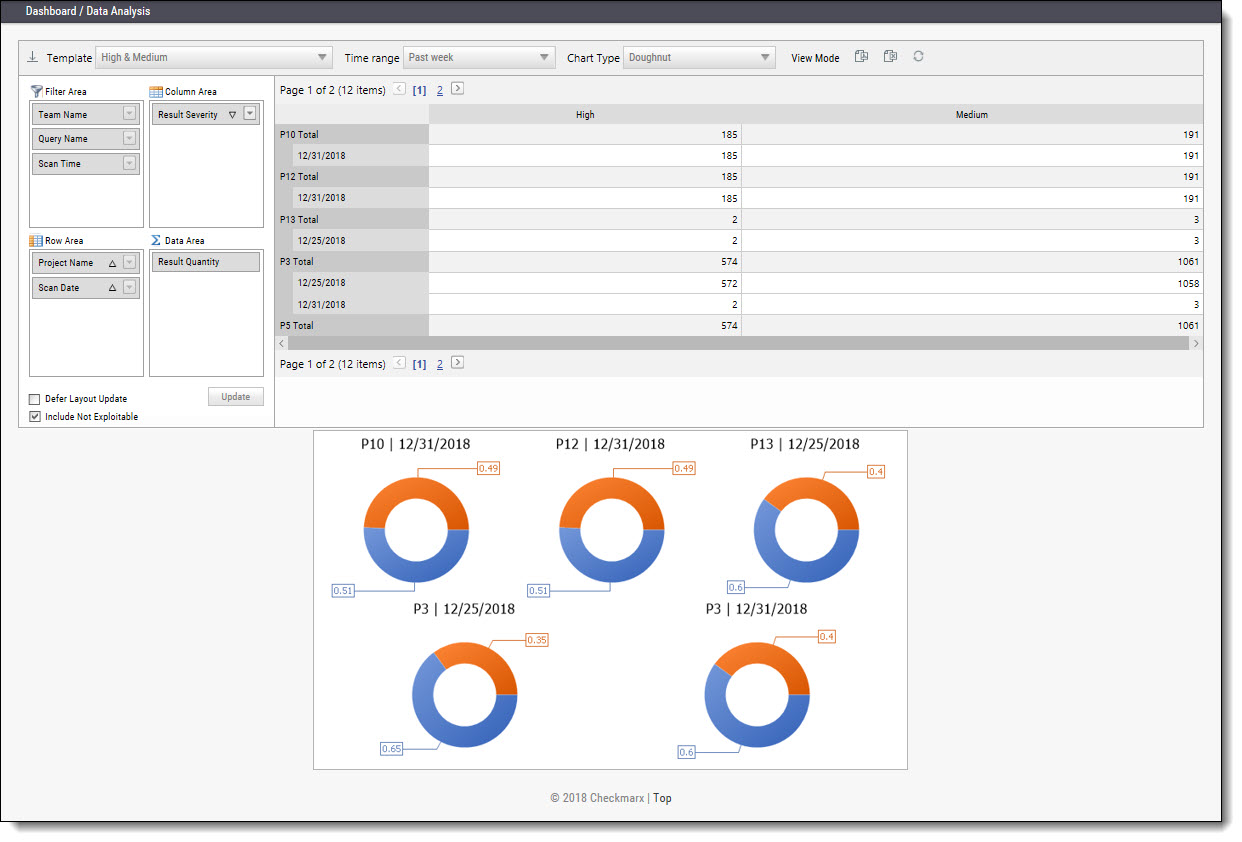
Ideal for orgs seeking early security wins and heavy team collaboration before paying. What really sets Checkmarx apart: it pairs open user onboarding with tight DevOps integrations and a broad menu of app security tests. Yet, the lack of mid-level tiers frustrates those wanting to scale carefully or test features gradually. This no-frills pricing suits enterprise buyers but forces smaller or budget-conscious teams to balance features against cost carefully. Ultimately, Checkmarx delivers a heavy-hitter solution built deep into development workflows, though its price might discourage less well-funded teams. For anyone needing more than just static scans, the integrated secret scanning and composition analysis deliver clear value. Take a look at the official Checkmarx documentation for full details.
| ✓ Pros | ✗ Cons |
|---|---|
| Offers a free tier with unlimited time and user count for application security testing. | Pricing floor starts at $25 per developer per month, which may be high for smaller teams. |
| Paid plans start at $25 per developer per month, enabling growable team adoption. | Free tier lacks advanced enterprise features available only in paid plans. |
| Supports multiple AppSec capabilities including SAST, DAST, IAST, SCA, and secret scanning. | No specified plan tiers limiting features aside from the free versus paid distinction. |
| Integrates smoothly into DevOps workflows with real-time Interactive Application Security Testing (IAST). |
Veracode Strong Security Testing and Case Studies
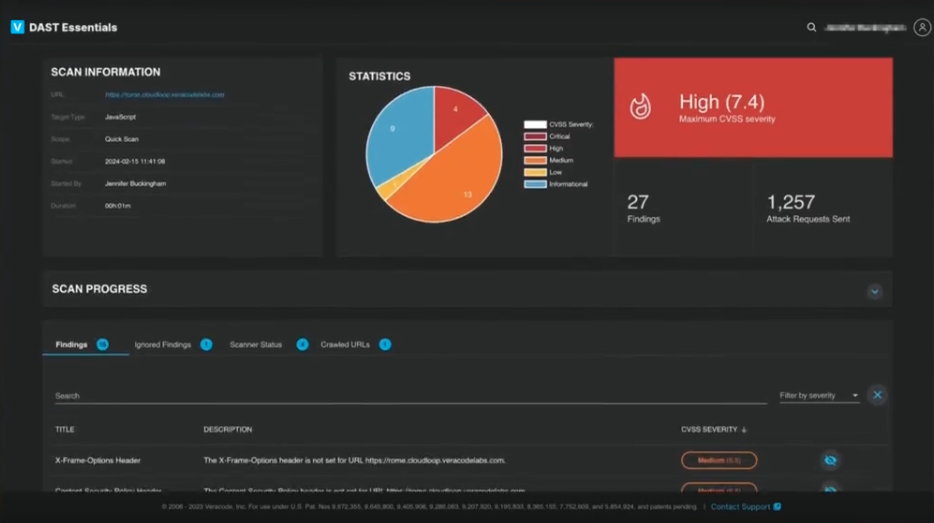
You can just try it out. Veracode’s free tier grabs attention by letting new users jump in with zero limits on time or usage. Paid plans begin at $25 a month for each developer, rising as your team grows. That $25 baseline can sting if you’re a small business—others offer cheaper or simpler starts. The upfront prices fit small setups well. But when you scale up, there’s barely any info on what costs swell to. That fog clouds budgeting for larger operations.
That cuts down switching between tools and smooths out workflows. Compare to Checkmarx and others: Veracode bundles different tests—static, active, interactive, plus software composition analysis—all inside one deal. But linking all these testing methods isn’t automatic; it needs real skill and can pump up operational work. Veracode shines brightest with mid-size to big companies that boast savvy AppSec teams ready to push every feature. Smaller or less skilled groups might slam into tech hurdles and expensive per-developer fees, making them hesitate.
What sets Veracode apart is its way of wrapping various app security tests into a single system, covering the whole vulnerability lifecycle. Plus, you want experts who can handle the layered tech—Veracode fits organizations with solid security setups, not those chasing simple fixes. Charging per developer helps you guess costs as your staff grows. The free tier gives early users strong value to explore without upfront fees. Still, murky pricing past that base shakes plans once security needs climb.
Veracode’s Integrated Application Security Testing Features
Teams can spot more vulnerability types through development, while unified metrics and faster fixes speed progress. Veracode packs SAST, DAST, IAST, and SCA into one toolbox, building a wide-reaching test zone that cuts out the hassle of juggling multiple tools. Operating this hybrid system requires advanced security engineering expertise, making it ideal for teams with established AppSec skills and ready infrastructure.
Companies wanting security woven tight into their pipelines get a blend of testing modes plus developer pricing, offering costs that track with team size and security needs. Concrete case studies prove Veracode’s ability to speed up how teams find and patch flaws—far from vague industry hype. Yet, unclear prices beyond the starter tier and some integration snags mean smaller shops without dedicated AppSec pros might struggle to commit fully.
Its mix of broad test coverage paired with developer-based fees fits teams after deep security and costs that keep up with rapid builds. Veracode’s ongoing vulnerability tracking and flexible deployment suit Agile and DevSecOps workflows, locking down code security as projects move fast (generally).
For deeper looks at enterprise security tool pricing and the tricky world of developer-driven SaaS billing, industry pricing analysis offers sharp benchmarks to compare Veracode in this competitive space.
| ✓ Pros | ✗ Cons |
|---|---|
| Offers a free tier with unlimited time and unlimited user count for early adopters. | Entry-level pricing at $25 per developer monthly may be cost-prohibitive for smaller teams. |
| Paid plans start at $25 per developer per month, supporting growable per-developer pricing. | Lack of detailed pricing beyond starting tier obscures cost predictability for enterprise-scale use. |
| Supports multiple application security testing types including SAST, DAST, IAST, and SCA. | Potential complexity integrating all AppSec tools (SAST, DAST, IAST, SCA) may require specialist skills. |
| No explicit mention of feature differentiation between free and paid tiers limits clarity on paid benefits. |
Micro Focus Fortify Integration and Feature Comparison
You can test it out without spending a penny (broadly speaking). Micro Focus Fortify lets you use its free plan forever, with no cap on users. Once you want to scale, the fee locks in at $25 per developer every month. That rate doesn’t change, so big companies get predictable bills. But small teams with tight budgets might find that pricey. Checkmarx takes a different route: it breaks pricing into tiers. This chunking helps customers control costs, yet it doesn’t offer Fortify’s broad free access. So, Fortify’s pricing works better for big enterprises than for scrappy startups or lean teams craving smaller or cheaper steps.
Fortify’s free tier covers unlimited use but blocks top features behind the paywall. The two systems start differently, too. Pros needing those extras can hit a snag. Checkmarx rolls out more price tiers, flexing to fit both budgets and feature demands. Fortify’s straightforward $25 monthly fee per developer suits teams with steady funds and heavy security needs. Smaller teams or solo devs chasing flexible or cheaper options might want to keep searching—especially if quick support is key.
Where Fortify truly excels is its vast security toolkit. Yet for enterprises, it’s a sturdy, integrated option that suits long-term security and compliance plans. It bundles SAST, DAST, IAST, SCA, secret detection, and penetration testing, all woven into the dev lifecycle. This slashes the hassle of juggling scattered tools for big projects. Its free tier’s unlimited users and no expiry help teams get started. But going pro means paying up. This setup shuts cautious small teams out.
The free tier lacks automated support. That means urgent fixes require a subscription. If your team wrestles with risky vulnerabilities, this matters big time. So large outfits lean on paid plans for full features and faster responses. Smaller, agile groups might prefer rivals with fewer strings. Fortify groups all core testing methods, promoting early bug detection and smoother workflows. That’s a win for large setups, since patching holes with scattered tools wastes both time and effort (generally).
This broad coverage lets firms lock down security firmly inside their pipelines. By packing in every major testing mode, Fortify stands above competitors that skip parts of the security spectrum. Gartner’s review praises Fortify’s boost to DevSecOps maturity and help with compliance, making it a linchpin for advanced security postures.
Veracode Strong Security Testing and Case Studies

Its free tier hooks users early but erects a steep paywall for advanced needs. At the end of the day, Micro Focus Fortify holds strong in the enterprise space with prices and features designed for scale and full-cycle integration. That makes it less friendly for small crews or startups looking to climb slowly and cheaply.
| ✓ Pros | ✗ Cons |
|---|---|
| Free tier allows unlimited time and user count without charges, supporting long-term use. | No pricing tier below $25 per developer per month, limiting options for smaller teams or budgets. |
| Paid plans start at $25 per developer per month, enabling straightforward per-user cost scaling. | Free tier lacks advanced features available only in paid $25/month plans, restricting professional use. |
| Supports enterprise-scale application security across the software development lifecycle with recommended proven methods. | No indication of automated support availability within the free tier, possibly limiting response times. |
| Includes capabilities spanning SAST, DAST, IAST, SCA, secret scanning, and penetration testing coverage. |
 IBM AppScan Pricing and Licensing Overview

Paid plans start at $25 per developer each month. IBM AppScan has a free option that lets unlimited users in forever—a rare offer that makes trying it out easy. But beyond that, there’s little pricing detail. Growing teams might struggle to predict how bills will climb as they add more developers.
It charges per developer and doesn’t limit users upfront in the base plan. Big firms wanting clear, stepwise costs might look elsewhere. Compared to HCL AppScan, IBM’s pricing feels simpler. Others, like Checkmarx, slice their plans by features or user counts. IBM covers a broad range of testing: static, active, interactive security tests, plus software composition analysis and penetration testing—matching market leaders. Still, not knowing what advanced tiers cost may scare off buyers who want clear, growable pricing. So, IBM AppScan suits mid-sized companies that need full testing power without user caps at first.
Flat pricing with no early user limits helps teams planning to grow without sudden cost spikes. IBM packages many test types in one platform, sparing teams from juggling multiple tools. This appeals mostly to software groups that crave broad security testing in one place. But missing price details for advanced features make long-term budgeting tricky, especially for large customers. Startups on tight budgets may find the lack of small-step pricing tough (give or take). IBM invites pay-as-you-grow spending but leaves open questions about charges for premium modules. Clearer enterprise licensing deals would boost buyer confidence, especially for companies handling changing developer counts.
Coverage and Integration Depth in IBM AppScan
This mix spots bugs both in resting code and live systems. IBM AppScan packs static, active, and interactive testing, software composition checks, plus manual pen testing all into a single platform. Built with DevSecOps in mind, it hooks into top CI/CD pipelines, keeping security front and center during development. You can run it on-prem or in the cloud, fitting many infrastructure setups. This rich integration helps teams add security controls at every development step, cutting time to fix issues and catching defects sooner. HCL AppScan matches the basics, but IBM’s bigger integration market and strong enterprise background give it an edge in complex or hybrid setups.
But costs for add-ons or role-based features are hidden, making it harder for big buyers to plan budgets that span departments. The $25 per developer rate sticks for 2026 and covers unlimited users at entry level—a rare combo that helps you scale without sudden price hikes. Total fees depend on scan frequency, test types, and optional enterprise perks, none clearly spelled out in advance. You’ll want detailed talks with IBM to map your costs over time.
IBM AppScan’s broad features and flexible installs suit enterprises focused on a full, connected app security plan and able to pay per developer. Teams invested in DevSecOps and wide-ranging tests get full value. Smaller groups and startups might hesitate at the high starting price and missing fine-grained tiers that ease budgeting. The free plan’s a good trial but may miss key advanced tools needed for real use.
Security teams needing deep coverage across code, runtime, and third-party parts will find IBM AppScan fits strict compliance and pen test needs. Its enterprise focus helps those juggling large, diverse app sets that demand multi-angle scans in one tool. If you want to grow users without early limits, IBM AppScan makes a strong case—but be ready for upfront costs and to keep the vendor close on licensing details. Pricing varies. For up-to-date pricing and impartial reviews, check IBM’s website and resources like Contrast Security, which underline why integrated app security testing matters.
| ✓ Pros | ✗ Cons |
|---|---|
| Free tier available with unlimited time and user counts for initial usage flexibility | Entry-level pricing at $25 per developer may be costly for teams with many developers |
| Paid plans start at $25 per developer per month with no user limits on entry tier | Lacks detailed pricing tiers beyond the starting $25 plan, limiting budgeting clarity |
| Supports enterprise solutions and key practices to prevent application security threats | No specific limitations listed for the free tier which might mean restricted feature access |
| Includes coverage of SAST, DAST, IAST, SCA, and penetration testing capabilities |
 Synopsys Seeker Subscription Plans and Capabilities
Synopsys Seeker’s free tier lets developers use its features without paying a dime. Many competitors limit access or cap user licenses, but not Seeker. Paid plans start at $25 per developer each month and ditch usual rules on user counts or time limits. That helps teams plan budgets better. Lots of IAST vendors hide pricing or toss in confusing plans, leaving buyers unsure what they’ll really pay.
Seeker stands out from Checkmarx with simpler, clearer pricing—and a free option that never expires or restricts users. Checkmarx bundles several security tools into expensive plans and often charges per user, which drives up costs fast. Seeker covers static and active scans, interactive testing, supply chain checks, runtime protection, and app hardening—all in one tool. That cuts the headache of juggling many products and stops security data from getting lost (for the most part). Developers who want smooth DevOps pipelines like this.
What makes Synopsys Seeker pop is the combo of free, no-strings use and a full—but pricey—paid plan loaded with strong app security features. It fits organizations pushing faster security that scales with DevOps—tools need to sync and reports should stay consistent. The downside: no cheaper tiers and fuzzy details about extra enterprise features inside the $25 plan might shut out smaller squads with strict budgets. Meanwhile, mid-size to large firms with bigger security needs win by dealing with one vendor covering all app security angles.
Seeker’s upfront pricing honesty fills a gap in the IAST market, where many hide or scatter subscription details. Knowing the exact cost per developer helps teams plan money and balance security spending. The free tier includes unlimited devs, encouraging teams to test the product early—important when building security skills over time. Still, small groups with light security needs might find the starting price steep.
Specific integration strengths and industry context
Seeker fits smoothly into DevOps workflows, mixing static, active, and interactive testing with supply chain risk checks. Its runtime application self-protection offers live defenses others sell separately, cutting down tool clutter. Add in application hardening, and fixes happen faster by locking down apps before deployment—powering secure releases without hunting for extra vendors.
Looking toward 2026, as DevOps automation grows, Synopsys Seeker’s all-in-one style and clear pricing tackle common headaches like tool overload and unclear spending—issues flagged in independent IAST reviews. That free tier also lowers the entry barrier for trying the product, helping more teams adopt security checks and build safer coding cultures (in plain terms).
NIST backs this approach: their continuous integration security guidelines say integrated interactive scanning cuts exposure by speeding up how fast problems appear and get fixed (NIST Continuous Integration Security Guidelines).
Its price might not fit smaller or penny-pinching groups but it offers a straightforward, reliable alternative to pricier rivals with tangled or bundled fees. In short, Synopsys Seeker suits software teams with budgets that want clear pricing and broad security coverage. It’s a strong pick for mid-size to large companies focused on automation, deep risk insight, and easy buying in their app security playbook.
| ✓ Pros | ✗ Cons |
|---|---|
| Offers a free tier with unlimited time and user count accessible to all developers. | Pricing starts at $25 per developer per month, which may be high for small teams. |
| Paid plans start at $25 per developer per month with no user or time limits. | No pricing tiers below $25, limiting options for low-budget or entry-level developers. |
| Provides smooth DevOps integration covering SAST, DAST, IAST, SCA, RASP, and app hardening. | Potential missing clarity on specific enterprise features and add-ons in the $25 monthly plan. |
Contrast Security Gartner Recognition and Customer Outcomes
It speeds up how fast you spot and fix security flaws by showing a single, clear view of where your code comes from and how your apps act while running. Contrast Security packs runtime threat detection and software composition analysis into one platform—and throws firewall features into that mix, too. But beware: pricing feels complicated, and the range of languages it supports isn’t as broad as some competitors offer.
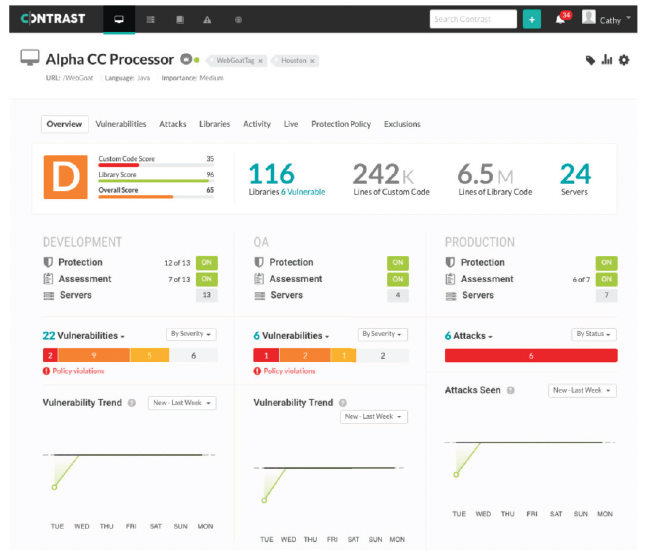
Put side by side with tools like Veracode and Datadog Code Security, Contrast’s runtime monitoring dives into active risks faster than old-fashioned static scans that run offline. Yet, its list of supported programming languages is thinner, and it lacks some top-tier static analysis tools. This can trap you if your tech stack is diverse or if strict compliance rules apply. You’ll have to balance getting constant, in-app vulnerability alerts against missing coverage in some areas.
The built-in firewall tightens your defenses without extra hardware or software, smoothing your security setup (broadly speaking). One big win: Contrast shrinks the gap between spotting bugs and dev teams patching them, speeding fixes and cutting down dangerous exposure times. But the pricing? Large companies hunting for clear, predictable costs often raise eyebrows. Plus, limited language support and missing static analysis might push some teams toward bigger, more complete options.
Contrast Security really shines for dev groups eager to bake automatic security into rapid-release workflows, especially when they need live threat alerts and blocking. See the Contrast Security glossary hosted on a trusted IT security site. But if your shop demands broad language choices or deep, offline static scans, it may come up short. This tension—between fast, real-time defense and wide coverage—sets where Contrast lands in the market. It decides if it’s your first pick or a fallback by 2026. Want to dig deeper into runtime security?
| ✓ Pros | ✗ Cons |
|---|---|
| Supports interactive application security testing (IAST) for real-time attack detection. | Some users report remaining security risks despite using Contrast Security. |
| Contrast Security platform offers real-time vulnerability testing with rapid turnaround on findings. | Lacks broader language coverage compared to competitors like Datadog Code Security. |
| Combines software composition analysis with active vulnerability scanning capabilities. | Absence of clear support for certain enterprise SAST features found in alternatives. |
| Includes Web Application Firewall (WAF) functions integrated within the platform. | No detailed pricing information available, indicating potential high or opaque cost tiers. |
 HCL AppScan Feature Close look and User Testimonials
HCL AppScan starts with a clear entry price aimed at teams moving past its free tier. It’s like a Swiss Army knife for security needs all wrapped into one box. That free version lets you use it without limits on users or time. Developers appreciate no upfront fees or caps. But costs pile up as your team grows, especially if you need licenses for many people. This tool covers a broad set of tests: static scans, active checks, interactive analysis, component reviews, secret detection, and pen testing.
IBM often negotiates contracts case by case, making fees unpredictable and favoring big companies. IBM AppScan’s pricing feels messier by comparison. HCL’s price tags are simpler but don’t drop much as you add users. That means mid-sized teams who want clear per-user charges and many scan types might lean toward HCL. However, if you’re running a huge shop hunting for volume discounts or deep price cuts, this might sting your wallet more than IBM’s deal.
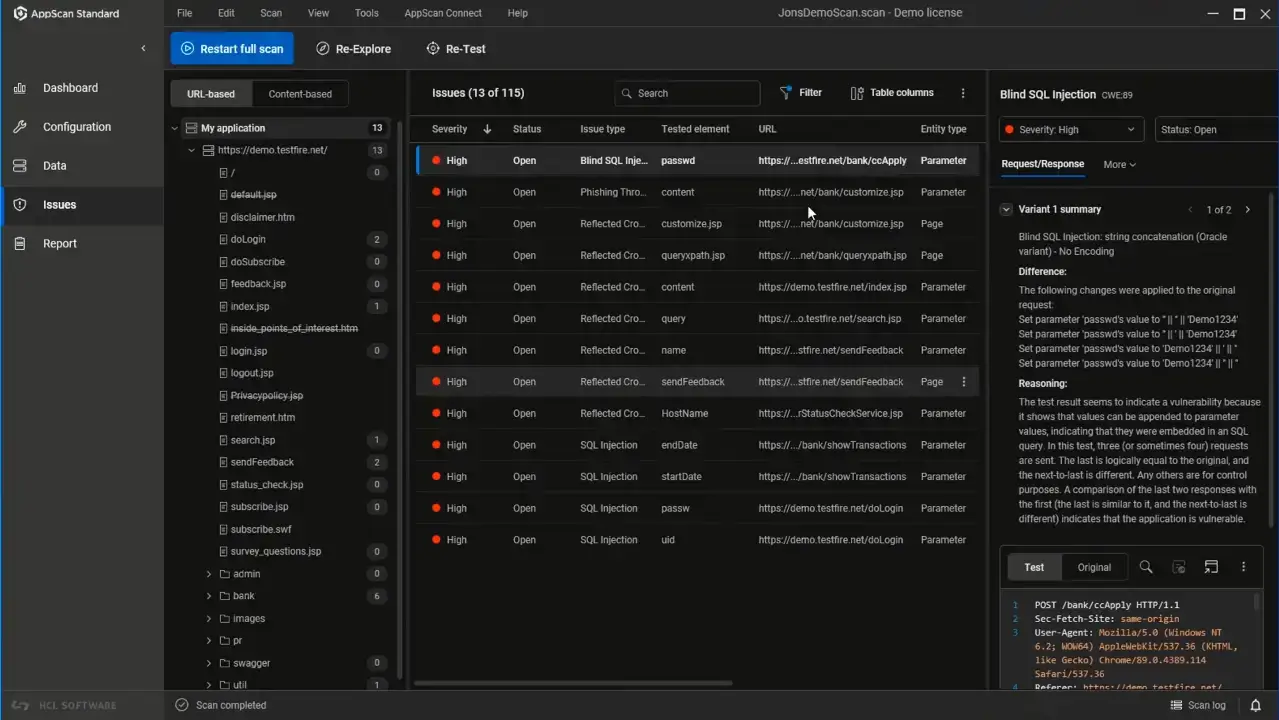
Since the free tier won’t quit on you after a trial period or a user limit, it lowers the barrier to starting. The mix of detailed security tests plus flat developer prices invites teams to dip their toes in before diving deep. Premium options open up extra goodies like expert pen test tips and threat-cutting proven methods. Fast-paced tech companies that need wide-ranging testing under one roof, and that want straightforward costs, find this attractive. On the flip side, big enterprises that need rock-solid service promises or smooth plug-ins with their tools might hesitate.
You pay per user with HCL AppScan, which suits teams wanting flexibility and easy trials but can feel costly when dozens or hundreds of seats count up worldwide (broadly speaking). The blend of many test types and an unlimited free plan sharpens its appeal for medium groups that want several methods of catching security holes. Still, it falls short if you need enterprise-level discounts or ironclad service support. It’s focused.
Want to see how HCL AppScan stacks against other options? Check out our Best Static Application Security Testing Tools and Best Vulnerability Management Tools for Startups guides. These reviews dig into real-world examples and lean on frameworks like the OWASP DevSecOps Guideline to back up their findings.
Micro Focus Fortify Integration and Feature Comparison
| ✓ Pros | ✗ Cons |
|---|---|
| Free tier offers unlimited time usage and no user count restrictions for initial access. | Pricing starts at $25/month per developer, which may be costly for large teams. |
| Paid plans start at $25 per developer per month, allowing per-developer scaling. | No details on pricing tiers beyond $25, limiting ability to compare cost-effectiveness. |
| Includes support for SAST, DAST, IAST, SCA, secret scanning, and pentesting capabilities. | Missing explicit documentation on integration limits or feature caps within free or paid plans. |
| Enterprise solutions provide guidance on key types and proven methods to prevent threats. | No information on dedicated support response times or SLA terms for enterprise plans. |
Cenzic Open Source Alternatives and Performance Benchmarks
Many competitors limit access, pushing you to upgrade quickly. Cenzic lets you test security endlessly without extra charges. Its entry-level paid plan costs $25 per developer each month. That price works if your team is growing but might squeeze smaller groups. It’s a clear trade-off: easy access or stretching a tight budget. Teams doing steady testing during development gain here, but smaller outfits must weigh cost against features carefully.
Cenzic, by contrast, keeps the free access rolling, cutting down upfront money worries for developers. Most vendors restrict free use or cut it off fast. Still, pricing beyond that first tier isn’t easy to find. That makes planning ahead tricky—costs could balloon as you scale. Competitors often show cleaner price breakdowns, which helps with budget planning. So, while Cenzic fits mid-sized DevOps teams who tap into its deep integrations and tracking, smaller groups might hesitate because enterprise support isn’t guaranteed in the free tier.
This supports teams locking security into every release (in most cases). Cenzic’s biggest strength is its long free run mixed with tools made for DevOps—things like regular vulnerability scans and spotting sensitive data. The starting price lets teams grow slowly instead of paying big up front. But fast-growing companies may hit bumps, since the pricing roadmap is foggy. If you want predictable costs or heavy enterprise features, check if Cenzic fits your needs. For a wider look at static security testing tools, refer to Best Static Application Security Testing Tools: Leading Solutions For Strong Protection.
Cenzic and its Role in Application Security Automation
Cenzic plugs into popular DevOps tools, letting you run real-time scans that slip into your deployment pipeline. Its tracking of sensitive info spots risk zones during testing—a feature some competitors skip. But there’s little public data measuring how well it performs, making apples-to-apples comparisons with open-source options tough. Open source might be free but often demands deep technical skills. Cenzic removes free usage time caps, making constant testing smooth and easy to adopt. This positions it well in the 2026 AppSec field. Buyers wanting nonstop, automated security checks will find Cenzic strong, especially with its flexible integrations that beat more rigid platforms like Veracode or IBM AppScan. For a full rundown on app security methods like Cenzic’s, check out the OWASP Cheat Sheet Series.
| ✓ Pros | ✗ Cons |
|---|---|
| Offers a free tier with unlimited time and user count for application security testing. | Starting price of $25/month per developer may be high for small teams or individual users. |
| Paid plans start at $25 per developer per month providing growable AppSec solutions. | Lacks detailed pricing transparency beyond the $25 starting plan, complicating budgeting. |
| Allows smooth DevOps integration with active verification and sensitive-data tracking features. | Free tier may lack certain enterprise-level security features or support not disclosed in pricing. |
Strategic Insights and Custom Recommendations for Application Security Testing
Top interactive application security testing tools serve different company needs and security goals. Checkmarx excels with large organizations that need thorough code scans and flexible integrations with development environments. Its scanners spot vulnerabilities early and support effective fixing workflows. That setup works best for companies with mature DevSecOps and extensive app collections.
Veracode appeals to groups focused on speed and scale. Speed matters here. Its cloud SaaS runs continuous security checks, boosting how fast teams find and patch flaws. It fits businesses that want quick fixes and wide platform support. The price targets enterprise buyers, but unified reports and strong compliance badges add value.
Micro Focus Fortify suits teams needing both static and active testing plus hybrid deployment options. It fits into developer IDEs and CI/CD pipelines, making security part of coding flow. This tool’s strength is in handling on-prem data centers and cloud apps at the same time, with fine-tuned controls across mixed setups.
IBM AppScan scores highly for active and interactive testing, especially where policy control and custom configurations are key. It’s a top choice for firms with strict compliance demands that require tight management of app security.
Synopsys Seeker and Contrast Security stand out among modern DevOps teams. Their in-app, real-time vulnerability detection shrinks the gap between coding and protecting live software. They deliver detailed feedback and runtime analysis, critical for fast-moving teams rolling out frequent updates.
IBM AppScan Pricing and Licensing Overview
Mid-size companies growing their security setup without extra friction often pick it. HCL AppScan offers value-priced options that strike a balance between ease of use and broad testing coverage.
Cenzic breaks the standard mold by providing continuous testing with no user limits in starting plans. This is attractive for small developer teams who want to build security affordably and steadily.
- Large enterprises with complex apps and mature security programs find Checkmarx and Veracode give the depth and scale to manage risk fully.
- Organizations juggling on-prem and hybrid clouds benefit most from Micro Focus Fortify’s flexibility and developer-focused features.
- Companies pushing fast cloud-native releases get the most from Synopsys Seeker or Contrast Security’s strong runtime protections.
- Mid-market businesses balancing budgets and growing security needs value HCL AppScan’s feature set and simplicity.
- Small teams or startups expecting quick growth often prefer Cenzic’s unlimited testing at affordable costs.
Choosing any of these tools means knowing your current environment and future security plans. Groups wanting to boost static testing should check out the article “Best Static Application Security Testing Tools” for ideas on fitting methods together. Combining security tests with network defense gets deeper treatment in “Top Web Application Firewall Vendors Tested With Detailed Pricing Analysis,” for a wider enterprise security look.
Ultimately, mixing these tools with strong governance, clear KPIs, and ongoing developer training forms a solid app security base. Pricing tiers and customer success stories in this review give clear examples so organizations invest where security returns are real—not just chasing hype. That strategy cuts genuine risks in tangled software supply chains.
Industry insights on securing modern software pipelines reveal that blending smart, evidence-based tools with focused teams offers the best defense against threats in 2026 cybersecurity trends.
Synopsys Seeker Subscription Plans and Capabilities
Essential Information About Interactive Application Security Testing Tools
Key Differentiators Among These Tools
Top interactive application security testing tools mix static and active analysis. They catch flaws while the app runs, adding useful context. Checkmarx, for instance, delivers deep scans that slot straight into development pipelines. Other vendors focus on live monitoring, changing their approach as the app runs. This combo helps security teams spot vulnerabilities that static scans alone miss. It also links issues back to how the app actually behaves in production environments.
Pricing Structures That Suit Diverse Enterprise Sizes
Prices vary widely. Checkmarx’s enterprise plans scale by user count and deployment size. Big companies often need to negotiate terms. Some tools charge per user; others bill per scanned app. Many vendors require yearly contracts and minimum licenses. Hidden fees lurk in some offers, so watch your step. Checkmarx publishes official enterprise pricing on their site, detailing user limits and subscription terms clearly.
Integration Capabilities Within DevSecOps Pipelines
Integration matters. Vendors like Micro Focus Fortify and Synopsys Seeker provide strong API support. They plug into CI/CD tools such as Jenkins, Azure DevOps, and GitLab without a hitch. This lets security scans fit smoothly into continuous delivery, avoiding release slowdowns. Top players offer customizable alerts and automated fixes, cutting down manual work and speeding delivery.
Measurable Impact Demonstrated Through Customer Success Stories
Proof counts. Veracode shares data showing median fix times dropped majorly after customers used their platform. Vendor sites and independent reviews back claims with hard numbers on quicker detection and reduced risk. These stories help enterprises justify big investments. They offer real-world evidence that goes beyond marketing buzz.
Accessibility and Training Resources for Users
Getting teams trained takes more than software. Checkmarx provides thorough training, certifications, and tech support aimed at fast onboarding. Contrast Security supports users with detailed documentation and live assistance for both developers and security analysts. Solid learning materials often decide whether teams fully embrace interactive security testing.
The threat market is only getting harsher. These points highlight critical questions decision-makers should ask when selecting tools. Transparent pricing plus reliable integration can dramatically strengthen security strategies. For more on static application scanning, see Best Static Application Security Testing Tools. In cloud environments, syncing app security with access governance remains key; refer to Best Cloud Access Security Broker Solutions. The detailed metrics and documented outcomes explain why interactive app security testing tools are indispensable for defensive coding. For deeper insight on vulnerability metrics and fix impact, explore Veracode’s findings at their official resource portal.