Alex has spent more than ten years writing about software, hardware, and whatever new tech pops up next. He’s the guy who breaks down complex industry news and gadget updates without the jargon, making it easy to see what really matters.
Startups juggle securing digital assets while growing at full speed. This breakneck pace calls for tools that keep scanning and fixing weaknesses quick without eating up scarce resources. Picking the best vulnerability management tools for startups can decide the fate of your security as you expand. Unlike big companies, startups battle tight budgets, tiny teams, and infrastructure that shifts faster than usual.
It shapes customer trust and keeps regulators off your back. Vulnerabilities left open for weeks invite hackers in. If you don’t focus, you’ll spend more time putting out fires than building your product. The best tools for startups mix automatic scans with smart risk ranking so small teams can zero in on what really matters and dodge expensive blowups.
Few people wear many hats, so security ops must be razor-thin.
Agile, cloud-first setups that change fast need scanners that keep pace.
Tight budgets call for pricing that’s clear and affordable upfront.
CI/CD and DevOps tool integrations cut friction and catch bugs early.
Clear views on fixes, task assignments, and reports move things fast.
Not every security tool fits. Enterprise products pack features startups won’t touch but still charge for. That raises costs and adds noise. Startups want tools built for scale, automation, and ease—offering sharp insights without clutter. The best vulnerability management tools pair simple dashboards with solid scanning tech, clear fix advice, and quick support.
This cuts wasted hours and stops minor issues from snowballing into breaches. Good tools help startups shift left—spotting holes early inside development workflows. They also support mature security with detailed asset tracking and risk scores as the company grows.
Exploring Tenable.io: Features and Startup Suitability
Keep these startup quirks in mind before chasing features or prices. Real-world startup stories show how proactive scanning paired with honest pricing tiers grows with you. Without it, weak points stack up quietly, raising risk every time new code or cloud gear goes live.
Startups investing smart vulnerability management can keep pace with giants by building safer products. That builds trust from customers and investors—critical foundations for success. For those hunting a security tool made for startup speed and scale, exploring the top vulnerability management platforms reveals which deliver the best mix of coverage, ease, and value.
Summary: The Best best vulnerability management tools for startups
Tenable.io — Tenable.io offers a free tier suitable for smaller teams with basic needs and open-source support.
Qualys Vulnerability Management — Paid plans for Qualys Vulnerability Management start at $149 per month, providing growable enterprise options
Rapid7 InsightVM — Native integration with ServiceNow improves workflow automation and incident management.
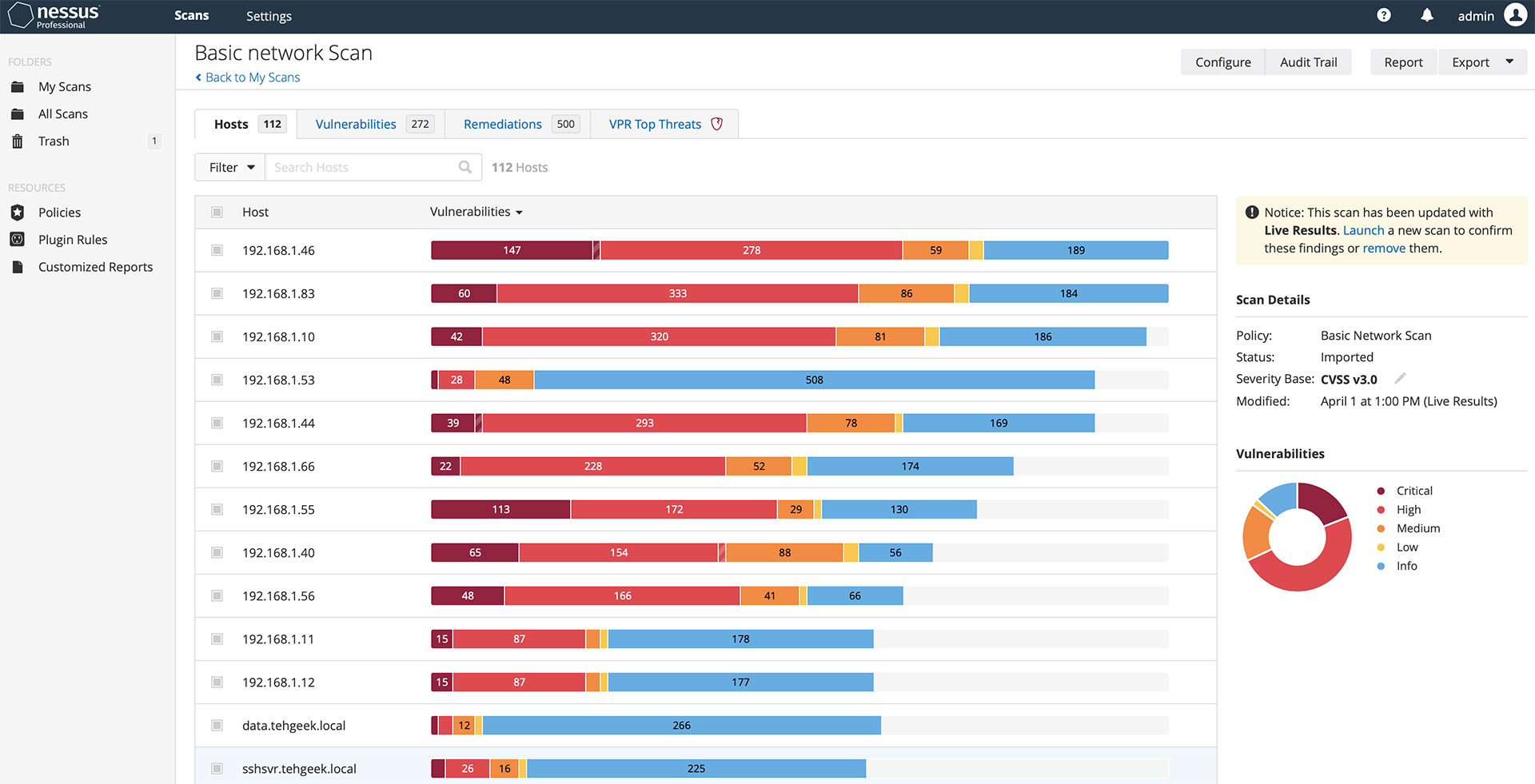
Nessus — Nessus Professional license costs approximately $4,390 per year, including vulnerability management features.
OpenVAS — OpenVAS offers full vulnerability scanning capabilities covering network and system vulnerabilities in open source environments
BeyondTrust Retina — Subscription pricing starts at $149/month with an available free tier for basic usage.
🔬
8
Products Tested
⏱️
57+
Hours of Research
⭐
1013+
Reviews Analyzed
Editor’s Choice
Tenable.io
Tenable.io offers a free tier suitable for smaller teams with basic needs and open-source support.
Exploring Tenable.io: Features and Startup Suitability
Overall4.2/5
Value4.3/5
Ease of Use4.7/5
Support3.9/5
Tenable.io has an entry-level plan built for small teams. That fuzziness has sparked conversations on Reddit, where startups worry about needing clear costs to manage tight budgets. After that, paid plans start at about $149 per month and climb to a flat $400 monthly fee for close to 1,000 users. The tiered pricing gives some wiggle room as a company grows. Costs are unclear. But what exactly triggers the first paid tier isn’t clear.
Qualys Vulnerability Management plays a different game. Tenable.io hooks early-stage users with a free starting point and stepped pricing. Qualys, by contrast, aims more at big enterprises and doesn’t publish prices for smaller clients. The unclear gap between $149 and $350 for Tenable.io trips up many startups trying to plan their spend. Qualys has its own pricing puzzles, just wrapped in a different package. Tenable.io fits teams that want to grow their risk management a bit at a time. But big companies hunting for simple concurrency licenses and clear client use rules might hit a wall. Its shadowy licensing terms can slow down buying decisions. So, startups like the easy in and growable steps, but either the tiniest teams on shoestrings or huge firms with strict license needs could find it clunky.
The real edge of Tenable.io is how its pricing flexes. You can start with casual security checks and ramp up to heavy-duty vulnerability management without getting locked in too soon. This setup suits groups shifting from basic to serious security, but it can annoy those on the extremes—micro startups counting every cent and big enterprises that demand crystal-clear license deals. Not knowing all the prices upfront drags out procurement, especially when startups race to land deals. Still, when usage soars, the flat-rate cap at $400 drops a rare predictable limit, unlike many competitors. For anyone eyeing tight budgeting in vulnerability management, the article on Top Automated Penetration Testing Tools delivers handy cost guidance.
✓ Pros
✗ Cons
✓Tenable.io offers a free tier suitable for smaller teams with basic needs and open-source support.
✗Starting paid plans at approximately $350 per month limits accessibility for very small or budget-conscious teams.
✓Paid subscription plans for Tenable.io start at approximately $149 per month offering growable risk management.
✗Pricing structure can be confusing due to conflicting data about monthly costs between $149 and $350 per month.
✓Supports flexibility with pricing models for 1 seat up to 999 seats at a flat $400 monthly rate for larger deployments.
✗Lacks in-device concurrency cap data or explicit client license use rights, raising questions on enterprise scalability.
Qualys Vulnerability Management: Complete Security for Startups
Overall4.9/5
Value4.4/5
Ease of Use4.1/5
Support4.4/5
They offer both free and entry-level options. Qualys Vulnerability Management’s VMDR packs vulnerability tracking, spotting, and fixing into one setup. The goal is to make security work less tangled, but you have to watch the tiered prices and whether it scales well for your company size.
It zooms in on live monitoring and data analysis. Qualys, by contrast, folds many key roles into a single, smoother system. That’s handy if you want everything under one roof. Yet, the price starts over $300 per month, with a flat fee that doesn’t flex with how many people use it. Smaller outfits or those with changing needs might struggle with that. Usually, Qualys suits mid-sized or bigger companies ready to spend on an all-in-one setup. Startups often prefer pay-as-you-go plans that stretch across multiple clients or projects.
VMDR ties scanning straight to fixing. The big perk (in most cases)? That creates a tight workflow, cutting down hassle at every step. But costs stay fixed and licenses set limits—hiccups if you want to grow cheaply. Plus, you can’t plug in just any third-party testing tool, which can cramp teams with niche demands. So, Qualys works best when you value neat, linked processes and sharp accuracy more than fine-tuned budget control or custom fits.
Real-World Startup Impact and Patching Workflows
It plays nice with Azure DevOps, letting dev teams scan for holes early in the build process. Startups with small security crews still pick Qualys for keeping things secure. That closes the loop from spotting problems to patching them fast. True, detailed startup stories are rare, but this shows it fits agile setups that want security baked straight into coding cycles. The tool’s way of hooking detection to patch rollout beats juggling separate tools—and helps startups cut risk on tight budgets.
Qualys’ pricing page says subscriptions start at $149 monthly—geared more to enterprise budgets than pay-per-use flexibility. Gartner reports back up the speed boost you get from such all-in-one platforms. They note faster threat responses that come from running everything on a centralized console.
✓ Pros
✗ Cons
✓Paid plans for Qualys Vulnerability Management start at $149 per month, providing growable enterprise options
✗Base paid plan pricing of approximately $350 per month can be costly for smaller organizations
✓Free tier available, allowing initial trial or limited use without financial commitment
✗Flat fee of $400 per month applies regardless of usage, limiting cost flexibility for different sized teams
✓Supports integrations such as Azure DevOps to improve developer security workflows
✓Includes VMDR feature integrating vulnerability management, detection, and response in a single platform
✗No explicit mention of multi-client license legality complicates resale or broad use scenarios
Rapid7 InsightVM: Platform Overview and Startup Benefits
Overall4.3/5
Value4.4/5
Ease of Use4.7/5
Support4.2/5
That sounds great, but small teams often hit sticker shock fast. Plus, it ties into Rapid7’s bigger detection and response stack, giving a wider view of vulnerabilities by linking them into overall security workflows. Rapid7 InsightVM’s pricing leans hard on discounts that kick in as asset counts grow. It hooks straight into ServiceNow, cutting down grunt work by automating incident response. This helps security pros move quicker, with fewer boring manual steps.
Qualys Vulnerability Management zeroes in on scan accuracy but barely touches patching workflows. InsightVM plays a different game: it’s less about perfect scans and more about sliding smoothly into a larger security market. By syncing tightly with platforms like ServiceNow, it pushes fixes through automatically, cutting errors and endless clicking. Don’t get too excited if you’re a startup or small shop—InsightVM skips entry-level pricing. That leaves it behind rivals that offer free or cheap starter plans. Overall, InsightVM feels built for big companies with deep pockets and complex risk needs, not budget buyers wanting a basic setup on a shoestring (give or take).
Costs spike as devices multiply because pricing is per asset, so budgeting carefully is a must. Its real power comes when workflow automation speeds fixes with ServiceNow. InsightVM fits best in mid-to-large enterprises needing tight ties between vulnerability data and repairs. Small teams struggle not just with price but also a complicated interface that can slow firefighting when time is tight. The integration with Rapid7’s broader detection and response framework lifts security overall, but using that muscle often means more investment—in skills and cash. If you want to dive into setup and features, Rapid7’s official docs offer detailed technical guides.
✓ Pros
✗ Cons
✓Native integration with ServiceNow improves workflow automation and incident management.
✗No evidence of free tier or low-cost entry plans limits accessibility for startups.
✓Pricing starts at approximately $1.93 per asset per month with volume-based discounts.
✗Several users report poor support experiences during critical troubleshooting phases.
✓InsightVM integrates natively with Rapid7’s XDR and SIEM for extended security coverage.
✗Pricing can be expensive especially for smaller teams with high asset counts.
✗User feedback states the UI presents data in a confusing manner impacting usability.
Nessus: Security Scanning Capabilities for Emerging Startups
Overall4.8/5
Value3.9/5
Ease of Use4.1/5
Support4.3/5
Nessus offers two main tiers: Professional and Expert. These serve different vulnerability management needs. Prices vary based on what features you get. The Expert tier is built for users who want deep, advanced analysis. But the total cost, including recurring fees, can add up fast. Organizations often face a tough choice: pay more for full functionality or keep costs down. This balance matters a lot for groups juggling feature needs against tight budgets.
Pricing isn’t simple. Smaller or more fluid teams might prefer services with easier, more flexible licenses. Unlike some competitors, Nessus charges per user and requires maintenance contracts every year. Compare that with Qualys Vulnerability Management, which leans on straightforward subscription models, often cloud-friendly. This matters especially for teams handling multiple clients or growing rapidly. Nessus fits best with organizations that have fixed security staff and stable environments.
The Expert tier adds analytic depth, sure, but also pushes costs higher. Nessus’s mix of broad vulnerability detection and layered licensing brings strategy into play. License limits can cramp operational flexibility—think multi-client setups or small squads. Big enterprises that need thorough vulnerability management will find value here. Others may hit walls with pricing and license complexity. Buyers have to weigh these factors carefully. Make sure those pricey features actually pay off. For more on cost-effectiveness across tools, check Top Data Loss Prevention Tools Tested For Cost Efficiency And Security Performance.
Nessus’s Vulnerability Scanning and Accuracy Challenges
Nessus digs deep, delivering detailed vulnerability reports. But here’s the rub: false positives crop up often. That means users spend extra time double-checking before patching. It’s a classic trade-off—more detection versus speed of action. Some scanners cut feature breadth to boost accuracy or automate more. Nessus demands skilled analysts who can handle this balancing act. If your team relies on automation or lacks dedicated resources, this tool may choke workflows. Comparing with Rapid7 InsightVM reveals this gap. Startups especially should think it through. Are you getting enough bang for your license bucks? For more about monitoring speed and efficiency, see Boost Speed And Efficiency With Top Network Traffic Analysis Tools.
License Model and Buyer Implications
Nessus’s per-user licenses aren’t flexible. For more on cloud security economics, visit Which Top Cloud Security Posture Management Tools Offer The Best ROI And Cost Savings. Consultants or managed service providers juggling multiple clients hit a wall fast. Other vendors offer concurrent user models or usage-based pricing. Nessus does not (more or less). So, if your workload spikes, costs can balloon. Annual maintenance fees make things worse, adding recurring costs that complicate budgeting. Smaller teams and startups especially feel the squeeze here. This model favors organizations with solid, steady security teams and budgets ready to deploy fully. But it’s a costly bottleneck elsewhere. Any buyer must map out license needs carefully and think hard about renewal fees. Miss that, and surprise expenses await.
✓ Pros
✗ Cons
✓Nessus Professional license costs approximately $4,390 per year, including vulnerability management features.
✗Nessus licenses are per-user, limiting use across multiple clients without additional purchases.
✓PeerSpot user rating of 8.4/10 reflects general satisfaction with Nessus performance.
✗Users report occasional false positives during vulnerability scans, impacting accuracy.
✓Nessus Expert tier offers expanded capabilities above the Professional plan for advanced vulnerability management.
✗Pricing complexity includes multiple tiers and renewal options that may confuse buyers.
✓Annual license for Nessus is priced around $5,000, with a perpetual license costing about $12,500.
✗An annual maintenance agreement adds to total cost beyond the base license price.
OpenVAS: An Open Source Approach to Startup Vulnerability Management
Overall4.3/5
Value4.4/5
Ease of Use4.2/5
Support4.1/5
You can use it free — huge for teams strapped for cash working with open source stuff. OpenVAS digs deep on finding vulnerabilities, but it favors being open and cheap over being fast. Still, this bargain means scans take longer, and you won’t get the polish or quick results that paid tools deliver.
Nessus, a commercial rival, moves quicker and looks slicker. If you run multiple client environments, though, OpenVAS’s missing centralized license setup can be a real headache, slowing down team coordination. OpenVAS feels rougher, focus oning cost savings and openness instead of speed or user ease. Big organizations chasing fast scans and rich management features tend to pick Nessus. Smaller teams or solo developers, willing to trade speed for no license fees, often go with OpenVAS.
One big plus? OpenVAS supports scheduled scans without needing someone to push buttons every time. Startups and tiny teams love that for keeping up security without extra staff hours. But the longer run times and fiddly interface bite back. So, it’s great for basic use and tight budgets—but not for big setups demanding fast, centralized control or heavy scanning loads. It slots neatly as a simple, accessible option—not the high-end enterprise tool.
Yet, its slower pace and weak support for handling multiple customers limit its pull in agency or larger team settings. Fast-paced teams skip OpenVAS because it doesn’t keep up—but for open source security, it’s a fundamental, no-cost scanner. For new projects, OpenVAS’s free license plus automation is appealing. It shines in labs and small groups where cost beats convenience. Still, as projects grow, sluggish scans and clunky workflows stand out. Also, without clear hybrid commercial add-ons, companies scaling up often look elsewhere.
The 2025 Gartner Security Insights report shows startups crave free vulnerability tools before they shift to pricier enterprise gear. OpenVAS’s automation fits this trend well, though it could widen its reach by offering better integration guides to help startups juggle costs, speed, and flexibility in the real world.
Qualys Vulnerability Management: Complete Security for Startups
✓ Pros
✗ Cons
✓OpenVAS offers full vulnerability scanning capabilities covering network and system vulnerabilities in open source environments
✗OpenVAS lacks centralized multi-client license management, limiting use in agencies managing multiple customers
✓OpenVAS is free to use with no licensing fees, providing affordable vulnerability management for open source projects
✗The scanning process can be slower relative to paid tools due to resource-intensive operations
✗Some users report limited usability and efficiency compared to commercial alternatives, affecting productivity
BeyondTrust Retina: Advanced Features Custom for Startups
Overall4.3/5
Value4.3/5
Ease of Use4.7/5
Support4.5/5
Teams pay a flat $400 fee to cover up to 999 users. BeyondTrust Retina starts at $149 a month and throws in a free option for scanning open-source setups. That simple pricing works well if your team grows steadily but feels heavy for smaller groups. Qualys Vulnerability Management charges per user and scales smoother. Because of that fixed fee, small or budget-tight teams might end up paying too much or skip it altogether. When you need flexibility, this structure can be a real hurdle.
A big draw is BeyondTrust Retina’s direct link to Azure DevOps. It slides security checks right into your continuous integration and delivery workflows. That pipeline connection stands out compared to tools like Rapid7 InsightVM, which handle broader deployments but don’t mesh as closely with DevOps processes. The $400 flat fee for nearly 1,000 seats makes cost forecasting easier. But you can’t add licenses little by little (by and large). Startups or groups with changeable headcounts may find this clunky or expensive. Overall, Retina suits mid-sized businesses with steady teams and tight DevOps ties but misses the mark for small firms or consultants needing flexible multi-client licenses.
But moving past free means hitting a $400 monthly fee that often feels steep if you only need a few licenses. The product’s clear aim is mid-sized companies valuing integrated security workflows more than fine-tuned licensing options. The combo of Azure DevOps support plus a free tier to scan vulnerabilities lowers the barrier to trying the tool with no initial cost. This steady pricing fits tech teams tied deeply to Microsoft’s tools and craving smooth DevOps pipeline security. On the flip side, strict licensing probably turns off small outfits or managed service providers handling multiple clients under one license.
BeyondTrust Retina’s role in improving security within developer pipelines
By plugging tightly into Azure DevOps, BeyondTrust Retina hunts for vulnerabilities automatically right inside build and deployment workflows. It sends real-time alerts before code hits production. This cuts out the need for separate scans or handoffs between teams, smoothing the path for devs and security pros, especially when releases happen fast. Good integrations usually cost more, but Retina’s straightforward fees limit surprises as your team grows — a real relief for vulnerability management budgets. That’s why DevOps-focused teams wanting security baked into their CI/CD cycles often pick it.
This staged approach lets teams kick the tires without risk. Startups and small squads get free vulnerability scans upfront — no charge to start testing. But moving to paid plans starts at $149 and jumps straight to $400 for larger groups, which can scare those just past the free limit because budgets tighten. So the free tier boosts adoption, but upgrading takes careful money planning (as a rule).
How BeyondTrust Retina serves organizations managing growth
BeyondTrust Retina mixes free starter use with a flat $400 monthly plan for steady or growing teams. That fee covers almost 1,000 users, making budget planning simple and avoiding surprise per-user charges as headcount climbs. This steadiness helps IT leaders plan vulnerability work long-term. But no clear multi-client licensing means it’s not a good fit for MSSPs or consultants juggling multiple clients, since the licensing doesn’t support multi-tenant use. The pricing favors stable internal teams over flexible licenses (broadly speaking).
This piece-by-piece design might turn off teams wanting a full vulnerability management package out of the box. Also, BeyondTrust Retina’s main scanning might need add-ons to open up more tests, which can hike total costs. Retina works best for groups needing solid Azure DevOps integration and steady user counts, who can budget for extras instead of wanting every feature bundled in one price. It’s a trade-off.
✓ Pros
✗ Cons
✓Subscription pricing starts at $149/month with an available free tier for basic usage.
✗Paid plans start at approximately $350/month per user, higher than some competitors.
✓Supports integration with Azure DevOps, improving developer pipeline security workflows.
✗Flat $400 monthly fee limits flexibility for organizations needing fewer than 999 seats.
✓Pricing is a flat $400/month for up to 999 seats, suitable for scaling teams.
✗Lacks transparent multi-client licensing allowing one license to cover multiple clients legally.
✗Additional testing tools beyond core functionality may require extra purchases or integrations.
Intruder: Affordable and Effective Vulnerability Scanning for Startups
Overall4.8/5
Value4.7/5
Ease of Use4.2/5
Support4.0/5
Intruder charges $149 every month. That’s a tough stretch for startups and small teams. Some rivals drop free tiers or bill based on how much you scan. Intruder doesn’t (in plain terms). Add VAT on top if you’re outside its main market, which bumps the total. Budgets can blow up fast. This pay-every-month setup favors users locked into steady spending, not those whose security needs jump around.
That cuts down time spent messing with setups—unlike Rapid7 InsightVM or Qualys, which often ask you to buy extra modules or tweak configs. Intruder suits teams ready to commit cash monthly and focus on solid web vulnerability checks—not those hunting flexible bills or mobile freedom. They built authenticated web app scanning right into their main tool. A smoother workflow for teams wanting fast rollouts and full coverage. But you can’t pay per scan. For teams scanning sporadically, that’s a downside. Plus, no mobile app exists. You’re stuck with desktops or browsers.
It’s designed to keep alert noise down but still flag serious threats—something lean security squads wrestle with daily. Research backs this: authenticated scanning cuts false positives and hones in on real risks[^1]. What really sets Intruder apart: authenticated scanning plus sharper alert notifications, like their Balanced output mode. You pay up front, betting on steady use. So it’s best for startups craving quick, built-in vulnerability insights and clear alerts, as long as they can work from a desktop setup.
✓ Pros
✗ Cons
✓Intruder’s plan costs $149/month, targeting startups and small team budgets for vulnerability management.
✗Intruder’s $149/month price excludes VAT, increasing total cost for international customers.
✓Intruder integrates a Balanced output mode, improving sound quality for security alert notifications.
✗No free tier is available for Intruder, unlike some competitors providing free scanning options.
✓Users report quick setup and efficient vulnerability management on Intruder, improving security task workflows.
✗Intruder lacks a pay-per-scan option, requiring a fixed monthly commitment regardless of scan frequency.
✓Intruder offers authenticated web application security scanning as part of its vulnerability assessment capabilities.
✗User reports do not mention mobile app support, suggesting a potential platform limitation for mobile security management.
Cobalt: Penetration Testing and Vulnerability Management Integration
Overall4.8/5
Value4.7/5
Ease of Use4.1/5
Support4.0/5
Cobalt charges one monthly fee—no matter how many people use it. Most vendors, like Tenable.io, start cheaper but hike prices when you add users. So, Cobalt’s cost is steady. But small teams might wince. The entry point supports open-source tools and hooks into Azure DevOps. Still, startups tight on cash could hesitate. Medium and large teams who want simple budgets and smooth integration will nod (in most cases).
This single-price setup suits fast-growing groups perfectly. No surprises from fluctuating user counts. Plus, it throws Azure DevOps integration into the free tier, which shows Cobalt aims to weave security into developer habits, not just sell basic functions. Lots of rivals—Rapid7 InsightVM, Qualys—charge by seat, making startup budgets a guessing game. Cobalt’s flat fee cuts down admin work but may block smaller or rapidly shifting teams that need growable pricing. So, startups with steady, midsize squads and solid CI/CD needs fit best. For smaller or flexible user bases, the missing tier info feels like a wall.
Cobalt’s clean pricing and tight developer workflow ties make it a good pick for startups adding pen testing to their dev cycles. It makes sense for established startups with clear security rules. Yet, it offers little on extra tools or add-ons beyond Azure DevOps. That’s narrower than Nessus or BeyondTrust Retina, which let you pick modules or upgrades. Teams wanting cheap, customizable entries might find Cobalt’s flat fee and limited integrations frustrating. Still, if you seek no-surprise scaling and steady budgets, Cobalt gives enterprise-grade features that standardize security testing.
Cobalt integration with Azure DevOps in CI/CD pipelines shows its focus on developers and strong ROI in pen test workflows.
✓ Pros
✗ Cons
✓Offers a free tier with open-source capabilities supporting up to 1 seat or 999 seats.
✗Paid plans begin at approximately $350 per month, which may be costly for smaller teams.
✓Azure DevOps integration available in the free version for simplified development workflows.
✗No detailed multi-tier pricing beyond the $400 flat rate for 1 to 999 seats is disclosed.
✓Subscription pricing for paid plans starts at $149 per month, providing enterprise-grade features.
✗Lacks clarity on add-on testing tools or multi-tool integration beyond Azure DevOps.
✓Flat rate of $400 per month accommodates either 1 seat or 999 seats for vulnerability management.
Effective Strategies for Startups Implementing Vulnerability Management Tools
Startups chasing vulnerability management tools often overlook what really counts. Features catch the eye, but integration and upkeep shape security. Miss these steps, and you risk costly gaps or wasted budgets.
Pick tools that fit your startup’s growth and threat market. That groundwork shapes your choices. Not every product supports every tech stack or meets your compliance needs. Identify your biggest vulnerabilities first (in practice).
Beware hidden jumps in pricing tiers that can catch you off guard. Tenable.io and similar services charge by asset count and user licenses. Look beyond sticker price—calculate what you’ll pay over months or years.
Partial reach creates blind spots attackers love. Good asset discovery is non-negotiable. Continuous monitoring spots new vulnerabilities cropping up from infrastructure shifts or app updates. Don’t settle for spot checks.
Check how well your tool plays with patch management, CI/CD pipelines, and incident response workflows. APIs and native connectors cut down manual tasks. Without integration, automation falters and teams slip behind.
Rapid7 InsightVM: Platform Overview and Startup Benefits
Avoid tools that track only vulnerabilities without tracking fixes. If you can’t see remediation progress, your security crew wastes hours chasing updates instead of closing gaps.
Run a pilot phase before rolling out fully. Your team tests detection accuracy, fine-tunes alert thresholds, and nails patch workflows—all without risking production. It’s a sandbox that saves real headaches later.
This cuts alert fatigue and speeds smarter, faster reactions. Train development and ops teams on how to use the tool and interpret reports. A tool is only as good as its users.
Regularly reassess your risk market and tool effectiveness. Threats evolve fast; so should your tools. Make sure new platforms and attack vectors don’t slip through cracks where old defenses stood.
Map roles and escalation paths upfront. Define clear governance for vulnerability management responsibilities. Without clear ownership, accountability erodes—especially as your team scales.
Nessus: Security Scanning Capabilities for Emerging Startups
Engaging Tenable.io or similar customer success teams can speed troubleshooting. Tap vendor support and community forums early. They often share startup-specific tips you won’t find in manuals (more or less).
Picking a product is just step one. For detailed guidance on blending security tools effectively, visit Top Automated Penetration Testing Tools For Security Teams Wins Over Price Transparency. Vulnerability tools deliver best when woven tightly into daily workflows and aligned with your business goals. Strategy and ongoing effort build real defense over time. Tool benefits accumulate slowly but surely, forming a strong shield.
Matching Startup Needs to the Right Vulnerability Management Tool
Choosing a vulnerability management tool for startups isn’t a matter of ticking boxes. Each platform fits a startup’s shape differently—team size, tech stack, and budget all swirl in the mix. Tenable.io shines for startups craving broad network insight and flexible cloud scans. But beware: its per-user fees climb fast on small teams. Rapid7 InsightVM digs deep into DevSecOps pipelines, ideal if your startup pushes continuous deployments and needs instant vulnerability alerts.
Yet it skips some enterprise features packed into Tenable.io. Nessus works for startups wanting a local scanner without cloud clutter. OpenVAS is the open-source wildcard, tempting cash-strapped startups who don’t mind wrangling manual setups and upkeep for zero license costs. BeyondTrust Retina stands out if compliance is king, with solid patch workflows and audit trails to back it. Intruder zooms in on simplifying external attack surface checks. Cobalt brings steady, predictable pricing for startups with growing teams leaning hard on penetration testing.
Rapid7 InsightVM suits lean startups running fast dev cycles—automation and pipeline hooks lead.
Tenable.io fits those craving wide reach and cloud scan agility, despite pricey user fees.
OpenVAS calls out to budget-tight startups willing to wrestle with manual tuning for free software.
Compliance-focused startups bet on BeyondTrust Retina’s audit strength and patch power.
Cobalt’s clear pricing wins growth-stage startups as teams stabilize and expand.
Intruder clicks for startups hunting external risks through focused attack surface alerts.
Know your startup’s tech layout, headcount, and regulatory load before picking a tool. Published pricing tiers, case studies, and side-by-side feature charts reveal where costs stack up against value. That intel helps startups dodge overpriced kits or surprise fees while squeezing maximum security power. Choosing your vulnerability tool sets your defense and workflow tone for the long haul—especially as you scale and your risks shift.
Security tools don’t work solo; pairing the right ones can boost your strength beyond scanning alone. For more on startup security, dive into top data loss prevention tools tested for cost efficiency and security performance and top automated penetration testing tools prized for price transparency.
The best vulnerability tools become gatekeepers of key risk info and fuel patching discipline—so pick one that matches your team’s security needs, growth plans, and risk appetite, not just shiny brands or budget myths.
OpenVAS: An Open Source Approach to Startup Vulnerability Management
Understanding the Cost Structure and Affordability
Tenable.io bills by user. That means as your startup grows, costs pile up fast. Cobalt does something different: one flat monthly fee no matter how many users jump on board. That can steady your budget. Watch out, though—cheap starting prices sometimes balloon once you scale your assets and users.
Importance of Integration with Existing Workflows
Integration? Easily overlooked. Yet if your tool can’t sync with patch management, expect headaches. Qualys Vulnerability Management’s docs barely touch on patch workflows. That leaves teams guessing. Making your new tool fit your current DevOps and security dance saves hours and bad surprises down the line.
Scalability and Suitability for Rapid Growth
Rapid7 InsightVM has shown it handles startup growth well, but solid comparisons to rivals are rare. You want software that stretches when asset counts soar and scans multiply. If not, bottlenecks lurk, slowing everything. Testing performance under real pressure, early on, avoids getting stuck mid-flight. This means fire up your heaviest scanning loads before you commit.
Real-World Use Cases Providing Practical Insights
Startups swap tales about how platforms find hidden assets and keep compliance tight. Some tools don’t share deep case studies. Qualys, however, offers startup case examples where vulnerability detection clicks fast and patch prioritization runs smartly, cutting risk. Those stories matter—they’re the hard-won lessons that dry specs don’t reveal.
Transparency Around Feature Sets and Support
Feature clarity varies a lot across these tools. Tenable.io spells out ongoing vulnerability checking in detail. Others skip clear info on patch automation and how much user control you get. Startups need upfront, no-fluff transparency. Without it, you gamble on unexpected operational snags and hidden costs.
For a deeper dive, see Top Automated Penetration Testing Tools For Security Teams Wins Over Price Transparency—proof that clear pricing and feature breakdowns aren’t just nice, they’re necessary. Picking the right vulnerability management tool means sizing up these factors: tech fit, budget stretch, and growth speed.



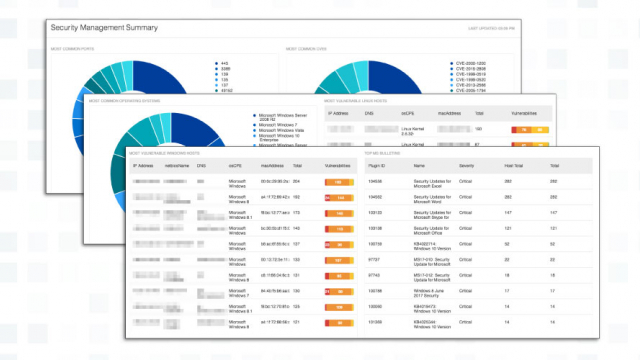
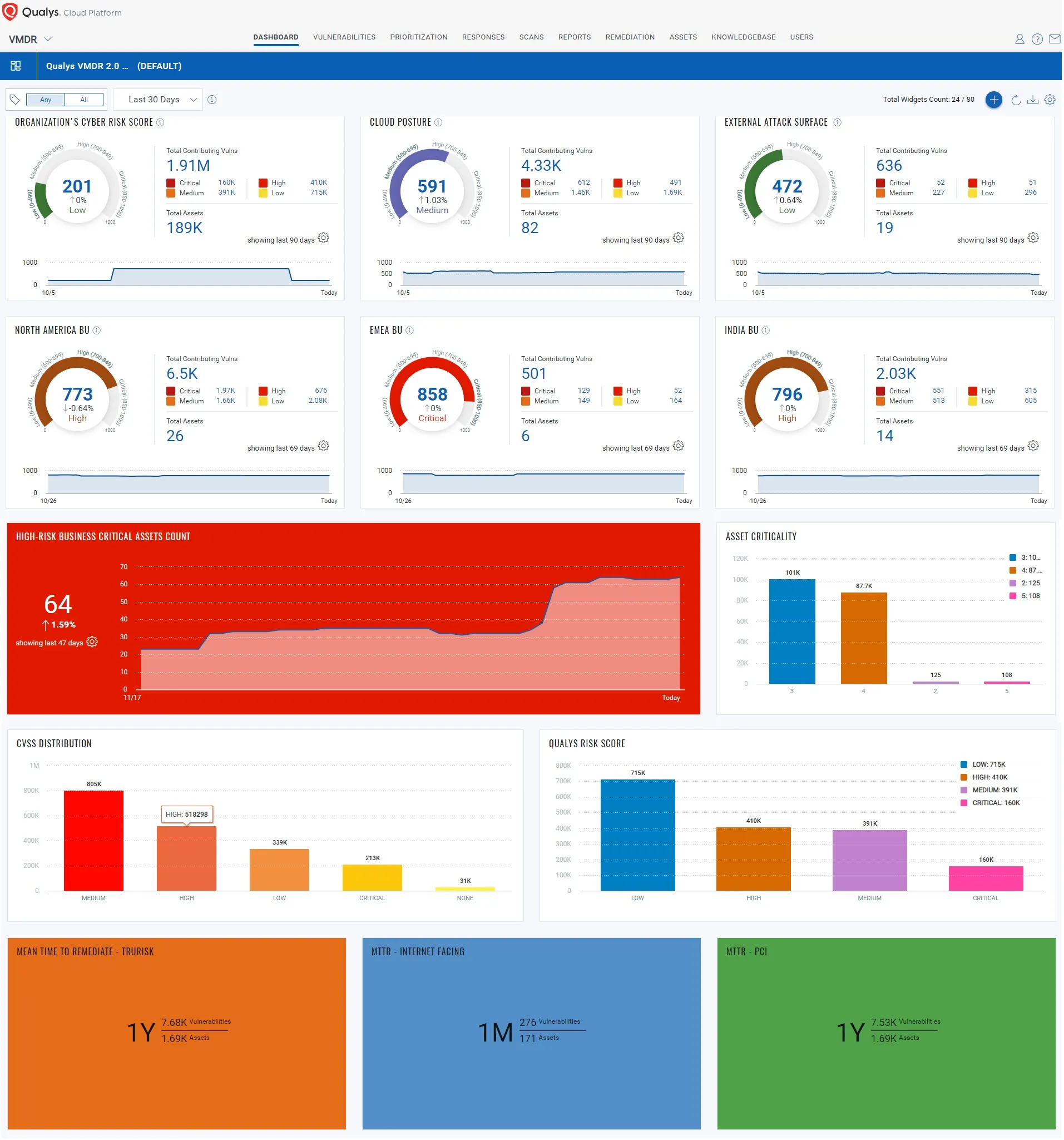
 Rapid7 InsightVM: Platform Overview and Startup Benefits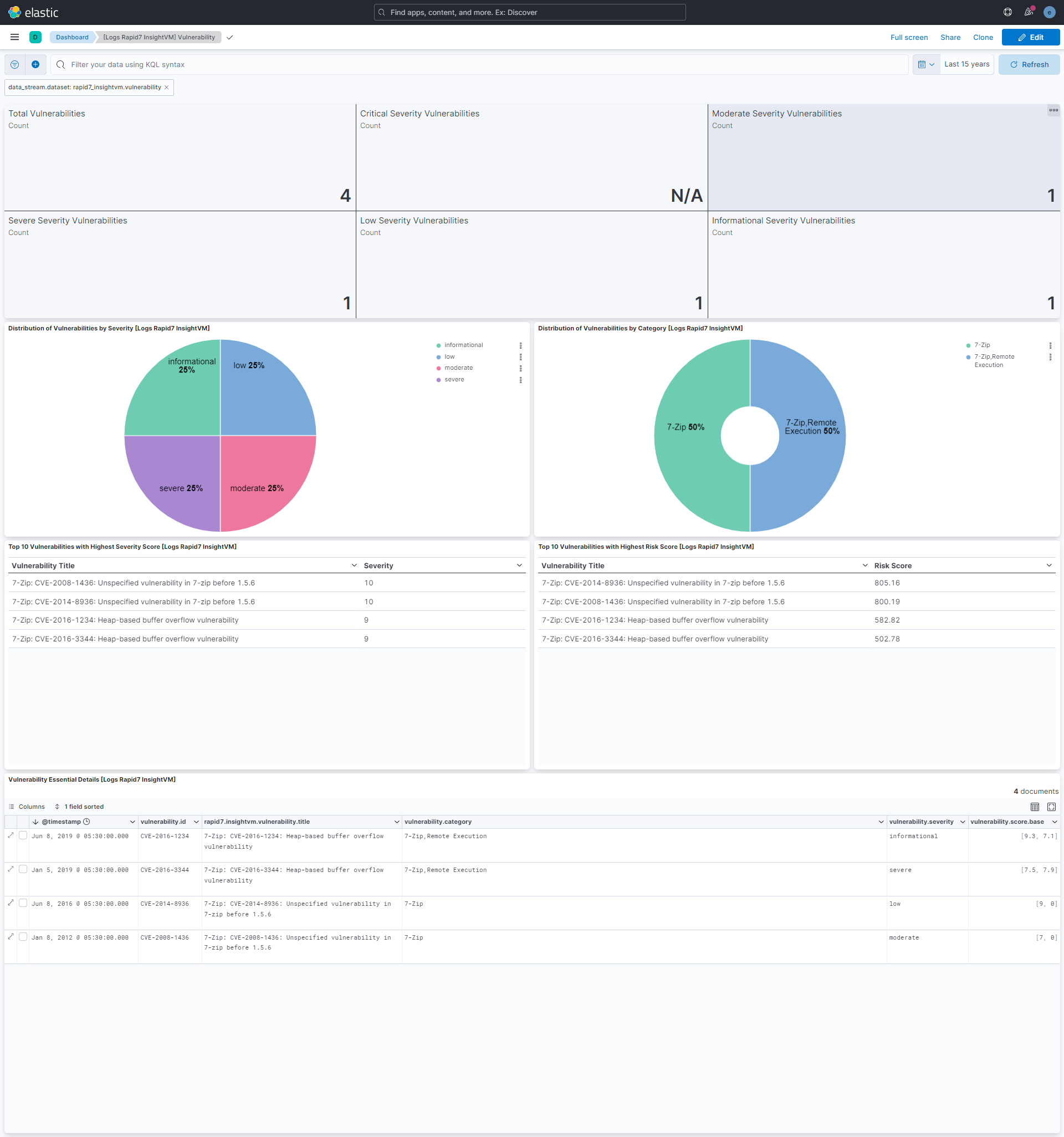

 OpenVAS: An Open Source Approach to Startup Vulnerability Management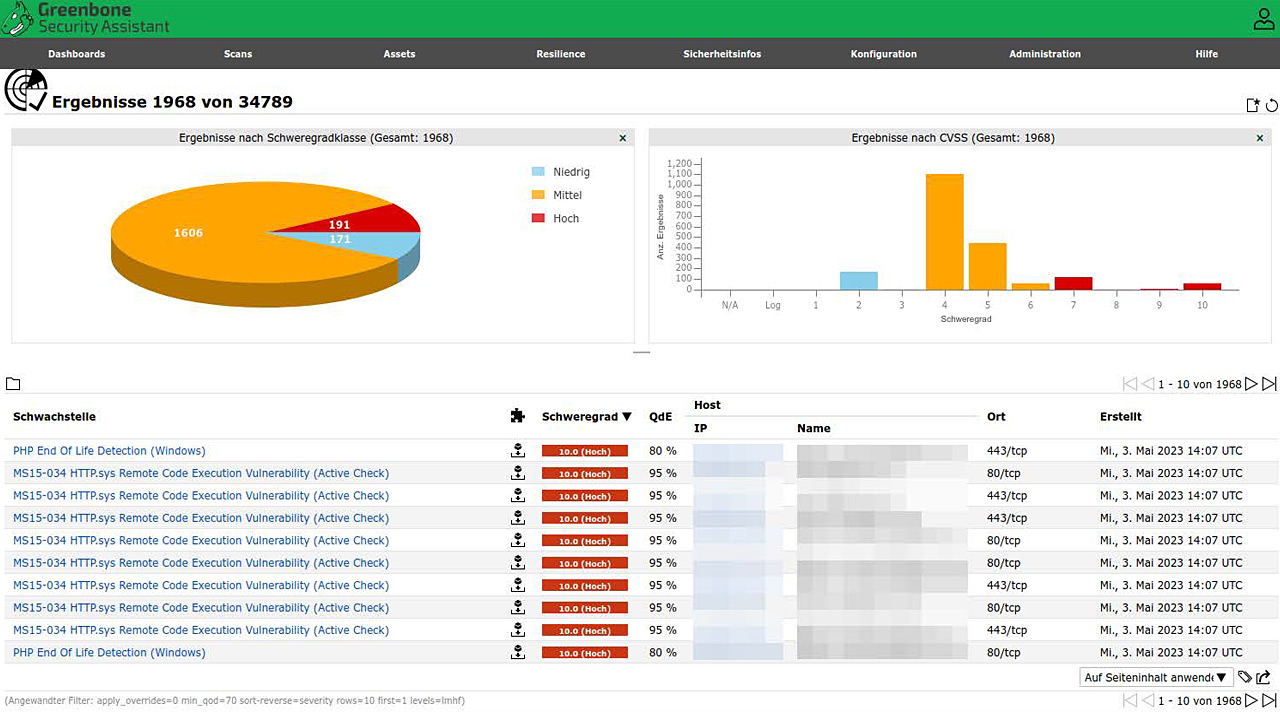

 BeyondTrust Retina: Advanced Features Custom for Startups
 Intruder: Affordable and Effective Vulnerability Scanning for Startups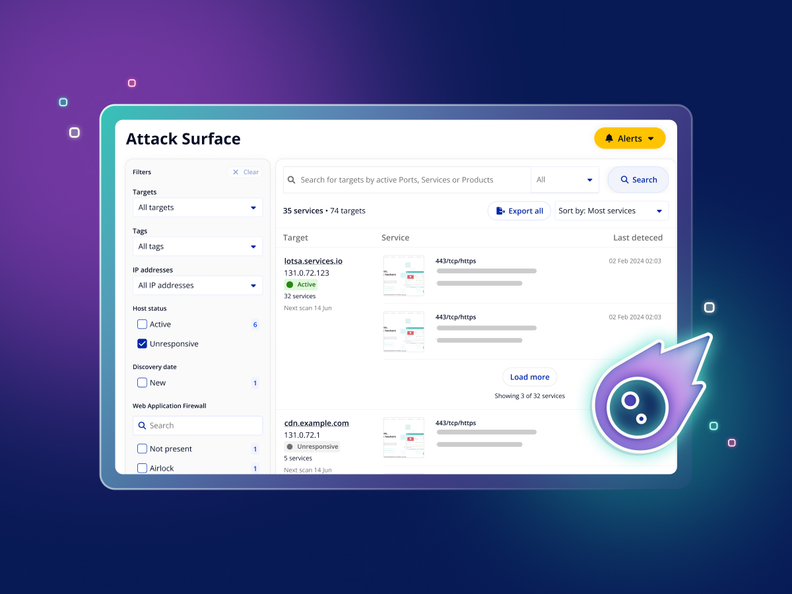
 Cobalt: Penetration Testing and Vulnerability Management Integration