How To Migrate From Bitwarden To 1password Enterprise
Handling the Complexities of Password Manager Migration
Secrets, vaults, keys—each piece needs careful handling. Swapping password managers isn’t just copy-paste. Get it wrong, and you’re inviting chaos or a data leak. Moving from Bitwarden to 1Password Enterprise demands exact steps. Nail these, and your team won’t miss a beat.
Admins stumble into hidden pitfalls all the time. Vault exports corrupt, TOTP tokens disappear, passkeys misfire. One slip-up can expose risks or strand users mid-shift. The enterprise market only thickens the thicket—shared vaults, dozens or hundreds of users—where each move multiplies complexity.
This guide unpacks the nitty-gritty.
- A detailed walkthrough to export from Bitwarden and import into 1Password Enterprise without losing data or tokens.
- Strategies custom for team vault management, shared secrets, and tuning permission scopes at scale.
- A sharp lens on migrating passkeys and time-based one-time-password (TOTP) tokens—critical parts often skipped that cause painful lockouts.
- Rapid responses for common mistakes and glitches during migration.
- A fresh rundown of pricing and feature differences across leading password managers, helping you pick right.
Many teams and IT leads face hair-pulling disasters—lost passwords, broken 2FA, user frustration. Getting every password, note, and token intact turns rollouts from nightmare to smooth sailing (in practice). This guide gives you a roadmap to tame that fear and seal the process tight. For heavyweight advice, dive into NIST’s digital identity standards. They map the complex details of solid multifactor authentication with precision.
- Bitwarden Migration Process and Proven methods
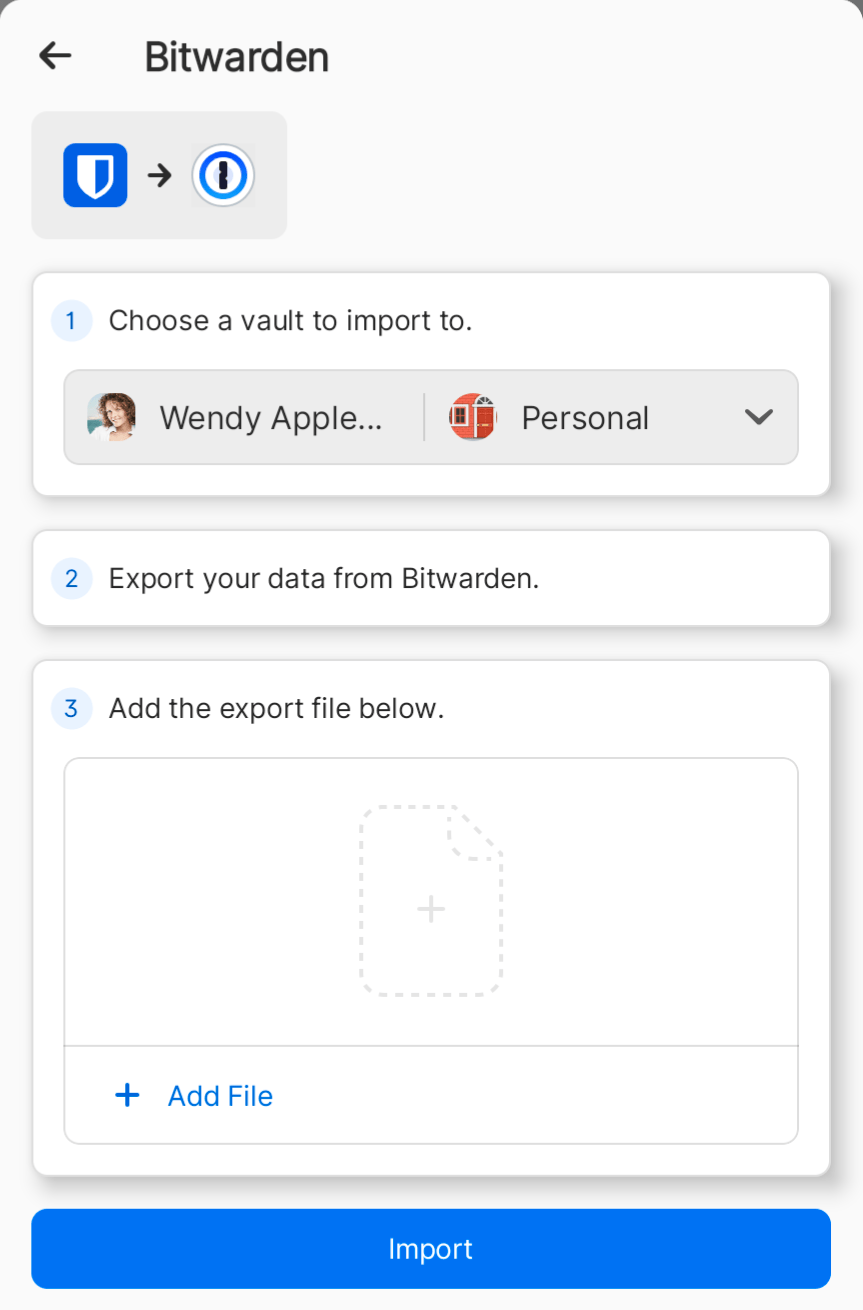
- Importing Data into 1Password Enterprise
- Competing platforms Migration Overview and Comparisons
- Rival tools Migration Challenges and Solutions
Handling API-Driven Migration for Large-Scale Deployments
For enterprises managing thousands of users, manual export-import workflows often prove impractical and error-prone. This prevents bottlenecks and permission issues mid-process. Using the APIs provided by Bitwarden and 1Password lets you automate data extraction and bulk import during migration, speeding up the process. Automation mitigates human mistakes and speed ups onboarding, especially when synchronizing updated credentials during phased rollouts. Before proceeding, ensure your teams have developer access to Bitwarden’s API with appropriate scopes and an internal service account in 1Password Enterprise featuring admin-level API tokens.
Such scripts must include strong error handling to detect and retry transient failures or flag conflicting logins for manual review. Complete logging during these operations helps audits and enables traceability should any data discrepancy arise post-migration. In practice, enterprises often develop custom scripts that perform iterative API calls: querying Bitwarden vault items, sanitizing or transforming data as needed, and programmatically pushing records into corresponding 1Password vaults. Also, using endpoint rate limits wisely—by pacing requests and incorporating exponential backoff—maintains API service reliability.
Though requiring upfront engineering investment, API-driven migration supports scalability and repeatability vital to large organizations. It also opens doors for incremental syncing scenarios, where user data from Bitwarden remains active until cutover, minimizing downtime. Tech leads should weigh costs against operational gains, especially where compliance mandates strict data governance and migration validation—factors common in regulated industries such as finance or healthcare. Ultimately, combining export tools with smart API integration ensures a migration from Bitwarden to 1Password Enterprise that is both secure and smooth, even at enterprise scale.
Step-by-Step Guide to Securely Migrating from Bitwarden to 1Password Enterprise
- Audit Your Existing Vaults
Start by combing through your Bitwarden vaults. List every password, note, TOTP key, and passkey. Overlooking even one secret can cause big headaches later. You need a clear inventory before export begins.
- Export Vault Data in a Compatible Format
Log into Bitwarden and pick JSON or CSV export. JSON preserves the data structure best. CSV is more universally accepted. The raw JSON export includes logins, metadata, and all hidden fields—nothing’s left behind.
- Verify Encryption Settings before Export
Bitwarden’s export produces unencrypted data—but only if you authorize it explicitly. Protect this file locally before moving it around. Use disk encryption or a secure container so the data doesn’t leak in transit.
- Set Up 1Password Enterprise Environment
Create vaults and user groups in 1Password. Assign permissions aligned to your organizational chart. Sorting this upfront avoids messy permission clashes after migration.
- Import Vault Data into a Test Vault
Import your exported file into a 1Password test vault using their Import Tool. This sandbox environment catches corrupted entries or dropped TOTP secrets without risking live data.
- Migrate TOTP Credentials with Care
TOTP codes often don’t transfer automatically. You’ll need to extract TOTP secrets from JSON or rely on Bitwarden’s own TOTP export utilities. After import, verify each entry carefully—1Password may require manual setup. Check every code.
- Handle Passkeys Explicitly
Passkeys, also known as WebAuthn credentials, won’t migrate on their own. You must extract them manually first. Record every passkey-associated account, then instruct users to re-register them in 1Password with clear enrollment steps.
- Migrate Secure Notes and Attachments Separately
Encrypted notes and attachments sometimes break during export or import. Test that notes open properly and attachments download inside 1Password. Restore any missing files from your backups immediately.
- Communicate and Train Teams on New Workflow
Announce the new system’s sign-in changes and key features to your teams. Hands-on training reduces confusion and helps staff master shared vaults and recovery processes.
- Delete Export Files Securely Post-Migration
Once you confirm the migration succeeded, erase all Bitwarden export files with approved secure deletion tools. Leaving raw exports on devices puts your entire security posture at risk.
- Enable Enterprise Security Policies on 1Password
Activate enterprise controls like mandatory MFA, detailed access logs, and vault-specific permissions right away. These controls improve your security stance instantly.
- Monitor User Adoption and Data Integrity
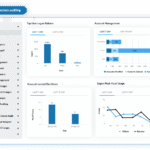
Track access patterns and vault health using 1Password’s admin dashboard. Fix any glitches quickly, and apply lessons learned to improve future imports or merges.
This plan dives deep into TOTP and passkeys—two blind spots that most guides overlook. It cuts downtime and eliminates data loss risks. For a detailed look at import tools and proven methods, see 1Password’s developer documentation and security standards. Access their official guide here: 1Password official import documentation.
Common Challenges and Support Insights for Migrating to 1Password Enterprise
Ensuring Vault Integrity During Migration
Vault structure is key. Bitwarden vaults must preserve their layout and data when imported into 1Password Enterprise. Export your Bitwarden data using the correct CSV or JSON format. Attachments and custom fields often get lost if overlooked. You need to verify every imported vault inside 1Password carefully. Don’t disable Bitwarden accounts until you confirm all data is intact.
Managing Two-Factor Authentication (TOTP) Transition
TOTP keys often cause headaches. The export format must be compatible with 1Password’s import tool. Miss this, and users face resetting all accounts manually—a major time drain. Currently, 1Password imports standard TOTP keys if the export includes shared secret codes. Treat manual re-entry as a fallback only. Doing so saves hours and reduces lockout risks across your organization.
Migrating Passkeys and WebAuthn Credentials
Passkeys depend on WebAuthn protocols and add another layer of complexity. 1Password Enterprise offers a tool to extract passkey credentials from Bitwarden. It requires syncing software versions and settings exactly on both platforms. If anything slips, users often must re-register passkeys on every connected service. Because of this, staged rollouts paired with careful planning are essential.
Handling Large Enterprise Vaults with Multiple Users
Bulk-importing numerous Bitwarden vaults demands strong admin oversight. The 1Password enterprise dashboard can batch-provision users and distribute vaults at scale. Yet, migrations need to mirror your organization’s policy framework precisely—otherwise, compliance gaps quickly emerge. Automating imports not only speeds up the process but also slashes human errors dramatically.
Addressing Export Format Limitations
Bitwarden’s export files sometimes omit critical metadata like custom tags or certain secure notes. When these vanish, the resulting data feels fragmented and incomplete. Admins must patch missing elements manually or via scripts before importing. Always run a test import on a small vault first to catch these holes well before full migration starts.
Dealing with Credential Synchronization Post-Migration
Syncing after migration can take time. Devices must negotiate secure handshakes under end-to-end encryption, juggling substantial data volumes. Remind users to keep their devices online and monitor sync statuses closely. Only once confirmed can they trust every credential transferred safely and completely.
Troubleshooting Common Import Errors
CSV imports occasionally fail. Issues arise from corrupted data, odd field formats, or expired API tokens. Flushing caches, validating file integrity, and renewing tokens often resolve these failures. The import logs within 1Password Enterprise give admins a clear window into problems, helping pinpoint faults quickly.
Accessing Official Migration Resources and Support
1Password supplies extensive migration resources—complete docs, step-by-step troubleshooting guides, and responsive support teams. Large enterprises should use these fully. Bringing in 1Password migration specialists saves headaches and downtime during complex or essential transitions.
Securing Data During The Migration Process
Sensitive credentials require strict safeguards. Migrations must occur over encrypted networks with strict access controls. Admins handling transfers need multi-factor authentication enabled. Confirm that 1Password Enterprise’s compliance certificates match your corporate data security policies verbatim.
Planning for Post-Migration Training and Adoption
Data transfer is only the first hurdle. Users must master 1Password Enterprise’s interface and new security features. Offering targeted training sessions along with concise onboarding documents makes a big difference. Include how-to guides on built-in passkey management. This reduces support tickets and smooths day-to-day workflows.
These insights highlight key technical and procedural challenges common in migrations. They clarify what to expect with vault, TOTP, and passkey transfers. Enterprise IT teams gain practical advice to minimize disruption while preserving security. For detailed passkey implementation info, visit the WebAuthn guide. Keeping closely aligned with 1Password’s official documentation helps ensure your migration follows top practices. Related: Which Cheap Alternative To Datadog For Small Kubernetes Clusters Offers The Best Mix Of Features And Cost-Efficiency.