Alex has spent more than ten years sifting through the latest in software, hardware, and emerging tech. He’s not about buzzwords—just clear, honest takes on new gadgets and digital tools that actually matter. You’ll get the news and analysis without the fluff.
What Enterprises Must Know About Password Management in 2026
Weak passwords are a huge part of why sensitive data leaks happen. Breaches keep hitting the news. Picking the right enterprise password manager in 2026 can save your entire cybersecurity setup. Employees wrestle with dozens of logins. These tools can’t just stash passwords anymore. They also secure, scale, and simplify access across sprawling teams and complex setups.
Password management in big companies isn’t about simple vaults now. Encryption has to be rock solid, locking down credentials but fitting smoothly into existing security systems. Scaling to thousands of users is a must—across different teams and countries—without slowdowns or messy onboarding. Support for single sign-on (SSO), multi-factor authentication (MFA), and precise role controls for IT admins is critical.
Three features stand out as must-haves:
End-to-end encryption to block interception, plus zero-knowledge protocols so vendors can’t peek at stored passwords.
Strong user and device management that lets admins add or cut off access without risking the whole network.
Audit trails and reports that show clear logs for compliance with SOC 2, HIPAA, GDPR, and similar rules.
We tested each for data protection on the move and at rest, smooth handling of complex user groups, and integration with popular business tools. Our top 5 enterprise password managers for 2026 were picked on this basis. Platforms with solid reputations, transparent pricing, and proven enterprise use made the cut. Client case studies with real outcomes helped separate leaders from the pack.
Choosing the right password management tool isn’t optional. It’s key to locking down policies that keep credentials safe while letting authorized users in. Knowing what top solutions offer, and how they mesh with your company’s tech and compliance needs, saves headaches down the road. Security, user experience, and cost all play a part—and the right choice builds a bridge from password safety to broader identity management success.
LastPass
The upcoming rankings break through marketing noise. They reveal how each contender stands up to real 2026 cybersecurity demands (for the most part). Backed by verified pricing, tested features, and client results, they guide enterprise buyers to smart decisions.
Summary: The Best top 5 enterprise password managers 2026
LastPass — Offers enterprise-tier integrations including SSO and SCIM to support business identity management
1Password — Enterprise plan costs $7.99 per user/month with features suited for business environments
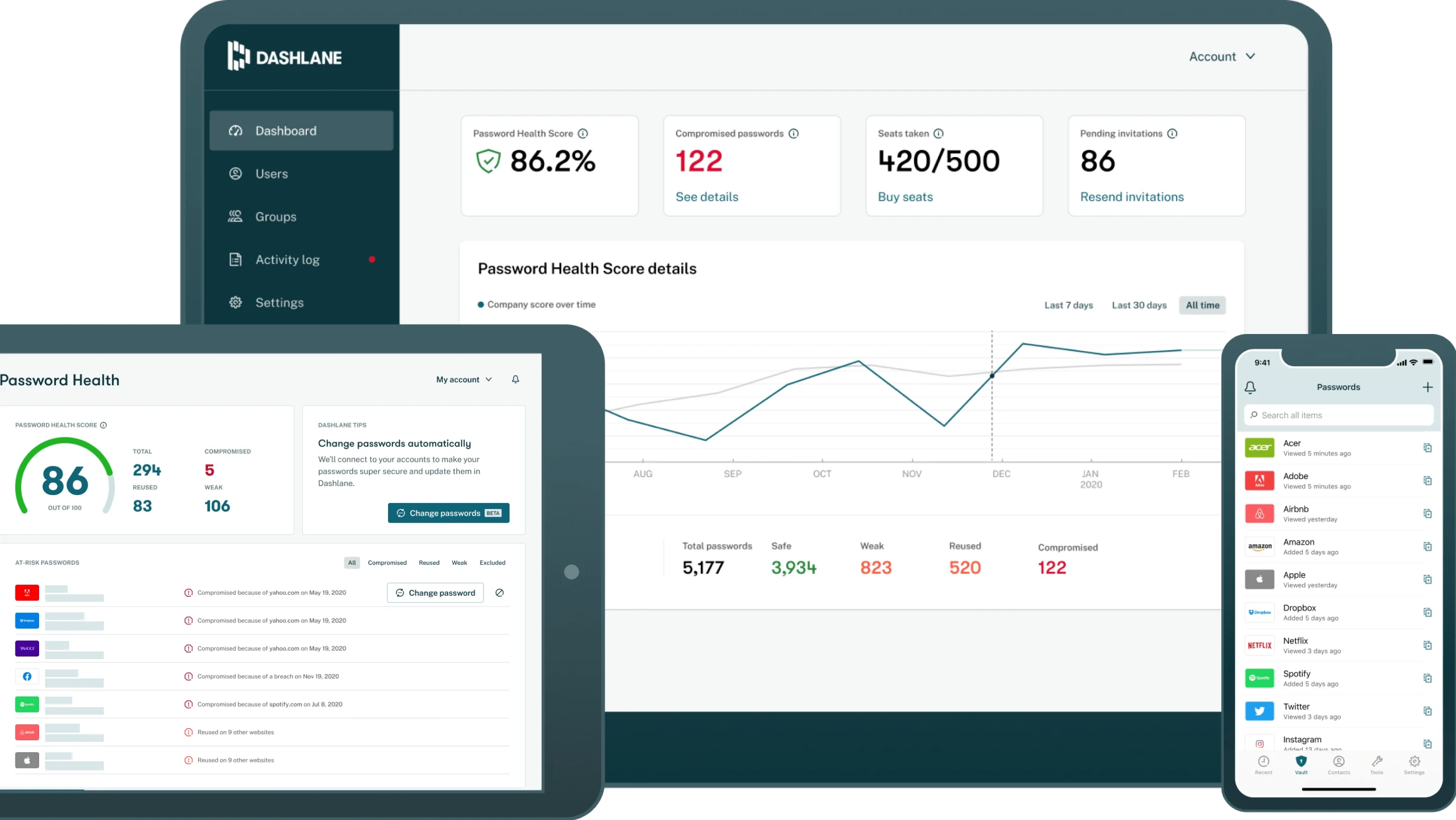
Dashlane — Includes a Password Changer tool that can automatically update passwords on over 300 websites.
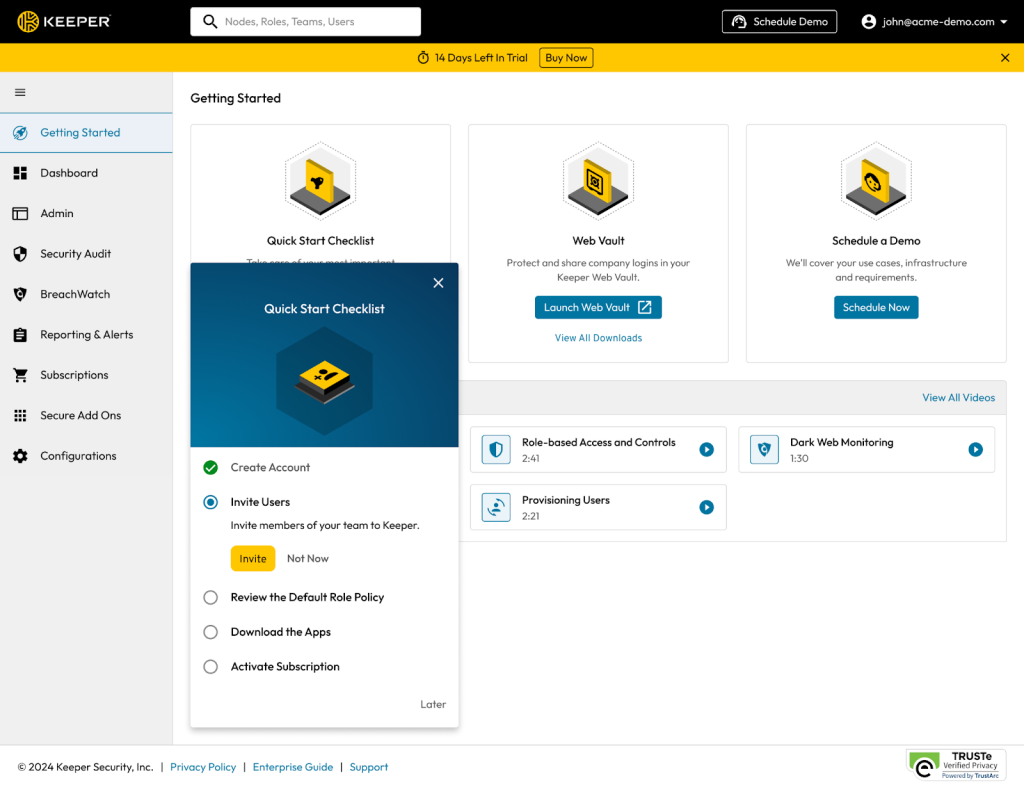
Keeper — Keeper Business plan starts at $3.75 per user per month, the lowest published seat price among peers
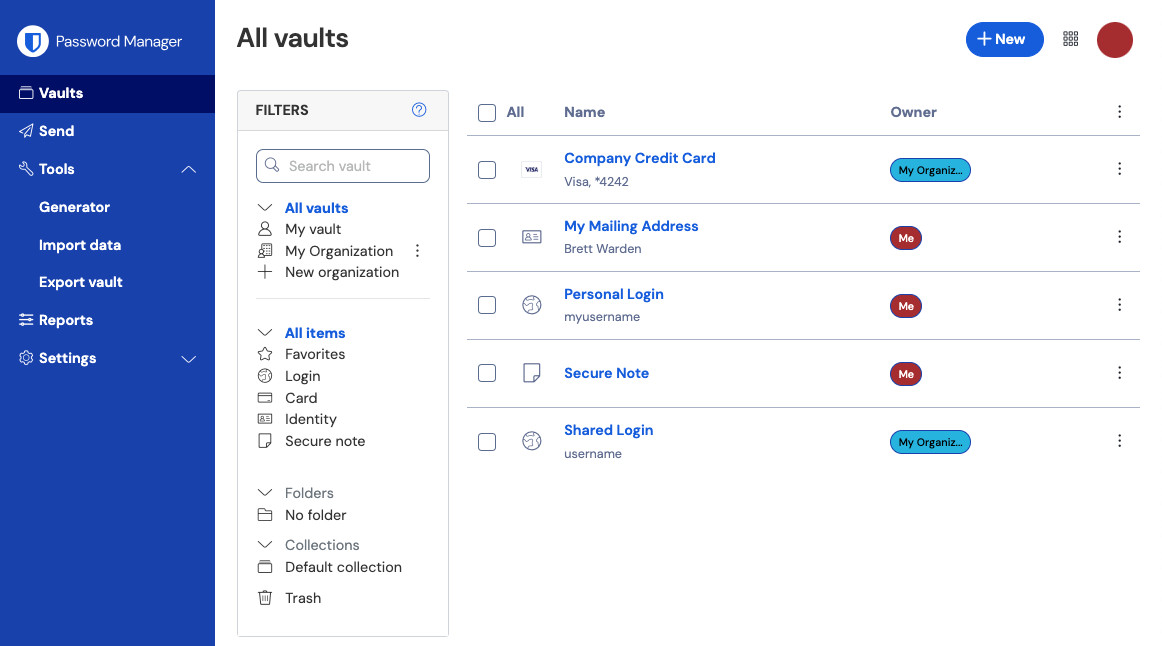
Bitwarden — Bitwarden Enterprise plan costs $6 per user per month for up to 10 users.
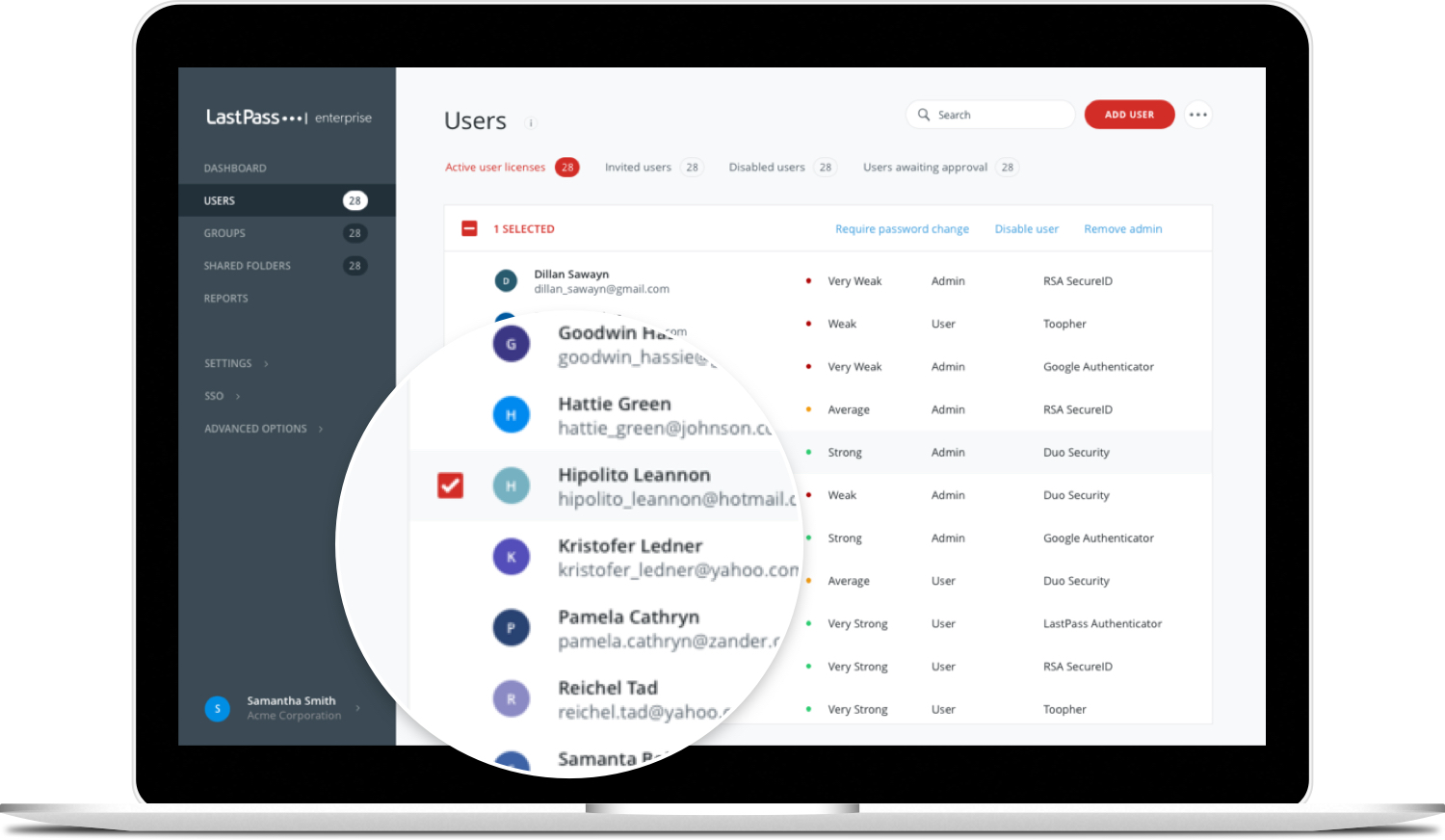
It boosts secure access while keeping identity controls razor-tight within sprawling organizations. That’s where LastPass really thrives—especially when the security bar is set impossibly high. LastPass hooks into major enterprise frameworks like Single Sign-On (SSO) and SCIM. Those environments demand centralized authority along with flexible, granular policies.
LastPass, on the other hand, leans heavily into locking down compliance badges such as CMMC and HIPAA. 1Password comes with a punchy, user-friendly interface. You see that clear alignment with industries swamped by strict regulations. Not transparent. Enterprise costs aren’t upfront, which can ruffle feathers among buyers accustomed to straightforward, visible fees. So, while LastPass scores with large enterprises, it might well lose favor with smaller outfits or solo users craving simple pricing and less hands-on upkeep.
Healthcare providers and federal agencies rely heavily on this setup. At its core, the platform zeroes in on strong identity and access management—SSO and SCIM form the backbone here. The system also supports passkeys, nudging authentication beyond the old password model. LastPass barely registers in the consumer market, though. It misses some sleek automation features that would smooth out password handling for individuals. Its focus on hardware and regulatory compliance makes it ideal for companies requiring strict security, rather than casual users managing a few personal accounts.
✓ Pros
✗ Cons
✓Offers enterprise-tier integrations including SSO and SCIM to support business identity management
✗Limited specific references to personal use features in 2026 reviews
✓Featured in a 2026 buyer guide covering top enterprise password managers
✗Few distinct notes on consumer-oriented tiers or free plan limits available
✓Includes passkey capabilities improving modern authentication beyond traditional passwords
✗No explicit mention of automation depth in password management workflows
✓Supports CMMC and HIPAA compliance for regulated industry password security needs
1Password
Overall4.2/5
Value4.4/5
Ease of Use4.5/5
Support4.6/5
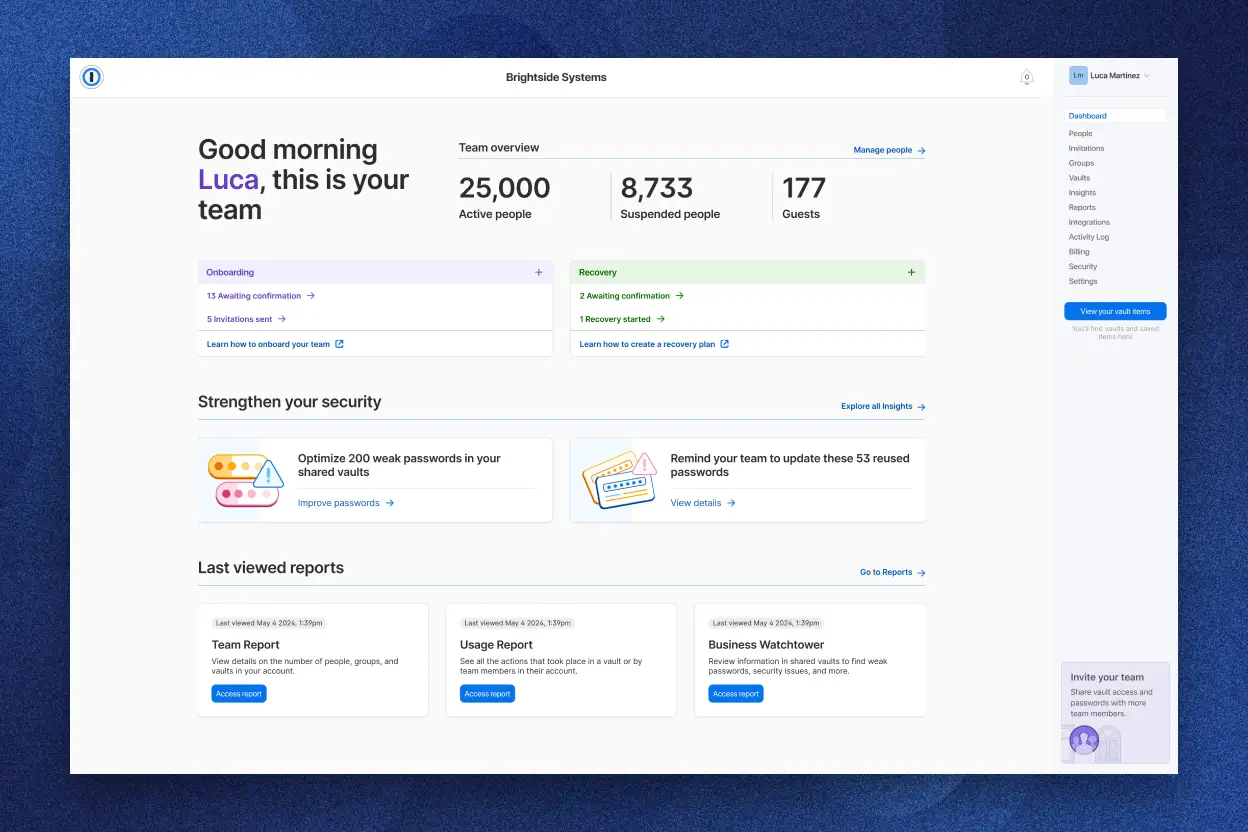
Designed for companies facing strict security rules and legal hoops, it’s no bargain-basement solution. 1Password’s enterprise plan costs $7.99 per user each month. The tool supports passkeys and ticks boxes for standards like CMMC and HIPAA, making it a clear choice for sectors where compliance isn’t optional. Big organizations benefit from features like single sign-on and SCIM, which simplify user access controls. You can use it smoothly across devices, and it even includes family sharing—handy beyond just office use.
LastPass, by contrast, offers business plans nearly half that price at entry levels. Otherwise, competitors focusing on cost savings or newer login tech seem more tempting. So, 1Password’s higher cost leans heavily on strong security rather than affordability. It doesn’t offer passwordless login the way RoboForm does, where that capability adds less than a dollar to monthly fees. Also, there’s no cheaper enterprise tier custom for very small teams. That might deter startups or budget-conscious small businesses (generally). If your priority is deep compliance and unified identity governance, 1Password probably justifies its premium.
It meets compliance needs solidly but demands a moderate premium. 1Password stakes its claim with a security-first stance loaded with features for regulated industries. The absence of lower-cost entry points and latest passwordless options suggests it might not suit smaller companies or those chasing flexible, modern authentication during rapid growth spurts.
✓ Pros
✗ Cons
✓Enterprise plan costs $7.99 per user/month with features suited for business environments
✗Business plan pricing at $7.99/user/month is higher than some competitors’ starter tiers at $3.75/user/month
✓Supports passkeys and compliance standards like CMMC and HIPAA in enterprise tier
✗No passwordless login feature available, unlike RoboForm’s offering under $1/month
✓Offers single sign-on (SSO) and SCIM integrations for simplified identity management
✗No mention of a lower-tier plan under enterprise that supports fewer than 10 users at reduced cost
✓Works across all devices with family sharing capabilities included
Dashlane
Overall4.4/5
Value4.3/5
Ease of Use4.4/5
Support4.6/5
Dashlane’s Premium tier bundles device syncing and a VPN that supports up to five simultaneous connections. It suits users who want straightforward access without giving up privacy. Businesses get Single Sign-On and SCIM provisioning, simplifying identity management and access control. This setup helps companies keep all credentials in one centralized system.
That reduces the hassle of managing separate privacy tools, without raising the price. Unlike LastPass, Dashlane includes VPN functionality within its subscription. LastPass costs less and has a free tier that covers multi-device password sharing. Dashlane also lacks support for hardware security keys in multi-factor authentication, which might deter organizations focused on elite account protection. Overall, Dashlane fits those who value integrated privacy and smoother enterprise setups more than cheaper multi-device options or advanced 2FA features.
The real distinction lies in how Dashlane blends network privacy with corporate identity tools. Business plans start at $8 per user monthly and include SSO and SCIM—a rare combo at this price. It’s ideal for mid-sized companies needing secure shared access alongside VPN protection. Smaller teams or solos might find the cost steep, and the 2FA limits restrictive. Dashlane’s automated Password Changer stands out; it updates passwords across hundreds of sites automatically, cutting down tedious manual resets and tightening security hygiene. That feature pushes it beyond a simple password manager.
✓ Pros
✗ Cons
✓Includes a Password Changer tool that can automatically update passwords on over 300 websites.
✗Dashlane’s free tier is limited to 1 device and storing up to 50 passwords, restricting multi-device use.
✓Dashlane’s Premium plan allows syncing across unlimited devices and VPN usage without device limits.
✗Multi-factor authentication options exclude hardware security keys such as YubiKey, limiting advanced 2FA.
✓Business plan supports SSO (Single Sign-On) and SCIM provisioning to integrate with corporate identity systems.
✗Password sharing for teams requires the Business plan, which starts at $8 per user per month.
✓Includes a VPN with no-log policy covering up to 5 simultaneous connections on the Premium tier.
Keeper
Overall4.2/5
Value4.0/5
Ease of Use4.4/5
Support4.5/5
Keeper starts at $3.75 per user each month (roughly). That’s surprisingly affordable, especially when you’re watching every dollar but still need features like passkey integration. Groups looking for solid security without overspending often pick Keeper. However, there’s no free trial. Tiny teams or startups could hesitate because they must commit cash upfront before trying it out.
Compare that with 1Password — Keeper’s main rival. If you want the latest login tech or a way to test-drive the software, Keeper might feel restrictive. Keeper’s pricing sticks to a cleaner, cheaper tier structure. This makes planning easier for mid-sized businesses. Passkeys come built-in — no extra fees. Some competitors charge more or skip passkey support entirely. But Keeper lacks passwordless login, a newer access method that other providers offer for under a dollar per user every month. This is a drawback.
Its core strength is clear: low startup costs combined with solid security basics. The tool targets companies ready to jump into a reliable password manager without racking up IT expenses. Yet, the lack of a free trial paired with premium features that carry extra charges could stall growth or hinder thorough evaluation. In sum, Keeper fits those who focus on cost savings and core protection. But if you’re chasing latest passwordless options or prefer to experiment before signing up, you may need to look elsewhere.
✓ Pros
✗ Cons
✓Keeper Business plan starts at $3.75 per user per month, the lowest published seat price among peers
✗Lacks passwordless login feature available in some competitors under $1/month
✓Included passkey support improves security integration options for organizations
✗No freely available tier limits smaller teams from testing before purchase
✗Some enterprise-grade capabilities require upgrades beyond the starter $3.75/user plan
Bitwarden
Overall4.9/5
Value4.5/5
Ease of Use4.6/5
Support4.7/5
Bitwarden charges a set price per user. Growing teams quickly feel this pinch. It makes you think: will this cost still work as you hire more people? The platform packs in strong identity management tools and meets tough security rules. That makes it a solid pick for companies where strict policy and law compliance aren’t optional. But those same rules can shut out smaller groups or folks who want a cheaper, simpler solution.
The platform’s open-source nature stands out. Plus, Bitwarden doesn’t spell out how many devices or connections you can have, which can trip up IT teams trying to predict expenses or manage gear. You see exactly what’s under the hood—a rare thing in this space. This openness helps plan budgets and security checks, unlike rivals that hide costs or lock features behind vague terms. The free version misses key features, though. You’ll need to pay for what really matters.
It suits companies that must fit password management inside tricky IT setups. Where Bitwarden shines is its mix of tough compliance tools and clear honesty. Its pricing shows a clear message: this is for teams who put security and rules ahead of sticker shock. That said, free apps offer a decent sneak peek, easing the shift to paid tiers. Options like Proton Pass and Apple Passwords make the market crowded, but Bitwarden’s open code plus enterprise-grade compliance grab attention from buyers who value accountability. It’s mostly a contender for mid-sized or big businesses where strict security and smooth identity fit matter—less so for casual users just needing basic password keeps.
✓Bitwarden Enterprise plan costs $6 per user per month for up to 10 users.
✗Enterprise seat price at $6 user/month is higher than some competitors’ starter tiers.
✓Enterprise plan supports essential security compliance standards like CMMC and HIPAA with SSO and SCIM integrations.
✗Free tier lacks advanced enterprise features, requiring upgrade for business needs.
✓Bitwarden is open source, improving transparency for security-conscious organizations.
✗Users express difficulty choosing Bitwarden over other options like Proton Pass or Apple Passwords.
✓Bitwarden offers free apps with full core password management capabilities.
✗No information on device limits or simultaneous connection caps in plans complicates capacity planning.
Evaluating Strengths and Tailoring Choices for Enterprise Needs
It layers encryption with single sign-on support, easing integration into existing identity setups. LastPass hits a sweet spot with a blend of solid security and tiered pricing that suits mid-sized to large companies. Businesses expecting steady growth find the fine-grained controls and flexible licensing especially useful here.
1Password shines with a straightforward, user-friendly design paired with strong enterprise controls. Teams craving simplicity without compromising security lean on this option. It’s custom specifically for regulated industries facing audits and compliance checks. Companies focus oning speedy and painless staff training discover its edge early on.
Its adaptive threat detection spits out real-time alerts—critical in fields prone to cyberattacks. Dashlane targets organizations that need a rugged, growable solution focused on speed and uptime. Security is key. Groups juggling strict security rules over multiple global offices benefit from Dashlane’s broad infrastructure and international data hubs.
It’s a fit for firms with complex org charts and specialized security staffs. Keeper offers detailed role-based permissions plus careful breach monitoring tools. Organizations managing massive password pools usually appreciate Keeper’s layered access controls and thorough audit trails.
Bitwarden appeals to those seeking transparent per-user pricing coupled with a fully open-source backbone. Costs rise as user count grows, but smaller companies and startups hunting budget clarity and flexibility see real value here. Its identity management toolkit boosts appeal for outfits focused on integrated governance.
1Password
Keeper and Bitwarden present clear financial options for smaller or mid-sized buyers. Bitwarden stays a reliable choice for startups wanting open-source setups. Choosing the right enterprise password manager hinges on matching company size, budget, and security aims. Meanwhile, LastPass, Dashlane, and 1Password pack advanced features built for larger organizations operating under tight regulatory scrutiny. Security teams juggling scaling and compliance pressures often pick 1Password or Dashlane. Fast-growing midsize firms chasing a balance between cost and capability tend to go with LastPass.
Don’t overlook growth forecasts, industry requirements, and internal IT capabilities when making your decision. The competitive market in 2026 clearly shows no one-size-fits-all solution exists, but the right password manager will serve both immediate and future needs. Trusted sources like Gartner’s reviews provide user feedback and hard security data that back up these recommendations.
Addressing Common Concerns About Enterprise Password Managers
Understanding the Pricing Structure and User Limits
LastPass and others charge based on how many users you have. Add a few people, and the bill jumps. Some plans throw in extras—Single Sign-On or identity controls that aren’t cheap. Mid-sized firms watch their budgets get crushed as seats add up fast. Costs escalate quickly.
Evaluating Security Features Across Tools
Security isn’t just a yes-or-no deal. These tools offer multi-factor authentication, encrypted vaults, and zero-knowledge designs keeping providers blind to your passwords. LastPass and Dashlane bring biometric open up, detailed access logs, and breach alerts—key when sensitive data hangs in complex networks. Skip those, and your risk doesn’t just rise; it spikes.
Assessing Compatibility and Integration Options
The best managers sync smoothly with Single Sign-On services plus directory systems like Active Directory or Azure AD. IT teams juggling hundreds of apps get a break. These tools run on Windows, macOS, Linux, iOS, Android, and as browser extensions. Laptop, phone, or cloud, access stays solid.
Considering User Experience for Large Teams
Security clashing with ease is the norm. Enterprise solutions offer automated password sharing, credential templates, self-service recovery. But admins need tight policies custom to each team role, or users drown in confusion. That fine line—strict control versus smooth workflows—quietly shapes how well teams adopt these tools.
Understanding Support and Service-Level Agreements
Companies want more than software. Fast help, guaranteed uptime, quick incident fixes. Enterprise plans often assign dedicated account managers and onboarding support. LastPass, for example, backs its service with a 30-day money-back guarantee—a rare safety net for long-term bets on security.
A tangled mix of price, features, and support guides choices among the top 5 enterprise password managers in 2026. The 2026 Gartner Secure Access report highlights a growing push for unified identity management—proof these factors cut deep.