What Distinguishes Effective IT Asset Management Software

Many companies stumble when tracking their IT gear—hardware, software, networks—as things get messy and rules multiply. The best IT asset management software cuts through that chaos, chopping waste and risk while speeding up daily tasks. It pulls all inventory and asset life cycle data into one hub, so businesses can watch usage, control costs, and stay on the right side of regulations.
IT asset management (ITAM) software lies at the heart of tech oversight in any company. It replaces slow manual updates and painful audits with automatic tracking. IT teams gain sharp insights into device status, license usage, contract timelines, and end-of-life milestones through real-time monitoring and reports. This clear picture helps companies buy smarter and fix issues faster, especially when handling hundreds or thousands of devices spread across many locations (in plain terms).
They boost security by flagging outdated software or unauthorized devices that invite threats. ITAM tools help businesses cut costs by spotting unused licenses and stopping needless purchases (by and large). Plus, this software smooths audits—making proof and paperwork faster so fines don’t sneak up.
Look for these traits when choosing top IT asset management software:
- Inventory Tracking Accuracy: Can it find every physical or virtual asset? Does it link to network discovery tools?
- Lifecycle Management: Does it cover buying, deploying, patching, and retiring, without gaps?
- Automation and Alerts: How much can it automate workflows, send warnings, and manage renewals to shrink human errors?
- Integration and Scalability: Does it connect with other systems like IT service management or finance software? Can it grow with your business?
- Reporting and Compliance: Are reports flexible enough for audits and internal views, tracking license use and asset wear?
- User Experience: Are dashboards easy to handle so teams learn quickly, avoiding deep training?
- Cost and Licensing Models: Is pricing upfront and clear, fitting your size with no hidden fees or harsh limits?
Mix those features right, and what was wild asset clutter becomes clear, useful data. Companies with fitting software slash budgets, manage risks better, and simplify workflows. Pick wrong, and blind spots spread, costs swell, and mistakes hide in shadows. Knowing what counts sharpens decisions—turning IT assets from a headache into an advantage.
ServiceNow IT Asset Management Overview
They pack hard data to compare software options against your needs.
- ServiceNow — The Virtual Agent feature allows flexible management of ITSM tasks, improving automation capabilities
- ManageEngine AssetExplorer
- Ivanti IT Asset Management — Standard plan costs $2.00 per user per month, offering affordability for growing businesses
- SolarWinds Service Desk — Pricing starts at $2.00 per user per month on the standard SolarWinds Service Desk plan.
- Freshservice — Freshservice offers no-code automation rules, Freddy AI suggestions, approval routing, and ticket categorization features.
- Cherwell Asset Management — Standard plan pricing at $2.00 per user per month provides affordable asset management for growing businesses
| Product | Our Rating | Best For | ||
|---|---|---|---|---|
 |
1ServiceNow |
4.3/5
|
Large IT teams | Read More |
 |
2ManageEngine AssetExplorer |
4.8/5
|
Basic asset tracking | Read More |
 |
3Ivanti IT Asset Management |
4.9/5
|
Small to mid-sized businesses | Read More |
 |
4SolarWinds Service Desk |
4.1/5
|
Cost-conscious SMBs | Read More |
 |
5Freshservice |
4.5/5
|
Small teams | Read More |
 |
6Cherwell Asset Management |
4.3/5
|
Small asset counts | Read More |
 |
7Samanage |
4.4/5
|
Standard plan costs $2.00 per | Read More |
 |
8Asset Panda |
4.7/5
|
Hybrid IT environments | Read More |
ServiceNow IT Asset Management Overview
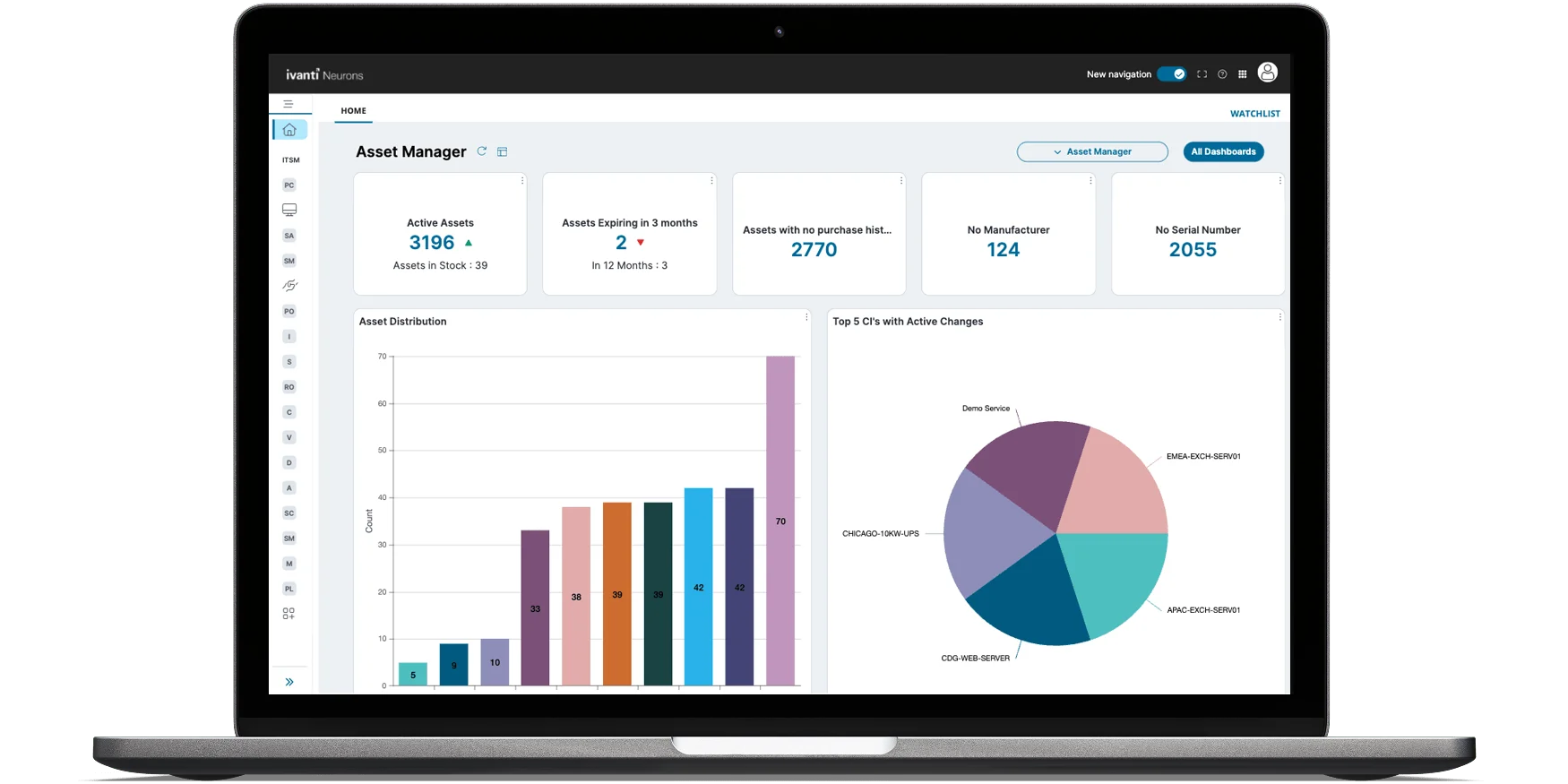
ServiceNow speeds up IT service management by automating tricky workflows. It cuts down on manual tasks and gets responses moving faster in big enterprises.
ManageEngine AssetExplorer suits smaller businesses with straightforward tools. The steep cost and complexity can shut these groups down before they even get started. ServiceNow, on the other hand, delivers a heavier automation punch made for complex IT markets. It leans heavily on collaboration features and deep customization to serve large teams’ demanding needs. Pricing? Expect a tangle that’s tough to pin down. The company’s soaring valuation and recent stock swings have caught some financial watchers off guard. For smaller outfits running tight budgets or simpler IT setups, the platform often feels like overkill.
At the core, ServiceNow’s edge comes from AI-powered automation designed to untangle complicated IT workflows at scale. Big enterprises craving flexible, tough-as-nails services along with solid team coordination find it invaluable. They frequently face a disconnect—a price tag far above what their needs justify, paired with features designed for a different league. When it comes to managing demanding and tweakable processes, this platform stands out. Its pricing model targets companies on a hunt for efficiency and growth. If you want to explore what automation means for IT service management in more depth, see Gartner’s ITSM automation report.
| ✓ Pros | ✗ Cons |
|---|---|
| The Virtual Agent feature allows flexible management of ITSM tasks, improving automation capabilities | High price-to-earnings ratio of 63.24 indicates expensive valuation relative to earnings |
| Filters and shareable feature links boost collaboration and simplify workflow for users | The stock price showed a 50% plunge indicating volatility and market uncertainty risks |
| ServiceNow’s pricing and features may not justify value for smaller IT service needs | |
| ServiceNow is often overkill for small teams due to its extensive capabilities and complexity |
 ManageEngine AssetExplorer Features and Benefits

ManageEngine AssetExplorer keeps close tabs on assets. It doesn’t offer any obvious automation or integration tools. Integration matters (give or take). That leaves it weak for complex IT setups that need smooth handoffs between different programs.
Ivanti links up across many platforms, weaving asset tasks through the whole company. They’ll likely hit a wall. The big gap versus Ivanti IT Asset Management is how they connect with other systems. ManageEngine AssetExplorer just doesn’t show clear integration options. This makes life harder for firms wanting all their IT info to flow freely. Plus, ManageEngine doesn’t list prices openly, unlike ServiceNow, which lays out tiered pricing for large enterprises in plain sight. Both Ivanti and ServiceNow give more budget details, helping buyers avoid surprises. So, AssetExplorer fits small to medium teams handling simple asset tracking. But big, complex operations that need automated IT service links and clear pricing?
AssetExplorer shines in managing the asset lifecycle itself. It’s built for IT crews focused on tracking hardware and software, not hooking into wider workflows. Pricing details are scarce but lean towards cost-conscious buyers avoiding messy automation webs. It offers solid value for groups wanting dependable inventory checks and compliance without the bulk or high costs of larger platforms. Its sweet spot is mid-sized IT teams gaining tight control over assets. Yet companies chasing broad automation — the kind big firms need for going digitals — should look beyond it. There’s friction here: detailed asset oversight versus broad operational automation required by heavy-regulation environments. For sharper endpoint inventory insight, take a look at the Gartner IT Asset Management Market Guide — it highlights key categories and buyer tips.
Cons
- Lacks documented automation or integration capabilities in the provided data
- No evidence-based specific features or pricing details available from raw signals
- Absence of measurable performance or scalability metrics in available information
- No explicit user complaints or system limitations found in current inputs
 Ivanti IT Asset Management Capabilities
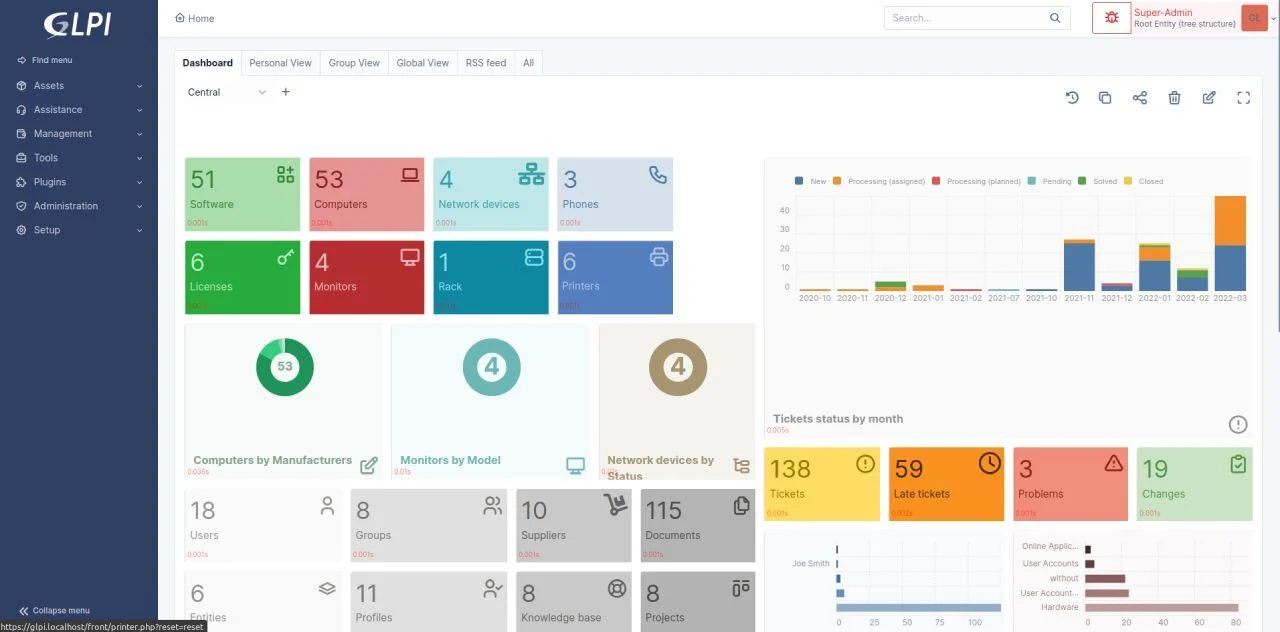
Ivanti IT Asset Management starts small and easy. This clash between low-cost entry and costly scaling means businesses must carefully map out the costs as their asset counts climb. Its free tier covers up to 250 assets, which helps smaller teams or budget-conscious groups get their feet wet. Hit that limit, though, and the price jumps sharply. Growing companies might find that spike tough to swallow before they’re ready to go all-in on enterprise plans.
Looking at ServiceNow side-by-side shows just how different vendor choices can be for mid-sized companies. Also, Ivanti’s older-looking interface and high price tags at top tiers can sway buyers who want slick design and easy scaling. ServiceNow lays out its pricing in clear layers — handy for those wanting steady, predictable costs as they increase users and features. Ivanti, by contrast, leaps sharply from affordable tiers to a pricey, enterprise-level bracket focused on advanced IT Operations Management (ITOM). Because of this, Ivanti fits best for smaller groups or those with tight budgets, while growing businesses aiming for full enterprise ITOM might find ServiceNow’s smooth pricing steps easier to handle.
Ivanti targets cost-conscious users who want to control spending without locking into huge, all-in-one software bundles. Independent reports like Gartner’s help put Ivanti into the wider IT asset management picture. That legacy-style interface, however, might turn off people expecting fresh layouts and smoother workflows. The steep cost of its advanced ITOM features places Ivanti firmly in a premium category, aimed at outfits willing to spend big on advanced operations. If you need to scale well beyond mid-level or want a modern UI, Ivanti might feel cramped. Plus, without a wealth of third-party reviews, buyers mostly trust Ivanti’s own claims and pricing.
Mid-tier Asset Management and Pricing Structure
This setup lets firms step up gradually. Ivanti’s mid-tier plan covers about 2,000 assets, giving companies room to grow without immediate sticker shock. But push past that line, and license fees jump hard, forcing careful cost versus benefit thinking. Ivanti’s price structure clearly marks asset bands, helping businesses with tight scaling needs pick a plan.
Focusing on asset limits and matched fees defines Ivanti’s main users: small to mid-sized firms wanting steady costs and budget control. Narrow in fact. Yet, the sharp price rise on bigger volumes and the old-school UI shrink its pull for large companies or those needing modern ITOM tools and fluid user experience (in most cases). In today’s market, where cloud-native apps and broad integrations rule, Ivanti holds a clear but narrow spot.
Advanced IT Operations Management Pricing
This puts it at the high end of the asset management price scale. Ivanti charges roughly $150 to $200 per user yearly for its advanced ITOM features. That cost reflects automated workflows, stronger integrations, and orchestration functions meant for well-funded enterprises. It’s a smart buy for mature firms wanting a full kit, but could be a stretch for businesses with tight budgets or a taste for simpler service desk setups.
Still, buyers need to balance the cost against worries about the older UI and limits on scaling. The pricey advanced tier signals Ivanti’s move beyond plain asset tracking to a full IT management platform. Successful use calls not just for a big budget, but also willingness to accept a dated user experience, which could lessen its appeal compared to more modern, flexible competitors.
| ✓ Pros | ✗ Cons |
|---|---|
| Standard plan costs $2.00 per user per month, offering affordability for growing businesses | User interface feels outdated, resembling software from 2011 according to user feedback |
| Free tier allows management of up to 250 assets without licensing fees | Pricing escalates majorly above 250 assets, requiring costly licenses starting near $120 per year for 500 assets |
| Mid-tier plans support approximately 2,000 assets, suitable for expanding organizations | No completely free plan beyond 250 assets, limiting small teams needing more extensive management |
| Enterprise pricing starts around $150 to $200 per user for advanced tools like ITOM | Advanced ITOM features come at a high price range of $150–$200 per user, increasing total cost |
 SolarWinds Service Desk Functional Insights
SolarWinds Service Desk starts simple (generally). You skip the maze of tiered fees and upfront costs that come with platforms like ServiceNow, which can overwhelm smaller teams with layers of complicated pricing. You can jump in with a plan that won’t break the bank, or even try a free version if your asset list is small. This setup makes it easy to see what your budget looks like before your IT inventory grows. Lots of other vendors hide their prices or lump them into big service bundles, so this is a relief. When asset counts get huge, monthly fees jump sharply—and that’s a red flag to think twice about expansion. Small to midsize businesses get the benefit here: scaling is straightforward.
SolarWinds charges more for advanced IT Operations Management tools. These are high-end features designed for enterprises juggling complex IT setups. That sticker shock can turn off companies watching every dollar. But if your IT environment is sprawling and tricky, these tools might pay off. The Service Desk’s tiered pricing shines for companies in flux. You see exactly when your costs will climb, letting you budget smarter (in practice). Still, if you’re a large company wanting flexible, cheaper ITOM options, it’s wise to shop around. Choose wisely.

Here’s something to know: the SolarWinds Service Desk UI feels a bit stuck in the past. It works fine, but it doesn’t look fresh next to newer contenders. That might sway businesses that care about modern design. On the flip side, the pricing is crystal clear, with caps on assets that keep expenses predictable. Mid-tier plans cover about 2,000 assets, a sweet spot for firms growing their IT control without surprises on the bill. Plus, the free tier drops barriers for firms just starting IT asset tracking. Despite the outdated interface, SolarWinds offers solid, straightforward options where financial clarity beats flashy visuals.
Its openness beats the murky price structures many vendors use. If budget predictability and clear growth steps top your list, SolarWinds Service Desk guides you well as your IT environment expands. That clarity helps teams plan investments in their IT ops with confidence. For those looking beyond asset management, diving into single sign-on solutions or unified endpoint management software adds layers of strength to your IT framework.
| ✓ Pros | ✗ Cons |
|---|---|
| Pricing starts at $2.00 per user per month on the standard SolarWinds Service Desk plan. | Pricing jumps to $150–$200 per user per month for advanced IT Operations Management (ITOM) tools. |
| Free tier allows management of up to 250 assets with no cost in 2026. | Free asset management limit capped at 250 assets, necessitating license purchases beyond this count. |
| Supports asset management scalability with mid-tier plans covering around 2,000 assets. | User interface criticized as outdated, described as feeling like a 2011 holdover. |
| Standard plan pricing makes it suitable for businesses growing without sacrificing features. | Enterprise asset management costs can reach $500–$15,000 monthly depending on asset volume and features. |
Freshservice IT Asset Management Features
Freshservice grabs your attention with flexible workflows. AI powers ticket handling and approval. The $19 per agent monthly fee cuts through the usual enterprise-price haze. But that entry plan blocks some key ITSM features. Small teams stall—stick with less or pay up. Freshservice wants users ready to scale automation but might lose those hunting for a cheap all-in-one start.
Yet key tools stay caged in higher tiers, making the full package pricey. Its AI chops ticket piles and routes approvals faster, slashing manual work. That unclear free layer adds fuel to the fire for bootstrapped groups. Buyers juggle what automation they need now against when—and how much—it costs to open up more muscle. Freshservice suits those willing to step up spending for a lean, AI-supercharged IT help desk.
Push into enterprise packages, and pricing goes custom—foggy and uncertain for big users. Lower-tier prices catch the eye of growing teams chasing smooth, AI-driven workflows. IT squads after automation and trim workflows like the tiered feature access and rising bills. But casual users wanting a true free or full-featured start without surprise fees get snubbed. Freshservice mashes smart automation, layered pricing, and AI for customers pacing AI-powered service by planned spending.
Freddy AI and Workflow Automation
IT teams craving quick workflow tweaks without coding hassles get a breather. Freddy AI wipes out grunt work in ticket sorting and routing approvals. It cuts overhead, adds wiggle room during growth bursts, and shrinks costs.
Not all automations or asset management perks shine in the base tier. Some game-changing features hide behind pricier plans. It locks key tools away. That’s a sharp split from providers jamming advanced tools into tangled enterprise bundles. Freshservice’s clear tiers smooth growth paths but shut out those wanting a simple, full-featured starter pack on the cheap.
For a deeper look at ITSM automation, AI, and budgets, Gartner’s ITSM automation research (Gartner on ITSM automation) hits the mark.
If you want how automation sharpens IT asset management, check reviews like top configuration management database software evaluations. They nail Freshservice’s sweet spot exactly.
| ✓ Pros | ✗ Cons |
|---|---|
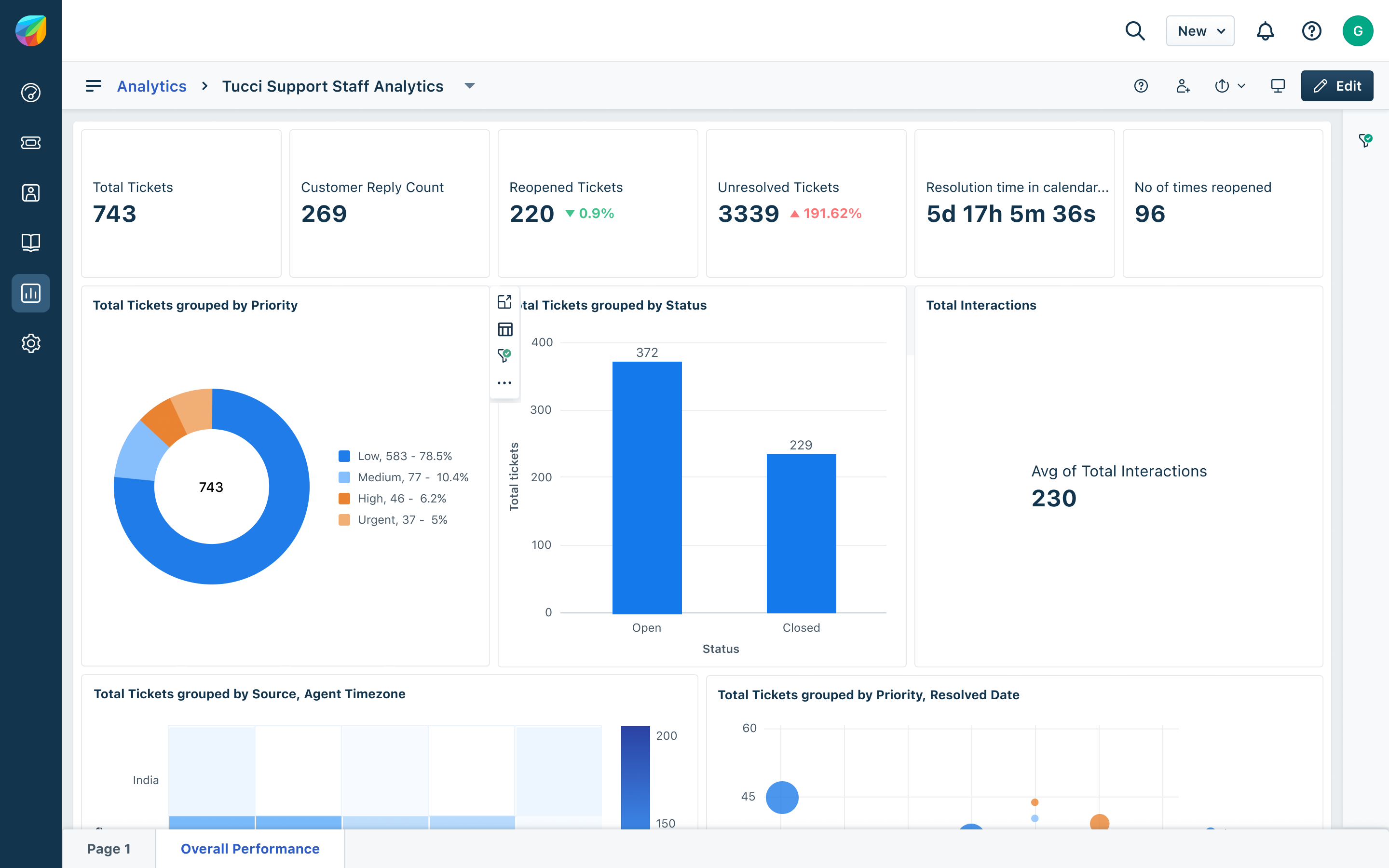
| Freshservice offers no-code automation rules, Freddy AI suggestions, approval routing, and ticket categorization features. | Starter plan’s $19 per agent per month price may be costly for very small or budget-conscious teams. |
| Pricing starts at $19 per agent per month for the Starter plan with annual billing option at $29 per agent monthly. | The enterprise pricing tier requires custom quotes, making cost transparency limited for larger organizations. |
| Workflow support enables extensive customization for IT service processes. | Some advanced ITSM features are only accessible on Growth plan and above, limiting Starter plan capability. |
| Four pricing tiers available: Starter ($19/mo), Growth ($49/mo), Pro ($99/mo), and customizable Enterprise plan. | Free plan features and limits are not clearly specified, possibly restricting adoption for very small businesses. |
 Cherwell Asset Management Software Close look
That low cost pulls in small to mid-sized companies wanting IT asset tracking without a big upfront splash. Cherwell Asset Management starts at $2.00 per user each month. There’s even a free plan, but it handles only a small number of assets. Limited capacity. Once you pass that limit, the license fees jump fast—$120 a year for up to 500 assets—and that can strain budgets if your asset list balloons quickly.
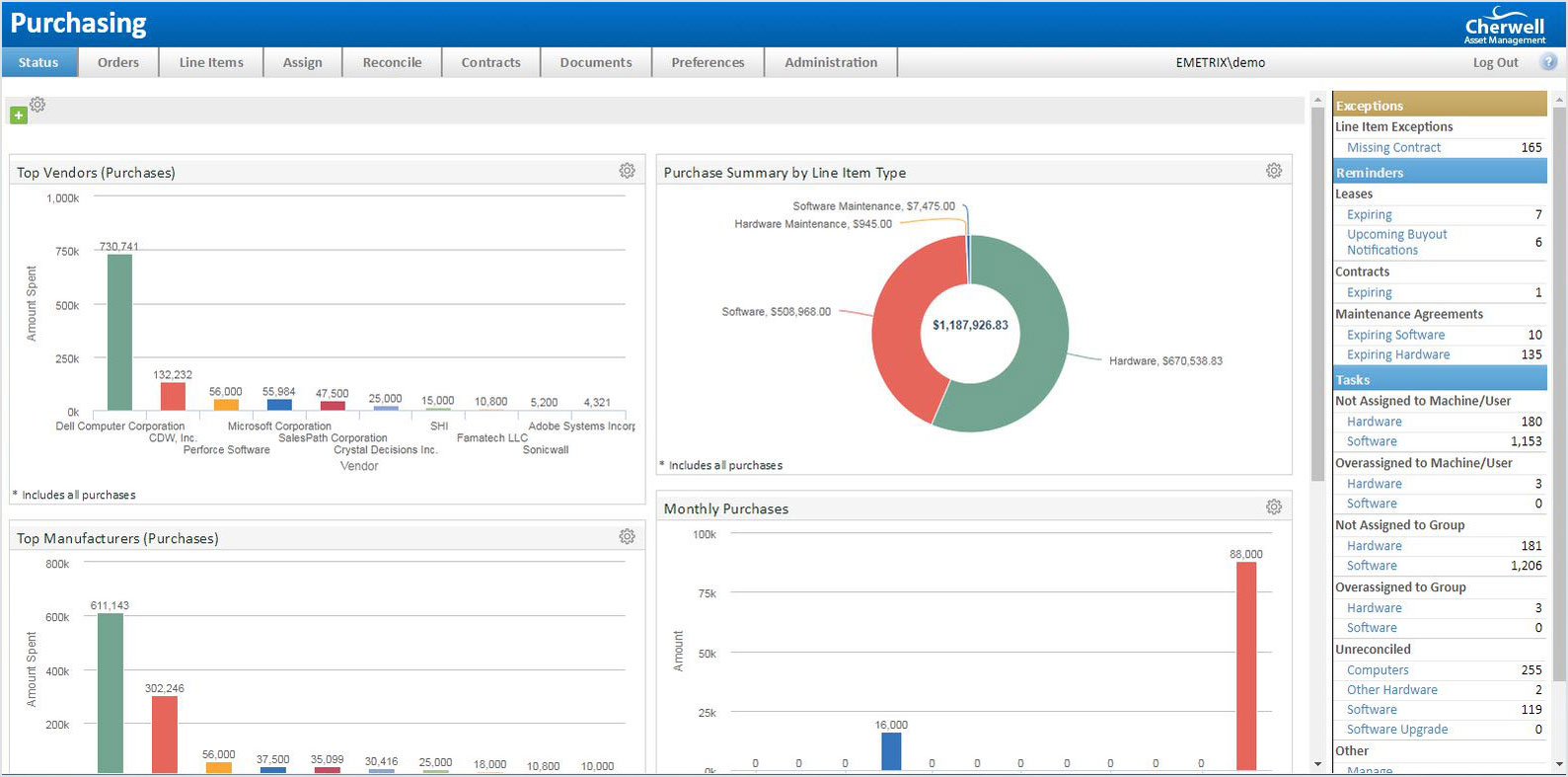
Look at ManageEngine AssetExplorer, for example. Cherwell’s prices lean heavily on how many assets you have and which extras you add. Where some rivals pack in features under a single price tag, Cherwell breaks them out. That’s another $150 to $200 per user. This setup suits groups that want to pick and choose, scaling tools piece by piece. But very large businesses or those wanting all-in pricing might flinch. Still, for firms chasing an affordable start and room to grow, Cherwell can be a solid pick—if they’re ready for the costs to climb with their assets.
What stands out with Cherwell? A stepped cost system that’s friendly to small outfits, yet less so once assets explode. The free tier and cheap starter plan draw in startups and growing crews. On the downside, the interface feels stuck in the past—less slick than newer options, which may slow adoption. The modular price model demands you track fees not just for asset count but for added features, making budgeting trickier. It fits best when you manage a few thousand assets, not hundreds of thousands. That sensitivity to scale and the separate add-ons differ from competitors with more all-in-one fees. Industry reviews highlight Cherwell’s trade-off: tight cost grip mixed with flexible features, at the price of an old-school UI. If you’re shopping, dig into user benchmarks and opinions on G2 to see if this pricing maze fits your team.
| ✓ Pros | ✗ Cons |
|---|---|
| Standard plan pricing at $2.00 per user per month provides affordable asset management for growing businesses | User interface feels outdated, resembling designs from 2011, which may impact user experience |
| Free version permits management of up to 250 assets, suitable for small organizations | Licensing expenses increase majorly beyond 250 assets, starting at $120 per year for up to 500 assets |
| Mid-tier plans managing around 2,000 assets are available for a few thousand dollars annually | Advanced management tools like ITOM cost between $150 and $200 per user, adding to total pricing |
| Enterprise plans scale with asset volume and feature set, ranging between $500 to over $15,000 monthly | Pricing is highly sensitive to asset count, which may limit cost-efficiency for larger organizations |
 Samanage IT Asset Management Platform Review
You get a free tier handling a small set of assets. Companies can add assets bit by bit. Samanage kicks off with an entry-level plan priced to win over businesses that want to grow without dropping big bucks right away. It’s like dipping your toes in before moving up to paid plans that match growing needs and ambitions. This setup stops sudden budget hits.
Samanage, on the other hand, lays costs out clearly and keeps price hikes predictable. By contrast, ManageEngine AssetExplorer keeps its prices under wraps and limits free asset counts more tightly. Its tiers fit mid-market firms well, balancing what you need with what you can spend without nasty surprises. But the interface looks stuck in the past, which drags down daily use. Advanced IT operations features come with a steep premium—too steep for smaller teams wanting those extras. So, Samanage suits firms chasing simple, solid growth with clear costs rather than flashy design or all-in-one, high-end features on a shoestring.
The real draw? Samanage’s pricing model scales smoothly—from free up to plans covering thousands of assets—without forcing pricey upgrades too soon. That kind of budget predictability beats competitors who keep you guessing and scrambling. Still, the outdated interface and pricey add-ons can slow down teams wanting slick workflows or complete IT management in one box. In 2026’s shifting IT asset management market, where companies want both flexibility and ease of use, Samanage fills a niche focused on thrift and steady growth (for the most part). Organizations chasing high-end interfaces or fully integrated ITOM may find it lacking.
| ✓ Pros | ✗ Cons |
|---|---|
| Standard plan costs $2.00 per user per month, making it affordable for business growth. | User interface criticized as feeling outdated, resembling a 2011-era design. |
| Free tier allows management of up to 250 assets without charge. | Advanced management tools like ITOM require $150–$200 per user, increasing expenses majorly. |
| Tiered pricing starts at $120 per year for managing up to 500 assets after free tier. | Free plan asset limit capped at 250 assets, possibly restrictive for growing organizations. |
| Mid-tier plans support approximately 2,000 assets, costing a few thousand dollars annually. |
 Asset Panda Comparison and Use Cases
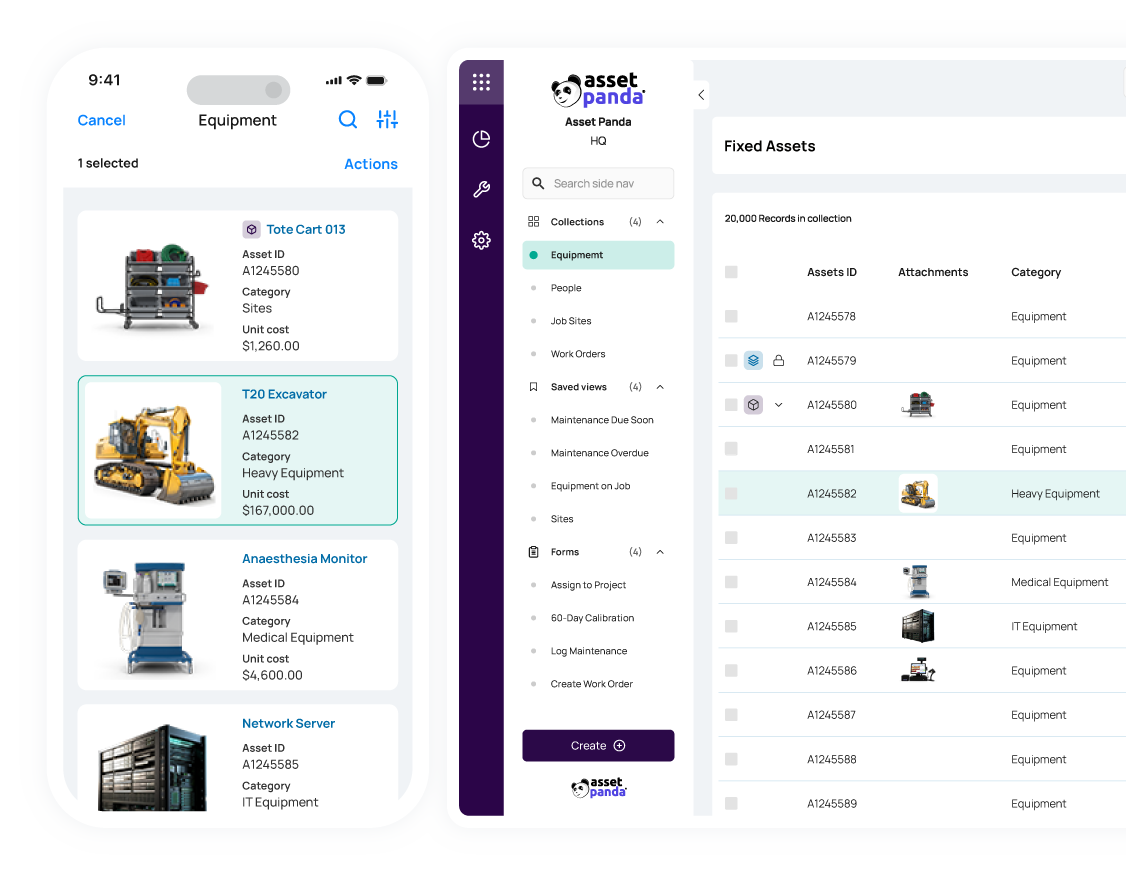
It doesn’t just track assets—it weaves tracking right into business workflows. Asset Panda stands out in the 2026 IT asset management scene with tough tools that cover the whole asset lifecycle and keep tabs on compliance across many asset types. That’s something ManageEngine AssetExplorer struggles with, leaving teams in the dark. But, heads up: if you juggle more than 1,000 assets, Asset Panda can start to slow down, hinting it’s less built for massive operations.
ManageEngine AssetExplorer does a decent job finding assets and fits snugly into its market. It’s murky and can trip up buying decisions, especially when other vendors lay their costs on the table clearly. Still, it can’t match Asset Panda’s slick way of tying workflows to asset data, which might stunt how useful that data really is day-to-day. Asset Panda, though, asks for some tech chops—its reporting features are customizable but not plug-and-play. If your team lacks specialized skills, you might hit walls getting reports just right. The mobile app isn’t quite there yet either; field workers could find it clunky compared to the desktop version.
If you need sharp, flexible reports that link asset data tightly to what operations actually do—especially if you run a hybrid IT setup with fewer than 1,000 assets—Asset Panda could be your ace. But if you want a clear-cut mobile-first solution or transparent pricing, it might not fit the bill.
Asset Panda’s real draw is deep asset oversight mixed with workflow hooks, perfect for IT teams ready to dive into tech onboarding and tweak things. Its custom reports deliver clear insights, helping companies lock down asset compliance and management. For organizations with hybrid environments, learning Asset Panda can pay off with sharper control you won’t find elsewhere. Just watch out for scale—going past mid-sized might expose some cracks. If you want to weigh your options carefully, check out the comparison at Forbes Advisor on asset tracking software.
| ✓ Pros | ✗ Cons |
|---|---|
| Includes custom reporting tools to track IT asset lifecycle and compliance across 10+ asset types. | Some users reported limitations in handling large-scale hybrid environments beyond 1,000 assets. |
| Integrates asset tracking with operational workflows, closing the reach gap noted in 2026 reviews. | Customization options for reporting require technical expertise, complicating setup for some teams. |
| Supports hybrid IT environments with features custom for mixed on-premise and cloud assets. | Mobile app features lag behind desktop capabilities, reducing usability in field asset management. |
| Pricing tiers and licensing options are not clearly detailed, causing confusion during procurement. |
Choosing the Right IT Asset Management Software for Your Needs
It’s designed for huge companies with sprawling IT environments and deep automation needs. ServiceNow shines when you already have ITSM tools in place and want one unified platform. ServiceNow dominates the enterprise space. Expect a high price—this system is built to juggle complex asset tracking and AI-driven workflows. Smaller teams may feel buried under its complexity.
It balances straightforward setup with key features like network discovery, software license control, and compliance checks. Don’t count on advanced automation here; it’s better suited for simpler tracking demands. ManageEngine AssetExplorer targets the mid-market sweet spot. The pricing flexes to fit firms moving up from spreadsheets but not ready to adopt heavy enterprise suites. It gives IT teams clear asset reach without drowning in options.
Ivanti IT Asset Management works well for mid-to-large companies focused on security and cutting costs. The interface is smooth, though some say the system’s broad scope requires time to learn. Users praise its tight procure-to-retire workflows and strong links to identity management, helping slash asset waste. Pricing stays competitive given its operational depth. Ivanti appeals to those focus oning compliance in hybrid environments with frequent IT changes.
SolarWinds Service Desk targets IT teams needing quick deployments and easy tools. Its price point fits small to medium-sized businesses. Features like automated device discovery and asset relationship maps increase operational insight. Freshservice offers a cloud-native option with strong integrations and AI-powered ticketing, aimed at companies wanting simple ITSM plus basic asset control. Cherwell Asset Management and Samanage attract niche users chasing customizable workflows coupled with user-friendly design. Both win favor among teams valuing flexibility more than rigid setups.
Asset Panda stands apart with a mobile-first, flexible approach. It’s ideal for organizations tracking assets beyond IT gear—think facilities and field services. The pay-per-asset pricing model appeals to SMBs wary of heavy subscription fees. This setup works well for companies that need modular, growable tracking systems adapting to diverse asset inventories.
ManageEngine AssetExplorer Features and Benefits
- ServiceNow fits enterprises with massive IT deployments and generous budgets.
- ManageEngine AssetExplorer suits growing firms needing powerful yet manageable tools.
- Ivanti targets security-focused companies balancing compliance and cost-control.
- SolarWinds and Freshservice offer user-friendly picks for SMBs and mid-market teams.
- Cherwell and Samanage attract users craving customization plus quick onboarding.
- Asset Panda excels where asset tracking spans IT and diverse business units.
ServiceNow offers unmatched scale and automation but demands a hefty upfront investment. Asset Panda’s pay-as-you-go, mobile-first design opens asset tracking to a broader range of departments. The key is matching features to your company’s size and needs. Mid-range solutions like ManageEngine and Ivanti strike a balance between muscle and manageability. Lightweight options—SolarWinds and Freshservice—favor fast setup and simplicity.
Choosing the right ITAM tool means weighing your environment’s complexity, budget constraints, and compliance rules (give or take). Enterprises chasing deep integrations and powerful automation find ServiceNow hard to beat. Mid-sized businesses often get better mileage from ManageEngine or Ivanti thanks to their blend of security and usability. Smaller teams benefit from cost-effective, easy-to-use platforms like SolarWinds and Freshservice. Asset Panda fills a unique niche, supporting flexible asset types across varied departments.
For deeper insights into integrated access controls and endpoint management that bolster asset tracking, see top privileged access management software and top unified endpoint management software. These layers clamp down on IT governance while improving asset reach. The right combo lowers risk without slowing operations, safeguarding IT investments through 2026 and beyond.
Key Insights On IT Asset Management Software Usage
Benefits Derived From Implementing IT Asset Management Software
IT asset management software gathers inventory control into one place. It cuts down on time spent chasing information. Fewer mistakes happen tracking assets, which saves organizations money by making better use of what they own. The software also keeps clean audit trails that ease compliance checks, a key factor during regulatory reviews.
Typical Challenges With Deployment And Adoption
Staff resist change. People used to old systems often push back against a new centralized setup. Plugging the software into legacy infrastructure sometimes demands extra tweaks and unexpected workarounds. Without solid training, data errors quietly creep in after launch, compounding over time and undermining accuracy.
Importance Of Integrations With Other IT Systems
Connecting to configuration management databases (CMDBs) and service desks sharpens data accuracy and smooths workflows. It boosts overall efficiency too. When these links break or don’t exist at all, asset data gets trapped in silos. That kills chances to automate or support IT service management properly, creating operational bottlenecks.
Factors Influencing Software Cost Structure
Costs hinge on how many assets you track, user licenses, and add-ons like automation or advanced analytics. For enterprises, higher tiers roll in better support and more ways to customize—but beware: that hikes the price majorly. Combined, these elements shape your total spend, often pushing budgets beyond initial forecasts.
Selecting The Right Feature Set For Your Organization
Smaller teams might only need inventory tracking and basic reporting. Big companies lean heavily on compliance management, contract lifecycles, and automated workflows. Picking every module wastes money. You should match features narrowly to your actual needs, avoiding costly extras that go unused.
Ensuring Long-Term ROI With Ongoing Management
Regular data audits keep your inventory trustworthy. Updating asset lifecycle rules based on software insights slashes ongoing costs. It also mitigates risks tied to hardware and software degradation over time. These management habits fuel ongoing savings and provide a financial buffer against tech debt.
Choosing and managing top IT asset management software controls both operational flow and financial results; those two remain tightly linked. Linking asset management to CMDBs tightens accountability and incident response—this connection is highlighted in industry reports like Gartner’s. Picking vendors that fit your company’s scale ensures your software remains valuable as you grow and your environment evolves (broadly speaking).