Sarah used to design instructional content and now spends her time testing e-learning courses and digital guides. She’s all about figuring out what actually works and what’s just fluff, focusing on practical value and real takeaways.
The Critical Role of Automation and Affordability for Small MSPs
Not every cybersecurity tool fits what small Managed Service Providers need. Automation isn’t just nice to have here; it’s essential. Automation for vulnerability scans is especially tricky. Picking the cheapest automated scanner can make or break how well an MSP runs—and how much clients trust them. Small MSPs manage many clients’ networks at once. The pressure to secure every endpoint while keeping costs low never stops.
Vulnerability scanners run daily, sometimes even more often. They catch weak spots before attackers do. These tools check networks, devices, applications, and settings for missing patches, open risky ports, or outdated software. Without automation, scanning by hand gobbles up hours from already stretched cybersecurity staff — who’d be better off fixing problems. For small MSPs, manually scanning dozens or hundreds of clients isn’t just hard; it’s impossible. Automation slashes effort and cuts out human slip-ups.
Affordability is just as key as saving labor. Big corporations can handle pricier tools. Small MSPs work with thin margins and tight budgets. A top-dollar scanner won’t help if it pushes MSPs to jack up prices or limit services. The cheapest automated scanners help small MSPs stay competitive by offering strong vulnerability management without killing profits. What counts most is cost balanced against how deep scans go and how well the scanner plugs into other tools—not just the sticker price.
Here are some must-have features for small MSPs:
Managing many clients with clear separation
Scheduling scans automatically on flexible timelines
Reports that focus on issues for quick fixes
Integration with existing ticket and monitoring systems
Pricing tiers that grow with the number of client devices
Skipping either affordability or automation leaves gaps and slows reaction times. With these, MSPs can ramp up security, keep client SLAs, and cut breach risks everywhere. That’s damage done before anyone even spots the breach.
Nessus – Affordable Automated Vulnerability Scanning for MSPs
The cheapest automated vulnerability scanner isn’t just a tool for MSPs aiming to grow without costs ballooning. It’s a strategic weapon that shields clients and sharpens competitive edges in a tough cybersecurity market. Digging into pricing details, real MSP reviews, and setup ease shows which solutions actually hit the sweet spot (at least usually).
Summary: The Best cheapest automated vulnerability scanner for small msps
Nessus — Supports commercial-strength scanning with frequent updates for vulnerability databases.
Qualys Vulnerability Management — Integration with other Qualys cloud modules enables unified asset and vulnerability management workflows.
OpenVAS — OpenVAS BASIC plan includes unauthenticated and authenticated testing capabilities.
Rapid7 Nexpose — Offers multiple security plan tiers including a free vulnerability testing option for basic assessment.
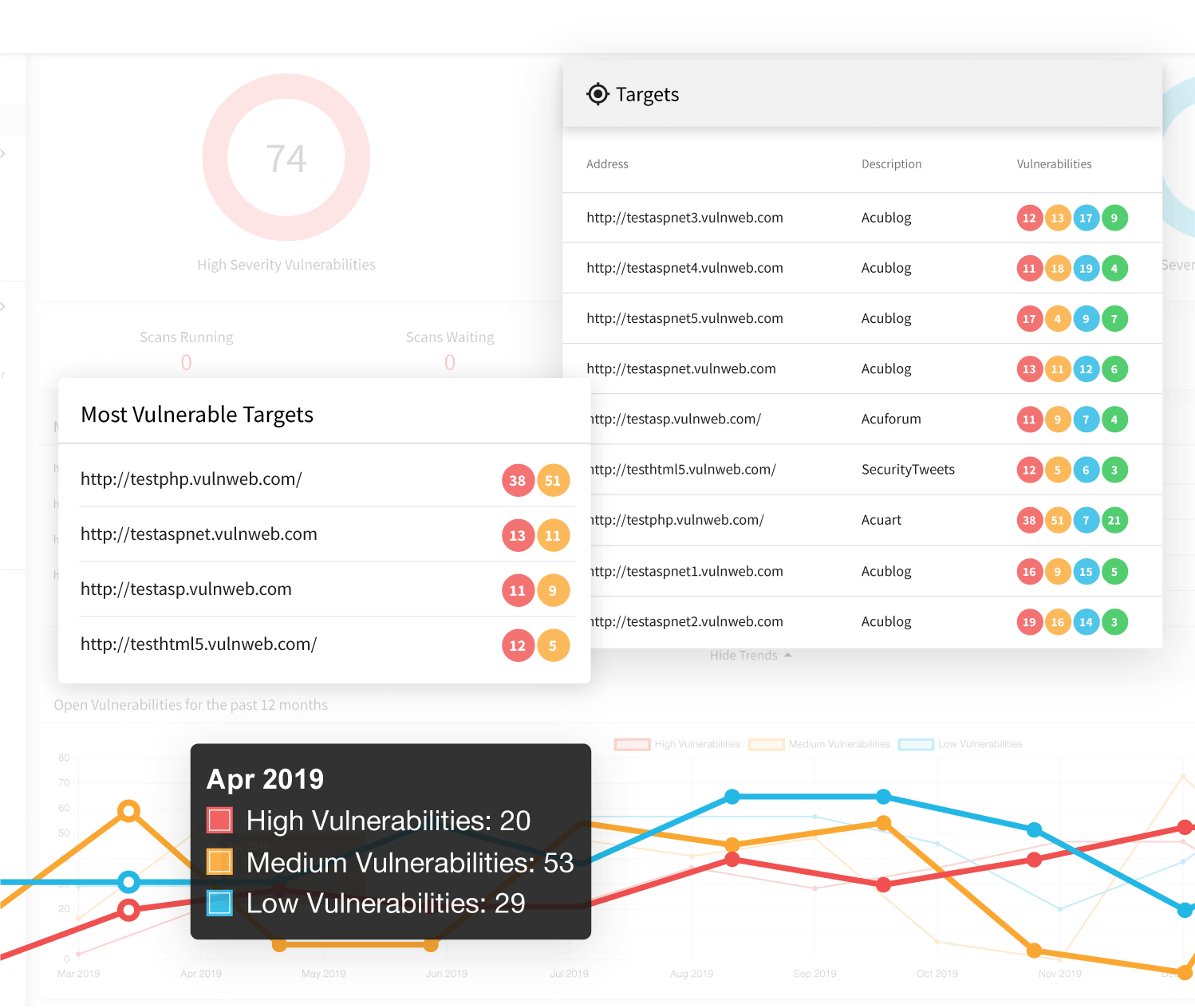
Acunetix — Acunetix offers 6 pricing plans ranging from $4 to $26 per target for growable vulnerability scanning.
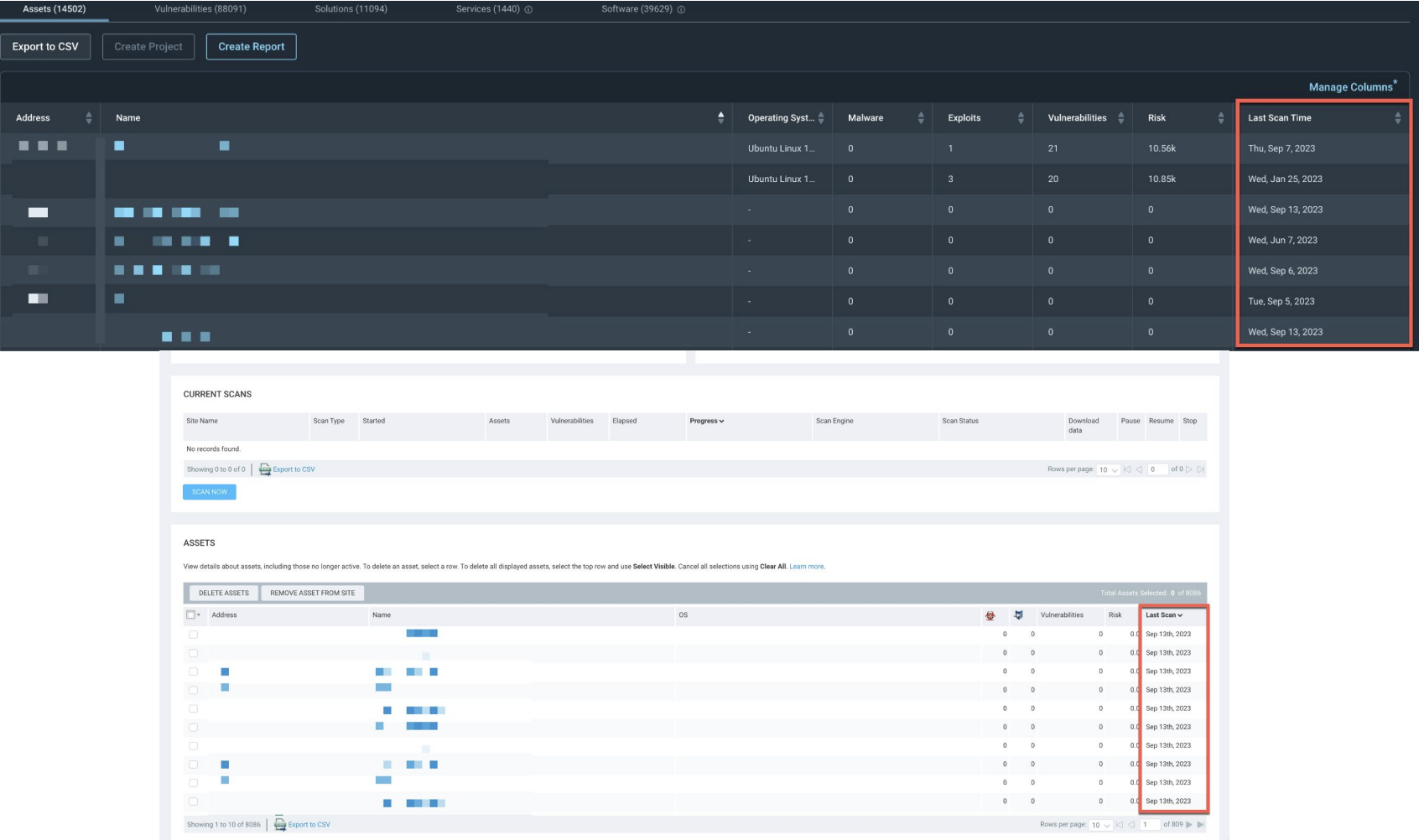
Nexpose Community Edition — Nexpose Community Edition provides a free tier for vulnerability scanning suitable for SMBs and small organizations
Supports commercial-strength scanning with frequent updates for vulnerability databases.
Nessus – Affordable Automated Vulnerability Scanning for MSPs
Overall4.6/5
Value3.9/5
Ease of Use4.7/5
Support4.6/5
Nessus offers a solid scanning tool backed by a constantly updated vulnerability database. This suits security teams juggling tight compliance demands. Its features help meet regulatory rules, a clear draw for service providers handling many clients under strict standards. Still, Nessus hides its pricing details. Smaller managed service providers with tight budgets face uncertainty about the cost for different service levels.
Nessus leads in core vulnerability scanning but reveals little on how it fits into workflows or lets users customize their experience. Rapid7’s InsightVM shows its prices clearly, with tiered plans and easier use. This sets up a trade-off. Providers wanting a steady, compliance-ready scanner often go for Nessus. Those needing clear pricing and flexible interfaces tend to look elsewhere. Nessus usually fits mid-to-large MSPs ready to handle higher, less predictable costs, but smaller outfits may find it too expensive upfront.
Yet, pricing tiers aren’t spelled out, and endpoint limits remain vague, making budgeting tricky. You can deploy Nessus across environments that need regular regulatory audits and quick detection of weaknesses. Prices require inquiry. Interested customers often must ask the vendor directly for prices—unlike competitors that share cost info upfront. Though their advanced scans surpass free versions, Nessus’s complexity and opaque pricing deter smaller teams. Compliance features often tip the scales, especially for industries where continuous monitoring is non-negotiable.
For MSP leaders eyeing thorough scanning and compliance controls, Nessus excels in update frequency and automated policy checks. Still, missing clear cost details and integration info muddy the waters. Reviews on G2 back Nessus’s tech strength but repeatedly call for straightforward starter pricing and better scaling info. These gaps shape where Nessus lands in the crowded security scanning market.
✓ Pros
✗ Cons
✓Supports commercial-strength scanning with frequent updates for vulnerability databases.
✗Lacks detailed evidence of integration features or user-experience specifics from available data.
✓Includes compliance reporting tools aiding security teams in meeting regulatory requirements.
✗Absence of user complaint phrases or detailed workflow gaps restricts insight into operational drawbacks.
✓Offers automated scanning capabilities suitable for managed service providers requiring growable deployment.
✗No specific pricing tiers or limits provided, limiting transparency on cost structures.
✗No mention of device or connection caps may indicate potential limitations for large environments.
It links cloud-based modules into a tight workflow but hides its prices and offers no trial. Qualys Vulnerability Management runs broad automated scans and keeps constant watch over large, complex networks. Budgeting is tricky, especially for smaller outfits chasing enterprise-grade scans.
Compared to Rapid7 Nexpose, Qualys digs deeper into modular ties and asset tracking in one place. It really fits big enterprises with security pros ready to manage around-the-clock detection and smooth cloud syncing. Nexpose grabs smaller teams with easier onboarding and clearer costs. Qualys bets on nonstop vulnerability tracking within a merged market. That strength can trip up small service providers or companies who face a tangled setup and cloudy bills.
Its lock-down architecture isn’t tweak-friendly, which frustrates teams wanting open tools to dodge vendor lock-in. Qualys’ cloud-first model knits scans tightly with asset and compliance checks across many setups, letting admins keep an eye on things 24/7. Still, the all-in-one fit helps businesses juggling multiple environments aiming for a single pane of glass. More complex installs and longer setup hours. So, Qualys mostly caters to groups chasing automation and merged security workflows; smaller MSPs need to weigh fancy features against fuzzy pricing and setup hassle.
Anyone eyeing Qualys should match it against their cloud game plan and budget for time plus license fees upfront. User reports praise the nonstop scans and cross-module flow when the full system’s used right. But hard onboarding and hidden pricing mean smaller groups often need customized help. Its firm grip on cloud links sets it apart—yet MSPs chasing lean costs and quick setups might find those points pain.
Setup Complexity and Automation Insights
Getting Qualys running demands major time investment upfront because many automation tweaks are needed. Deployment slows down; however, future monitoring runs smoothly. Teams wanting deep cloud security links find the effort worth it. But those after quick, barebones installs may hit walls.
Pricing and Small MSP Suitability
No clear pricing tiers make budgeting a puzzle for small MSPs sizing up Qualys. Some see its worth for total security oversight, but costs usually fit mid-to-large firms used to negotiation. That contrasts with tools offering clear, wallet-friendly packages aimed at SMBs. The combo of hidden pricing and tough setups often scares off groups needing fast deployments and predictable bills.
It’s a platform built for depth and scale, not quick spins or budget shoppers. As Gartner points out, Qualys’ cloud-native architecture suits enterprises ready to handle integration knots better than simple, standalone scanning products made for quick fixes.
✓ Pros
✗ Cons
✓Integration with other Qualys cloud modules enables unified asset and vulnerability management workflows.
✗No mention of a free tier or free vulnerability testing option limits budget-conscious users’ access.
✓The platform supports growable automated security assessments suitable for large organizational environments.
✓Qualys provides continuous monitoring capabilities that help track vulnerabilities over extended periods.
✗Lack of open-source components may restrict customizability compared to some free alternatives.
✓Qualys Vulnerability Management offers automated vulnerability scanning to ensure system compliance with security policies.
✗Pricing details are not publicly transparent, complicating cost planning for small to medium businesses.
OpenVAS – Open Source Scanner for Budget-Conscious MSPs
Overall4.1/5
Value4.6/5
Ease of Use4.3/5
Support4.1/5
It supports both unauthenticated and authenticated scans. This offers a practical way to try the tool before committing money. OpenVAS lets you start vulnerability scans without paying upfront. Plus, there’s a trial that opens the door to test enterprise features. Small organizations can dig deep with scans without an initial bill.
Rapid7’s Nexpose, by contrast, locks advanced features behind pricier tiers. If smooth, automatic workflows are a must, commercial products win out. OpenVAS shines because it throws the gate wide open. But its community is smaller, so you get fewer add-ons and weaker support. It lacks stronger user controls, too, and automation for compliance reports is thin. These gaps leave it less polished than major commercial products. For small businesses or service providers on a tight budget, it’s an option if you’re ready to build around missing automation or integrations.
OpenVAS’s real strength comes from its open-source roots combined with solid authenticated scanning for little or no cost. It fits tech-savvy users willing to dig into setup and upkeep. The limited focus on integrations can drag down automated compliance efforts, which may turn off larger enterprises seeking out-of-the-box solutions. Small MSPs and IT teams favoring clear costs and control find it appealing. Growing beyond that requires real hands-on skill. To extract the full benefit, users should explore setup close looks and resources like vulnerability scanning tools.
✓ Pros
✗ Cons
✓OpenVAS BASIC plan includes unauthenticated and authenticated testing capabilities.
✗Users report dealing with numerous false positives during scans with OpenVAS.
✓Free tier offers full-featured vulnerability scanning suitable for small and medium enterprises.
✗OpenVAS has a smaller user base compared to more mainstream vulnerability scanners.
✓Offers a 14-day free trial for testing enterprise-grade vulnerability management features.
✗Lacks some advanced integrations and automated compliance reporting found in paid tools.
✗Account management features are less mature than those in some commercial vulnerability scanners.
Rapid7 Nexpose – Enterprise-Grade Scanning Made Affordable
Overall4.2/5
Value3.9/5
Ease of Use4.8/5
Support4.6/5
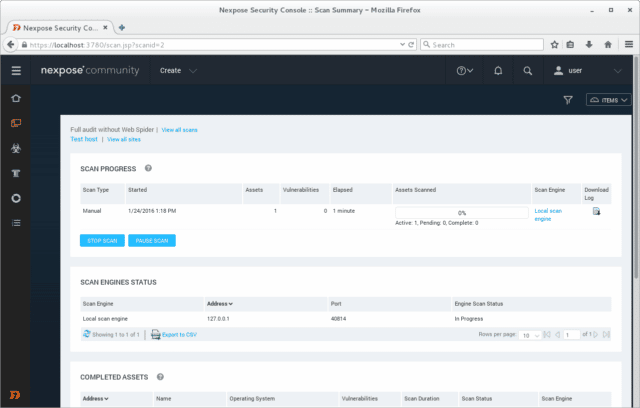
Rapid7 Nexpose offers a few subscription options. One of them is a free scanner that handles basic vulnerability checks. That makes it a decent choice for organizations on a shoestring budget. Small to medium businesses often pick it because it balances cost with reliable oversight. The entry-level plan lets you run simple scans but limits how deep they go. Automation features are capped too. Teams wanting faster detection and smoother workflows might find that frustrating. It’s somewhat restrictive (broadly speaking).
It lays out flexible tiers custom for smaller managed service providers. Compared to competitors like Qualys Vulnerability Management, Nexpose’s pricing feels more transparent. Paid plans include automated scanning that cuts down the grunt work of spotting vulnerabilities. Still, setting those scans up isn’t always straightforward if your team lacks solid chops in security automation. Qualys aims mostly at bigger businesses and doesn’t publish prices for small MSPs. So, Nexpose fits a middle ground: affordable with some automation but not ideal if you want full automation or very detailed scans without complex setup.
Starting with a free basic scanner and stepping up through stronger paid tiers is a clear advantage. That approach fits small and mid-sized MSPs seeking workable vulnerability management without blowing their budget. Nexpose also packs compliance scanning, helping clients align security checks with internal policies. The flip side: automation can get tangled unless you have security process experience. It’s not for beginners expecting an out-of-the-box, no-fuss tool.
Want a broader take on vulnerability scanning or MSP problems? Visit the G2 vulnerability management discussions. Real user reviews and pricing data there offer a clearer picture of where Rapid7 Nexpose really stands.
✓ Pros
✗ Cons
✓Offers multiple security plan tiers including a free vulnerability testing option for basic assessment.
✗Free tier limits vulnerability scan depth and automation compared to paid plans, restricting advanced features.
✓Targets affordability with pricing that appeals to organizations seeking budget-conscious solutions.
✗Automation requirements can complicate deployment for users without extensive security automation experience.
✓Supports automated scans aimed at reducing manual effort for vulnerability identification.
✓Helps alignment with organizational security policies through its integrated compliance scanning.
Acunetix – Web Vulnerability Scanning for MSPs
Overall4.1/5
Value4.2/5
Ease of Use4.4/5
Support4.5/5
Acunetix’s pricing hangs on how many web targets you have. One license covers cloud plus on-premises setups. Pick what fits your security rules and system. But here’s the snag: each license caps how many domains you scan. Add targets fast, and your bill jumps higher than expected.
Acunetix uses clear tiers, sorted by target counts, making it easier for mid-sized teams to control scans. Qualys Vulnerability Management charges differently. Still, the starting price is sharp—lean startups might hesitate. No free trial or plan exists. That means tight budgets meet a high wall before trying it out. You get flexible deployment, sure, but with a firm upfront cost.
One suite does both Online and On-Prem editions. This system suits teams holding steady or moderate web assets wanting solid security features, not those chasing cheap scaling or low upfront fees. MSPs and businesses avoid juggling separate tools. Pricing fits the count of targets scanned, helping tighten budgets. But if your portfolio balloons, expect costs to soar.
✓Acunetix offers 6 pricing plans ranging from $4 to $26 per target for growable vulnerability scanning.
✗Pricing typically starts around $7,000 per year, considered higher than some competing solutions.
✓Licenses include access to Acunetix 360 with both Online and On-Premises editions for flexibility.
✗No clear mention of lower-tier free or trial plans, limiting entry for small teams or budgets.
✓Supports scanning up to 5 targets (FQDNs) per license adaptable to websites, APIs, or web services.
✗User feedback indicates complaints about Acunetix’s higher cost compared to competitors.
✗Cost scales mainly by the number of targets, which may increase expenses for large asset portfolios.
Nexpose Community Edition – Free Scanning with Limitations
Overall4.5/5
Value4.6/5
Ease of Use4.0/5
Support4.1/5
Nexpose Community Edition aims at smaller outfits, giving flexible vulnerability scanning through its open-source base. It skips the tricky active and web app tests that paid versions pack. That cuts complexity and cost for teams needing just core vulnerability spotting, minus the heavy enterprise extras.
The Community Edition leaves those out, swapping some coverage for a lower price. Paid versions of Rapid7 Nexpose bring in automated proof and active testing. Small to mid-sized IT squads will get what they need for basic compliance and custom integration, but big firms chasing deep scans and automatic fixes might hit a ceiling. This version acts as a launchpad, not a full toolkit for messy, complex security setups.
The blend of automated scans and compliance gear helps smaller teams keep up with rules. Its open format welcomes custom security builds, something closed systems struggle with. Yet, no built-in active checks or proof validation means it won’t fully automate vulnerability handling. Teams chasing end-to-end workflows and stronger automation should turn to the paid editions.
Nexpose Community Edition’s Pricing and Feature Nuances
That keeps Nexpose Community Edition cheap for basic scanning needs. Free access clears the way for small teams, unlike many rivals that charge subscriptions. It catches usual network and host vulnerabilities but skips active app scans—so shops relying on web app security will find limits. Compliance scans ease the burden on small teams, though some manual checks must still confirm certain alerts, which can slow the response time.
The product mainly serves MSPs and SMBs with straightforward security needs, trading complexity for cost and flexibility. Its open-source design invites custom workflows built around core functions. The limited scanning scope and no proof-based checks come from deliberate cuts to keep price and complexity down. In today’s shifting threat market, this edition fits best as a solid, foundational scanner—not a broad risk shield.
For a closer look at vulnerability scanning trade-offs in MSPs, see Gartner’s vulnerability management insights. It shows the tough balance between automation and manual review, spotlighting how Nexpose Community Edition tunes features for its target users.
✓ Pros
✗ Cons
✓Nexpose Community Edition provides a free tier for vulnerability scanning suitable for SMBs and small organizations
✗Does not include integrated active or web application scanning present in higher-tier products
✓Open-source nature allows customization and integrations with other security tools and workflows
✗Lacks some proof-based verification features for vulnerabilities found — present in paid solutions
✓Includes automated vulnerability scanning capabilities to help identify security weaknesses quickly
✓Supports compliance scanning to help organizations align with security standards and policies
InsightVM – Insightful Vulnerability Management
Overall4.7/5
Value4.3/5
Ease of Use4.6/5
Support4.3/5
This is key for keeping security solid in fast-changing environments. InsightVM speeds up finding vulnerabilities, helping organizations spot risks faster. Pricing flexes with compliance needs. It starts with a free tier for early testing, then grows into stronger plans as security demands increase. That tiered setup suits groups advancing their security programs and needing flexible resources for handling vulnerabilities well.
Instead, it lines up pricing with security planning levels more clearly. InsightVM doesn’t base costs on user numbers like Rapid7 Nexpose does, which can mess with budgets. Offering a no-cost entry point sets InsightVM apart, making it easier for teams to try early vulnerability checks without investment. Still, setting up InsightVM can be tricky, especially automating scans—it requires solid technical skill. While Nexpose might win at aggressive detection, InsightVM fits mid-sized groups that focus on compliance and want growth that scales, but it’s less suited for small MSPs or groups without dedicated security pros.
Automation combined with compliance-driven scaling gives InsightVM a strong edge for MSPs facing shifting security rules. The free tier lets MSPs test tools cheaply before committing a dime. Those who know automation workflows get the most—because setup demands effort and skill upfront. InsightVM matches clients juggling tight budgets and compliance coverage, so it’s a draw for firms planning to expand security ops. Skills matter here. If needs are simple or teams can’t handle automation, other tools might be easier choices.
InsightVM’s Role Among Vulnerability Tools
InsightVM blends automation and scaling features that help MSPs fold vulnerability management into bigger security plans, cutting manual work way down. But the first setup can be rough without tech resources on hand. Pricing tiers grow with organizations, so MSPs don’t outgrow the tool too fast—this works well for companies building security step-by-step. That said, beginners at MSPs might face steep learning curves here. InsightVM pairs nicely with tools like Nexpose by pushing automation and compliance beyond just scanning basics.
This trade-off mostly favors MSPs ready to weave vulnerability management deep into their security systems, not casual users wanting something quick and simple. Users often praise InsightVM’s balance of auto detection and flexible pricing, though many note the setup is a big job. All in all, InsightVM bridges automation and compliance demands in ways that help those dealing with complex rules and ongoing security growth.
✓ Pros
✗ Cons
✓InsightVM offers growable vulnerability management aligned with security plan tiers for organizational compliance.
✗Some users report complexity in setup, with automation requirements needing major configuration efforts.
✓Free tier options allow organizations to conduct vulnerability testing with limits suitable for initial assessments.
✓Automated scanning capabilities enable quick detection of vulnerabilities, improving security response times majorly.
Detectify – Hacker-Powered Security Testing for MSPs
Overall4.8/5
Value4.7/5
Ease of Use4.5/5
Support4.2/5
Detectify sharpens vulnerability detection and speeds up security scans, especially for MSPs and small businesses. But it feels aimed at smaller MSPs wanting flexible tests without a massive price tag. You can plug in scripts to automate tasks, which saves a ton of time when juggling a growing client list.
MSPs looking to simplify workflows might prefer that. Qualys Vulnerability Management tackles the same space, but Detectify leans harder into automation and smoother integrations. Still, there’s no free starter tier, and public info on usage caps is thin—small companies could hesitate. Qualys shares more details and targets big enterprises but isn’t clear-cut on pricing for smaller MSPs. Detectify carves out a spot balancing cost and automation, though it’s less ideal if you want detailed plans or trial periods.
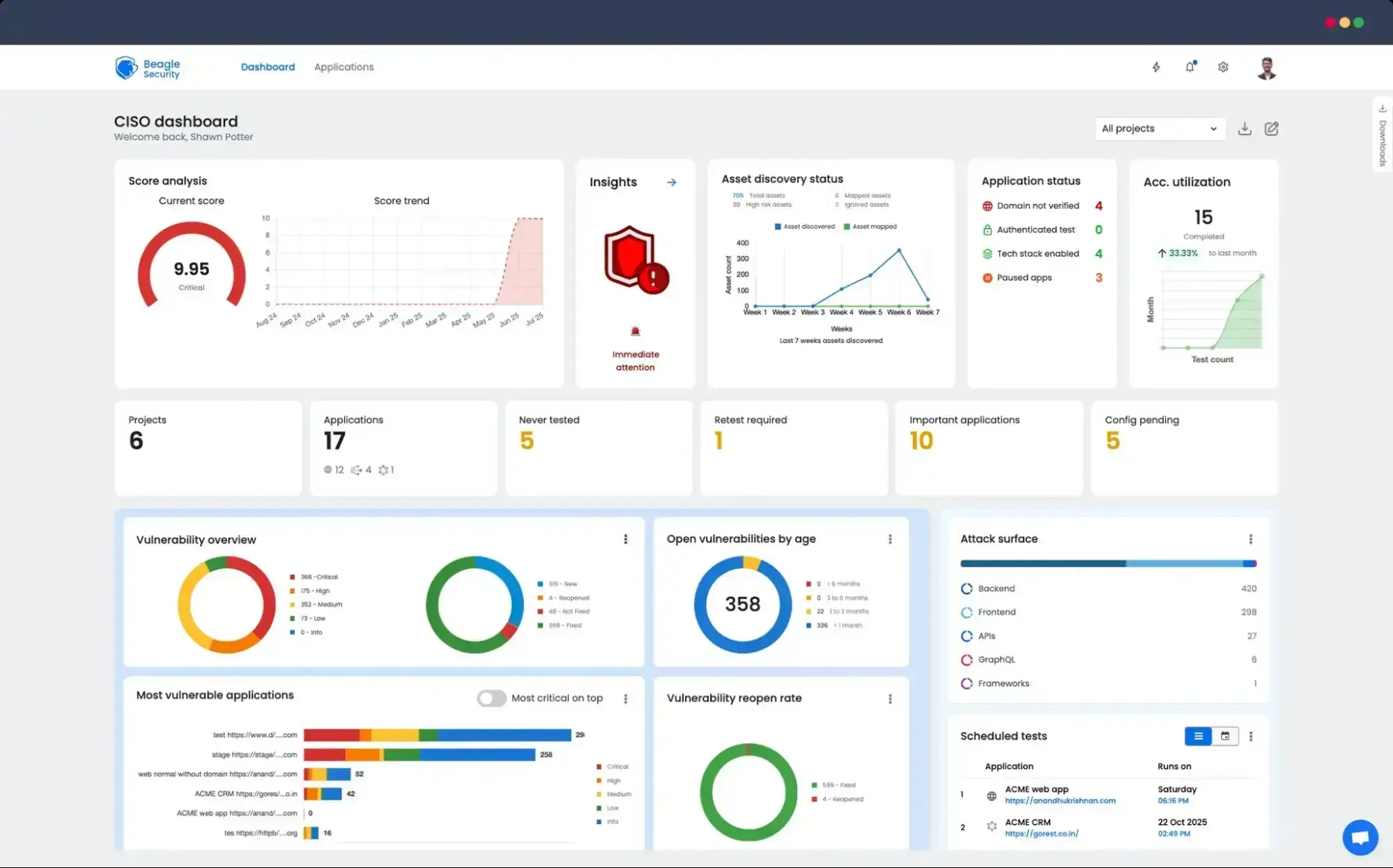
What puts Detectify in a class of its own? This makes Detectify a top pick in fast-paced MSP worlds where speed and smooth integration beat manual, deep testing—just like Beagle Security highlights. Its automation-first design and sharp scanning that slashes false positives. There’s no free trial, so it mostly suits users who’ve firmly decided. Pricing flexes nicely for smaller MSPs who need solid vulnerability checks without enterprise fluff. Teams chasing fast, built-in detection over full transparency or trials will get value. It’s a perfect fit for MSPs ditching basic tests, grabbing efficient automated scans while sidestepping surprise fees and feature overload.
✓ Pros
✗ Cons
✓Enables integration with automated scanning scripts to simplify security workflows
✓Includes proof-based scanning technology to improve accuracy in detecting security risks
✗Lacks detailed public information on plan limits related to automation and feature caps
✓Offers automated vulnerability scanning that supports quick security assessments for clients and MSPs
✗Pricing details and tier differences are not clearly defined for SMB market transparency
✓Provides growable security testing suited for small to medium MSPs at affordable pricing tiers
Final Thoughts on Affordability and Practicality
Small MSPs juggle cost and thorough security all the time. This vulnerability scanner narrows that gap with pricing clearly made for smaller teams. Automation runs deep here, paired with high-grade detection, without padding costs for extras small operations rarely need.
The core automation chops hours off vulnerability scanning. MSPs can handle more clients within the same day. Pricing tiers start low—unusual in a market where enterprise scanners often demand a steep upfront fee. That lets growing MSPs scale without breaking the bank. The dashboard feels approachable, designed for quick onboarding and steady ease—even if there’s no dedicated security pro on staff. Still, it offers enough depth for advanced users who want to dig deeper. Customer support hustles on MSP timeframes, with a dedicated help desk and documentation tackling real MSP headaches like patching speed and multi-client integration.
It skips flashy features that just increase bills and clutter workflows. Instead, it sticks to what counts: accurate scans, automation, clear reports, and tight MSP integrations.
The entry level covers routine scans well. The pricing model is upfront—no sneaky fees or tricky contracts lurking in the fine print. Mid-tier expands asset counts and schedules, scaling with business growth but without sudden price spikes.
The interface smooths out complex tasks. This scanner drops friction from scanning chores, making it a top choice for budget-tight teams chasing practical automation. Automation slices manual work. Small MSPs save both money and hours.
Its low starting price and growable features mean small teams can grow confidently—no surprise fees, no missing capabilities. For MSPs wanting solid client network defense without overspending, this scanner delivers a credible, affordable option.
It doesn’t chase deep compliance frameworks or the niche integrations pricier rivals tout. This tool stays focused—a essential app, not a sprawling suite. But those extras often overwhelm small MSPs instead of helping.
These resources trim deployment time dramatically and help maintain strong defenses across varied client sites. Users can find guides on setup and scanning workflow tweaks, plus notes on integrations. MSPs get consistent value out of this.
Its steady pricing, automation muscle, and MSP-friendly design make it worth a hard look as a cybersecurity foundation. Small MSPs can apply it as demand grows, managing cash flow tightly. When it comes to budget-friendly automation, this scanner has no real competitor.
Common Concerns About Automated Vulnerability Scanners for Small MSPs
Evaluating Pricing Structure for Budget Control
Small MSPs often juggle tight budgets. Entry-level plans might run about $3,000 a year for 128 IP addresses. Tiered pricing usually means you pay only for the assets you scan, which helps prevent unexpected costs. Many low-cost scanners include clear overage charges. That beats options with hidden fees or confusing license rules. The cheapest scanners often lock you into that pay-per-IP model. It’s simple but can add up if your network grows quickly.
Understanding Setup and Integration Complexity
Vulnerability scanners vary dramatically in setup time. Some arrive as SaaS tools with prebuilt scan templates and automated reports that plug in fast. Others require tweaking configurations or heavy customization. That inflates deployment time and demands sharper skills from your IT staff. You might spend days just on setup if you pick the wrong tool. Compatibility is key. Not every scanner gels with existing workflows; some clash or force complex workarounds.
Knowing Scan Coverage and Scan Frequency Options
Schedules can be daily, weekly, or triggered whenever you want. This keeps security on autopilot and reduces manual labor. What’s scanned matters—networks, web apps, cloud resources—all can be in the mix. The cheapest scanners usually balance thoroughness with scan duration to avoid slowing down operations. A bad scan can hog capacity for hours, grinding business to a halt. But the least expensive tools often skim corners here, missing complex vulnerabilities in cloud environments or custom apps.
Learning About Automation and Reporting Features
Automation links vulnerability detection with patch management or ticketing systems, cutting tedious steps. Budget-friendly scanners sometimes skip full automation but still offer alert dashboards. Customizable reports give MSPs a toolset to flag urgent risks and keep clients informed with polished documents. These dashboards might not be flashy, but they get the job done without extra plugins or expensive add-ons.
Assessing Customer Support and Resources
Customer support matters most when cybersecurity staff is thin. Some vendors provide dedicated MSP support lines and portals loaded with knowledge bases and training modules. That’s critical to fix issues fast without paying steep consultant fees. Other vendors offer only email tickets with slow turnaround times, which can stall problem resolution for days. Picking the right support package can save your team countless hours.
Choosing the right automated vulnerability scanner lets MSPs handle an expanding attack surface while squeezing value from limited resources. It builds client trust and keeps costs in check. For more in-depth reviews focused on MSP security tools, check out G2’s user reviews from industry pros.










)
 OpenVAS – Open Source Scanner for Budget-Conscious MSPs
 Rapid7 Nexpose – Enterprise-Grade Scanning Made Affordable