Alex has spent more than ten years sorting through software, hardware, and new tech to figure out what actually matters. They’re the kind of person who breaks down complex stuff into clear, no-nonsense reviews and updates—no fluff, just what you need to know.
What Sets Static Application Security Testing Apart
Static application security testing (SAST) scans source code before the app even runs. Spotting trouble this soon often saves hours, slashes costs, and shields your rep from fallout. Missing one bug early can cost millions or wreck your compliance history. It hunts down weak spots in code that haven’t yet executed.
Top SAST tools burrow through codebases, rooting out flaws like buffer overflows, injection flaws, or flaky encryption schemes. They don’t just raise alarms—they hand developers clear, fix-this-first guidance before software builds or ships. Pushing SAST into your pipeline cleans code quality and tightens security checks without slowing developers.
You’ll see how top vendors manage scaling, multi-language code, and compliance checks. This review digs into which SAST products nail scanning precision, keep false positives in check, and slide into developer workflows smoothly—critical as 2026’s threat scene shifts fast. The lineup mixes heavyweight enterprise suites with leaner picks fit for smaller teams.
Key highlights:
Pricing models and value comparisons across leading SAST vendors
Real-world benchmarks from recent independent tests
Enterprise case studies on scaling security for large teams
Picking your SAST tool means juggling detection power, ease of use, and price. This article lays out a clear-eyed look at the best static application security testing tools, giving you a solid base to boost your software’s security right now. These insights point straight to smarter tool choices that improve security outcomes.
Agentic application security from Checkmarx offers enterprise-grade protection with cost and velocity benefits
Checkmarx Features and Benefits
Overall4.7/5
Value4.5/5
Ease of Use4.2/5
Support4.6/5
It mixes several parts that shift, so you can’t guess costs without asking sales. Checkmarx’s pricing is a puzzle. That’s unlike places such as Veracode Static Analysis, where simple subscription plans make budgeting easier. Checkmarx One Essential charges yearly for each license. You can change how much you spend, sure. But if your team is large and unclear on usage, bills can spike without warning. Some users find the platform pricey. Others think it feels stuck in the past. So, Checkmarx offers strong features—yet you pay for a complicated system and a rougher user experience.
It guards every stage of the software lifecycle with intense focus. Under the hood, Checkmarx stands out by folding security right into development. Veracode zeroes in mainly on static analysis and keeps buying simple. Meanwhile, Checkmarx excels at spotting vulnerabilities with precision and pairs this with fixes that help engineers move faster and ship quicker. This suits teams that build a lot and need deep security insights. But smaller crews or anyone wanting clear pricing and easy interfaces might find it tough to justify (give or take).
It aims to balance detailed scans against expense and speed. Checkmarx’s main strength lies in its all-in-one defense of development pipelines, bundled in the Checkmarx One platform. You’ll want to see if their tangled pricing fits your team’s size and budgeting style. Costs can surge quickly due to multiple licenses and usage rules, making predictable billing a concern for startups or midsize companies. On the other hand, big businesses with complex code and strict security goals can really gain. Independent tests like those from OWASP offer solid benchmarks to judge how Checkmarx fits your security setup.
✓ Pros
✗ Cons
✓Agentic application security from Checkmarx offers enterprise-grade protection with cost and velocity benefits
✗Checkmarx uses a quote-based pricing model, complicating cost estimation without sales engagement
✓Checkmarx delivers accurate vulnerability results with clear guidance to improve codebase security
✗Checkmarx One Essential requires per-license annual billing which may increase costs for large teams
✓Checkmarx One platform secures every SDLC stage while reducing engineering costs and speed uping development
✗Pricing factors include number of developers, scan counts, and deployed modules, adding pricing complexity
✗Users report Checkmarx feeling outdated despite high expense, indicating value concern relative to price
SonarQube Integration and Performance Metrics
Overall4.9/5
Value4.3/5
Ease of Use4.3/5
Support4.3/5
SonarQube starts out cheap enough for small teams who want to catch code problems early. But if clear pricing and simplicity top your list, other tools probably fit better. Its pricing fits modest codebases without breaking the bank. But once you step into the Enterprise Edition, costs jump sharply. That’s because it’s built for large, sprawling projects. Unlike rivals who hide subscription details, SonarQube shares some pricing openly, which helps cash-strapped groups plan better. Still, the pricetag for Enterprise editions climbs fast, and the Data Center plan pricing remains a mystery. Budgeting becomes tricky. Plus, setting up SonarQube demands solid DevOps skills, something many compact teams lack. So, if you have the budget, the infrastructure, and want deep, multi-language security checks, SonarQube suits you.
Function-wise, SonarQube covers a wide range of languages and spots vulnerabilities with keen accuracy. That beats tools that cover fewer languages or update less often. The fact that entry-level prices haven’t budged sets a cost floor everyone can expect. Yet, this freezes perceptions and muddles what you get for your money over time. If your projects vary wildly in size and need broad coverage, SonarQube’s matured commercial market offers unmatched depth. However, the recent hike in Enterprise fees complicates large-scale rollouts. You’ll need to weigh cost against the flexibility you want. For those who want a dependable, growable static analysis tool with strong integration history, SonarQube shines bright. Folks craving a plug-and-play experience, though, might find the learning curve steep and the process clunky.
This helps catch security bugs way earlier, saving stacks on fixes later. At its heart, SonarQube shines with tight IDE integration and nonstop quality feedback. It works with lots of programming languages and automates scans, making it perfect for big companies that must enforce firm policies across many teams. On the flip side, the first setup and tailoring grab your DevOps folks hard; it’s no walk in the park. Still, detailed diagnostics paired with tiered pricing pull in organizations chasing code integrity and room to grow. In the end, SonarQube stands as a premium choice for firms willing to endure early complexity in exchange for deep security coverage and professional help. If you want tough vulnerability detection and don’t mind its layered licensing, it’s a top SAST contender going into 2026 (in practice).
It shows how well it reacts to new threats and developer demands. SonarQube’s wide language support and strong integrations match industry proven methods pushed by groups like OWASP. That makes it a solid pick for users wanting a central, always-evolving security setup. Curious about how vulnerability management and clear pricing mix (more or less)? Check out Why Best Vulnerability Management Tools For Startups Define Security Efficiency With Precision for sharp insights.
✓ Pros
✗ Cons
✓Pricing starts at $34 monthly for analysis of up to 100,000 lines of code (LOC).
✗Enterprise license price increased this year, raising the cost for large deployments.
✓Enterprise Edition pricing begins around $40,000 for analyzing up to 1 million LOC, supporting large-scale deployments.
✗Pricing details for Data Center plan require contacting sales, lacking transparent published rates.
✓Supports multiple programming languages and detects security vulnerabilities during development to improve workflow efficiency.
✗Setup complexity reported, with initial configuration seen as challenging despite powerful capabilities.
✗No recent price updates for lower tiers causing confusion despite stable offerings over years.
Fortify Static Code Analyzer Capabilities
Overall4.4/5
Value4.7/5
Ease of Use4.4/5
Support4.0/5
That price supports bigger teams but could feel steep for smaller ones. Fortify Static Code Analyzer starts at $25 per developer each month. There’s a free option, too, which lets users try the static security analysis features. Still, that tier is limited compared to the paid plans.
The tool plugs right into secure development workflows. It spots vulnerabilities early, cutting down risk before software ships. Catching issues early offers an advantage over Veracode Static Analysis, which lacks transparent tiered pricing or detailed cost disclosures. Fortify’s straightforward starting fee makes budgeting easier. On top of that, it offers enterprise-level customization. That makes it ideal for organizations growing their developer security coverage. Small teams or those wanting integrated runtime protection might find Fortify’s purely static approach less fitting. Not runtime-focused.
One sharp point about Fortify is how it weaves static code analysis directly into development. This reduces chances that bugs turn into costly security incidents. The clear pricing is a plus for teams ready to invest as their codebase expands, avoiding surprise costs hidden in some rivals’ plans. Yet, that same price tag can lock out smaller outfits. The focus is on prevention through deep code review—not runtime threat coverage. This suits groups that want to catch issues in the earliest coding stages.
Teams aiming to plug security into their initial coding and okay with transparent per-user fees get solid value here. On the flip side, those needing wider runtime defenses or tighter budgets might look at SonarQube or Veracode. They often offer more flexible entry points.
✓ Pros
✗ Cons
✓Offers a free tier and paid plans starting at $25 per developer per month for scalability
✗Lowest paid subscription tier starts at $25 per developer per month, which could be costly for small teams
✓Provides enterprise solutions with custom pricing for large-scale organization needs
✗No explicit mention of active analysis or runtime protection included in the base $25 plan
✓Integrates static application security testing (SAST) to identify code vulnerabilities early
✗Free tier available but likely limited in features compared to paid plans
✓Supports secure development lifecycle practices to help development teams prevent threats
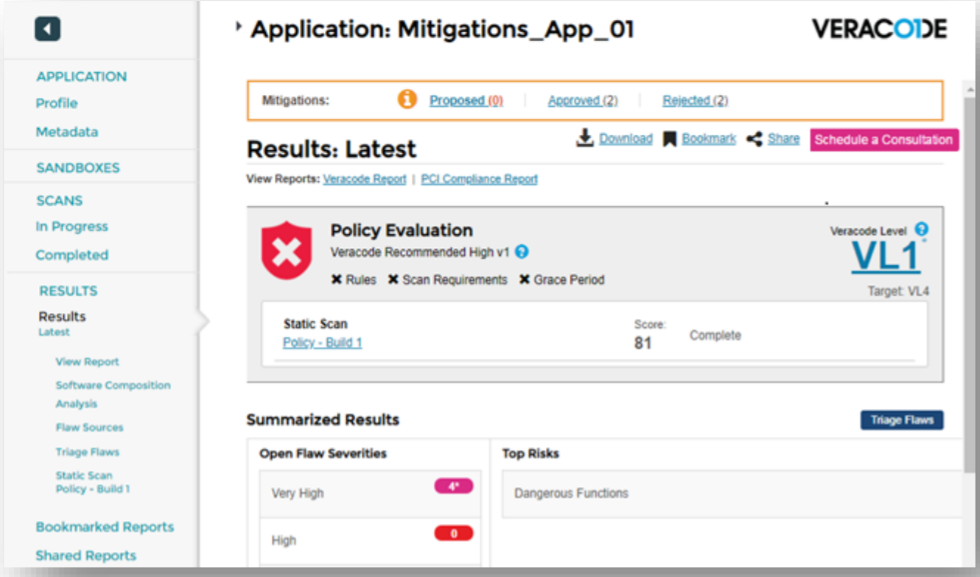
Understanding Veracode Static Analysis
Overall4.5/5
Value4.6/5
Ease of Use4.4/5
Support4.4/5
Veracode Static Analysis starts at $25 per developer each month. That entry price works well for teams tracking budgets closely and craving predictable expenses. Fortify Static Code Analyzer, by contrast, often cloaks its costs behind custom enterprise quotes. Usually tough to spot before signing up. Still, Fortify’s flexibility suits very small teams or users with massive scan volumes, letting them customize licenses in ways Veracode can’t match. For those users, Veracode’s fixed fee might feel inflexible or expensive.
Veracode combines static, active, and software composition analysis into a single tool. This blend helps teams meet compliance without juggling multiple vendors. In contrast, Fortify typically sells software composition analysis separately—often under a distinct license or product name. That separation adds complexity to purchasing and implementation. Veracode’s all-in-one setup fits mid-size to large firms well, scaling predictably while reinforcing compliance controls. But solo developers or lean startups could find the bundled features and price floor impractical or costly.
Great for squads wanting security baked into their Software Development Life Cycle (SDLC) from day one. Veracode offers a free tier for teams starting security integration with no upfront cost. Their pricing model targets mid-market buyers needing solid coverage without stitching together scattered tools. Larger deployments get custom deals, though the enterprise rates remain undisclosed. That opacity leaves potential growth costs murky and unpredictable. Freelancers and very small groups, who watch every dollar, may find this restrictive. Plus, Veracode doesn’t publish details on scan speeds or false positive rates (in plain terms). This opacity hampers anyone hoping to compare speed or accuracy against competitors who openly share those stats. Still, the unified suite remains a strong draw for teams demanding strict risk management and non-stop protection across complex code bases. Independent reviewers at Gartner’s Application Security Testing Reports affirm Veracode’s respected standing in the arena.
✓ Pros
✗ Cons
✓Offers a free tier with paid plans starting at $25 per developer per month.
✗Pricing starts at $25 per developer monthly, which may be costly for small teams.
✓Supports secure development lifecycle compliance for development teams.
✗Enterprise pricing is custom and possibly less transparent than fixed tiers.
✓Custom enterprise pricing available for large scale deployments.
✗No explicit mention of open source scanning tools integrated within Veracode.
✓Covers static analysis, active analysis, and software composition analysis.
✗Lacks clear feature details on automated scan speed or false positive rates.
Coverity Use Cases and Performance
Overall4.9/5
Value4.5/5
Ease of Use4.0/5
Support4.0/5
That price puts it within reach of mid-sized to large teams willing to pay upfront. Coverity costs $25 per developer each month. Unlike many enterprise tools that keep their pricing under wraps, this one’s clear. Small groups or startups with tight cash, though, might find that steep. Checkmarx and others offer plans that flex better, fitting a wider range of team sizes. After the base level, Coverity switches to custom pricing, which can make buying and comparing tougher. This setup mostly suits companies wanting sharp code checks and strict security rules—not those chasing simple budgets.
The tool shines at spotting vulnerabilities directly in source code (in plain terms). It focuses on areas where rules enforce secure coding from day one. However, there’s scant public info on active testing or how well it integrates with continuous delivery tools. That raises doubts about its support for fast-moving DevOps cycles. So, Coverity works best for groups investing in deep early testing backed by vendor support on big contracts. It’s not the go-to if you want ready-to-run automation or real-time active scans from the start.
It appeals to teams wrestling with complex code risks under strict regulations. For more guidance on secure coding tools, check out best vulnerability management tools. Coverity stakes a claim with heavy-duty code inspection and pricing aimed at long-term investments, not quick buys. Still, the pricey entry and murky details about integration and automation put off smaller or nimble crews wanting plug-and-play security scans. Ultimately, Coverity calls to enterprises choosing precision and compliance over quick setup or flexibility.
✓ Pros
✗ Cons
✓Offers a free tier and paid business plans starting at $25 per developer per month.
✗Base subscription pricing starts at $25 per developer per month, which may be high for small teams.
✓Scales with custom enterprise pricing for broader organizational needs.
✗No specific mention of integrations or CI/CD workflow automation limits reach on DevOps fit.
✓Helps identify source code vulnerabilities through deep static analysis capabilities.
✗Enterprise pricing is custom and may lack transparency during initial procurement.
✓Supports secure development lifecycle adherence with static application security testing (SAST).
✗Limited publicly available information about active analysis features compared to competitors.
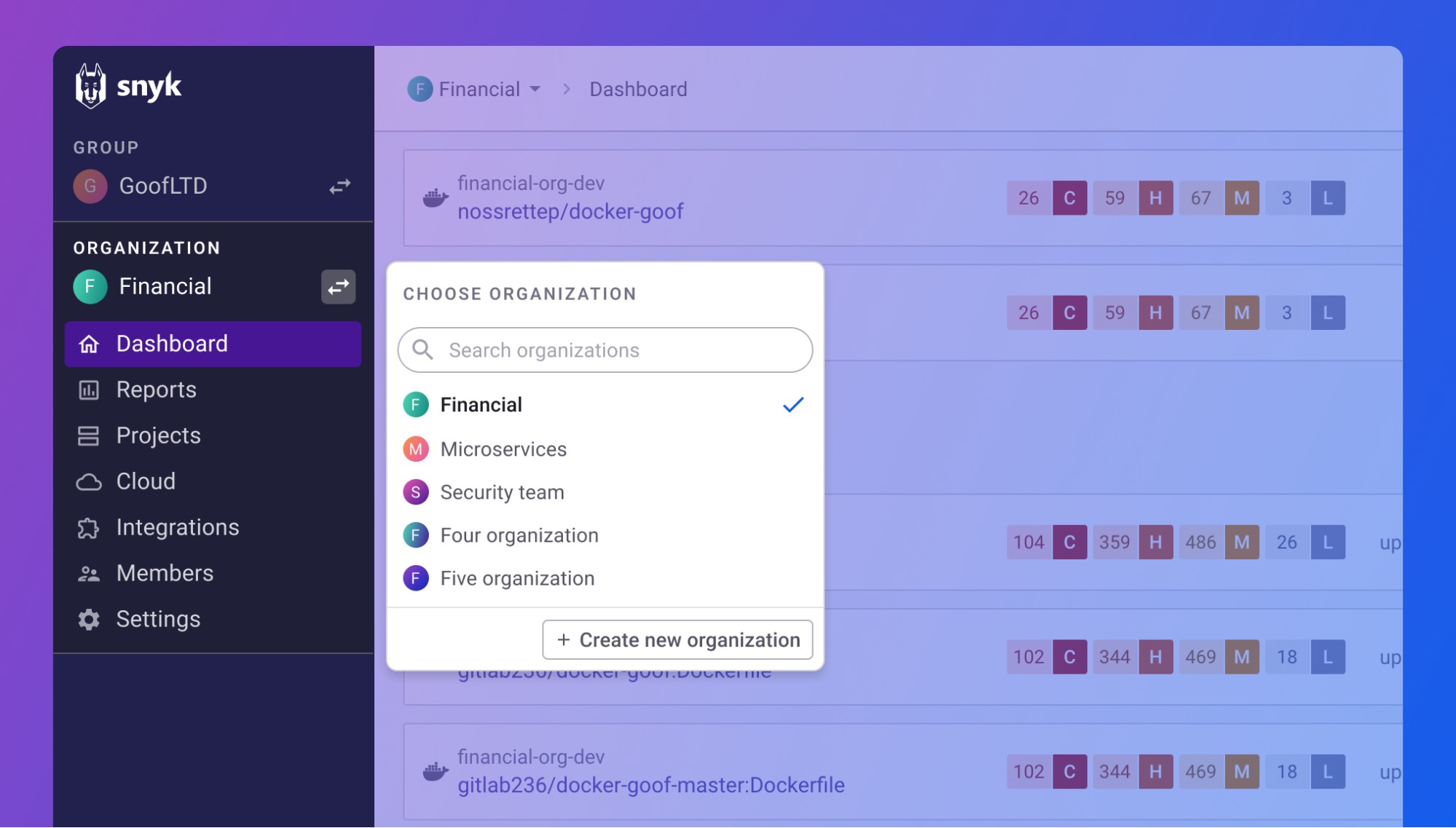
Snyk Integration and Scan Efficiency
Overall4.4/5
Value4.6/5
Ease of Use4.2/5
Support4.0/5
Snyk charges each developer every month. This setup helps with frequent security checks and broad tool support, but costs jump fast as teams grow. At the top end, packages can cost tens of thousands dollars per year. They aim at companies that weave security tightly into their development workflow. Unlike some rivals who hide prices or bundle services weirdly, Snyk lays out clear, step-by-step pricing. Because fees rise with every developer, big teams face serious bills. What sets Snyk apart is its tight connection to developer tools like IDEs and CI/CD pipelines, giving instant alerts about vulnerabilities while you write code. It suits companies hunting for early problem spots to keep projects moving swiftly, though smaller groups might balk at rising subscription bills as they add people.
The trade is clear: you pay more to get deep developer tools and immediate feedback instead of just picking the cheapest setup. Snyk fits naturally into developers’ daily routines and charges in direct proportion to user count. That means you see costs clearly, but it also demands budgeting care. It works well for teams embracing DevSecOps—folding security checks into every step speeds up fixes and lowers risk before release. You get unlimited scans too, no scan caps slowing things down, unlike SonarQube or Coverity which limit how often you can scan. Still, the price tag for enterprise-level plans can hit six figures yearly. That’s a steep climb, and Snyk doesn’t spell out volume limits or extra features fully. It fits medium to large squads with security pros on hand, less so for startups or solo devs wanting steady, low fees (in plain terms).
At its heart, Snyk weaves security into the whole coding cycle, zeroing in on managing dependencies and spotting risks live, so bad code never hits production. Its design plays well with continuous integration and buzzes devs right away when trouble pops up, keeping code quality high without breaking their flow. Prices track predictably with the number of developers, making sense if you need frequent scans and quick warnings. That pins Snyk as a sharp, dev-centered security pick best for teams with mature DevSecOps and enough funds; smaller setups might lean toward simpler, cheaper tools. If you want fast feedback and deep toolchain links, Snyk offers a premium but upfront choice backed by clear pricing and a focused security drive. For more on static application security and standards, check out the OWASP community’s page: OWASP Source Code Analysis Tools.
✓ Pros
✗ Cons
✓Snyk Team plan starts at $25/month per developer with unlimited scans and integrations included
✗Pricing reported to start at $98.00 in 2026, possibly higher than entry-level competitor solutions
✓Offers a free tier and tiered pricing up to $70,000 for enterprise needs, supporting various team sizes
✗Enterprise plans can cost up to $70,000 annually, possibly limiting accessibility for smaller teams
✓Developer-first approach specializes in dependency management, improving security in development workflows
✗Users report that the Team plan pricing is per developer per month, increasing costs for larger teams
✓Integrates smoothly with IDEs, CI/CD pipelines, and code repositories for fast developer feedback
WhiteSource Risk Prevention Capacities
Overall4.7/5
Value4.6/5
Ease of Use4.3/5
Support4.5/5
Some rivals don’t reveal their pricing upfront, while others offer lower rates. WhiteSource charges $25 per developer each month—a number that sits on the higher side compared to many competitors. That transparency helps teams plan budgets more precisely. Teams needing fixed cost estimates often welcome it. But smaller outfits—startups or solo developers—may hesitate at the sticker price. The free tier? It’s barely detailed, making it tricky for users who want to fully explore before committing.
WhiteSource zeroes in sharply on SDLC compliance and Static Application Security Testing. It probes source code deeply to spot vulnerabilities early, integrating tightly with development workflows. Checkmarx delivers comparable features but uses pricing that swings widely depending on your setup. WhiteSource’s flat per-developer fee might feel more straightforward to larger organizations juggling many licenses. Yet it skips Active Application Security Testing entirely, which narrows its coverage. If you’re hunting for a broader AppSec toolkit, especially including active scans, other providers bundle those better.
These clients often value clear, per-user pricing to keep tight reins on spending. This tool fits mid-sized to large companies focused on detailed source code analysis and compliance tracking. Teams looking for a one-stop AppSec suite with active analysis, however, will likely look past WhiteSource. The free tier also offers little room to test beyond the basics before purchase. When all is said and done, WhiteSource stands out as a targeted option for static analysis and SDLC governance—but that sharp focus comes with trade-offs in feature breadth and pricing flexibility.
✓ Pros
✗ Cons
✓Offers a free tier alongside paid plans starting at $25 per developer per month for business use
✗Base business plan pricing begins at a relatively high $25 per month per developer
✓Enterprise pricing is customizable for large organizations requiring extensive AppSec solutions
✗No detailed features given for the free tier, limiting insight into its full capabilities
✓Supports Secure Development Lifecycle compliance to assist development security teams
✗Custom enterprise pricing may lack transparency compared to standard fixed tiers
✗Lacks explicit mention of Active Application Security Testing (DAST), suggesting limited breadth
Strategic Insights And Recommendations For Selection
Among top static application security testing tools, each has its quirks and strengths for different setups. Checkmarx supports over 25 languages and plugs into dozens of dev environments, which big companies with tangled, mixed codebases really need. It scales without breaking a sweat and spots vulnerabilities early—maker’s gold for teams rushing to embed security into DevSecOps workflows (in most cases).
It started open-source and keeps evolving with community updates, ideal for open projects and mid-sized firms wanting static scans plus code health reports without shelling out big license dollars. SonarQube suits groups chasing simple, steady code quality checks. Its auto-reporting cuts down devs’ daily busywork, and smooth third-party links keep feedback loops tight.
Fortify Static Code Analyzer jams a vast vulnerability catalog and strong compliance features into one package aimed at regulated fields like finance and healthcare. Its enterprise-grade policy enforcement locks down security where audit trails can’t slip. But deployment is a monster.
Clear subscription plans and pipeline automation hook startups and fast-growers who want fast onboarding plus constant security without stacking heavy infrastructure bills. Veracode Static Analysis offers cloud-based scans that kill maintenance headaches cold.
Coverity nails accuracy with fewer false positives, a lifesaver for teams wasting hours on noise triage. It supports a broad language list and integrates smoothly with dev tools, fitting projects building essential components where every bug missed or false alarm costs.
Veracode Overview and Pricing Transparency
Snyk shines by arming developers with neat tools to scan open-source vulnerabilities and drops fixes right into repos. Perfect for teams deep in open-source markets who want to spot trouble well before it sneaks into production.
Budget-conscious firms get upfront cost clarity, making it easier to juggle risk controls alongside tight spending limits. WhiteSource automates open-source risk scans and sets pricing clearly by developer seat.
Big enterprises needing wide language coverage and room to grow lean on Checkmarx or Fortify.
Mid-sized teams craving usability plus steady community-driven updates pick SonarQube.
Startups chasing cloud ease and quick plugin wins go for Veracode.
Developers zeroing in on precision and cutting false alarms bet on Coverity.
Projects loaded with open-source parts should weigh Snyk or WhiteSource for targeted vulnerability and risk handling.
Size up your project’s scale, regulatory bars, dev skill level, and budget tightness before settling on a tool from this group. Do your homework—security gets stronger and dev speed picks up. For broader defense lines, dive into endpoint protection platforms and vulnerability management tools. Check out 6 Strategies To Choose The Best Endpoint Protection Platforms For Enterprises and Why Best Vulnerability Management Tools For Startups Define Security Efficiency With Precision — both loaded with hands-on tips. Picking smart here is one of your best bets against shifting software threats.
Insights Into Common Concerns About Static Application Security Tools
Understanding the Integration Process and Supported Languages
Checkmarx, for example, covers more than 25 programming languages. That gives teams room to work across different coding styles. Usually, these tools hook into popular IDEs and CI/CD pipelines via plugins. But setup varies a lot—some vendors keep it simple, others pile on complexity. That affects how long it takes to get running and how often you’ll tinker later.
Evaluating Pricing Models and Cost Predictability
WhiteSource charges $25 per developer each month. That adds up, fast, if your team’s big. Most tools price by developer or app subscription, sometimes offering volume discounts or enterprise deals. But the devil’s in the details. Not every vendor spells out the full cost clearly, so guessing your final bill is risky and needs careful digging.
Addressing Accuracy and False Positive Rates
False positives waste time like no other. They flood developers with alerts that don’t matter. SonarQube stands out because it strikes a decent balance—scanning deep without drowning you in noise. Still, tuning rules and updating them often is key. Those actions shape if a tool feels like a help or a hassle, especially when teams move fast with agile sprints.
Assessing Performance Impact on Development Cycles
Slow scans kill momentum. If a security test drags on, builds bottleneck and developers hiss. Some tools snap scans quickly but skim details, risking missed flaws. Others offer incremental scanning or parallel crunching to slice delays. In continuous integration setups, shaving seconds off scan time can save hours outright.
Understanding Reporting and Remediation Guidance
Good reporting points straight to the problem. It shows where vulnerabilities hide and how to fix them. The best tools don’t just flag issues—they give clear advice that builds a bridge between security experts and coders. That speeds patches and toughens the code base over weeks and months.
You pick a static analysis tool by juggling factors: how many languages it handles, pricing that won’t surprise you, scan precision, speed, and clear guidance on fixes. For a deeper dive into related areas, check out Why Best Vulnerability Management Tools For Startups Define Security Efficiency With Precision and Top Data Loss Prevention Tools Tested For Cost Efficiency And Security Performance. Teams that get this balance right line up tools that fit their work flow and demands perfectly.









 Fortify Static Code Analyzer Capabilities
 Understanding Veracode Static Analysis
 Snyk Integration and Scan Efficiency