%22%2F%3E%3Cstop%20offset%3D%221%22%20stop-color%3D%22hsl(276%2C62%25%2C37%25)%22%2F%3E%3C%2FlinearGradient%3E%3C%2Fdefs%3E%3Ccircle%20cx%3D%2228%22%20cy%3D%2228%22%20r%3D%2228%22%20fill%3D%22url(%23g)%22%2F%3E%3Ctext%20x%3D%2228%22%20y%3D%2228%22%20font-family%3D%22Arial%2CHelvetica%2Csans-serif%22%20font-size%3D%2222%22%20font-weight%3D%22700%22%20fill%3D%22%23ffffff%22%20text-anchor%3D%22middle%22%20dominant-baseline%3D%22central%22%3EET%3C%2Ftext%3E%3C%2Fsvg%3E)
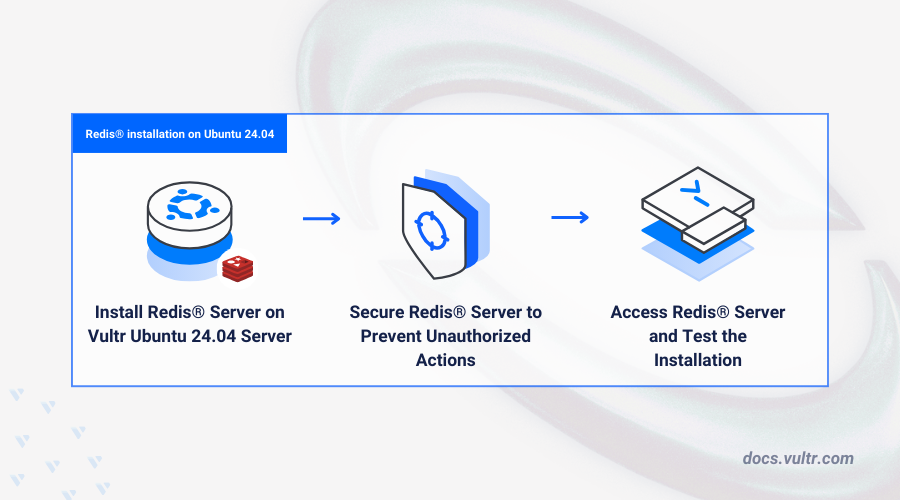
Foundations of Deploying and Securing Redis on Ubuntu 24.04

Deploying a Redis database on Ubuntu 24.04 involves more than just installation; it requires a strict approach to security that protects data, ensures reliable performance, and maintains system integrity. Redis, a widely adopted in-memory data structure store, serves as a database, cache, and message broker. High throughput and low latency requirements place this technology at the core of real-time analytics, session handling, and leaderboard functionalities.
Despite its efficiency, Redis’s default configuration focus ons performance over security, which can introduce vulnerabilities when exposed to untrusted networks or mishandled configurations. Security in this context is not optional; it directly impacts the robustness and resilience of applications relying on Redis. Neglecting protection mechanisms exposes Redis instances to unauthorized access, data breaches, and denial-of-service attacks. Ubuntu 24.04, with its updated security model and improved package management, offers a contemporary environment to deploy Redis with best safeguards.
The importance of securing Redis on Ubuntu 24.04 rests on several pillars:
- Access Control: Redis requires strict authentication methods to prevent unauthorized manipulation and data exposure.
- Data Privacy: Encryption protocols such as TLS ensure that data in transit remains confidential against interception.
- Service Management: Integrating Redis with Ubuntu’s systemd framework enables reliable startup, graceful shutdowns, and controlled resource usage.
- Resource Isolation: Limiting Redis’s system privileges reduces the risk of compromise spreading beyond the service itself.
- Audit and Monitoring: Continuous tracking of Redis activity aids in early detection of malicious behavior.
Securing Redis also means understanding the market of potential threats specific to memory-based databases and adopting proven methods that align with Ubuntu 24.04’s latest security features. Security measures range from using Access Control Lists (ACLs) and setting passwords carefully to enabling TLS encryption and implementing OS-level hardening. The deployment must balance performance gains against the overhead of security measures, which Ubuntu 24.04 accommodates with updated kernel modules and security patches (in current public documentation).
Implementing such precautions establishes a solid foundation for developing growable, secure applications that depend on Redis. Also, it ensures compliance with regulatory standards pertaining to data security, a critical consideration for enterprise environments. For professionals aiming to master how to deploy and secure redis database on ubuntu 24.04, a complete, stepwise approach is essential to use Redis’s capabilities fully while mitigating risks.
Installing Redis on Ubuntu 24.04

It helps transition Redis deployments from basic setups vulnerable to external attack vectors into hardened, production-quality installations that stand the test of evolving cybersecurity challenges. This guide addresses these concerns with precise instructions custom to Ubuntu 24.04, covering installation, configuration, encryption setup, ACL management, and service integration. The details shared here fill the gaps commonly left by tutorials centered on earlier Ubuntu versions or incomplete security configurations, ensuring latest practices align with 2026 standards and beyond.
Ubuntu 24.04’s security enhancements combined with correct Redis deployment strategies create an environment where speed and protection coexist, making high-performance caching and database solutions achievable without compromising safety—a key balance for modern infrastructure development. These efforts contribute to organizational stability and user trust, foundational pillars in any digital market relying on Redis’s rapid data operations. For practical tips on Linux server protection, see Tested 2026 Methods Reveal How to Secure Your Linux Server Proven methods.
- TLS encryption setup for Redis on Ubuntu 24.04
- Detailed Redis ACL configuration examples
- Running Redis as a systemd service with custom configuration
- Redis Sentinel security proven methods on Ubuntu 24.04
Essential Prerequisites for Redis Deployment on Ubuntu 24.04
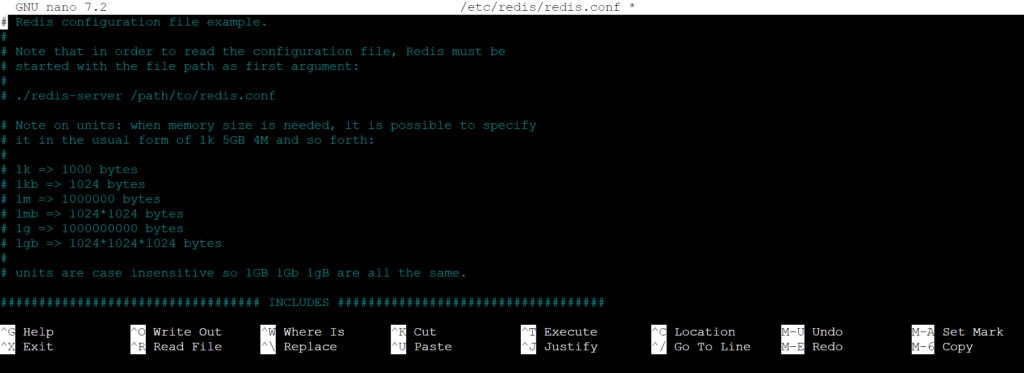
Before engaging setting up and securing Redis on Ubuntu 24.04, certain system and user requirements must be fulfilled to ensure proper installation and effective security configuration. These foundational steps lay the groundwork for a strong Redis deployment.
- Ensure Ubuntu 24.04 Server Edition is installed and fully updated with the latest security patches via
sudo apt update && sudo apt upgrade. - Have sudo or root user privileges to execute installation commands and modify system service files required for Redis.
- Verify a minimum of 512 MB RAM and at least 1 GHz CPU to support Redis operations alongside other running services.
- Confirm at least 200 MB of free disk space for Redis binaries, configurations, and data storage—adequate space is essential for performance stability.
- Install prerequisite packages such as
build-essentialandtclwhen opting to compile Redis from source, which supports customization and advanced security options. - Prepare network configuration access, including the ability to adjust firewall rules (e.g., UFW or iptables) to restrict Redis service exposure.
- Confirm the presence of OpenSSL libraries to enable TLS encryption for Redis communications, improving data confidentiality during transmission.
- Have access to systemd to manage Redis as a service, providing reliable process control and automated startup on system reboot.
- Identify or create a dedicated Redis user for running the service, minimizing root-level access and isolating Redis process privileges.
- Prepare any custom configuration files for Redis, especially if predefining
redis.confentries related to binding interfaces, timeouts, and authentication settings.
Meeting these prerequisites before deployment anticipates common system-level pitfalls and simplifies the configuration of Redis’s security features, including ACLs and encrypted connections — key on Ubuntu 24.04 servers (per industry surveys). This disciplined approach secures Redis from the outset, minimizing risk and operational disruptions. For context on securing Linux servers more broadly, referencing tested methods such as those outlined in how to secure your Linux server can complement Redis-specific measures with system-wide protections.
Step-By-Step Installation of Redis on Ubuntu 24.04
- Update System Packages
Start by refreshing your local package index using sudo apt update. This ensures you will install the latest available version of Redis and its dependencies from Ubuntu’s repositories, reducing conflicts or issues during installation.
- Install Redis Server Package
Execute sudo apt install redis-server to install the stable Redis server package designed for Ubuntu 24.04. This official package is maintained to provide compatibility and stability specifically for the system’s libraries and kernel version.
- Verify Redis Installation Version
Check the installed Redis version with redis-server --version. Confirming the version guarantees you’re running the latest stable release custom for Ubuntu 24.04, a key step before proceeding with configuration and security hardening.
- Start and Enable Redis Service
Activate Redis service immediately by running sudo systemctl start redis.service and enable it at boot with sudo systemctl enable redis.service. This integration with the systemd service manager ensures Redis starts automatically during system reboots and is managed reliably.
- Allow Redis Through the Firewall (If Applicable)
If a firewall like UFW is active, permit Redis traffic on the default port with sudo ufw allow 6379. Without this, Redis may be unreachable, especially in networked environments where remote clients connect, emphasising the importance of network accessibility during deployment.
- Test Basic Redis Functionality
Use the Redis command-line interface with redis-cli ping. A successful installation reports back with PONG, verifying the server is responsive and functioning properly after installation but before any security configurations.
- Edit the Redis Configuration File
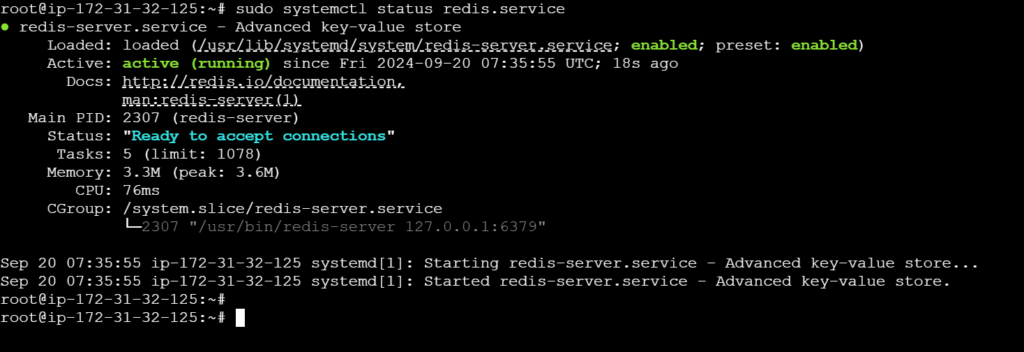
Open the Redis configuration file with sudo nano /etc/redis/redis.conf. Tailor essential settings such as binding address, enabling protected mode, and specifying supervised systemd to fit deployment needs. Ubuntu 24.04 releases may require specific flags or options for best compatibility.
- Configure Redis to Listen Locally by Default
Within redis.conf, ensure the bind 127.0.0.1 ::1 directive is active while disabling external bindings unless purposely intended. Limiting Redis connections to the local interface protects the service from unauthorized external access and is a critical first step in secure deployment.
- Enable Systemd Supervision
Modify the supervised directive to systemd inside the configuration file. This setting integrates Redis with Ubuntu 24.04’s systemd gracefully, allowing better monitoring, automatic restarts, and logging—features indispensable for production reliability.
- Restart Redis to Apply Changes
Apply configuration modifications by issuing sudo systemctl restart redis.service. Restarting the service ensures that altered parameters take effect, laying the groundwork for subsequent security enhancements and ACL configurations.
Each command references the package type and system management unique to this OS version, highlighting the need for specificity when deploying infrastructure at scale. The installation and these preliminary setup steps form the foundation of a secure Redis deployment on Ubuntu 24.04. Following these instructions allows administrators to avoid common pitfalls seen in earlier Ubuntu versions and aligns with proven methods documented in official Redis and Ubuntu sources. Security-focused steps come next after confirming a stable, functional installation.
Further hardening such as enabling TLS, configuring password authentication, and setting up Redis ACLs are vital and covered in upcoming sections, ensuring that the complete stack functions securely and resiliently against threats documented by industry bodies. This measured approach helps adherence to compliance standards and operational stability for essential data caching and messaging workloads on Ubuntu 24.04. Stay vigilant. A recent Ubuntu advisory details the importance of staying current with system package security updates relevant to Redis deployments.
Basic Configuration of Redis
- Locate the redis.conf Configuration File
This file controls Redis behavior and is typically found at /etc/redis/redis.conf on Ubuntu 24.04 after installation. Editing this file is vital for tuning persistence, security, and resource management.
- Set the Bind Address to Control Network Access
By default, Redis might bind only to 127.0.0.1 (localhost), restricting access to the local machine. To allow connections from trusted remote hosts, modify the bind directive with specific IP addresses or ranges, minimizing exposure to unauthorized access.
- Configure Persistence Options for Data Durability
Redis supports AOF (Append Only File) and RDB (snapshot) persistence. Enable one or both by uncommenting and tailoring their settings, such as the frequency of snapshots (save directives) or AOF rewrite policies. Persistence ensures data survives restarts or crashes, critical for database reliability.
- Set Memory Usage Limits to Prevent Resource Exhaustion
The maxmemory directive confines how much RAM Redis consumes. Defining this limit protects the system by avoiding Redis overtaking all available memory. Pair this with an eviction policy (maxmemory-policy) to specify which keys to expire when memory is full.
- Adjust Timeout and Client Limits for Connection Stability
Configuring timeout (seconds of idle connection before disconnect) and maxclients (maximum simultaneous client connections) helps maintain best server responsiveness and mitigates denial-of-service effects stemming from excessive or idle connections.
- Enable Logging with an Appropriate Verbosity Level
Within redis.conf, specify the loglevel setting (such as notice, warning, or debug) to adjust the granularity of operational logs. This helps administrators monitor Redis activity and troubleshoot issues effectively.
- Set Up a Directory for Data and AOF Files
Confirm the dir directive points to a secure and durable directory where Redis will write dump and AOF files, typically /var/lib/redis. Ensure proper permissions for security and reliable file storage.
- Disable or Secure the Protected Mode Based on Deployment Context
Protected mode is enabled by default to prevent Redis from accepting external connections without authentication. When binding to specific interfaces and using password or ACLs, disabling protected mode might be necessary for production use.
- Configure Slowlog to Identify Performance Bottlenecks
Set thresholds in the slowlog-log-slower-than parameter to capture commands exceeding specified duration, aiding performance tuning and debugging.
- Apply Changes and Restart the Redis Service for Effect
After editing redis.conf, the service must be restarted to take effect. Use the system manager (sudo systemctl restart redis.service) ensuring configurations load correctly and monitoring logs on startup confirms successful application.
These steps constitute the core baseline for configuring Redis to handle everyday workloads on Ubuntu 24.04 efficiently and reliably. Fine-tuning these parameters in conjunction with security measures enables a strong deployment. For a fuller defense strategy, see complementary guidance on ACL and TLS encryption configuration. Advanced settings including systemd service customization also ensure stable production operation. Referencing official Redis documentation helps maintain alignment with current proven methods and security advisories in 2026 at Redis official manual. This complete tuning secures resource use while preparing for increased load and guarded access.
Complete Steps to Secure a Redis Database on Ubuntu 24.04
- Set a Strong Redis Password Using ACLs
Configuring a strong access control password in Redis majorly reduces unauthorized access risks. Edit the Redis configuration file /etc/redis/redis.conf or /etc/redis/redis.acl to define strong ACL rules and a strong password, replacing the old requirepass directive with user-based ACL syntax introduced in Redis 6, which improves granularity and security.
- Limit Network Exposure by Binding to Localhost
By default, Redis listens on all network interfaces, exposing it unnecessarily. Restrict Redis to accept connections only from 127.0.0.1 unless remote access is explicitly required. Modify the bind directive in the Redis configuration to bind 127.0.0.1 ::1 to limit external exposure.
- Enable TLS Encryption for All Redis Connections
Redis supports TLS natively since version 6, allowing encrypted data transit to prevent interception. Ubuntu 24.04’s Redis packages support TLS modules; enable TLS by generating valid certificates and keys for the Redis server and clients, then configure the Redis server with directives like tls-cert-file, tls-key-file, and tls-ca-cert-file in the Redis config.
- Configure Firewall Rules to Restrict Redis Access
Ubuntu 24.04 typically uses ufw (Uncomplicated Firewall) to manage firewall policies. Allow Redis traffic only through trusted addresses and ports, commonly TCP port 6379 for non-TLS and 6380 for TLS connections. A default-deny inbound policy combined with explicit allow rules minimizes attack surface.
- Implement Redis as a Systemd Service with Security Hardening
Running Redis as a dedicated systemd service grants better control over its lifecycle and security. Customize the service unit file at /etc/systemd/system/redis.service to include security-focused directives such as PrivateTmp=true, NoNewPrivileges=true, and ProtectSystem=full, isolating Redis from the rest of the system and reducing privilege escalation risks.
- Disable Unnecessary Redis Commands to Prevent Misuse
Certain Redis commands—such as FLUSHALL and CONFIG—can be exploited to disrupt services or expose configuration data. Use the rename-command option to disable or rename these commands within the configuration file, mitigating risks from malicious clients or accidental misuse.
- Enable Logging and Monitor Redis Activity
Activate verbose logging to track access and commands, which helps early detection of suspicious activities. Configure the loglevel directive to notice or verbose and set proper log file paths. Continuous monitoring and timely log analysis form a key line of defense.
- Limit Client Connections and Implement Timeout Policies
Prevent abuse through connection flooding by setting maxclients to a controlled number and using the timeout directive to disconnect idle clients. This limits resource exhaustion and hardens Redis against denial-of-service attempts.
- Keep Redis Updated with Security Patches
The Redis version included with Ubuntu 24.04 receives security updates regularly. Frequent system updates (sudo apt update && sudo apt upgrade) ensure Redis benefits from patches against known vulnerabilities, maintaining a secure environment.
- Separate Redis from Other Network Services with Dedicated Virtual Networks
Placing Redis in an isolated network namespace or virtual LAN restricts potential lateral movement in case of compromise. Ubuntu 24.04 supports network namespaces and advanced firewalling, enabling administrators to segment Redis from public-facing services effectively.
- Use Protected Mode to Restrict Client Access
Redis’s protected mode activates by default on startup with no password or when bound to non-localhost interfaces. Confirm protected mode is enabled in your setup to refuse connections from unauthorized IPs until authentication is verified.
- Apply OS-Level Security Hardening
Complement Redis-specific settings with OS-level controls such as AppArmor or SELinux policies configured for Redis binaries and directories. Limiting file system and network privileges enforces stricter containment of Redis behavior on Ubuntu 24.04 systems.
- Employ Regular Backups and Verify Restore Processes
Security is not limited to access control; data integrity is equally critical. Schedule automated Redis backups, checking the backup files’ security and integrity. Testing restore procedures periodically ensures recovery readiness after incidents.
- Audit and Rotate Redis Authentication Credentials Periodically
Regular review and rotation of Redis ACL user credentials prevent long-term exposure from leaked or weak passwords. Maintain change policies integrated with your overall system security schedule.
- Disable Redis Persistence if Not Required
Disabling or configuring Redis persistence (RDB, AOF) to prevent sensitive data from being stored unnecessarily on disk limits data exposure if the host system is compromised. Only enable persistence with secured disk access and encrypted volumes.
This multi-layered security approach accomplishes a thorough lockdown of Redis operations on Ubuntu 24.04. Applying these steps systematically majorly hardens Redis installations, adhering to proven methods recommended in security frameworks and aligning with current security compliance standards visible in various academic and industry resources like the National Institute of Standards and Technology (NIST). NIST guidance on database security offers complete principles that reinforce these procedures.
This security foundation is a vital step for ensuring Redis’s safe and reliable operation in production environments. While deploying Redis on Ubuntu 24.04, it is key to maintain vigilance through constant monitoring and timely patching since threats continuously evolve.
For complementary security enhancements on Ubuntu servers, Master how to harden mysql database on ubuntu server with new 2026 security steps provides detailed insights applicable to parallel database hardening tasks.
Testing and Maintaining Your Redis Deployment on Ubuntu 24.04
- Verify Redis Service Status
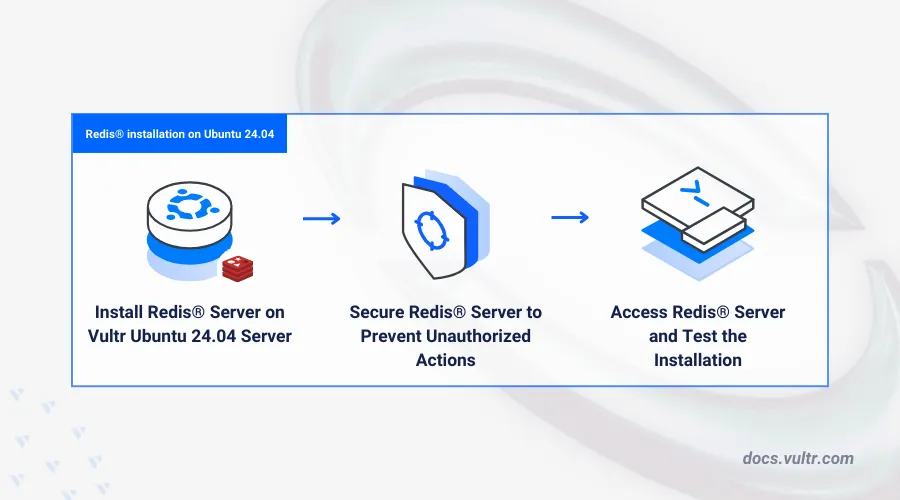
Immediately after configuration, check that the Redis server is actively running by executing sudo systemctl status redis.service. This confirms that the systemd service integration is functional and Redis starts correctly on boot.
- Test Redis Connectivity Locally
Use the Redis CLI tool with redis-cli ping to ensure the server responds with PONG. This local connectivity test verifies that Redis processes requests as expected without network issues.
- Validate Password Authentication
Attempt a Redis command that requires authentication, confirming the requirepass directive works. For example, use redis-cli -a yourpassword ping to verify access is limited to authorized clients—essential for a secure setup.
- Check TLS Encryption Functionality
Test TLS encryption by connecting with TLS support enabled, for instance: redis-cli --tls -h 127.0.0.1 -p 6379 --cert /path/to/cert.pem --key /path/to/key.pem --cacert /path/to/ca.crt ping. This guarantees encrypted communication between client and server, preventing interception.
- Evaluate ACL Rules Enforcement
Create a test user with restricted permissions in the ACL file, then try executing commands outside of its allowed scope using the associated credentials. Proper ACL configuration ensures users cannot perform unauthorized actions, hardening security effectively.
- Analyze Redis Logs for Irregularities
Inspect Redis logs located by default at /var/log/redis/redis-server.log for error messages or suspicious activities. Continuous log monitoring helps detect potential breaches, misconfigurations, or stability issues early.
- Monitor Redis Performance Metrics
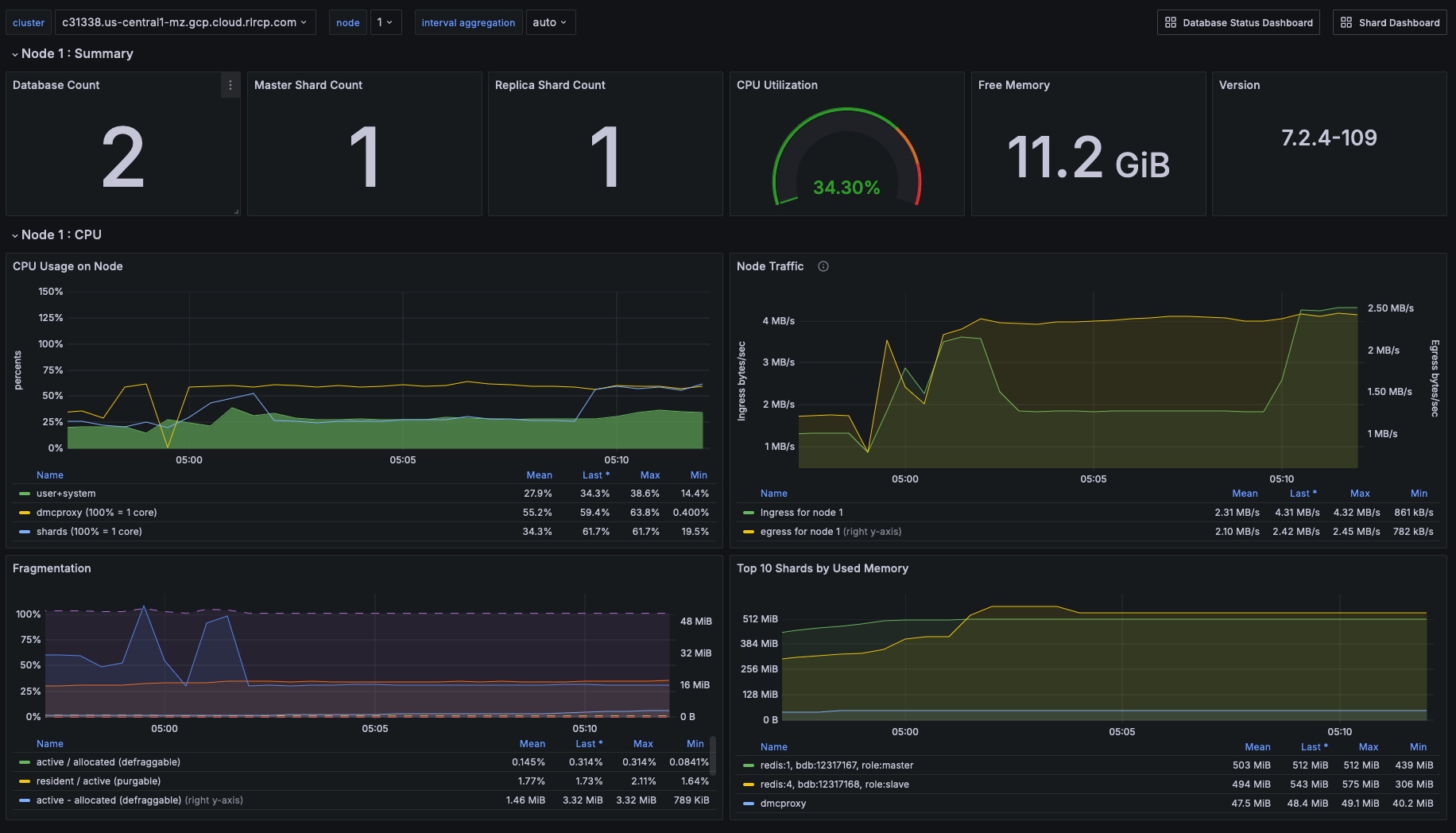
Use built-in commands like INFO to gather statistics on memory usage, connected clients, and command execution. Setting up monitoring tools such as Prometheus with Redis exporters provides ongoing insights into health and performance.
- Schedule Routine Backup Procedures
Automate snapshots by configuring save directives in redis.conf and periodically test restoring data from backups. A strong backup strategy mitigates data loss risks during unexpected failures or attacks.
- Keep Redis Updated Regularly
Apply updates promptly via package managers using sudo apt update && sudo apt upgrade redis-server, or build from source with newer versions as released. Staying current addresses security patches and performance improvements vital for a resilient deployment.
- Implement Security Hardening Practices Periodically
Review firewall rules, disable unused Redis commands through ACLs, and enforce system-level protections such as AppArmor or SELinux policies. Ongoing hardening complements the initial security setup to adapt against emerging threats.
This sequence establishes a complete routine for testing and maintaining a Redis deployment on Ubuntu 24.04. Combining connection verification, authentication checks, encryption tests, and careful monitoring with timely updates results in a stable and secure Redis environment. Redis’ inbuilt tools paired with system utilities provide a solid foundation for long-term reliability and security compliance. Practical monitoring solutions and backup schedules ensure that operational risks are mitigated while maintaining performance according to defined service levels. These steps form a vital part of overall database administration strategies for production-grade Redis instances, aligning with modern Linux server security practices repeatedly demonstrated to safeguard critical data platforms such as documented in NIST’s cybersecurity framework.
Common Challenges and Solutions for Redis Deployment on Ubuntu 24.04
Ensuring TLS Encryption for Secure Connections
Configuring TLS encryption is critical to protect Redis data in transit. On Ubuntu 24.04, Redis version 7 or higher supports native TLS. Users should generate self-signed certificates or obtain trusted SSL certificates, then configure tls-port and related settings in the Redis config file. This provides encrypted communication channels, mitigating risks from network interception.
Managing Redis Access Using ACLs
Redis ACLs (Access Control Lists) offer granular permission controls beyond a single password. Administrators define multiple user profiles with specific command and key restrictions via the aclfile configuration. Effective ACL setup prevents unauthorized commands and limits attack surface, particularly in multi-tenant or exposed environments.
Configuring Redis as a Systemd Service for Reliability
Running Redis as a native systemd service simplifies management and ensures automatic startup after reboots. Ubuntu 24.04 ships with a Redis systemd unit template that can be customized for specific security or logging needs. Placing the Redis config file path and command-line options in the unit file enables smooth background operation and easier service monitoring.
Addressing Redis Persistent Storage and Data Safety
Redis offers several persistence options: RDB snapshots and AOF logs. On Ubuntu 24.04, selecting the appropriate mix based on workload is important for balancing durability and performance. Configuring secure storage locations with proper file permissions safeguards data at rest against unauthorized access.
Mitigating Risks of Default Redis Configurations
Default Redis settings commonly allow unauthenticated local access and disable TLS. Changing these defaults by enabling authentication (requirepass) and configuring ACLs is essential. Also, binding to localhost only and firewalling Redis ports minimizes exposure to external threats. Security matters.
Handling Redis Password Authentication with Strong Credentials
Simple password authentication helps but is often insufficient alone. The password should be strong, unique, and stored securely. Redis supports multiple user passwords via ACLs, helping role-based access and more secure authentication methods.
Troubleshooting Common Redis Connectivity Issues on Ubuntu 24.04
Connectivity problems often stem from firewall rules or incorrect bind addresses. Ubuntu 24.04’s ufw firewall may block Redis ports (default 6379). Ensuring Redis is configured to bind to the correct IP and opening required ports in the firewall resolves most access failures.
Integrating Redis Security with Broader System Hardening Techniques
Redis security on Ubuntu 24.04 is strengthened when combined with host-level measures, such as configuring Fail2ban to monitor Redis logs, enforcing strict file permissions, and limiting user privileges. This layered approach minimizes attack vectors and reinforces data protection.
Maintaining Updated Redis Packages and Security Patches
Regularly updating Redis packages from Ubuntu’s official repositories or trusted PPAs ensures the latest security patches and features, including TLS enhancements and ACL improvements. Neglecting updates may leave vulnerabilities unpatched and expose the deployment.
Backing Up and Recovering Redis Configuration Securely
Backing up Redis configuration files (redis.conf and ACL files) along with snapshots prevents data loss during upgrades or misconfiguration. Automated backups with secure storage and tested restore procedures guarantee quick recovery while maintaining security standards.
The above covers major scenarios encountered during how to deploy and secure redis database on ubuntu 24.04 implementations, complementing installation with enterprise-grade security proven methods aligned with 2026 standards. The inclusion of TLS encryption, advanced ACL configurations, and systemd integration reflects current official recommendations from the Redis documentation and Ubuntu security advisories, forming a full approach to reliable Redis deployment on this platform. Additional system hardening can be explored via techniques outlined in how to secure your Linux server, furnishing administrators with a strong Linux backend safeguarding Redis operations.